

A
licenseNot graded
qualityD
maintenanceA Model Context Protocol server that allows LLMs to interact with web content through standardized tools, currently supporting web scraping functionality.
1
MIT

Click on "Deploy Server".
Wait a few minutes for the server to deploy. Once ready, it will show a "Started" state.
In the chat, type @ followed by the MCP server name and your instructions, e.g., "@Memex analyze this article about AI safety and add it to my knowledge base: https://example.com/ai-safety"
That's it! The server will respond to your query, and you can continue using it as needed.
Here is a step-by-step guide with screenshots.
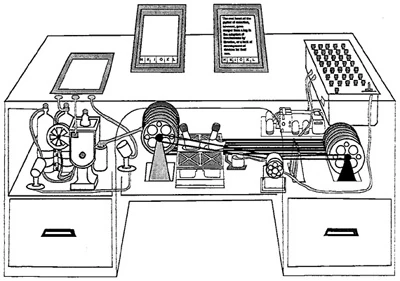
Memex is a tool for Model Context Protocol (MCP) that allows you to analyze web content and add it to your knowledge base.
The tool was inspired by the Memex project by Vannevar Bush.
You will need API keys for the following services:
The knowledge base produced by this tool is stored as Markdown files so they can be viewed with any Markdown viewer but Obsidian is recommended.
Related MCP server: Documentation Crawler & MCP Server
pip install mcp-memexAdd the following to your claude_desktop_config.json and replace the placeholders with the actual paths and API keys:
{
  "mcpServers": {
    "memex": {
      "command": "uv",
      "args": [
        "--directory",
        "PATH_TO_LOCAL_MEMEX_REPO",
        "run",
        "mcp-memex",
        "--index",
        "PATH_TO_MEMEX_INDEX",
        "--workspace",
        "PATH_TO_OBSIDIAN_VAULT"
      ],
      "env": {
        "ANTHROPIC_API_KEY": "YOUR-API-KEY",
        "FIRECRAWL_API_KEY": "YOUR-API-KEY",
        "VOYAGE_API_KEY": "YOUR-API-KEY"
      }
    }
  }
}Start by asking Claude a question with a list of URLs to reference.
What is the capital of France? "https://en.wikipedia.org/wiki/France"Once Claude has finished analyzing the content, you will see the results in your Obsidian vault. You can then ask questions about the content and Memex will use the knowledge base to answer your questions.
What is the capital of France?To run the tool locally, you can use the following command:
npx @modelcontextprotocol/inspector \
  uv \
  --directory PATH_TO_LOCAL_MEMEX_REPO \
  run \
  mcp-memex \
  --index PATH_TO_MEMEX_INDEX \
  --workspace PATH_TO_OBSIDIAN_VAULT
Then open the inspector and connect to the server.
Analyze multiple web pages and extract relevant information based on your query. This tool fetches and processes the content from provided URLs to answer your specific questions.
Inputs: query (required), urls (required).
Save an artifact to the knowledge base
Inputs: content (required).
Search through previously analyzed content in the knowledge base using natural language. This tool helps you find relevant information from your stored content.
Inputs: query (required).
Recent tool additions, removals, and schema changes observed during successful MCP inspections.
Loading tool schema changelog…
Scored across 3 tools
Each tool targets a distinct action: analyze web content, save to knowledge base, and search the knowledge base. There is no overlap in their purposes.
All tool names follow a consistent verb_noun pattern with snake_case (analyze_web_content, save_artifact, search_knowledge_base), making them predictable and easy to understand.
With only 3 tools, the server feels slightly under-scoped for a knowledge base system, but it may be intentionally focused on core web analysis and storage/search functionality.
The tool set covers creating artifacts and searching, but lacks update, delete, or listing capabilities, which are notable gaps for managing a knowledge base over time.
Personal knowledge MCP: capture bookmarks, notes & todos by chat; archive pages; search memory.
MCP Server for Web2MD — convert URLs to Markdown from Claude Desktop, Cursor, etc.
Convert files, URLs, and documents to clean, AI-ready Markdown via MCP.
AI research library. Save, organise and reuse notes and webpages as clean markdown context.