A
licenseB
qualityD
maintenanceProvides weather forecast data for locations in China using the HeFeng Weather API, with real-time, hourly, or daily forecasts and location-based queries.
1
47 npm
9
ISC

Click on "Deploy Server".
Wait a few minutes for the server to deploy. Once ready, it will show a "Started" state.
In the chat, type @ followed by the MCP server name and your instructions, e.g., "@China Weather MCP Server 北京未来5天的天气预报"
That's it! The server will respond to your query, and you can continue using it as needed.
Here is a step-by-step guide with screenshots.
照抄Mcp官网Demo的基于和风天气API的Model Context Protocol (MCP)服务器,用于查询中国城市的天气信息和气象预警。
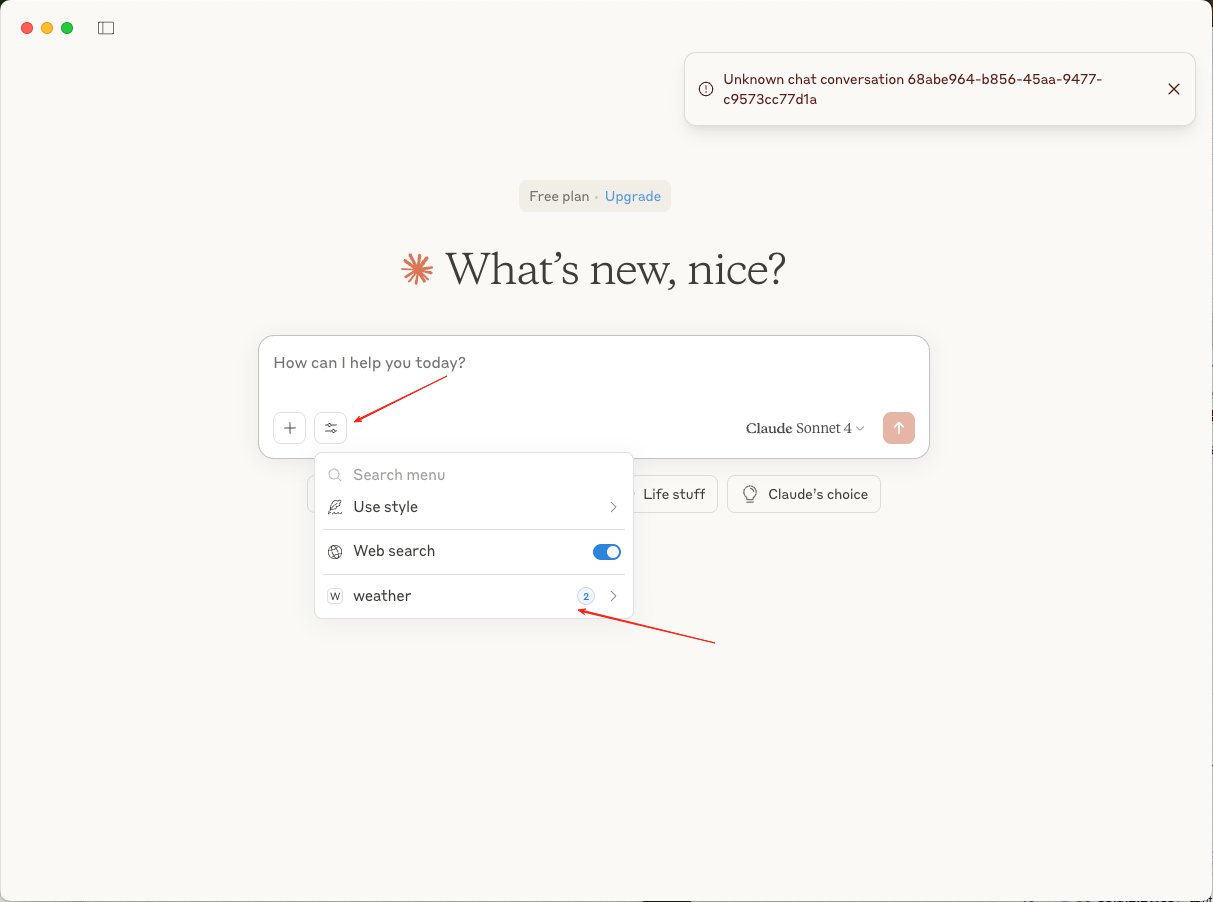
code ~/Library/Application\ Support/Claude/claude_desktop_config.json

{
  "mcpServers": {
    "weather": {
      "command": "node",
      "args": [
        "your_dir/weather/build/index.js"
      ]
    }
  }
}
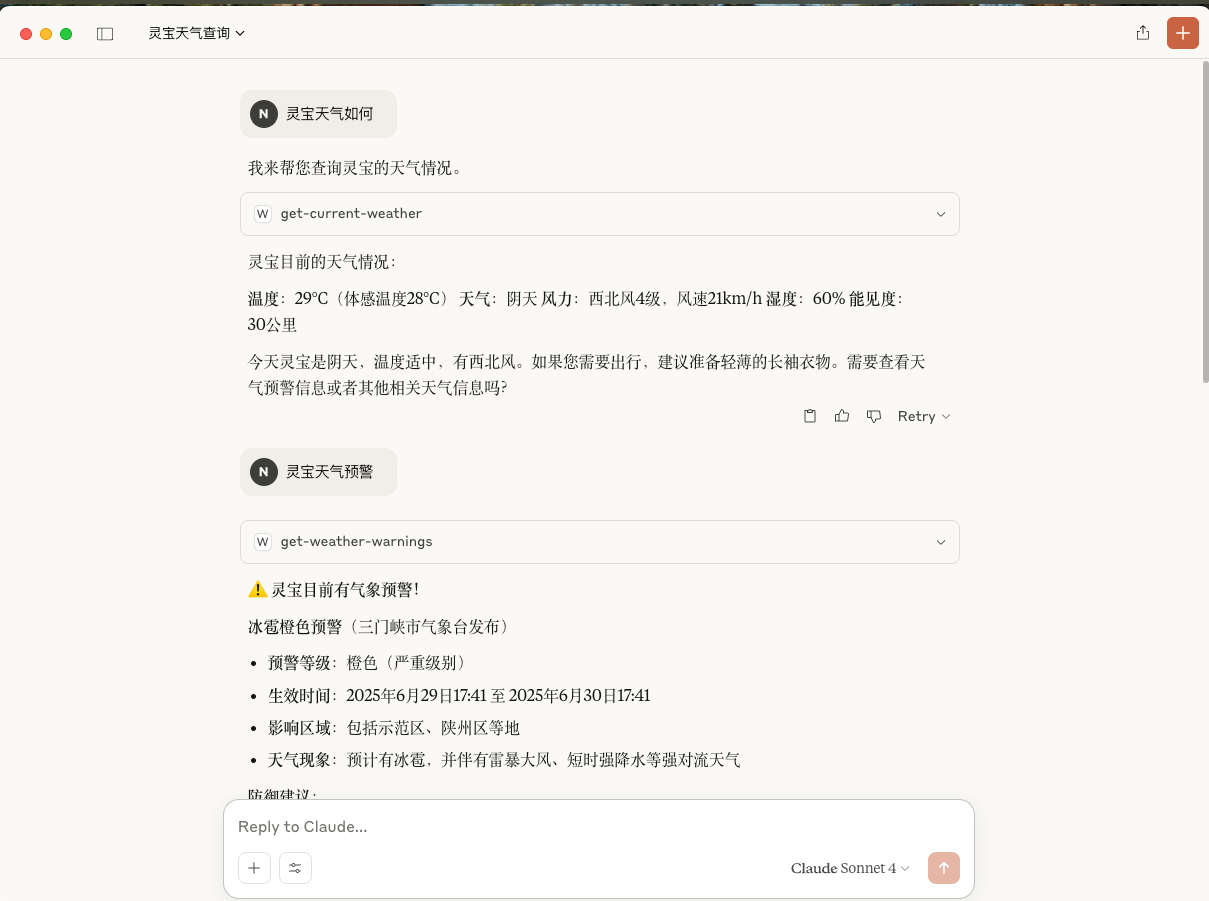
🌤️ 天气预报: 获取中国任意城市的1-7天天气预报
⚠️ 气象预警: 查询城市的实时气象预警信息
🏙️ 智能城市搜索: 支持中文城市名称搜索
📊 详细信息: 提供温度、湿度、风力、降水、紫外线等详细天气数据
Related MCP server: HeFeng Weather MCP Server
访问 和风天气开发平台 注册账号并获取免费的API密钥。
const QWEATHER_API_BASE = "https://ph5ctubwqh.re.qweatherapi.com";
const API_KEY = "dedccbe28e4d43a28e9db478df8aca71";npm installnpm run build获取城市天气预报
参数:
city (string): 城市名称,如:北京、上海、广州等
days (number, 可选): 预报天数,1-7天,默认3天
示例:
{
  "city": "北京",
  "days": 5
}获取城市气象预警信息
参数:
city (string): 城市名称,如:北京、上海、广州等
示例:
{
  "city": "上海"
}支持中国大陆、港澳台地区的所有主要城市,包括但不限于:
直辖市: 北京、上海、天津、重庆
省会城市: 广州、深圳、杭州、南京、武汉、成都、西安等
地级市: 苏州、无锡、佛山、东莞、大连等
县级市: 昆山、江阴、张家港等
天气预报包含以下信息:
📅 日期
🌡️ 最高/最低温度
☀️ 白天天气状况
🌙 夜间天气状况
💨 风向风力
💧 湿度
🌧️ 降水量
📊 气压
👁️ 能见度
☀️ 紫外线指数
🌅 日出日落时间
气象预警包含:
⚠️ 预警标题和类型
📊 预警等级
📍 影响区域
⏰ 生效时间
📋 详细描述
服务器会处理以下常见错误:
API密钥无效或未设置
城市名称不存在
网络连接问题
API请求限制
weather/
├── src/
│   └── index.ts          # 主服务器文件
├── build/
│   └── index.js          # 编译后的文件
├── package.json
├── tsconfig.json
└── README.md修改源代码 src/index.ts
重新构建: npm run build
测试运行: npm start
MIT License
欢迎提交 Issue 和 Pull Request!
This server cannot be deployed
MCP server for current weather and multi-day forecasts worldwide, Chinese city names and output.
Global weather via Open-Meteo: forecast, historical, marine, air quality, geocoding, elevation.
Provide real-time and forecast weather information for locations in the United States using natura…
US weather for AI agents: active NWS alerts by state, 5-period forecasts by lat/lon. Paid per call.