Penpot MCP Server
Supports workflow automation for Penpot design files through GitHub Actions and CI integration. Enables automated testing and validation of design components.
Connects to Penpot's API for design file access, component analysis, export automation, and design validation. Enables browsing projects, analyzing design components, exporting assets, and validating design system compliance.
Provides a Python SDK for custom integrations with Penpot designs, enabling programmatic access to design files and components for workflow automation.
Click on "Install Server".
Wait a few minutes for the server to deploy. Once ready, it will show a "Started" state.
In the chat, type
@followed by the MCP server name and your instructions, e.g., "@Penpot MCP Serveranalyze the accessibility of my latest dashboard design"
That's it! The server will respond to your query, and you can continue using it as needed.
Here is a step-by-step guide with screenshots.
Penpot MCP Server π¨π€
π What is Penpot MCP?
Penpot MCP is a revolutionary Model Context Protocol (MCP) server that bridges the gap between AI language models and Penpot, the open-source design and prototyping platform. This integration enables AI assistants like Claude (in both Claude Desktop and Cursor IDE) to understand, analyze, and interact with your design files programmatically.
π― Key Benefits
π€ AI-Native Design Analysis: Let Claude AI analyze your UI/UX designs, provide feedback, and suggest improvements
β‘ Automated Design Workflows: Streamline repetitive design tasks with AI-powered automation
π Intelligent Design Search: Find design components and patterns across your projects using natural language
π Design System Management: Automatically document and maintain design systems with AI assistance
π¨ Cross-Platform Integration: Works with any MCP-compatible AI assistant (Claude Desktop, Cursor IDE, etc.)
Related MCP server: AI-Canvas MCP Server
π₯ Demo Video
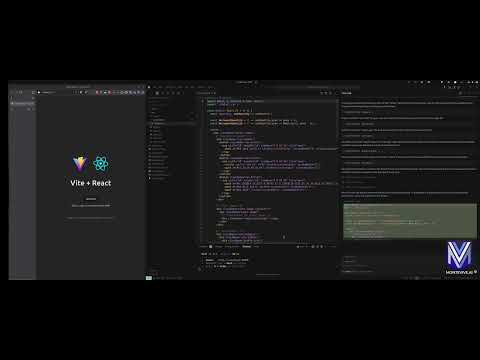
Check out our demo video to see Penpot MCP in action:
β¨ Features
π Core Capabilities
MCP Protocol Implementation: Full compliance with Model Context Protocol standards
Real-time Design Access: Direct integration with Penpot's API for live design data
Component Analysis: AI-powered analysis of design components and layouts
Export Automation: Programmatic export of design assets in multiple formats
Design Validation: Automated design system compliance checking
π οΈ Developer Tools
Command-line Utilities: Powerful CLI tools for design file analysis and validation
Python SDK: Comprehensive Python library for custom integrations
REST API: HTTP endpoints for web application integration
Extensible Architecture: Plugin system for custom AI workflows
π¨ AI Integration Features
Claude Desktop & Cursor Integration: Native support for Claude AI assistant in both Claude Desktop and Cursor IDE
Design Context Sharing: Provide design context to AI models for better responses
Visual Component Recognition: AI can "see" and understand design components
Natural Language Queries: Ask questions about your designs in plain English
IDE Integration: Seamless integration with modern development environments
π‘ Use Cases
For Designers
Design Review Automation: Get instant AI feedback on accessibility, usability, and design principles
Component Documentation: Automatically generate documentation for design systems
Design Consistency Checks: Ensure brand guidelines compliance across projects
Asset Organization: AI-powered tagging and categorization of design components
For Developers
Design-to-Code Workflows: Bridge the gap between design and development with AI assistance
API Integration: Programmatic access to design data for custom tools and workflows
Automated Testing: Generate visual regression tests from design specifications
Design System Sync: Keep design tokens and code components in sync
For Product Teams
Design Analytics: Track design system adoption and component usage
Collaboration Enhancement: AI-powered design reviews and feedback collection
Workflow Optimization: Automate repetitive design operations and approvals
Cross-tool Integration: Connect Penpot with other tools in your design workflow
π Quick Start
Prerequisites
Python 3.12+ (Latest Python recommended for optimal performance)
Penpot Account (Sign up free)
Claude Desktop or Cursor IDE (Optional, for AI integration)
Installation
Prerequisites
Python 3.12+
Penpot account credentials
Installation
Option 1: Install from PyPI
pip install penpot-mcpOption 2: Using uv (recommended for modern Python development)
# Install directly with uvx (when published to PyPI)
uvx penpot-mcp
# For local development, use uvx with local path
uvx --from . penpot-mcp
# Or install in a project with uv
uv add penpot-mcpOption 3: Install from source
# Clone the repository
git clone https://github.com/montevive/penpot-mcp.git
cd penpot-mcp
# Using uv (recommended)
uv sync
uv run penpot-mcp
# Or using traditional pip
python -m venv .venv
source .venv/bin/activate # On Windows: .venv\Scripts\activate
pip install -e .Configuration
Create a .env file based on env.example with your Penpot credentials:
PENPOT_API_URL=https://design.penpot.app/api
PENPOT_USERNAME=your_penpot_username
PENPOT_PASSWORD=your_penpot_password
PORT=5000
DEBUG=trueβ οΈ CloudFlare Protection Notice: The Penpot cloud site (penpot.app) uses CloudFlare protection that may occasionally block API requests. If you encounter authentication errors or blocked requests:
Open your web browser and navigate to https://design.penpot.app
Log in to your Penpot account
Complete any CloudFlare human verification challenges if prompted
Once verified, the API requests should work normally for a period of time
Usage
Running the MCP Server
# Using uvx (when published to PyPI)
uvx penpot-mcp
# Using uvx for local development
uvx --from . penpot-mcp
# Using uv in a project (recommended for local development)
uv run penpot-mcp
# Using the entry point (if installed)
penpot-mcp
# Or using the module directly
python -m penpot_mcp.server.mcp_serverDebugging the MCP Server
To debug the MCP server, you can:
Enable debug mode in your
.envfile by settingDEBUG=trueUse the Penpot API CLI for testing API operations:
# Test API connection with debug output
python -m penpot_mcp.api.penpot_api --debug list-projects
# Get details for a specific project
python -m penpot_mcp.api.penpot_api --debug get-project --id YOUR_PROJECT_ID
# List files in a project
python -m penpot_mcp.api.penpot_api --debug list-files --project-id YOUR_PROJECT_ID
# Get file details
python -m penpot_mcp.api.penpot_api --debug get-file --file-id YOUR_FILE_IDCommand-line Tools
The package includes utility command-line tools:
# Generate a tree visualization of a Penpot file
penpot-tree path/to/penpot_file.json
# Validate a Penpot file against the schema
penpot-validate path/to/penpot_file.jsonMCP Monitoring & Testing
MCP CLI Monitor
# Start your MCP server in one terminal
python -m penpot_mcp.server.mcp_server
# In another terminal, use mcp-cli to monitor and interact with your server
python -m mcp.cli monitor python -m penpot_mcp.server.mcp_server
# Or connect to an already running server on a specific port
python -m mcp.cli monitor --port 5000MCP Inspector
# Start your MCP server in one terminal
python -m penpot_mcp.server.mcp_server
# In another terminal, run the MCP Inspector (requires Node.js)
npx @modelcontextprotocol/inspectorUsing the Client
# Run the example client
penpot-clientMCP Resources & Tools
Resources
server://info- Server status and informationpenpot://schema- Penpot API schema as JSONpenpot://tree-schema- Penpot object tree schema as JSONrendered-component://{component_id}- Rendered component imagespenpot://cached-files- List of cached Penpot files
Tools
list_projects- List all Penpot projectsget_project_files- Get files for a specific projectget_file- Retrieve a Penpot file by its ID and cache itexport_object- Export a Penpot object as an imageget_object_tree- Get the object tree structure for a Penpot objectsearch_object- Search for objects within a Penpot file by name
AI Integration
The Penpot MCP server can be integrated with AI assistants using the Model Context Protocol. It supports both Claude Desktop and Cursor IDE for seamless design workflow automation.
Claude Desktop Integration
For detailed Claude Desktop setup instructions, see CLAUDE_INTEGRATION.md.
Add the following configuration to your Claude Desktop config file (~/Library/Application Support/Claude/claude_desktop_config.json on macOS or %APPDATA%\Claude\claude_desktop_config.json on Windows):
{
"mcpServers": {
"penpot": {
"command": "uvx",
"args": ["penpot-mcp"],
"env": {
"PENPOT_API_URL": "https://design.penpot.app/api",
"PENPOT_USERNAME": "your_penpot_username",
"PENPOT_PASSWORD": "your_penpot_password"
}
}
}
}Cursor IDE Integration
Cursor IDE supports MCP servers through its AI integration features. To configure Penpot MCP with Cursor:
Install the MCP server (if not already installed):
pip install penpot-mcpConfigure Cursor settings by adding the MCP server to your Cursor configuration. Open Cursor settings and add:
{ "mcpServers": { "penpot": { "command": "uvx", "args": ["penpot-mcp"], "env": { "PENPOT_API_URL": "https://design.penpot.app/api", "PENPOT_USERNAME": "your_penpot_username", "PENPOT_PASSWORD": "your_penpot_password" } } } }Alternative: Use environment variables by creating a
.envfile in your project root:PENPOT_API_URL=https://design.penpot.app/api PENPOT_USERNAME=your_penpot_username PENPOT_PASSWORD=your_penpot_passwordStart the MCP server in your project:
# In your project directory penpot-mcpUse in Cursor: Once configured, you can interact with your Penpot designs directly in Cursor by asking questions like:
"Show me all projects in my Penpot account"
"Analyze the design components in project X"
"Export the main button component as an image"
"What design patterns are used in this file?"
Key Integration Features
Both Claude Desktop and Cursor integration provide:
Direct access to Penpot projects and files
Visual component analysis with AI-powered insights
Design export capabilities for assets and components
Natural language queries about your design files
Real-time design feedback and suggestions
Design system documentation generation
Package Structure
penpot_mcp/
βββ api/ # Penpot API client
βββ server/ # MCP server implementation
β βββ mcp_server.py # Main MCP server
β βββ client.py # Client implementation
βββ tools/ # Utility tools
β βββ cli/ # Command-line interfaces
β βββ penpot_tree.py # Penpot object tree visualization
βββ resources/ # Resource files and schemas
βββ utils/ # Helper utilitiesDevelopment
Testing
The project uses pytest for testing:
# Using uv (recommended)
uv sync --extra dev
uv run pytest
# Run with coverage
uv run pytest --cov=penpot_mcp tests/
# Using traditional pip
pip install -e ".[dev]"
pytest
pytest --cov=penpot_mcp tests/Linting
# Using uv (recommended)
uv sync --extra dev
# Set up pre-commit hooks
uv run pre-commit install
# Run linting
uv run python lint.py
# Auto-fix linting issues
uv run python lint.py --autofix
# Using traditional pip
pip install -r requirements-dev.txt
pre-commit install
./lint.py
./lint.py --autofixContributing
Contributions are welcome! Please feel free to submit a Pull Request.
Fork the repository
Create your feature branch (
git checkout -b feature/amazing-feature)Commit your changes (
git commit -m 'Add some amazing feature')Push to the branch (
git push origin feature/amazing-feature)Open a Pull Request
Please make sure your code follows the project's coding standards and includes appropriate tests.
License
This project is licensed under the MIT License - see the LICENSE file for details.
Acknowledgments
Penpot - The open-source design and prototyping platform
Model Context Protocol - The standardized protocol for AI model context
Available Tools
10 toolsexport_objectC
Export a Penpot design object as an image.
Args:
file_id: The ID of the Penpot file
page_id: The ID of the page containing the object
object_id: The ID of the object to export
export_type: Image format (png, svg, etc.)
scale: Scale factor for the exported image
| Name | Required | Description | Default |
|---|---|---|---|
| file_id | Yes | ||
| page_id | Yes | ||
| object_id | Yes | ||
| export_type | No | png | |
| scale | No |
TDQS
Does the description disclose side effects, auth requirements, rate limits, or destructive behavior?
No annotations are provided, so the description carries the full burden of behavioral disclosure. It states the action ('Export') but lacks details on permissions needed, whether it's a read-only or write operation, rate limits, or what the output entails (e.g., file download link, binary data). This is inadequate for a tool with potential side effects like file generation.
Agents need to know what a tool does to the world before calling it. Descriptions should go beyond structured annotations to explain consequences.
Is the description appropriately sized, front-loaded, and free of redundancy?
The description is appropriately sized and front-loaded, starting with the core purpose in the first sentence. The parameter explanations are listed efficiently in bullet-point style under 'Args:', though some could be more concise (e.g., 'etc.' in export_type is vague). Overall, it avoids unnecessary verbosity.
Shorter descriptions cost fewer tokens and are easier for agents to parse. Every sentence should earn its place.
Given the tool's complexity, does the description cover enough for an agent to succeed on first attempt?
Given no annotations, 0% schema description coverage, and no output schema, the description is incomplete. It covers the basic action and parameters but misses critical behavioral context (e.g., output format, side effects) and usage guidelines relative to siblings. For a 5-parameter tool with potential file operations, this leaves significant gaps for an agent.
Complex tools with many parameters or behaviors need more documentation. Simple tools need less. This dimension scales expectations accordingly.
Does the description clarify parameter syntax, constraints, interactions, or defaults beyond what the schema provides?
Schema description coverage is 0%, so the description must compensate. It lists all 5 parameters with brief explanations (e.g., 'Image format (png, svg, etc.)' for export_type), adding basic semantics beyond the schema's titles. However, it doesn't provide deeper context like valid export_type values beyond examples or scale constraints, leaving gaps in understanding.
Input schemas describe structure but not intent. Descriptions should explain non-obvious parameter relationships and valid value ranges.
Does the description clearly state what the tool does and how it differs from similar tools?
The description clearly states the verb ('Export') and resource ('a Penpot design object as an image'), making the purpose immediately understandable. However, it doesn't explicitly differentiate this tool from sibling tools like 'get_rendered_component' or 'search_object', which might also involve object retrieval or rendering, so it falls short of a perfect score.
Agents choose between tools based on descriptions. A clear purpose with a specific verb and resource helps agents select the right tool.
Does the description explain when to use this tool, when not to, or what alternatives exist?
The description provides no guidance on when to use this tool versus alternatives. With sibling tools like 'get_rendered_component' and 'search_object' available, there's no indication of scenarios where 'export_object' is preferred, such as for image file generation versus in-app viewing, leaving the agent to guess based on tool names alone.
Agents often have multiple tools that could apply. Explicit usage guidance like "use X instead of Y when Z" prevents misuse.
get_cached_filesB
List all files currently stored in the cache.
| Name | Required | Description | Default |
|---|---|---|---|
No parameters | |||
TDQS
Does the description disclose side effects, auth requirements, rate limits, or destructive behavior?
No annotations are provided, so the description carries the full burden of behavioral disclosure. It states the tool lists files from the cache, implying a read-only operation, but does not specify details like whether the list is paginated, sorted, filtered, or includes metadata. For a tool with zero annotation coverage, this leaves significant gaps in understanding its behavior.
Agents need to know what a tool does to the world before calling it. Descriptions should go beyond structured annotations to explain consequences.
Is the description appropriately sized, front-loaded, and free of redundancy?
The description is a single, clear sentence that directly states the tool's function without unnecessary words. It is front-loaded and efficiently conveys the core purpose, making it easy to understand at a glance.
Shorter descriptions cost fewer tokens and are easier for agents to parse. Every sentence should earn its place.
Given the tool's complexity, does the description cover enough for an agent to succeed on first attempt?
Given the tool has no parameters and no output schema, the description adequately covers the basic purpose. However, it lacks details on behavioral aspects (e.g., output format, caching specifics) and usage guidelines, which are important for an agent to invoke it correctly. The simplicity of the tool means the description is minimally viable but could be more informative.
Complex tools with many parameters or behaviors need more documentation. Simple tools need less. This dimension scales expectations accordingly.
Does the description clarify parameter syntax, constraints, interactions, or defaults beyond what the schema provides?
The tool has 0 parameters, and the schema description coverage is 100%, so there are no parameters to document. The description does not need to add parameter semantics, but it correctly implies no inputs are required. A baseline score of 4 is appropriate as it aligns with the lack of parameters.
Input schemas describe structure but not intent. Descriptions should explain non-obvious parameter relationships and valid value ranges.
Does the description clearly state what the tool does and how it differs from similar tools?
The description clearly states the verb ('List') and resource ('files currently stored in the cache'), making the purpose unambiguous. However, it does not explicitly differentiate from sibling tools like 'get_file' or 'get_project_files', which might also retrieve files but from different sources or with different scopes.
Agents choose between tools based on descriptions. A clear purpose with a specific verb and resource helps agents select the right tool.
Does the description explain when to use this tool, when not to, or what alternatives exist?
The description provides no guidance on when to use this tool versus alternatives, such as 'get_file' (which might retrieve a specific file) or 'get_project_files' (which might list files in a project context). There is no mention of prerequisites, exclusions, or recommended contexts for usage.
Agents often have multiple tools that could apply. Explicit usage guidance like "use X instead of Y when Z" prevents misuse.
get_fileA
Retrieve a Penpot file by its ID and cache it. Don't use this tool for code generation, use 'get_object_tree' instead.
Args:
file_id: The ID of the Penpot file
| Name | Required | Description | Default |
|---|---|---|---|
| file_id | Yes |
TDQS
Does the description disclose side effects, auth requirements, rate limits, or destructive behavior?
With no annotations provided, the description carries the full burden of behavioral disclosure. It reveals two important behavioral traits: 1) the tool caches the retrieved file, and 2) it's specifically not intended for code generation purposes. However, it doesn't mention potential side effects, error conditions, or response format.
Agents need to know what a tool does to the world before calling it. Descriptions should go beyond structured annotations to explain consequences.
Is the description appropriately sized, front-loaded, and free of redundancy?
The description is appropriately sized with two main sentences and a parameter section. The first sentence states the purpose, the second provides usage guidance, and the Args section documents the parameter. There's minimal waste, though the formatting could be cleaner.
Shorter descriptions cost fewer tokens and are easier for agents to parse. Every sentence should earn its place.
Given the tool's complexity, does the description cover enough for an agent to succeed on first attempt?
For a tool with no annotations, no output schema, and 0% schema description coverage, the description provides adequate basics (purpose, usage guidance, parameter meaning) but lacks details about return values, error handling, caching behavior specifics, or authentication requirements that would be helpful for an AI agent.
Complex tools with many parameters or behaviors need more documentation. Simple tools need less. This dimension scales expectations accordingly.
Does the description clarify parameter syntax, constraints, interactions, or defaults beyond what the schema provides?
With 0% schema description coverage, the description must compensate for the lack of parameter documentation. It provides the parameter name 'file_id' and clarifies it's 'The ID of the Penpot file', which adds meaningful context beyond the bare schema. However, it doesn't specify format requirements or validation rules.
Input schemas describe structure but not intent. Descriptions should explain non-obvious parameter relationships and valid value ranges.
Does the description clearly state what the tool does and how it differs from similar tools?
The description clearly states the specific action ('Retrieve a Penpot file by its ID') and resource ('Penpot file'), and distinguishes it from sibling tools by explicitly naming 'get_object_tree' as an alternative for code generation. This provides excellent differentiation.
Agents choose between tools based on descriptions. A clear purpose with a specific verb and resource helps agents select the right tool.
Does the description explain when to use this tool, when not to, or what alternatives exist?
The description provides explicit guidance on when NOT to use this tool ('Don't use this tool for code generation') and names a specific alternative ('use get_object_tree instead'). This gives clear context for tool selection among siblings.
Agents often have multiple tools that could apply. Explicit usage guidance like "use X instead of Y when Z" prevents misuse.
get_object_treeB
Get the object tree structure for a Penpot object ("tree" field) with rendered screenshot image of the object ("image.mcp_uri" field). Args: file_id: The ID of the Penpot file object_id: The ID of the object to retrieve fields: Specific fields to include in the tree (call "penpot_tree_schema" resource/tool for available fields) depth: How deep to traverse the object tree (-1 for full depth) format: Output format ('json' or 'yaml')
| Name | Required | Description | Default |
|---|---|---|---|
| file_id | Yes | ||
| object_id | Yes | ||
| fields | Yes | ||
| depth | No | ||
| format | No | json |
TDQS
Does the description disclose side effects, auth requirements, rate limits, or destructive behavior?
No annotations are provided, so the description carries full burden. It describes what the tool returns (tree structure and screenshot) but lacks behavioral details such as whether this is a read-only operation, potential rate limits, authentication needs, error handling, or how the screenshot is generated (e.g., rendering time, size). For a tool with 5 parameters and no annotations, this is a significant gap in transparency.
Agents need to know what a tool does to the world before calling it. Descriptions should go beyond structured annotations to explain consequences.
Is the description appropriately sized, front-loaded, and free of redundancy?
The description is appropriately sized and front-loaded, starting with the core purpose followed by parameter details in a structured list. Every sentence adds value, such as explaining parameter purposes and referencing other tools. Minor improvements could include briefer phrasing, but overall it's efficient and well-organized.
Shorter descriptions cost fewer tokens and are easier for agents to parse. Every sentence should earn its place.
Given the tool's complexity, does the description cover enough for an agent to succeed on first attempt?
Given 5 parameters, no annotations, and no output schema, the description is moderately complete. It covers parameter semantics well and references another tool for schema details, but lacks information on return values, error cases, or behavioral traits. For a tool with this complexity, it should provide more context on output structure and usage constraints to be fully helpful.
Complex tools with many parameters or behaviors need more documentation. Simple tools need less. This dimension scales expectations accordingly.
Does the description clarify parameter syntax, constraints, interactions, or defaults beyond what the schema provides?
Schema description coverage is 0%, so the description must compensate. It provides clear semantics for all 5 parameters: 'file_id' and 'object_id' identify the target, 'fields' specifies what to include with a reference to another tool, 'depth' controls traversal with -1 meaning full depth, and 'format' sets output format. This adds substantial meaning beyond the bare schema, though it could elaborate on default behaviors beyond the schema's defaults.
Input schemas describe structure but not intent. Descriptions should explain non-obvious parameter relationships and valid value ranges.
Does the description clearly state what the tool does and how it differs from similar tools?
The description clearly states the action ('Get') and the resource ('object tree structure for a Penpot object'), including specific output fields like 'tree' and 'image.mcp_uri'. It distinguishes from siblings like 'get_file' or 'search_object' by focusing on tree structure and screenshot rendering. However, it doesn't explicitly contrast with 'penpot_tree_schema', which is mentioned as a reference tool.
Agents choose between tools based on descriptions. A clear purpose with a specific verb and resource helps agents select the right tool.
Does the description explain when to use this tool, when not to, or what alternatives exist?
The description implies usage when needing object tree structure with a rendered screenshot, but doesn't explicitly state when to use this versus alternatives like 'get_file' for basic file info or 'search_object' for finding objects. It references 'penpot_tree_schema' for field details, providing some context, but lacks clear exclusions or comparative guidance with other tools.
Agents often have multiple tools that could apply. Explicit usage guidance like "use X instead of Y when Z" prevents misuse.
get_project_filesC
Get all files contained within a specific Penpot project.
Args:
project_id: The ID of the Penpot project
| Name | Required | Description | Default |
|---|---|---|---|
| project_id | Yes |
TDQS
Does the description disclose side effects, auth requirements, rate limits, or destructive behavior?
No annotations are provided, so the description carries the full burden of behavioral disclosure. It states the tool retrieves files but doesn't describe return format (e.g., list structure, file metadata), pagination, rate limits, authentication needs, or error conditions. For a read operation with zero annotation coverage, this leaves significant gaps in understanding how the tool behaves.
Agents need to know what a tool does to the world before calling it. Descriptions should go beyond structured annotations to explain consequences.
Is the description appropriately sized, front-loaded, and free of redundancy?
The description is appropriately concise with two sentences: one for the purpose and one for the parameter. It's front-loaded with the core functionality. However, the formatting includes unnecessary indentation and whitespace, slightly detracting from structure.
Shorter descriptions cost fewer tokens and are easier for agents to parse. Every sentence should earn its place.
Given the tool's complexity, does the description cover enough for an agent to succeed on first attempt?
Given the complexity (a read operation with no annotations, no output schema, and 0% schema coverage), the description is incomplete. It doesn't explain what 'files' means in this context (e.g., file types, metadata), how results are returned, or potential limitations. For a tool that likely returns a list of resources, more context is needed to use it effectively.
Complex tools with many parameters or behaviors need more documentation. Simple tools need less. This dimension scales expectations accordingly.
Does the description clarify parameter syntax, constraints, interactions, or defaults beyond what the schema provides?
The description adds minimal parameter semantics: it explains that 'project_id' is 'The ID of the Penpot project.' With 0% schema description coverage (schema has no descriptions), this provides basic meaning. However, it doesn't clarify format (e.g., UUID), sourcing, or validation rules. Since there's only one parameter, the baseline is 4, but the lack of detail beyond a tautological explanation reduces it to 3.
Input schemas describe structure but not intent. Descriptions should explain non-obvious parameter relationships and valid value ranges.
Does the description clearly state what the tool does and how it differs from similar tools?
The description clearly states the tool's purpose: 'Get all files contained within a specific Penpot project.' It specifies the verb ('Get') and resource ('files'), and distinguishes it from siblings like 'get_file' (singular) and 'list_projects' (different resource). However, it doesn't explicitly differentiate from 'get_cached_files' or 'export_object', which could be related operations.
Agents choose between tools based on descriptions. A clear purpose with a specific verb and resource helps agents select the right tool.
Does the description explain when to use this tool, when not to, or what alternatives exist?
The description provides no guidance on when to use this tool versus alternatives. It doesn't mention when-not scenarios, prerequisites, or compare it to siblings like 'get_file' (for a single file) or 'search_object' (for filtered searches). The agent must infer usage from the tool name and description alone.
Agents often have multiple tools that could apply. Explicit usage guidance like "use X instead of Y when Z" prevents misuse.
get_rendered_componentC
Return a rendered component image by its ID.
| Name | Required | Description | Default |
|---|---|---|---|
| component_id | Yes |
TDQS
Does the description disclose side effects, auth requirements, rate limits, or destructive behavior?
No annotations are provided, so the description carries the full burden of behavioral disclosure. It states the tool returns an image, but doesn't describe format, size, caching behavior, error handling, or authentication needs. For a tool with zero annotation coverage, this leaves critical behavioral traits unspecified.
Agents need to know what a tool does to the world before calling it. Descriptions should go beyond structured annotations to explain consequences.
Is the description appropriately sized, front-loaded, and free of redundancy?
The description is a single, efficient sentence that directly states the tool's purpose. It's front-loaded with no wasted words, making it easy to parse quickly.
Shorter descriptions cost fewer tokens and are easier for agents to parse. Every sentence should earn its place.
Given the tool's complexity, does the description cover enough for an agent to succeed on first attempt?
Given the tool's complexity (retrieving rendered images), lack of annotations, no output schema, and low parameter coverage, the description is incomplete. It doesn't address return values, error cases, or operational context, leaving the agent with insufficient information for reliable invocation.
Complex tools with many parameters or behaviors need more documentation. Simple tools need less. This dimension scales expectations accordingly.
Does the description clarify parameter syntax, constraints, interactions, or defaults beyond what the schema provides?
Schema description coverage is 0%, so the description must compensate. It mentions 'component_id' but doesn't explain what a component ID is, its format, or where to find it. With one undocumented parameter, the description adds minimal value beyond the schema's basic structure.
Input schemas describe structure but not intent. Descriptions should explain non-obvious parameter relationships and valid value ranges.
Does the description clearly state what the tool does and how it differs from similar tools?
The description clearly states the action ('Return') and resource ('rendered component image by its ID'), making the purpose understandable. However, it doesn't distinguish this tool from siblings like 'get_file' or 'get_cached_files', which might also retrieve files or images, so it lacks sibling differentiation.
Agents choose between tools based on descriptions. A clear purpose with a specific verb and resource helps agents select the right tool.
Does the description explain when to use this tool, when not to, or what alternatives exist?
No guidance is provided on when to use this tool versus alternatives. The description doesn't mention prerequisites, context, or exclusions, leaving the agent without usage instructions. This is a significant gap in helping the agent select the correct tool.
Agents often have multiple tools that could apply. Explicit usage guidance like "use X instead of Y when Z" prevents misuse.
list_projectsB
Retrieve a list of all available Penpot projects.
| Name | Required | Description | Default |
|---|---|---|---|
No parameters | |||
TDQS
Does the description disclose side effects, auth requirements, rate limits, or destructive behavior?
With no annotations provided, the description carries the full burden of behavioral disclosure. It states the action ('Retrieve a list') but does not cover critical traits like pagination, rate limits, authentication needs, or what 'all available' entails (e.g., permissions, archived projects). This leaves significant gaps for a read operation.
Agents need to know what a tool does to the world before calling it. Descriptions should go beyond structured annotations to explain consequences.
Is the description appropriately sized, front-loaded, and free of redundancy?
The description is a single, efficient sentence that directly states the tool's purpose without any wasted words. It is front-loaded and appropriately sized for a simple retrieval tool.
Shorter descriptions cost fewer tokens and are easier for agents to parse. Every sentence should earn its place.
Given the tool's complexity, does the description cover enough for an agent to succeed on first attempt?
Given the tool's simplicity (0 parameters, no output schema, no annotations), the description is minimally adequate. However, it lacks details on return format, pagination, or error handling, which are important for a list retrieval tool, making it incomplete for optimal agent use.
Complex tools with many parameters or behaviors need more documentation. Simple tools need less. This dimension scales expectations accordingly.
Does the description clarify parameter syntax, constraints, interactions, or defaults beyond what the schema provides?
The input schema has 0 parameters with 100% coverage, so no parameter documentation is needed. The description appropriately does not add parameter details, aligning with the schema's completeness, but could have mentioned implicit constraints like authentication or scope.
Input schemas describe structure but not intent. Descriptions should explain non-obvious parameter relationships and valid value ranges.
Does the description clearly state what the tool does and how it differs from similar tools?
The description clearly states the verb ('Retrieve') and resource ('list of all available Penpot projects'), making the purpose unambiguous. However, it does not differentiate from sibling tools like 'get_project_files' or 'search_object', which might also involve project retrieval, so it misses full sibling distinction.
Agents choose between tools based on descriptions. A clear purpose with a specific verb and resource helps agents select the right tool.
Does the description explain when to use this tool, when not to, or what alternatives exist?
No guidance is provided on when to use this tool versus alternatives such as 'get_project_files' or 'search_object'. The description implies a broad retrieval but lacks context on use cases or exclusions, leaving the agent to infer usage.
Agents often have multiple tools that could apply. Explicit usage guidance like "use X instead of Y when Z" prevents misuse.
penpot_schemaB
Provide the Penpot API schema as JSON.
| Name | Required | Description | Default |
|---|---|---|---|
No parameters | |||
TDQS
Does the description disclose side effects, auth requirements, rate limits, or destructive behavior?
With no annotations provided, the description carries the full burden of behavioral disclosure. It states what the tool does but fails to describe key traits such as whether it's a read-only operation, potential rate limits, authentication needs, or what the JSON output structure entails. This leaves significant gaps in understanding the tool's behavior.
Agents need to know what a tool does to the world before calling it. Descriptions should go beyond structured annotations to explain consequences.
Is the description appropriately sized, front-loaded, and free of redundancy?
The description is a single, direct sentence that efficiently conveys the core function without any wasted words. It is front-loaded with the essential information, making it highly concise and well-structured for quick comprehension.
Shorter descriptions cost fewer tokens and are easier for agents to parse. Every sentence should earn its place.
Given the tool's complexity, does the description cover enough for an agent to succeed on first attempt?
Given the tool's simplicity (0 parameters, no output schema), the description is minimal but insufficient. It lacks context about the schema's scope (e.g., full API vs. partial), format details, or how it differs from 'penpot_tree_schema'. Without annotations or output schema, more completeness is needed to guide effective use.
Complex tools with many parameters or behaviors need more documentation. Simple tools need less. This dimension scales expectations accordingly.
Does the description clarify parameter syntax, constraints, interactions, or defaults beyond what the schema provides?
The tool has zero parameters, and the input schema has 100% description coverage (though empty). The description doesn't need to add parameter details, so it appropriately avoids redundancy. A baseline of 4 is applied since no parameters exist, and the description doesn't mislead about inputs.
Input schemas describe structure but not intent. Descriptions should explain non-obvious parameter relationships and valid value ranges.
Does the description clearly state what the tool does and how it differs from similar tools?
The description clearly states the action ('Provide') and resource ('Penpot API schema as JSON'), making the purpose immediately understandable. However, it doesn't differentiate this tool from its sibling 'penpot_tree_schema', which appears to serve a similar schema-related function, preventing a perfect score.
Agents choose between tools based on descriptions. A clear purpose with a specific verb and resource helps agents select the right tool.
Does the description explain when to use this tool, when not to, or what alternatives exist?
The description offers no guidance on when to use this tool versus alternatives like 'penpot_tree_schema' or other schema-related operations. It lacks context about prerequisites, timing, or comparisons with sibling tools, leaving the agent without usage direction.
Agents often have multiple tools that could apply. Explicit usage guidance like "use X instead of Y when Z" prevents misuse.
penpot_tree_schemaB
Provide the Penpot object tree schema as JSON.
| Name | Required | Description | Default |
|---|---|---|---|
No parameters | |||
TDQS
Does the description disclose side effects, auth requirements, rate limits, or destructive behavior?
No annotations are provided, so the description carries the full burden of behavioral disclosure. It states what the tool does but lacks details on traits like whether it's read-only, requires authentication, has rate limits, or returns structured data. For a tool with zero annotation coverage, this is a significant gap in transparency.
Agents need to know what a tool does to the world before calling it. Descriptions should go beyond structured annotations to explain consequences.
Is the description appropriately sized, front-loaded, and free of redundancy?
The description is a single, efficient sentence that directly states the tool's function with zero waste. It is front-loaded and appropriately sized for a simple tool, making it easy for an agent to parse and understand quickly.
Shorter descriptions cost fewer tokens and are easier for agents to parse. Every sentence should earn its place.
Given the tool's complexity, does the description cover enough for an agent to succeed on first attempt?
Given the tool's simplicity (0 parameters, no output schema) and lack of annotations, the description is minimally adequate but has clear gaps. It explains what the tool does but omits behavioral context and usage guidelines relative to siblings, making it incomplete for optimal agent decision-making in a server with multiple related tools.
Complex tools with many parameters or behaviors need more documentation. Simple tools need less. This dimension scales expectations accordingly.
Does the description clarify parameter syntax, constraints, interactions, or defaults beyond what the schema provides?
The tool has 0 parameters, and schema description coverage is 100%, so there is no need for parameter semantics in the description. The baseline for this scenario is 4, as the description appropriately avoids redundant information and focuses on the tool's purpose without unnecessary details.
Input schemas describe structure but not intent. Descriptions should explain non-obvious parameter relationships and valid value ranges.
Does the description clearly state what the tool does and how it differs from similar tools?
The description clearly states the verb ('Provide') and resource ('Penpot object tree schema as JSON'), making the purpose specific and understandable. However, it doesn't explicitly distinguish this tool from sibling tools like 'penpot_schema' or 'get_object_tree', which likely serve related but different purposes, preventing a perfect score.
Agents choose between tools based on descriptions. A clear purpose with a specific verb and resource helps agents select the right tool.
Does the description explain when to use this tool, when not to, or what alternatives exist?
The description offers no guidance on when to use this tool versus alternatives. With sibling tools such as 'penpot_schema' and 'get_object_tree' available, there is no indication of context, prerequisites, or exclusions, leaving the agent to infer usage based on tool names alone.
Agents often have multiple tools that could apply. Explicit usage guidance like "use X instead of Y when Z" prevents misuse.
search_objectB
Search for objects within a Penpot file by name.
Args:
file_id: The ID of the Penpot file to search in
query: Search string (supports regex patterns)
| Name | Required | Description | Default |
|---|---|---|---|
| file_id | Yes | ||
| query | Yes |
TDQS
Does the description disclose side effects, auth requirements, rate limits, or destructive behavior?
No annotations are provided, so the description carries the full burden of behavioral disclosure. It states the tool searches for objects by name and supports regex patterns, which adds some context. However, it doesn't cover critical aspects like whether this is a read-only operation, what happens if no matches are found, if there are rate limits, or the format of the return value (especially since there's no output schema). For a search tool with zero annotation coverage, this leaves significant gaps.
Agents need to know what a tool does to the world before calling it. Descriptions should go beyond structured annotations to explain consequences.
Is the description appropriately sized, front-loaded, and free of redundancy?
The description is appropriately sized and front-loaded, with the main purpose stated first in a clear sentence. The Args section is structured and adds necessary details without redundancy. However, the use of triple quotes and extra whitespace slightly detracts from efficiency, but overall, it's concise and well-organized.
Shorter descriptions cost fewer tokens and are easier for agents to parse. Every sentence should earn its place.
Given the tool's complexity, does the description cover enough for an agent to succeed on first attempt?
Given the complexity of a search operation with 2 parameters, no annotations, and no output schema, the description is incomplete. It explains the parameters but lacks information on behavioral traits (e.g., error handling, performance), output format, or how results are returned. Without annotations or an output schema, more context is needed for the agent to use the tool effectively.
Complex tools with many parameters or behaviors need more documentation. Simple tools need less. This dimension scales expectations accordingly.
Does the description clarify parameter syntax, constraints, interactions, or defaults beyond what the schema provides?
The description adds meaningful semantics beyond the input schema, which has 0% description coverage. It explains that 'file_id' is 'The ID of the Penpot file to search in' and 'query' is a 'Search string (supports regex patterns)', providing clarity on their roles. Since the schema only lists titles ('File Id', 'Query') without descriptions, this compensates well, though it doesn't detail constraints like format or length.
Input schemas describe structure but not intent. Descriptions should explain non-obvious parameter relationships and valid value ranges.
Does the description clearly state what the tool does and how it differs from similar tools?
The description clearly states the tool's purpose: 'Search for objects within a Penpot file by name.' It specifies the verb ('Search'), resource ('objects within a Penpot file'), and method ('by name'), making it easy to understand. However, it doesn't explicitly differentiate from sibling tools like 'get_object_tree' or 'get_file', which might also retrieve objects or file data.
Agents choose between tools based on descriptions. A clear purpose with a specific verb and resource helps agents select the right tool.
Does the description explain when to use this tool, when not to, or what alternatives exist?
The description provides no guidance on when to use this tool versus alternatives. It mentions searching by name but doesn't compare to siblings like 'get_object_tree' (which might list all objects) or 'get_file' (which might retrieve file metadata). There's no mention of prerequisites, such as needing a valid file ID, or exclusions, leaving the agent to infer usage context.
Agents often have multiple tools that could apply. Explicit usage guidance like "use X instead of Y when Z" prevents misuse.
TDQS
Most tools have distinct purposes, but 'get_file' and 'get_object_tree' could be confused as both retrieve file/object data, though their descriptions clarify different use cases (caching vs. tree structure with image). Other tools like export_object, list_projects, and search_object are clearly differentiated.
Tools follow a consistent verb_noun pattern (e.g., export_object, get_file, list_projects) with minor deviations: 'penpot_schema' and 'penpot_tree_schema' use noun-only names, breaking the pattern slightly but remaining readable and domain-specific.
With 10 tools, the count is well-scoped for a Penpot design server, covering key operations like listing projects, retrieving files, exporting objects, and searching, without being overwhelming or too sparse.
The toolset covers essential Penpot operations such as listing, retrieving, exporting, and searching, with minor gaps like updating or creating design objects (e.g., no create_file or update_object tools), but agents can likely work around this for basic workflows.
Maintenance
Resources
Unclaimed servers have limited discoverability.
Looking for Admin?
If you are the server author, to access and configure the admin panel.
Related MCP Connectors
Connect AI assistants to GitHub - manage repos, issues, PRs, and workflows through natural language.
AI-agent design tools: fonts, font recognition, palettes, color naming, contrast, code, SVG, CSS.
Connect AI assistants to your GitHub-hosted Obsidian vault to seamlessly access, search, and analyβ¦
Build and manage your design system with AI: tokens, themes, components, icons, Figma and code.
Related MCP Servers
- AlicenseNot gradedqualityDmaintenanceEnables AI assistants to read and modify Figma designs programmatically, supporting design analysis, element creation, text replacement, annotations, auto-layout configuration, and prototype visualization through natural language commands.653MIT
- AlicenseNot gradedqualityCmaintenanceEnables AI assistants to inspect, modify, export, and validate design documents with 47 tools covering design, code generation, branding, and print/mockup workflows.61MIT
- AlicenseCqualityFmaintenanceEnables AI assistants to create, modify, and manage Penpot designs programmatically, providing full manipulation capabilities for the open-source design tool.817419MIT
- AlicenseNot gradedqualityCmaintenanceEnables LLMs to query, transform, and create design elements in Penpot via the Model Context Protocol and Penpot's Plugin API.459Mozilla Public 2.0
Appeared in Searches
Latest Blog Posts
- Who's Calling? MCP Hosts Are an Identity Blind Spot (And the Spec Knows It)By Om-Shree-0709 on .mcpAgent IdentityOAuth 2.1
- Your AI Chatbot Just Exposed Your CEO's Salary to an InternBy Om-Shree-0709 on .Agent IdentityMCP SecurityOAuth Delegation
- Why MCP Servers Need Execution Sandboxing (And Why Your Current Stack Isn't Enough)By Om-Shree-0709 on .Agentic AiPrompt InjectionWebAssembly
MCP directory API
We provide all the information about MCP servers via our MCP API.
curl -X GET 'https://glama.ai/api/mcp/v1/servers/montevive/penpot-mcp'
If you have feedback or need assistance with the MCP directory API, please join our Discord server