Frisco MCP
AIアシスタント(Claude、Geminiなど)がポーランドのオンライン食料品店であるfrisco.plとやり取りできるようにする、TypeScript製の**Model Context Protocol (MCP)**サーバーです。
セキュリティ第一 — このサーバーは、あなたのメールアドレスやパスワードを一切保存しません。表示されるブラウザウィンドウで手動でログインし、セッションクッキーのみがローカルに保持されます。
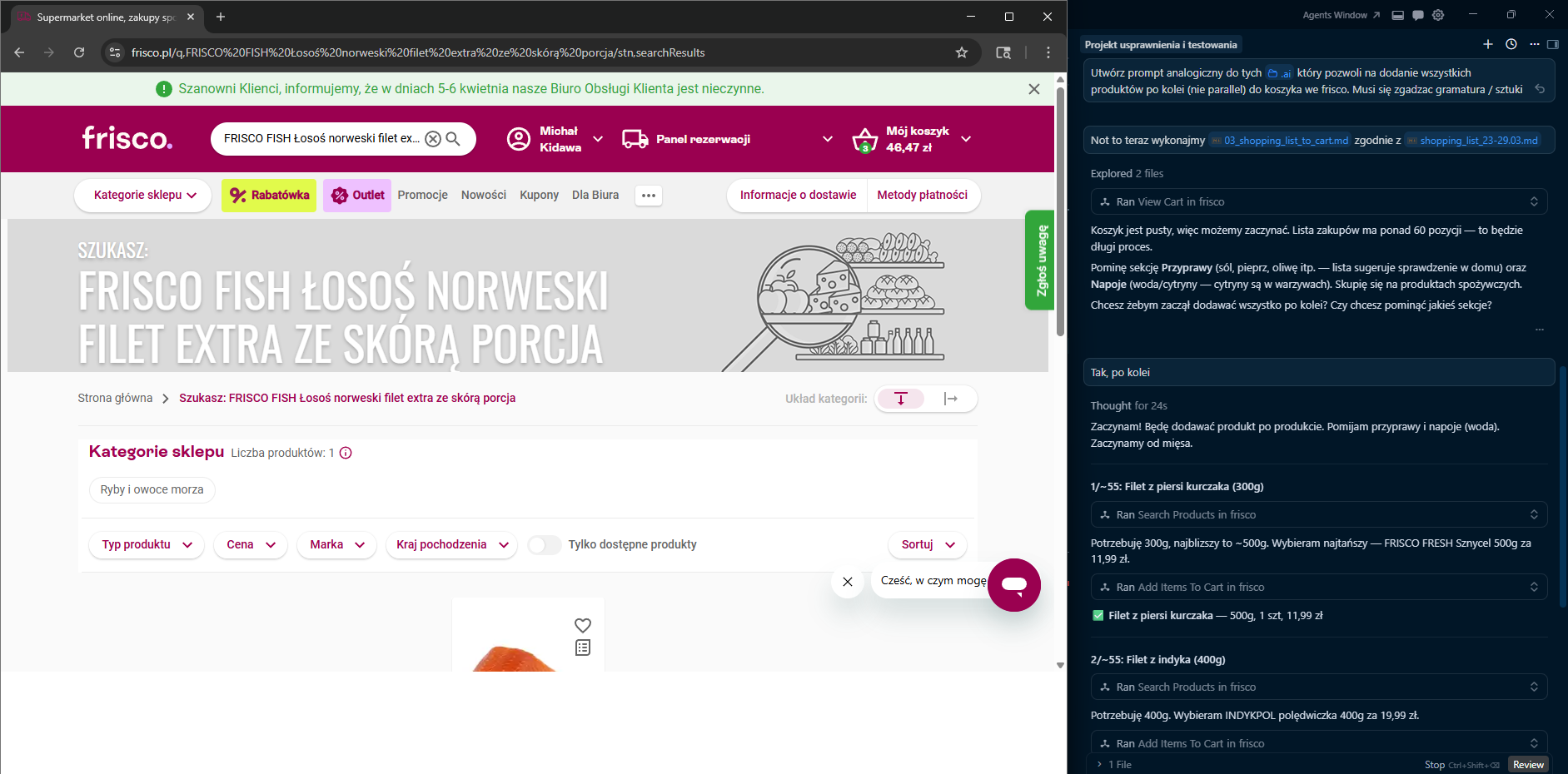
機能
セッション
ツール | 説明 |
login
| ログインページで表示可能なChromiumウィンドウを開きます。手動でログインすると、サーバーが成功をポーリングし、セッションクッキーを保存します。 |
finish_session
| チェックアウトページでブラウザを開き、配送枠の選択と支払いを行えるようにします。自動決済は行われません。 |
clear_session
| ブラウザを閉じ、保存されたセッションファイルを削除します。 |
カート
ツール | 説明 |
add_items_to_cart
| カートに商品を追加します。2つのフローをサポートします: (1) productUrl を使用 — 直接商品ページに移動し「Do koszyka」をクリックします; (2) 最新の search_products 結果ページから追加します。 |
view_cart
| 現在のカートの内容と合計金額を返します。 |
remove_item_from_cart
| 名前(部分一致)で指定した商品をカートから削除します。 |
update_item_quantity
| カート内の商品の数量を変更します(名前の部分一致)。 |
check_cart_issues
| カート内の売り切れ商品や利用不可商品を検出し、それぞれの代替品をリストアップします。 |
view_promotions
| 現在のカート内の有効なプロモーション、割引、合計節約額を表示します。 |
製品
ツール | 説明 |
search_products
| frisco.plを検索し、価格/在庫状況を含む上位N件の結果を返し、カート追加用の検索URL/コンテキストを保存します。 |
get_product_info
| 詳細な製品情報を返します:栄養成分(100gあたりのマクロ)、重量/グラム数、原材料、価格(プロモーション中の場合は元の価格と単価を含む)。 |
get_product_reviews
| 製品のカスタマーレビューと評価(Trustmateより)を返します。 |
ログ
ツール | 説明 |
get_logs
| 現在または特定のセッションのJSONLログイベントを返します。 |
tail_logs
| 最新のN件のログイベントを返します。 |
Related MCP server: Rohlik MCP Server
アーキテクチャ
flowchart LR
    A[MCP Client / AI Assistant] -->|stdio| B[src/index.ts<br/>McpServer]

    B --> C[Session Tools<br/>src/tools/session.ts]
    B --> D[Cart Tools<br/>src/tools/cart.ts]
    B --> E[Product Tools<br/>src/tools/products.ts]

    C --> G[src/browser.ts<br/>Playwright singleton]
    D --> G
    E --> G

    C --> H[src/auth.ts<br/>session cookies]
    D --> H
    E --> H

    D --> I[src/tools/helpers.ts<br/>navigation, HTML parsing & formatters]
    E --> I

    H --> J[(~/.frisco-mcp/session.json)]
    B --> L[src/logger.ts] --> M[(~/.frisco-mcp/logs/)]
    G --> N[(in-memory lastSearchContext)]
    G --> K[frisco.pl 🌐]
    I --> K
その他の図(ログインフロー、カートフロー): docs/DIAGRAMS.md
要件
セットアップ
npm install
npx playwright install chromium
npm run build
MCPクライアント設定
サーバーは stdio を介して通信します。MCPクライアントで node dist/index.js を指定してください。
Claude Desktop
claude_desktop_config.json に追加します:
{
  "mcpServers": {
    "frisco": {
      "command": "node",
      "args": ["/absolute/path/to/frisco-mcp/dist/index.js"]
    }
  }
}
Gemini (Google AI Studio)
このリポジトリ内の .gemini/settings.json には既に設定が含まれています:
{
  "mcpServers": {
    "frisco-mcp": {
      "command": "node",
      "args": ["/absolute/path/to/frisco-mcp/dist/index.js"]
    }
  }
}
Cursor
CursorのMCP設定(~/.cursor/mcp.json またはワークスペースの .cursor/mcp.json)に追加します:
{
  "mcpServers": {
    "frisco": {
      "command": "node",
      "args": ["/absolute/path/to/frisco-mcp/dist/index.js"]
    }
  }
}
注意: パスは、お使いの環境の dist/index.js への絶対パスに置き換えてください。
使用方法
1. ログイン
"Friscoにログインして"
login ツールは frisco.pl/login でChromiumウィンドウを開きます。手動でログインしてください。サーバーは最大5分間待機し、ログイン成功を検知するとセッションクッキーを保存します。
2. 買い物
"ナチュラルヨーグルトを探して"
search_products ツールは、価格付きの該当商品リストを返します。利用不可の商品は ⚠️ NIEDOSTĘPNY とマークされます。また、その後のカート操作のために現在の検索URLと結果コンテキストを保存します。
"PIĄTNICA Skyrについて詳しく教えて"
get_product_info ツールは商品ページに移動し、詳細情報を抽出します:栄養成分(100gあたりのkcal、タンパク質、脂質、炭水化物、糖質、塩分)、重量/グラム数、原材料、価格(プロモーション中の場合は元の価格と単価)、および製品URL。
"それをカートに追加して"
add_items_to_cart ツールは2つのフローをサポートします:(1) productUrl が提供されている場合(get_product_info からなど)、直接その商品ページに移動して「Do koszyka」をクリックします(推奨フロー);(2) それ以外の場合は、最新の search_products 結果ページを使用して商品を見つけて追加します。
"カートからバターを削除して"
remove_item_from_cart ツールは名前でカート内の商品を見つけて削除します。
"牛乳の数量を3に変更して"
update_item_quantity ツールはカート内の商品を見つけて数量を更新します。
"カートに何か問題はある?"
check_cart_issues ツールはカート内の売り切れ商品をスキャンし、それぞれの代替品を表示します。
"Skyr Piątnicaのレビューはどう?"
get_product_reviews ツールはTrustmateからカスタマー評価とレビューを取得します。
"カート内の有効なプロモーションを見せて"
view_promotions ツールは、すべての有効なプロモーション、割引バッジ、合計節約額をリストアップします。
3. チェックアウト
"Friscoのセッションを終了して"
finish_session ツールは frisco.pl/stn,cart でカートを開き、配送枠の選択と支払いを行えるようにします。サーバーが自動的に支払いを行うことはありません。
プロジェクト構造
frisco-mcp/
├── src/
│   ├── index.ts          # MCP server setup, tool registration
│   ├── auth.ts           # Session cookie save/restore, login check
│   ├── browser.ts        # Playwright browser singleton, product cache, last search context
│   ├── logger.ts         # JSONL session logging
│   ├── types.ts          # Shared TypeScript types
│   └── tools/
│       ├── session.ts    # login, finish_session, clear_session
│       ├── cart.ts       # add_items_to_cart, view_cart, remove_item_from_cart,
│       │                 #   update_item_quantity, check_cart_issues, view_promotions
│       ├── products.ts   # search_products, get_product_info, get_product_reviews
│       └── helpers.ts    # Navigation, popup dismissal, DOM parsing, formatters
│   └── __tests__/        # Unit tests (Vitest)
├── test_data/            # Sample HTML fixtures for tests
│   └── products/         #   Product page HTMLs (skyr, chicken, bananas, eggs, bag, promotion)
├── docs/
│   └── DIAGRAMS.md       # Mermaid architecture & flow diagrams
├── .github/
│   └── workflows/
│       └── test.yml      # CI — runs tests on push & PR
├── dist/                 # Compiled JS (generated by `npm run build`)
├── vitest.config.ts
├── package.json
├── tsconfig.json
└── .gitignore
データストレージ
すべてのユーザーデータはローカルの ~/.frisco-mcp/ に保存されます:
ファイル | 用途 |
session.json
| 保存されたブラウザクッキー(認証情報は含まれません) |
current-session.json
| アクティブなログセッションへのポインタ |
logs/<id>.jsonl
| セッションごとのイベントログ |
開発
# Run in dev mode (tsx, no separate build step)
npm run dev

# Build
npm run build

# Run built server
npm start

# Run tests
npm test

# Watch mode for tests
npm run test:watch
CI
テストは、GitHub Actions (.github/workflows/test.yml) を通じて master へのすべての push および pull request で自動的に実行されます。マトリックスはNode.js 20および22に対してテストされます。
技術スタック
ライセンス
このプロジェクトは MIT License の下でライセンスされています。

