Bilibili MCP
Enables searching for Bilibili videos with support for pagination and returns video information including title, author, play count, and duration.
Click on "Install Server".
Wait a few minutes for the server to deploy. Once ready, it will show a "Started" state.
In the chat, type
@followed by the MCP server name and your instructions, e.g., "@Bilibili MCPsearch for Python tutorial videos"
That's it! The server will respond to your query, and you can continue using it as needed.
Here is a step-by-step guide with screenshots.
Bilibili MCP
简介
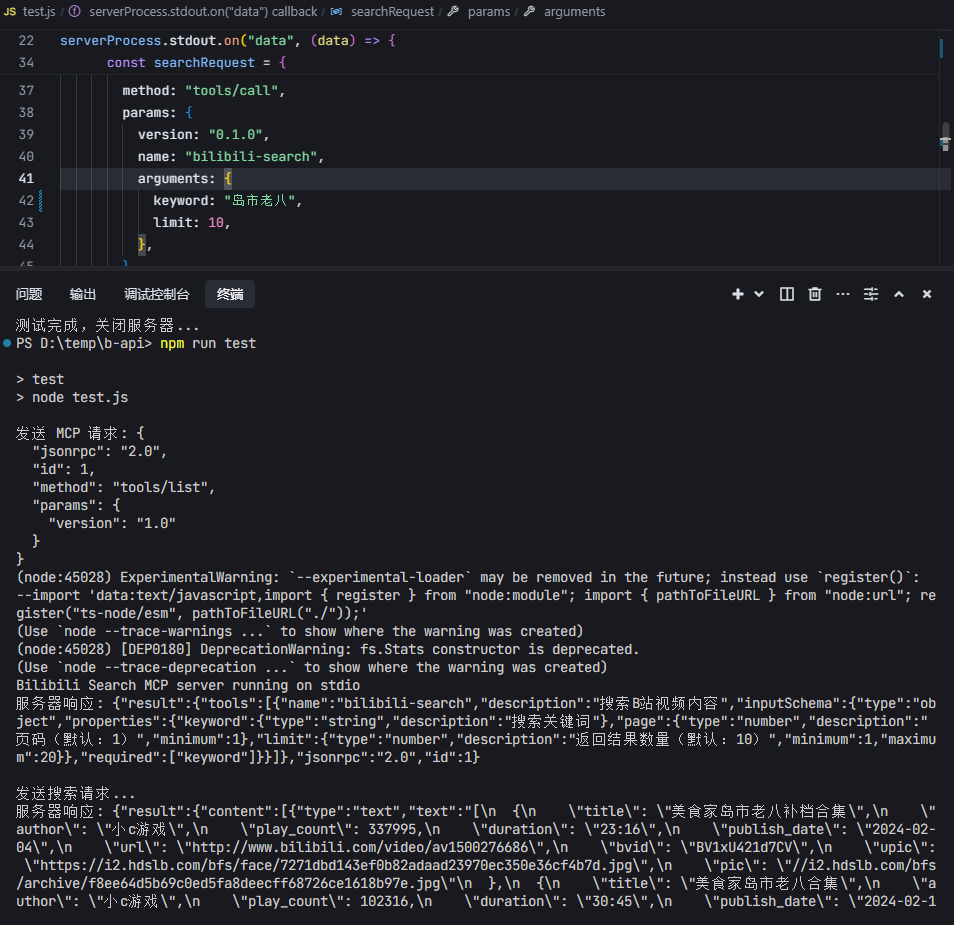
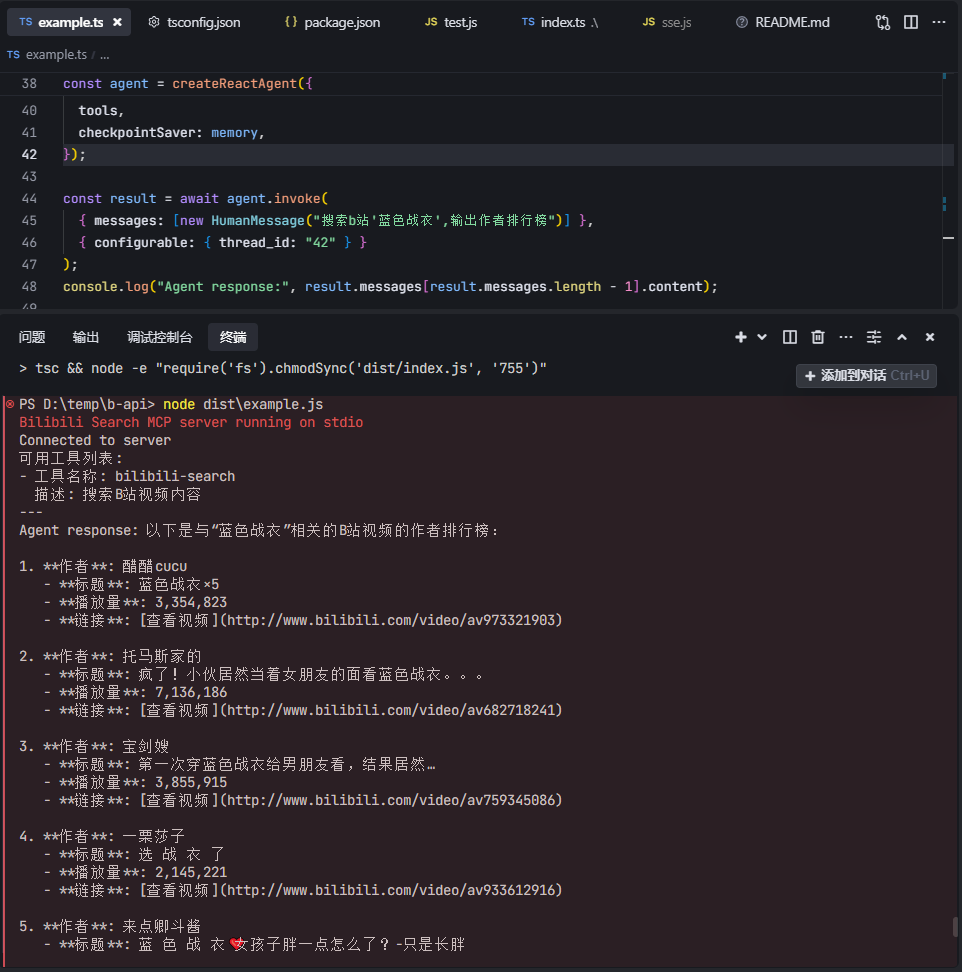
这是一个基于 Model Context Protocol (MCP) 的 B站视频搜索服务器。该服务器提供了简单的 API 接口,允许用户搜索 B站 的视频内容。提供LangChain调用示例、测试脚本。
鸣谢
LangChain 示例代码参考自 mcp-langchain-ts-client
功能特点
B站视频搜索
支持分页查询
返回视频信息(标题、作者、播放量、时长等)
基于 MCP 协议的标准化接口
系统要求
Node.js >= 20.12.0
npm package
感谢HQHC发布的npm包
{
"mcpServers": {
"bilibili-search": {
"command": "npx",
"args": ["bilibili-mcp"],
"description": "B站视频搜索 MCP 服务,可以在AI应用中搜索B站视频内容。"
}
}
}快速开始
如果要运行langchain例子,请先配置llm模型,修改.\example.ts文件。
const llm = new ChatOpenAI({
modelName: "gpt-4o-mini",
temperature: 0,
openAIApiKey: "your_api_key", // 替换成你模型的密钥
configuration: {
baseURL: "https://www.api.com/v1", // 替换成你模型的API地址
},
});bun:
bun i
bun index.ts
# 测试脚本
bun test.js
# MCP Inspector
bun run inspector
# 运行langchain例子
bun build:bun
bun example.tsnpm:
npm i
npm run start
# 测试脚本
npm run test
# MCP Inspector
npm run inspector
# 运行langchain例子
npm run build
node dist/example.js截图

This server cannot be installed
Resources
Unclaimed servers have limited discoverability.
Looking for Admin?
If you are the server author, to access and configure the admin panel.
Latest Blog Posts
MCP directory API
We provide all the information about MCP servers via our MCP API.
curl -X GET 'https://glama.ai/api/mcp/v1/servers/mikeysrecipes/bilibili-mcp-js'
If you have feedback or need assistance with the MCP directory API, please join our Discord server