Glama
mfteloglu

Spotify MCP Server

by mfteloglu

Spotify MCP Server

A simple MCP server to control Spotify playback and manage your liked songs via LLM's.

Features

  • Play and pause Spotify playback

  • Get info about the current track

  • Add the current track to your Liked Songs

Related MCP server: MCP Spotify Server

Setup

  1. Clone the repository:

    git clone https://github.com/yourusername/spotify-mcp-server.git
    cd spotify-mcp-server
  2. Create and activate a virtual environment:

    python3 -m venv .venv
    source .venv/bin/activate
  3. Install dependencies:

    pip install uv
    pip install -r requirements.txt
  4. Create a .env file:

    SPOTIPY_CLIENT_ID=your_spotify_client_id
    SPOTIPY_CLIENT_SECRET=your_spotify_client_secret
    SPOTIPY_REDIRECT_URI=http://localhost:8888/callback
  5. Run the server:

    python main.py

Integration with Claude Desktop (MCP Server)

To use this server as an MCP server with Claude, add the following entry to your Claude config file (usually located at ~/Library/Application Support/Claude/claude_desktop_config.json on macOS):

{
  "mcpServers": {
    "spotify-mcp-server": {
      "command": "uv",
      "args": [
        "--directory",
        "/ABSOLUTE/PATH/TO/PROJECT/spotify-mcp-server",
        "run",
        "main.py"
      ]
    }
  }
}
  • Replace /ABSOLUTE/PATH/TO/PROJECT/spotify-mcp-server with the actual path to your project

  • If command uv is not recognized, give the absolute path for uv executable (can be found with which uv on MacOS)

  • Make sure your environment variables are set either in the config or via a .env file.

  • Restart Claude after editing the config file.

Notes

Example Session

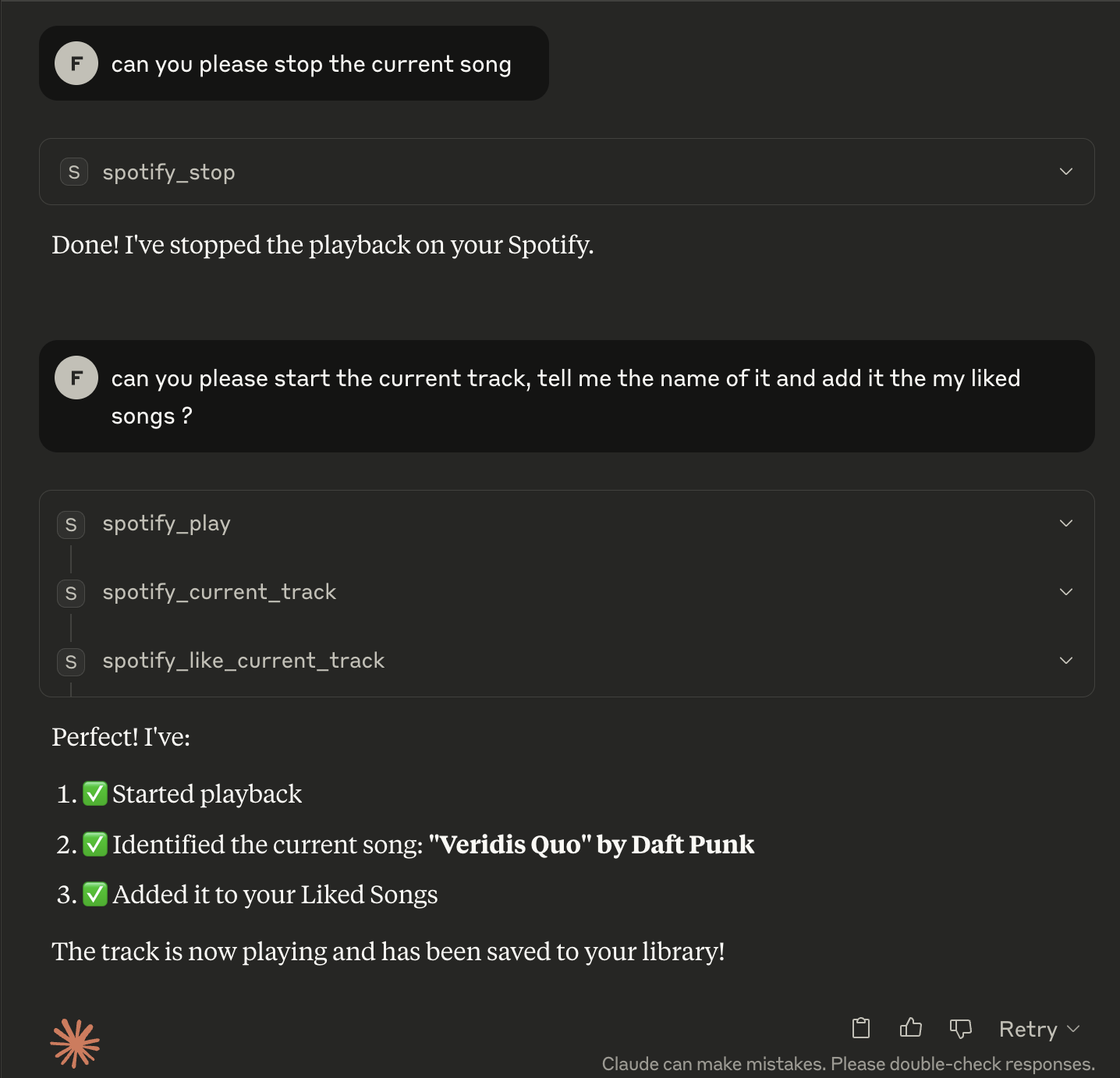
Below is an example session using Claude with the Spotify MCP server:

Example Conversation

Sample interaction:

User: Play the current track using Spotify MCP server
Claude: Playback started successfully

User: What song is playing?
Claude: Currently playing: Shape of You by Ed Sheeran

User: Like this song
Claude: Added 'Shape of You' to your Liked Songs.
Install Server
A
license - permissive license
A
quality
D
maintenance

Maintenance

Maintainers
Response time
Release cycle
Releases (12mo)
Commit activity

Resources

Unclaimed servers have limited discoverability.

Looking for Admin?

If you are the server author, to access and configure the admin panel.

Related MCP Servers

  • A
    license
    -
    quality
    D
    maintenance
    Enables interaction with Spotify through natural language for music discovery, playback control, library management, and playlist creation. Supports searching for music, controlling playback, managing saved tracks, and getting personalized recommendations based on mood and preferences.
    106
    5
    MIT
  • A
    license
    A
    quality
    D
    maintenance
    Enables interaction with Spotify through LLMs using OAuth2 authentication. Supports music search, playback control, playlist management, and device management through natural language commands.
    14
    2
    MIT
  • F
    license
    A
    quality
    D
    maintenance
    Enables AI assistants to control Spotify playback, search for music, manage playlists, and access library information through the Spotify API. Requires Spotify Premium for playback control features.
    4

View all related MCP servers

Related MCP Connectors

  • Generate AI music via the Lacuna Music API from MCP clients like Claude Desktop & Code.

  • Spotify MCP — Web API via client_credentials OAuth

  • Control Android TV from any AI. 38 MCP tools: playback, recap, recommend, smart-home, schedules.

View all MCP Connectors

Latest Blog Posts

MCP directory API

We provide all the information about MCP servers via our MCP API.

curl -X GET 'https://glama.ai/api/mcp/v1/servers/mfteloglu/spotify-mcp-server'

If you have feedback or need assistance with the MCP directory API, please join our Discord server