
batfish-q-mcp
by martimy
README.md
<!-- mcp-name: io.github.martimy/batfish-q-mcp -->
# batfish-q-mcp
[](https://pypi.org/project/batfish-q-mcp/)
[](https://pypi.org/project/batfish-q-mcp/)
[](LICENSE)
An MCP (Model Context Protocol) server that exposes [Batfish](https://batfish.org)
as tools for AI assistants. Point it at a snapshot of your network configs and
ask questions in plain language, without writing Batfish queries yourself.
With it, an assistant can:
* run any of **60 curated Batfish questions** (node properties, routing, ACLs, reachability, parse issues, and more)
* run **assertions**, such as "no forwarding loops", singly or as a YAML suite
* **fork a snapshot** with failed nodes or interfaces and **diff** the result against the original
* return **layer 3 and routing topology** as nodes and edges
> batfish-q-mcp is an offshoot of [Bat-Q](https://github.com/martimy/Bat-Q), a
> Streamlit GUI over Batfish (see [Acknowledgements](#acknowledgements)). The
> pybatfish project also includes its own MCP server; batfish-q-mcp is a separate
> community project, not affiliated with the Batfish maintainers, and uses a
> different command name (`batfish-q-mcp`) so the two can be installed side by side.
<!-- TODO: add a screenshot or short GIF of a real prompt and answer here, e.g.  -->
[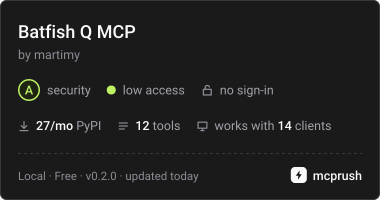](https://mcprush.com/to/batfish-q-mcp?ref=badge)
## Example prompts
Once the server is connected to your MCP client and a snapshot is loaded, try:
* "List the snapshots and tell me whether the configs parsed cleanly."
* "Are there any forwarding loops in this snapshot?"
* "Show me the layer 3 topology."
* "What happens to reachability from r2 to r3 if r1 fails?"
* "Which nodes have BGP configured, and what are their peers?"
Behind the scenes the assistant calls the [tools](#tools) listed below.
## Quick start
### 1. Start Batfish
The server needs a running Batfish instance. The quickest way is Docker:
```bash
docker run --rm -p 9996:9996 -p 9997:9997 batfish/allinone
```
The server connects to `127.0.0.1` by default. If Batfish runs elsewhere, set
`BATFISH_SERVER` (for example `BATFISH_SERVER=<batfish-host>`).
### 2. Connect your MCP client
The package is on PyPI, so the simplest setup runs it with
[uv](https://docs.astral.sh/uv/) (`uvx`), with nothing to clone or install first.
#### Claude Desktop, Cursor, and other stdio clients
```json
{
"mcpServers": {
"batfish-q-mcp": {
"command": "uvx",
"args": ["batfish-q-mcp"],
"env": { "BATFISH_SERVER": "127.0.0.1" }
}
}
}
```
Restart the client so it picks up the new server. To pin a version, use
`"batfish-q-mcp@X.Y.Z"` in `args`.
Prefer `pip`? Install it with `pip install batfish-q-mcp` (ideally in a virtual
environment) and use the full path to the `batfish-q-mcp` command, or just
`batfish-q-mcp` if it is on your `PATH`, as the `command` instead of `uvx`.
#### Claude Desktop on Windows with the server in WSL
Claude Desktop runs on Windows, so launch the server through `wsl.exe`. Edit
`%APPDATA%\Claude\claude_desktop_config.json`:
```json
{
"mcpServers": {
"batfish-q-mcp": {
"command": "wsl.exe",
"args": [
"-d", "<distro>",
"--",
"env", "BATFISH_SERVER=127.0.0.1",
"/home/<you>/.local/bin/uvx", "batfish-q-mcp"
]
}
}
}
```
* Find `<distro>` with `wsl -l -v` in PowerShell.
* Use the absolute path to `uvx` (`which uvx` in WSL). Non-interactive WSL shells
often do not have `~/.local/bin` on `PATH`.
* Adjust `BATFISH_SERVER` if Batfish runs somewhere other than the WSL machine.
* Fully quit and reopen Claude Desktop after editing the file.
#### OpenCode
OpenCode uses `opencode.json` (schema `https://opencode.ai/config.json`) with
`mcp.servers`, `type: "local"`, and `command` given as an array:
```json
{
"$schema": "https://opencode.ai/config.json",
"mcp": {
"servers": {
"batfish-q-mcp": {
"type": "local",
"command": ["uvx", "batfish-q-mcp"],
"environment": {
"BATFISH_SERVER": "127.0.0.1"
}
}
}
}
}
```
Put the file in your project root (or `~/.config/opencode/`), then start or
restart OpenCode from that directory so it reloads MCP servers.
> **Note:** OpenCode Code Mode isolates tools. There are no direct `batfish_*`
> tools; call them through the `execute` tool, for example:
>
> ```js
> await tools["batfish-q-mcp"].batfish_list_questions({});
> ```
### 3. Load a snapshot and ask
Package your configs as a snapshot zip (see [Providing a snapshot](#providing-a-snapshot)),
put it in your workspace, and tell the assistant the filename. The assistant
uploads it and runs the questions you ask.
> A fresh server process has no Batfish network set yet. Pass `network`
> (for example `"NETWORK"`) on the first call that needs snapshots; it then
> stays set for the life of the process. Calling `batfish_list_snapshots`
> without `network` fails with `Network must be set`.
## Compatibility
* Python `>=3.10`.
* Tested with Claude Desktop on Windows, with the server running in WSL. Other MCP
clients that launch stdio servers (Cursor, OpenCode, and similar) should work, but
have not all been tested.
<!-- TODO: add the Batfish and pybatfish versions this release was tested with. -->
## Data handling
Batfish runs where you start it, but what the assistant retrieves is not local:
tool results, including parts of your configurations (addresses, interface
descriptions, routing details), pass through your MCP client to the LLM provider
behind it. Before loading real configs:
* remove or replace secrets such as passwords, SNMP communities, and keys, or use lab or sanitized configs;
* check your LLM provider's data-retention and privacy terms and your organization's policy.
## Known limitations
* **Snapshot upload goes through the assistant as base64.** This is fine for small lab snapshots and impractical for large ones. For large snapshots, load the snapshot into Batfish yourself (see below) and refer to it by `snapshot` and `network` name.
* **A network must be set on the first call** that needs one (see the note above).
* **One shared Batfish session** per server process; tool calls are serialized.
## Providing a snapshot
* **Format:** one Batfish zip containing configs, plus optional `batfish/` and `hosts/` folders.
For example, `abc_net.zip` contains `abc_net/configs/R1.cfg`, `R2.cfg`, `R3.cfg`, `FW.cfg` and `hosts/server_*.json`.
* **Where:** drop the zip in your workspace and tell the assistant the filename.
* **Upload:** the assistant base64-encodes the zip and calls `batfish_upload_snapshot(name, zip_base64, network?, overwrite?)`.
* `name` is sanitized (`safe_snapshot_name`). Collisions are made unique (`name_1`, ...) unless `overwrite=true`.
* `zip_base64` must be valid base64 with correct padding (`=` or `==`). Validation is enforced server-side.
* **Already on the Batfish server:** give the assistant the `snapshot` and `network` names; no upload is needed.
* **Shell access:** you can also upload directly with pybatfish:
```bash
pip install pybatfish
python3 - <<'PY'
import os
from pybatfish.client.session import Session
bf = Session(host=os.getenv("BATFISH_SERVER", "127.0.0.1"))
bf.set_network("NETWORK")
bf.init_snapshot("abc_net.zip", name="abc_net", overwrite=True)
print(bf.list_snapshots())
PY
```
## Tools
The server provides 12 tools. `batfish_run_question` gives access to the full
60-question catalog.
| Tool | Description |
|---|---|
| `batfish_list_questions(category?)` | The 60-question curated catalog. Each entry includes a one-line `description`, `tags`, `synonyms`, output column names, `category_description`, input `required` flags, `TYPE_HINTS` details (`hint`, `fields`, `placeholder`, `example`), and `supports_differential`/`differential_only`. No Batfish server needed. |
| `batfish_find_questions(query, limit?)` | Plain-language search over names, descriptions, categories, tags, synonyms, inputs, allowed values, and output columns. Returns ranked matches with `score` and `matched_on`. No Batfish server needed. |
| `batfish_get_question(fun)` | Full metadata for one question: long description, typed `output_columns` (`{name, type, description}`), input descriptions/defaults/allowed values/`field_specs`, tags, and synonyms. No Batfish server needed. |
| `batfish_list_snapshots(network?)` | Snapshots of a network. |
| `batfish_delete_snapshot(name, network?)` | Delete a snapshot; verifies it exists first. |
| `batfish_upload_snapshot(name, zip_base64, network?, overwrite?)` | Upload a snapshot zip (base64). The name is sanitized (`safe_snapshot_name`); collisions are made unique (`name_1`, ...). |
| `batfish_run_question(fun, options?, snapshot?, reference_snapshot?, network?, debug?, trace_detail?, max_rows?)` | Run any catalog question. Giving `reference_snapshot` and `snapshot` runs a differential question. `trace_detail` is `"summary"` (default), `"none"`, or `"full"`; `max_rows` caps returned rows (default 50, `0` for no limit). Returns JSON-safe `{fun, snapshot, reference_snapshot, status, rows, removed_columns, total_rows, returned_rows, truncated}`; Batfish failures return `{status: "error", code, message}` (set `debug=true` for the raw log). |
| `batfish_list_assertions()` | Live pybatfish assertion names plus the 16-entry registry (`specs`) with parameter descriptions. |
| `batfish_run_assertion(name, params?, question?, snapshot?, network?, debug?)` | Validate and run one assertion (answer-based ones fetch the answer first). Returns `{type, status, message, snapshot, ran_at, runtime, fun?, answer_rows?, details?, code?}`; `message` is a one-line summary and failing rows are structured where possible. |
| `batfish_run_assertion_suite(suite_yaml, snapshot?, network?, debug?)` | Validate (all-or-nothing) and run a YAML suite; `examples/assertions.yaml` shows the schema. Returns `results[]`, `errors[]`, `summary`; each result uses the same short-message/structured-row shape. |
| `batfish_fork_snapshot(base_name, name?, failed_nodes?, failed_interfaces?, overwrite?, network?)` | Fork a snapshot, optionally failing nodes or interfaces, then diff the fork against the base with a differential question. `failed_interfaces` accepts `node[interface]` strings such as `"r1[Gi0/0]"` or `{hostname, interface}` mappings. |
| `batfish_get_topology(kind, snapshot?, network?)` | `kind="layer3"` (from `layer3Edges`, with interface titles) or `"routing"` (from `bgpEdges`). Returns `{kind, snapshot, node_count, edge_count, nodes, edges}`. |
All tools share one Batfish session (`batfish_mcp.session`, using
`BATFISH_SERVER`, default `127.0.0.1`), serialized with a lock.
Catalog entries are self-describing: inputs are optional unless marked
`required: true`, and complex values include their `fields`, `placeholder`,
and `example`. Any question with `supports_differential: true` can be run
with both `snapshot` and `reference_snapshot`; the two `differential_only`
questions (`compareFilters` and `differentialReachability`) require it.
In a differential answer, `Snapshot_*` columns come from `snapshot` (the
snapshot under test) and `Reference_*` columns come from
`reference_snapshot` (the baseline being compared against). For
`differentialReachability`, the response also includes a `trace_columns`
mapping so these labels cannot be read backwards.
Reachability answers compress trace columns by default. `trace_detail="summary"`
returns each trace's disposition, node path, and hop count; `"none"` drops the
trace columns but keeps the trace counts; `"full"` returns the original
hop-by-hop traces. `max_rows` caps large answers (default 50, `0` for no limit)
and `total_rows`, `returned_rows`, and `truncated` report any truncation.
Per-question descriptions, tags, synonyms, output columns, defaults, and
allowed values live in the checked-in `question_metadata.json`. It is generated
from live Batfish question templates, the `questions/Parameters.md` specifier
documentation, and the official docs notebooks by
`scripts/generate_question_metadata.py`; `scripts/extract_output_columns.py`
refreshes the docs-derived columns. The server loads this file once, so
`batfish_list_questions`, `batfish_find_questions`, and `batfish_get_question`
work without a Batfish server.
The server's MCP `instructions` include a decision tree for discovery. For
ambiguous requests, use `batfish_find_questions` first (for example
`"standby gateway"`, `"traffic going in circles"`, or `"which firewall rule is
blocking"`), then `batfish_get_question` to inspect the candidates.
Tools that read a snapshot verify it exists before calling Batfish, so a typo
fails immediately with a message such as
`snapshot 'abc_net' not found in network 'LAN'; available: []` instead of an
opaque Batfish work-queue error.
Failures raised by Batfish are mapped to concise structured errors, for example
`{"status": "error", "code": "SNAPSHOT_INCOMPATIBLE", "message":
"Snapshot was built with an incompatible Batfish version; re-upload it with
the current Batfish server."}`. Pass `debug: true` to include the raw Java log.
Other codes include `INVALID_ARGUMENT`, `INVALID_PORT_SPEC`, and
`BIDIRECTIONAL_REQUIRES_DST`.
Header values use Batfish specifiers:
* `srcIps` / `dstIps` accept literal IPs, prefixes, **node names**,
interfaces, or named IP spaces. For example
`{"srcIps": "server_1", "dstIps": "server_2"}`.
* `srcPorts` / `dstPorts` must be **string** specs such as `"443"` or
`"80,443"`; numeric JSON values are rejected.
* `maxTraces` is an **integer**.
* If `ipProtocols` is omitted, Batfish tests ICMP. For service-level checks
set it explicitly, e.g.
`{"dstIps": "8.8.8.8", "ipProtocols": ["TCP"], "dstPorts": "443"}`.
* `bidirectionalReachability` requires `headers.dstIps`; without a destination
Batfish fails during reverse-flow transformation setup.
Batfish returns representative flows for broad headers: a prefix such as
`{"srcIps": "192.168.1.0/24"}` may produce a flow sourced from a network or
broadcast address. Prefer node names, interface locations, or explicit host
IPs when you need a realistic example.
`reachability` returns example flows that satisfy the constraints, not an
exhaustive source-to-destination matrix. Use `traceroute` for one specific
destination, or run per-pair queries to build a matrix.
## Tool call examples
For reference, this is roughly what the assistant calls when you ask the
[example prompts](#example-prompts). Upload `abc_net.zip`, then:
```
batfish_list_questions(category="Packet Forwarding")
batfish_find_questions(query="standby gateway")
batfish_get_question(fun="traceroute")
batfish_upload_snapshot(name="abc_net.zip", zip_base64="UEsDBB==", network="NETWORK")
batfish_run_question(fun="nodeProperties", snapshot="abc_net")
batfish_run_assertion(name="assert_no_forwarding_loops", snapshot="abc_net")
batfish_fork_snapshot(base_name="abc_net", failed_nodes=["r1"])
batfish_run_question(fun="differentialReachability",
options={"pathConstraints": {"startLocation": "r2", "endLocation": "r3"},
"headers": {"dstIps": "192.168.3.1"}},
snapshot="abc_net_Fail", reference_snapshot="abc_net")
```
Topology:
```
batfish_get_topology(kind="layer3", snapshot="abc_net", network="NETWORK")
batfish_get_topology(kind="routing", snapshot="abc_net", network="NETWORK")
```
In OpenCode, wrap these in `execute`, for example:
```js
await tools["batfish-q-mcp"].batfish_run_question({
fun: "initIssues", snapshot: "abc_net", network: "NETWORK"
});
```
See [HOW-TO.md](HOW-TO.md) for a longer walkthrough.
## Troubleshooting
* **The server does not show up or fails to start in Claude Desktop**: check the log (on Windows, `%APPDATA%\Claude\logs\mcp-server-batfish-q-mcp.log`) and run the same command by hand in a terminal. A working server starts and waits silently for input. Check that the JSON is valid and that `<distro>` and `<you>` are replaced.
* **`uvx: command not found`** (for example inside the WSL launch above): use the absolute path from `which uvx`.
* **The server starts but tools report connection errors**: Batfish is not running or not reachable on ports 9996 and 9997. Start it and check `BATFISH_SERVER`.
* **`Network must be set`**: pass `network="NETWORK"` on the first call.
* **`zip_base64 is not valid base64: Incorrect padding`**: re-encode with `base64 -w 0 abc_net.zip` (no newlines) and keep the trailing `=` or `==`. Do not trim by hand.
* **Snapshot already exists**: pass `overwrite: true`, or accept the `name_1` suffix.
* **No parse issues but wrong IPs?** Run `batfish_run_question(fun="initIssues")` and `fileParseStatus` first.
* **Reachability to `240.254.254.1` fails but `8.8.8.8` works**: `240.0.0.0/4` is reserved, and an ISP egress filter such as `Block outgoing traffic using reserved addresses` drops it. Use a public IP to test internet egress.
## Development
### Developer documentation
See [`docs/`](docs/README.md) for architecture, module reference, tool
contracts, the metadata pipeline, assertion internals, and change recipes. Start
with the [high-level overview](docs/01-overview.md).
### Install from source
```bash
git clone https://github.com/martimy/batfish-q-mcp.git
cd batfish-q-mcp
python3 -m venv .batmcp
source .batmcp/bin/activate
pip install -e ".[dev]" # includes test dependencies
```
This installs the `batfish-q-mcp` command, which starts the MCP server over
stdio. To use your local copy from a client, point `command` at the script in
your virtual environment (find it with `which batfish-q-mcp` while the
environment is active):
```json
{
"mcpServers": {
"batfish-q-mcp": {
"command": "/path/to/batfish-q-mcp/.batmcp/bin/batfish-q-mcp",
"env": { "BATFISH_SERVER": "127.0.0.1" }
}
}
}
```
To check that the server starts outside a client:
```bash
export BATFISH_SERVER=127.0.0.1
batfish-q-mcp
# or
python -m batfish_mcp.server
```
It speaks stdio JSON-RPC (FastMCP) and does not print logs to stdout.
### Regenerating question metadata
`question_metadata.json` is checked in. To refresh it against a running
Batfish and the published docs notebooks:
```bash
python3 scripts/extract_output_columns.py
python3 scripts/generate_question_metadata.py --host 127.0.0.1
```
The generator records the coordinator host, pybatfish version, and coverage
gaps (missing output columns or catalog/template mismatches) in the file.
### Tests
```bash
pytest # no Batfish server required (fakes + one in-memory MCP round-trip)
```
`tests/test_assertions.py` also checks that `assertion_specs.py` stays in sync
with the installed pybatfish (scripted-assertion signatures).
### Layout
```
src/batfish_mcp/
server.py # FastMCP tools over the headless core
session.py # thread-safe singleton Session
catalog.py # curated question catalog (60 questions)
question_metadata.json # generated descriptions/output columns/inputs
assertion_specs.py # assertion registry (params as {name, type, optional})
assertion_io.py # assertion YAML load/validate/dump
assertions.py # assertion runner (session- vs answer-based, PASS/FAIL/ERROR)
queries.py # question runner (incl. differential snapshots)
utils.py # snapshot-name sanitizing, template helpers
presenter.py # pure DataFrame/trace serialization helpers
hints.py # TYPE_HINTS: tool-parameter descriptions
topology.py # L3 + routing graph construction from answers
tests/
fakes.py # FakeBatfish + assertion fake (no server needed)
test_queries.py
test_assertions.py
test_server.py # MCP tools + wire round-trip
examples/assertions.yaml
scripts/
generate_question_metadata.py # live templates + docs -> question_metadata.json
extract_output_columns.py # docs notebooks -> output_columns.json
HOW-TO.md # mini tutorial
docs/ # developer documentation (start at docs/README.md)
```
## Feedback and contributions
Bug reports, questions, and pull requests are welcome through
[GitHub Issues](https://github.com/martimy/batfish-q-mcp/issues). Reports that
include the client you use, your operating system, and the output of
`batfish-q-mcp` run by hand are the easiest to act on.
## Acknowledgements
batfish-q-mcp started as an offshoot of [Bat-Q](https://github.com/martimy/Bat-Q),
a Streamlit GUI over Batfish. The reusable headless core (question catalog,
assertion registry and runner, answer serialization, snapshot tooling) came
from there; the GUI layer was dropped and replaced with the MCP transport.
Both projects are Apache-2.0.
## License
Apache-2.0 (see `LICENSE`).
This server cannot be deployed
Maintenance
ActivityMaintained
ResponsivenessNo recent community issues