
mcp-chain-of-thought
# MCP Chain of Thought
[](https://youtu.be/hzOCwwGSQhs)
[](https://smithery.ai/server/@liorfranko/mcp-chain-of-thought)
> 🚀 An intelligent task management system based on Model Context Protocol (MCP), providing an efficient programming workflow framework for AI Agents.
<a href="https://glama.ai/mcp/servers/@liorfranko/mcp-chain-of-thought">
<img width="380" height="200" src="https://glama.ai/mcp/servers/@liorfranko/mcp-chain-of-thought/badge" />
</a>
## 📑 Table of Contents
- [✨ Features](#features)
- [🧭 Usage Guide](#usage-guide)
- [🔧 Installation](#installation)
- [🔌 Using with MCP-Compatible Clients](#clients)
- [🛠️ Tools Overview](#tools)
- [🤖 Recommended Models](#recommended)
- [📄 License](#license)
- [📚 Documentation](#documentation)
## ✨ Features
- **🧠 Task Planning & Analysis**: Deep understanding of complex task requirements
- **🧩 Intelligent Task Decomposition**: Break down large tasks into manageable smaller tasks
- **🔄 Dependency Management & Status Tracking**: Handle dependencies and monitor progress
- **✅ Task Verification**: Ensure results meet requirements
- **💾 Task Memory**: Store task history for reference and learning
- **⛓️ Thought Chain Process**: Step-by-step reasoning for complex problems
- **📋 Project Rules**: Define standards to maintain consistency
- **🌐 Web GUI**: Optional web interface (enable with `ENABLE_GUI=true`)
- **📝 Detailed Mode**: View conversation history (enable with `ENABLE_DETAILED_MODE=true`)
## 🧭 Usage Guide
### 🚀 Quick Start
1. **🔽 Installation**: [Install MCP Chain of Thought](#installation) via Smithery or manually
2. **🏁 Initial Setup**: Tell the Agent "init project rules" to establish project-specific guidelines
3. **📝 Plan Tasks**: Use "plan task [description]" to create a development plan
4. **👀 Review & Feedback**: Provide feedback during the planning process
5. **▶️ Execute Tasks**: Use "execute task [name/ID]" to implement a specific task
6. **🔄 Continuous Mode**: Say "continuous mode" to process all tasks sequentially
### 🔍 Memory & Thinking Features
- **💾 Task Memory**: Automatically saves execution history for reference
- **🔄 Thought Chain**: Enables systematic reasoning through `process_thought` tool
- **📋 Project Rules**: Maintains consistency across your codebase
## 🔧 Installation
### 🔽 Via Smithery
```bash
npx -y @smithery/cli install @liorfranko/mcp-chain-of-thought --client claude
```
### 🔽 Manual Installation
```bash
npm install
npm run build
```
## 🔌 Using with MCP-Compatible Clients
### ⚙️ Configuration in Cursor IDE
Add to your Cursor configuration file (`~/.cursor/mcp.json` or project-specific `.cursor/mcp.json`):
```json
{
"mcpServers": {
"chain-of-thought": {
"command": "npx",
"args": ["-y", "mcp-chain-of-thought"],
"env": {
"DATA_DIR": "/path/to/project/data", // Must use absolute path
"ENABLE_THOUGHT_CHAIN": "true",
"TEMPLATES_USE": "en",
"ENABLE_GUI": "true",
"ENABLE_DETAILED_MODE": "true"
}
}
}
}
```
> ⚠️ **Important**: `DATA_DIR` must use an absolute path.
### 🔧 Environment Variables
- **📁 DATA_DIR**: Directory for storing task data (absolute path required)
- **🧠 ENABLE_THOUGHT_CHAIN**: Controls detailed thinking process (default: true)
- **🌐 TEMPLATES_USE**: Template language (default: en)
- **🖥️ ENABLE_GUI**: Enables web interface (default: false)
- **📝 ENABLE_DETAILED_MODE**: Shows conversation history (default: false)
## 🛠️ Tools Overview
| Category | Tool | Description |
|-------------------|------------------------|--------------------------------------------|
| 📋 Planning | `plan_task` | Start planning tasks |
| | `analyze_task` | Analyze requirements |
| | `process_thought` | Step-by-step reasoning |
| | `reflect_task` | Improve solution concepts |
| | `init_project_rules` | Set project standards |
| 🧩 Management | `split_tasks` | Break into subtasks |
| | `list_tasks` | Show all tasks |
| | `query_task` | Search tasks |
| | `get_task_detail` | Show task details |
| | `delete_task` | Remove tasks |
| ▶️ Execution | `execute_task` | Run specific tasks |
| | `verify_task` | Verify completion |
| | `complete_task` | Mark as completed |
## 🤖 Recommended Models
- **👑 Claude 3.7**: Offers strong understanding and generation capabilities
- **💎 Gemini 2.5**: Google's latest model, performs excellently
## 📄 License
This project is licensed under the MIT License - see the [LICENSE](LICENSE) file for details.
## 📚 Documentation
- [🏗️ System Architecture](docs/en/architecture.md)
- [🔧 Prompt Customization Guide](docs/en/prompt-customization.md)
- [📝 Changelog](CHANGELOG.md)
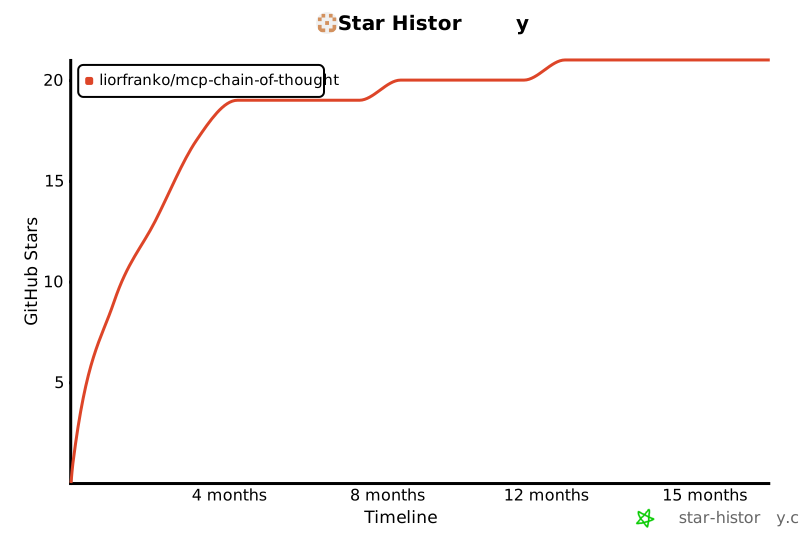
## ⭐ Star History
[](https://www.star-history.com/#liorfranko/mcp-chain-of-thought&Timeline)
TDQS
Scored across 15 tools
The tools have overlapping purposes that could cause confusion, such as 'analyze_task' and 'reflect_task' both involving analysis and pseudocode, and 'list_tasks' and 'query_task' both retrieving task information. However, descriptions help differentiate some tools, like 'execute_task' for action versus 'plan_task' for planning, reducing ambiguity.
Most tools follow a consistent verb_noun pattern (e.g., 'analyze_task', 'list_tasks', 'update_task'), with only minor deviations like 'init_project_rules' using 'init' instead of a more standard verb. The naming is readable and predictable overall, though not perfectly uniform.
With 15 tools, the count is well-scoped for a task management and analysis system. Each tool appears to serve a distinct function in the workflow, from initialization to execution and verification, making the set comprehensive without being excessive.
The tool set provides complete coverage for task lifecycle management, including initialization ('init_project_rules'), planning ('plan_task'), execution ('execute_task'), monitoring ('list_tasks', 'query_task'), and completion ('complete_task', 'verify_task'). No obvious gaps exist, as it supports CRUD operations and advanced features like reflection and splitting.