A
licenseB
qualityD
maintenanceA Model Context Protocol server that enables AI assistants to perform web searches using SearXNG, a privacy-respecting metasearch engine.
1
43
MIT

The Bing Search MCP Server integrates Microsoft Bing Search API to enable AI assistants to perform web, news, and image searches.
Web Search: Perform general web searches for information, websites, and content using bing_web_search
News Search: Search for recent news articles and current events with bing_news_search
Image Search: Retrieve visual content through bing_image_search
Customizable Parameters: Control the number of results, market, offset, and freshness
Rate Limiting: Prevent API abuse
Error Handling: Comprehensive error handling for robust search operations
Supports configuration with Claude Desktop on macOS, allowing users to add the Bing Search MCP server to their Claude Desktop setup via the local configuration file.
Click on "Deploy Server".
Wait a few minutes for the server to deploy. Once ready, it will show a "Started" state.
In the chat, type @ followed by the MCP server name and your instructions, e.g., "@Bing Search MCP Server search for latest AI breakthroughs in healthcare"
That's it! The server will respond to your query, and you can continue using it as needed.
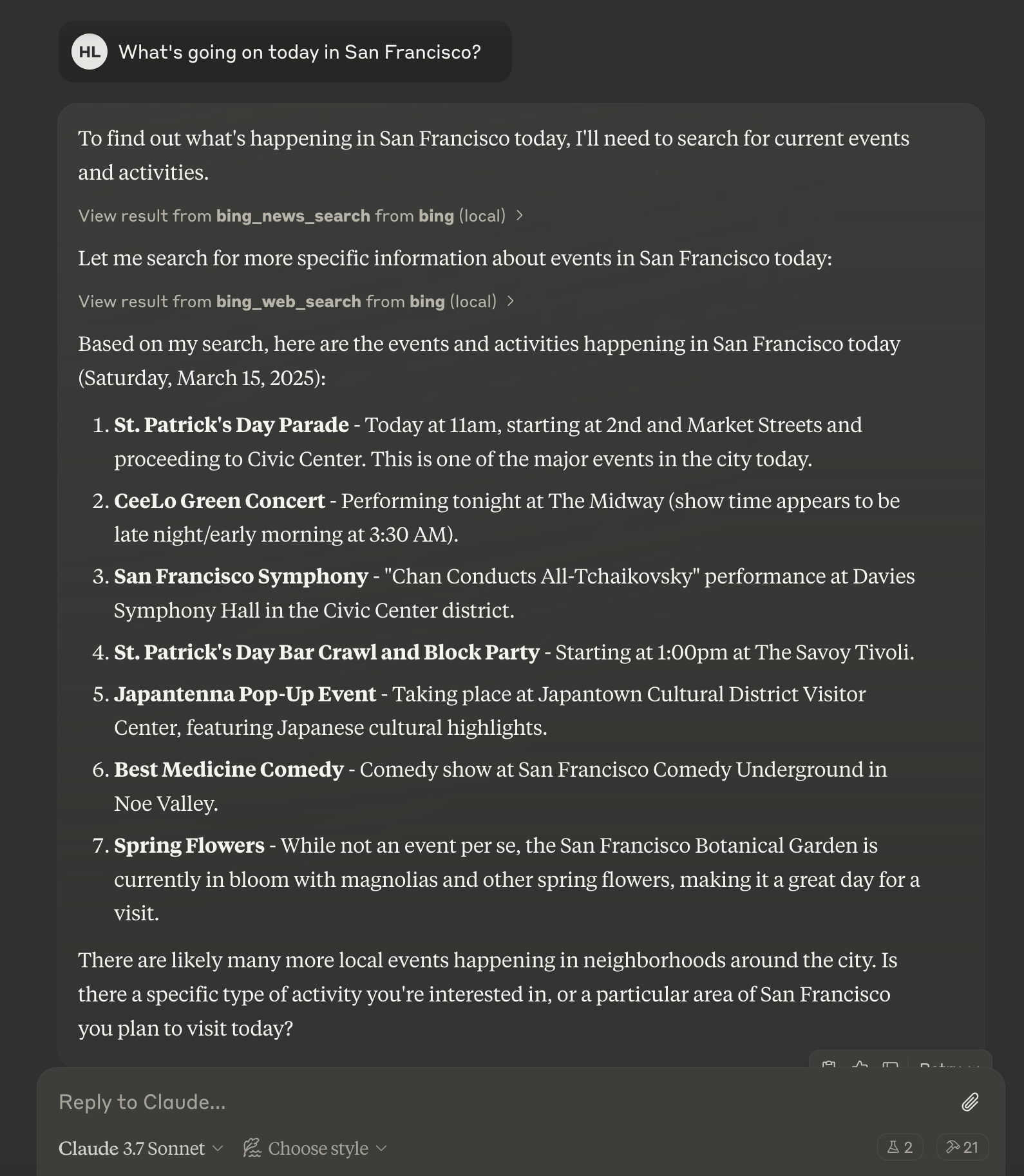
Here is a step-by-step guide with screenshots.
A Model Context Protocol (MCP) server for Microsoft Bing Search API integration, allowing AI assistants to perform web, news, and image searches.

Web search for general information
News search for recent events and timely information
Image search for visual content
Rate limiting to prevent API abuse
Comprehensive error handling
Related MCP server: WebSearch-MCP
Python 3.10 or higher
Microsoft Bing Search API key
MCP-compatible client (e.g., Claude Desktop, Cursor)
Clone this repository
Install dependencies:
uv venv
source .venv/bin/activate  # On Windows: .venv\Scripts\activate
uv pip install -e .Set the required environment variables:
export BING_API_KEY="your-bing-api-key"
export BING_API_URL="https://api.bing.microsoft.com/"  # Optional
For Windows:
set BING_API_KEY=your-bing-api-key
set BING_API_URL=https://api.bing.microsoft.com/uvx bing-search-mcpAdd the following to your Claude Desktop configuration file (~/Library/Application Support/Claude/claude_desktop_config.json on macOS or %APPDATA%\Claude\claude_desktop_config.json on Windows):
{
  "mcpServers": {
    "bing-search": {
      "command": "uvx",
      "args": [
        "/path/to/your/bing-search-mcp"
      ],
      "env": {
        "BING_API_KEY": "your-bing-api-key"
      }
    }
  }
}
General web search for information, websites, and content.
bing_web_search(query: str, count: int = 10, offset: int = 0, market: str = "en-US")Search for news articles and current events.
bing_news_search(query: str, count: int = 10, market: str = "en-US", freshness: str = "Day")Search for images.
bing_image_search(query: str, count: int = 10, market: str = "en-US")Visit Microsoft Azure Portal
Create or sign in to your Azure account
Create a new Bing Search resource
Go to the resource and find your API key in the "Keys and Endpoint" section
Searches for images using Bing Image Search API for visual content.
Args:
    query: Image search query (required)
    count: Number of results (1-50, default 10)
    market: Market code like en-US, en-GB, etc.
| Name | Required | Description | Default |
|---|---|---|---|
| count | No | ||
| market | No | en-US | |
| query | Yes |
Does the description disclose side effects, auth requirements, rate limits, or destructive behavior?
With no annotations provided, the description carries the full burden of behavioral disclosure. It mentions the API source ('Bing Image Search API') but fails to disclose critical traits such as authentication requirements, rate limits, pagination behavior, or response format. For a search tool with external dependencies, this leaves significant gaps in understanding how it operates.
Agents need to know what a tool does to the world before calling it. Descriptions should go beyond structured annotations to explain consequences.
Is the description appropriately sized, front-loaded, and free of redundancy?
The description is appropriately sized and front-loaded, starting with the core purpose in the first sentence. The parameter explanations are bulleted clearly without redundancy, and every sentence adds value without unnecessary elaboration.
Shorter descriptions cost fewer tokens and are easier for agents to parse. Every sentence should earn its place.
Given the tool's complexity, does the description cover enough for an agent to succeed on first attempt?
Given the tool's moderate complexity (3 parameters, no output schema, no annotations), the description is partially complete. It covers the purpose and parameters adequately but lacks behavioral details and usage guidelines. Without annotations or output schema, it should provide more context on authentication, rate limits, and result structure to be fully helpful.
Complex tools with many parameters or behaviors need more documentation. Simple tools need less. This dimension scales expectations accordingly.
Does the description clarify parameter syntax, constraints, interactions, or defaults beyond what the schema provides?
The description adds meaningful semantics beyond the input schema, which has 0% description coverage. It explains that 'query' is an 'Image search query (required)', 'count' is the 'Number of results (1-50, default 10)', and 'market' is a 'Market code like en-US, en-GB, etc.', providing context not present in the schema's bare titles. However, it doesn't fully detail constraints like the exact format for 'market' or error handling.
Input schemas describe structure but not intent. Descriptions should explain non-obvious parameter relationships and valid value ranges.
Does the description clearly state what the tool does and how it differs from similar tools?
The description clearly states the tool's purpose: 'Searches for images using Bing Image Search API for visual content.' It specifies the verb ('searches'), resource ('images'), and method ('Bing Image Search API'), distinguishing it from sibling tools like bing_news_search and bing_web_search by focusing on images. However, it doesn't explicitly contrast with siblings beyond the resource type.
Agents choose between tools based on descriptions. A clear purpose with a specific verb and resource helps agents select the right tool.
Does the description explain when to use this tool, when not to, or what alternatives exist?
The description provides no guidance on when to use this tool versus alternatives like bing_news_search or bing_web_search. It lacks context about scenarios where image search is preferred over web or news search, and offers no exclusions or prerequisites for usage.
Agents often have multiple tools that could apply. Explicit usage guidance like "use X instead of Y when Z" prevents misuse.
Searches for news articles using Bing News Search API for current events and timely information.
Args:
    query: News search query (required)
    count: Number of results (1-50, default 10)
    market: Market code like en-US, en-GB, etc.
    freshness: Time period of news (Day, Week, Month)
| Name | Required | Description | Default |
|---|---|---|---|
| count | No | ||
| freshness | No | Day | |
| market | No | en-US | |
| query | Yes |
Does the description disclose side effects, auth requirements, rate limits, or destructive behavior?
With no annotations provided, the description carries the full burden of behavioral disclosure. It mentions the API source (Bing News Search API) and context (current events), but lacks critical details such as authentication requirements, rate limits, error handling, or what the output looks like (e.g., format of results). For a search tool with zero annotation coverage, this leaves significant gaps in understanding how the tool behaves.
Agents need to know what a tool does to the world before calling it. Descriptions should go beyond structured annotations to explain consequences.
Is the description appropriately sized, front-loaded, and free of redundancy?
The description is appropriately sized and front-loaded, starting with the core purpose followed by parameter details in a structured format. Every sentence adds value, with no wasted words, though the parameter explanations could be slightly more concise (e.g., by integrating defaults and ranges more fluidly).
Shorter descriptions cost fewer tokens and are easier for agents to parse. Every sentence should earn its place.
Given the tool's complexity, does the description cover enough for an agent to succeed on first attempt?
Given the tool's moderate complexity (4 parameters, no output schema, no annotations), the description is partially complete. It excels in parameter semantics but lacks output information, behavioral context (e.g., rate limits), and sibling differentiation. Without annotations or output schema, the description should do more to cover these gaps for a search tool, making it adequate but with clear room for improvement.
Complex tools with many parameters or behaviors need more documentation. Simple tools need less. This dimension scales expectations accordingly.
Does the description clarify parameter syntax, constraints, interactions, or defaults beyond what the schema provides?
The description adds substantial meaning beyond the input schema, which has 0% description coverage. It explains each parameter's purpose: 'query' as the news search query (required), 'count' as number of results with range and default, 'market' as market code with examples, and 'freshness' as time period with options. This fully compensates for the schema's lack of descriptions, providing clear semantics for all parameters.
Input schemas describe structure but not intent. Descriptions should explain non-obvious parameter relationships and valid value ranges.
Does the description clearly state what the tool does and how it differs from similar tools?
The description clearly states the tool's purpose as searching for news articles using Bing News Search API, specifying the resource (news articles) and context (current events and timely information). However, it doesn't explicitly differentiate from sibling tools like bing_image_search or bing_web_search, which would require mentioning it's specifically for news content rather than images or general web results.
Agents choose between tools based on descriptions. A clear purpose with a specific verb and resource helps agents select the right tool.
Does the description explain when to use this tool, when not to, or what alternatives exist?
The description provides no guidance on when to use this tool versus alternatives like bing_image_search or bing_web_search. It mentions the context of 'current events and timely information,' which implies usage but doesn't offer explicit when-to-use or when-not-to-use criteria, leaving the agent to infer based on the tool name alone.
Agents often have multiple tools that could apply. Explicit usage guidance like "use X instead of Y when Z" prevents misuse.
Performs a web search using the Bing Search API for general information and websites.
Args:
    query: Search query (required)
    count: Number of results (1-50, default 10)
    offset: Pagination offset (default 0)
    market: Market code like en-US, en-GB, etc.
| Name | Required | Description | Default |
|---|---|---|---|
| count | No | ||
| market | No | en-US | |
| offset | No | ||
| query | Yes |
Does the description disclose side effects, auth requirements, rate limits, or destructive behavior?
With no annotations provided, the description carries the full burden of behavioral disclosure. It states the tool performs a web search but doesn't mention critical aspects like rate limits, authentication needs, error handling, or response format. For a search tool with zero annotation coverage, this leaves significant gaps in understanding how the tool behaves beyond basic functionality.
Agents need to know what a tool does to the world before calling it. Descriptions should go beyond structured annotations to explain consequences.
Is the description appropriately sized, front-loaded, and free of redundancy?
The description is appropriately sized and front-loaded: the first sentence states the core purpose, followed by a structured list of parameters with clear explanations. Every sentence earns its place by adding value, with no redundant or verbose content. The bullet-point-like format enhances readability without wasting space.
Shorter descriptions cost fewer tokens and are easier for agents to parse. Every sentence should earn its place.
Given the tool's complexity, does the description cover enough for an agent to succeed on first attempt?
Given the tool's moderate complexity (4 parameters, no output schema, no annotations), the description is partially complete. It covers parameter semantics well but lacks behavioral details (e.g., rate limits, auth) and output information. For a search tool, this is adequate but leaves clear gaps that could hinder effective use by an AI agent.
Complex tools with many parameters or behaviors need more documentation. Simple tools need less. This dimension scales expectations accordingly.
Does the description clarify parameter syntax, constraints, interactions, or defaults beyond what the schema provides?
The description adds substantial meaning beyond the input schema, which has 0% description coverage. It explains each parameter's purpose: 'query' as the search query (required), 'count' as number of results with range and default, 'offset' for pagination with default, and 'market' as market code with examples. This compensates well for the schema's lack of descriptions, though it doesn't cover all possible nuances (e.g., market code formats beyond examples).
Input schemas describe structure but not intent. Descriptions should explain non-obvious parameter relationships and valid value ranges.
Does the description clearly state what the tool does and how it differs from similar tools?
The description clearly states the tool's purpose: 'Performs a web search using the Bing Search API for general information and websites.' This specifies the verb ('performs a web search'), resource ('Bing Search API'), and scope ('general information and websites'). However, it doesn't explicitly differentiate from sibling tools like bing_image_search or bing_news_search, which would require a 5.
Agents choose between tools based on descriptions. A clear purpose with a specific verb and resource helps agents select the right tool.
Does the description explain when to use this tool, when not to, or what alternatives exist?
The description provides no guidance on when to use this tool versus its siblings (bing_image_search, bing_news_search). It mentions 'general information and websites,' which implies usage for web content, but lacks explicit alternatives or exclusions. Without clear when/when-not instructions, this falls short of higher scores.
Agents often have multiple tools that could apply. Explicit usage guidance like "use X instead of Y when Z" prevents misuse.
Recent tool additions, removals, and schema changes observed during successful MCP inspections.
v1.0.0bing_image_searchbing_news_searchbing_web_searchScored across 3 tools
Each tool has a clearly distinct purpose targeting different content types: images, news articles, and general web results. The descriptions explicitly differentiate their domains (visual content, current events, general information), leaving no ambiguity about which tool to use for a given search intent.
All tools follow a perfect verb_noun pattern with 'bing_' prefix and consistent snake_case: bing_image_search, bing_news_search, bing_web_search. The naming convention is predictable and uniform throughout the tool set.
Three tools is reasonable for a search-focused server, covering major content types. However, it feels slightly thin as other search modalities like video, academic, or local search could be relevant additions, but the core coverage is adequate.
The server provides solid coverage for web, image, and news search—key functionalities for a Bing integration. Minor gaps exist, such as missing video search or advanced filtering options, but agents can effectively perform most common search tasks with the available tools.
Free web search for AI agents. No API key required. Hosted MCP in active development.
A comprehensive Model Context Protocol (MCP) server that enables AI assistants to interact with yo…
MCP server for Firecrawl — web search, scraping, and biomedical/arXiv paper search.
A Model Context Protocol server for Wix AI tools