
LangSmith MCP Server
Official# 🦜🛠️ LangSmith MCP Server
[](https://opensource.org/licenses/MIT)
[](https://www.python.org/downloads/release/python-3100/)
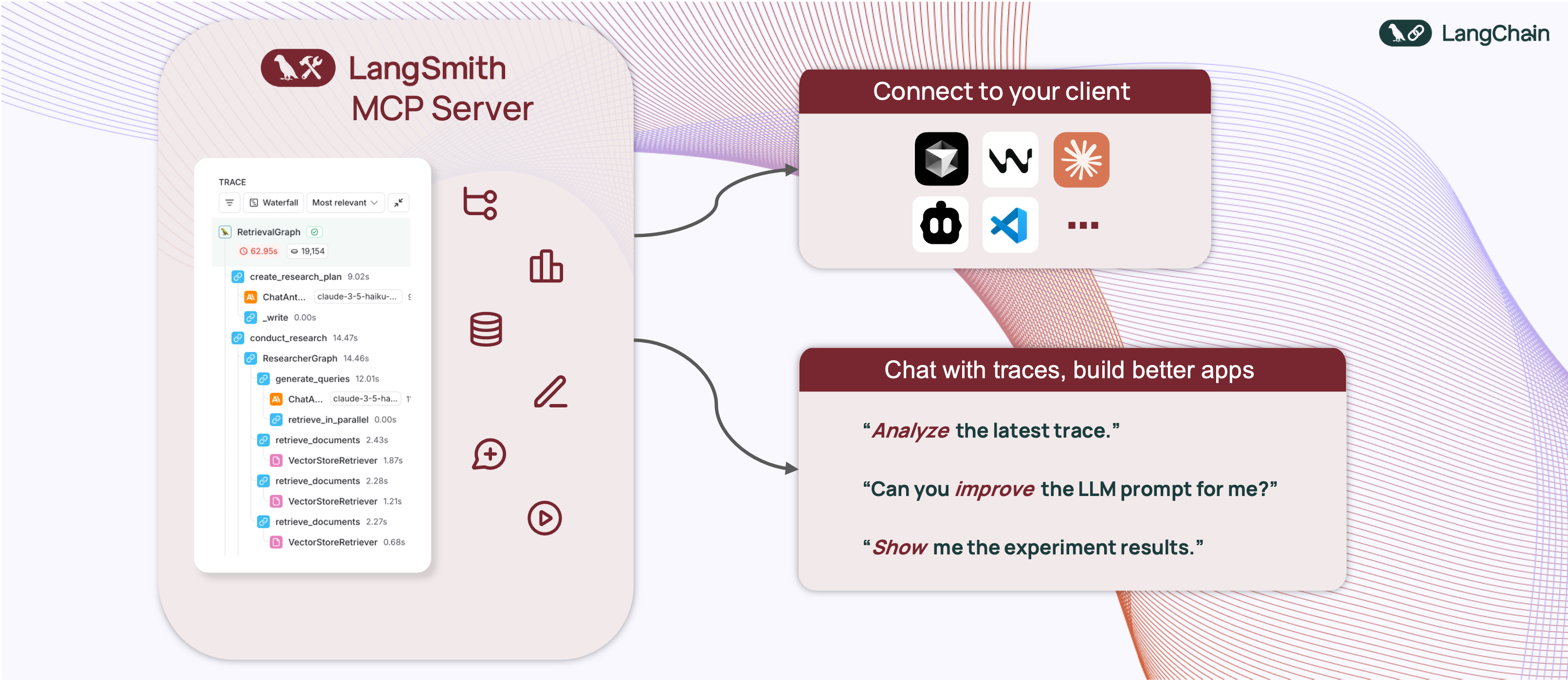
A production-ready [Model Context Protocol](https://modelcontextprotocol.io/introduction) (MCP) server that provides seamless integration with the [LangSmith](https://smith.langchain.com) observability platform. This server enables language models to fetch conversation history, prompts, runs and traces, datasets, experiments, and billing usage from LangSmith.
## 📋 Example Use Cases
The server enables powerful capabilities including:
- 💬 **Conversation History**: "Fetch the history of my conversation from thread 'thread-123' in project 'my-chatbot'" (paginated by character budget)
- 📚 **Prompt Management**: "Get all public prompts in my workspace" / "Pull the template for the 'legal-case-summarizer' prompt"
- 🔍 **Traces & Runs**: "Fetch the latest 10 root runs from project 'alpha'" / "Get all runs for trace <uuid> (page 2 of 5)"
- 📊 **Datasets**: "List datasets of type chat" / "Read examples from dataset 'customer-support-qa'"
- 🧪 **Experiments**: "List experiments for dataset 'my-eval-set' with latency and cost metrics"
- 📈 **Billing**: "Get billing usage for September 2025"
## 🚀 Quickstart
A **hosted version** of the LangSmith MCP Server is available over HTTP-streamable transport, so you can connect without running the server yourself:
- **URL:** `https://langsmith-mcp-server.onrender.com/mcp`
- **Hosting:** [Render](https://render.com), built from this public repo using the project's Dockerfile.
Use it like any HTTP-streamable MCP server: point your client at the URL and send your LangSmith API key in the `LANGSMITH-API-KEY` header. No local install or Docker required.
**Example (Cursor `mcp.json`):**
```json
{
"mcpServers": {
"LangSmith MCP (Hosted)": {
"url": "https://langsmith-mcp-server.onrender.com/mcp",
"headers": {
"LANGSMITH-API-KEY": "lsv2_pt_your_api_key_here"
}
}
}
}
```
Optional headers: `LANGSMITH-WORKSPACE-ID`, `LANGSMITH-ENDPOINT` (same as in the [Docker Deployment](#-docker-deployment-http-streamable) section below).
> **Note:** This deployed instance is intended for [LangSmith Cloud](https://smith.langchain.com). If you use a **self-hosted** LangSmith instance, run the server yourself and point it at your endpoint—see the [Docker Deployment](#-docker-deployment-http-streamable) section below.
## 🛠️ Available Tools
The LangSmith MCP Server provides the following tools for integration with LangSmith.
### 💬 Conversation & Threads
| Tool Name | Description |
|-----------|-------------|
| `get_thread_history` | Retrieve message history for a conversation thread. Uses **char-based pagination**: pass `page_number` (1-based), and use returned `total_pages` to request more pages. Optional `max_chars_per_page` and `preview_chars` control page size and long-string truncation. |
### 📚 Prompt Management
| Tool Name | Description |
|-----------|-------------|
| `list_prompts` | Fetch prompts from LangSmith with optional filtering by visibility (public/private) and limit. |
| `get_prompt_by_name` | Get a specific prompt by its exact name, returning the prompt details and template. |
| `push_prompt` | Documentation-only: how to create and push prompts to LangSmith. |
### 🔍 Traces & Runs
| Tool Name | Description |
|-----------|-------------|
| `fetch_runs` | Fetch LangSmith runs (traces, tools, chains, etc.) from one or more projects. Supports filters (run_type, error, is_root), FQL (`filter`, `trace_filter`, `tree_filter`), and ordering. When `trace_id` is set, returns **char-based paginated** pages; otherwise returns one batch up to `limit`. Always pass `limit` and `page_number`. |
| `list_projects` | List LangSmith projects with optional filtering by name, dataset, and detail level (simplified vs full). |
### 📊 Datasets & Examples
| Tool Name | Description |
|-----------|-------------|
| `list_datasets` | Fetch datasets with filtering by ID, type, name, name substring, or metadata. |
| `list_examples` | Fetch examples from a dataset by dataset ID/name or example IDs, with filter, metadata, splits, and optional `as_of` version. |
| `read_dataset` | Read a single dataset by ID or name. |
| `read_example` | Read a single example by ID, with optional `as_of` version. |
| `create_dataset` | Documentation-only: how to create datasets in LangSmith. |
| `update_examples` | Documentation-only: how to update dataset examples in LangSmith. |
### 🧪 Experiments & Evaluations
| Tool Name | Description |
|-----------|-------------|
| `list_experiments` | List experiment projects (reference projects) for a dataset. Requires `reference_dataset_id` or `reference_dataset_name`. Returns key metrics (latency, cost, feedback stats). |
| `run_experiment` | Documentation-only: how to run experiments and evaluations in LangSmith. |
### 📈 Usage & Billing
| Tool Name | Description |
|-----------|-------------|
| `get_billing_usage` | Fetch organization billing usage (e.g. trace counts) for a date range. Optional workspace filter; returns metrics with workspace names inline. |
### 📄 Pagination (char-based)
Several tools use **stateless, character-budget pagination** so responses stay within a size limit and work well with LLM clients:
- **Where it’s used:** `get_thread_history` and `fetch_runs` (when `trace_id` is set).
- **Parameters:** You send `page_number` (1-based) on every request. Optional: `max_chars_per_page` (default 25000, cap 30000) and `preview_chars` (truncate long strings with "… (+N chars)").
- **Response:** Each response includes `page_number`, `total_pages`, and the page payload (`result` for messages, `runs` for runs). To get more, call again with `page_number = 2`, then `3`, up to `total_pages`.
- **Why it’s useful:** Pages are built by JSON character count, not item count, so each page fits within a fixed size. No cursor or server-side state—just integer page numbers.
## 🛠️ Installation Options
### 📝 General Prerequisites
1. Install [uv](https://github.com/astral-sh/uv) (a fast Python package installer and resolver):
```bash
curl -LsSf https://astral.sh/uv/install.sh | sh
```
2. Clone this repository and navigate to the project directory:
```bash
git clone https://github.com/langchain-ai/langsmith-mcp-server.git
cd langsmith-mcp-server
```
### 🔌 MCP Client Integration
Once you have the LangSmith MCP Server, you can integrate it with various MCP-compatible clients. You have two installation options:
#### 📦 From PyPI
1. Install the package:
```bash
uv run pip install --upgrade langsmith-mcp-server
```
2. Add to your client MCP config:
```json
{
"mcpServers": {
"LangSmith API MCP Server": {
"command": "/path/to/uvx",
"args": [
"langsmith-mcp-server"
],
"env": {
"LANGSMITH_API_KEY": "your_langsmith_api_key",
"LANGSMITH_WORKSPACE_ID": "your_workspace_id",
"LANGSMITH_ENDPOINT": "https://api.smith.langchain.com"
}
}
}
}
```
#### ⚙️ From Source
Add the following configuration to your MCP client settings (run from the **project root** so the package is found):
```json
{
"mcpServers": {
"LangSmith API MCP Server": {
"command": "/path/to/uv",
"args": [
"--directory",
"/path/to/langsmith-mcp-server",
"run",
"langsmith_mcp_server/server.py"
],
"env": {
"LANGSMITH_API_KEY": "your_langsmith_api_key",
"LANGSMITH_WORKSPACE_ID": "your_workspace_id",
"LANGSMITH_ENDPOINT": "https://api.smith.langchain.com"
}
}
}
}
```
Replace the following placeholders:
- `/path/to/uv`: The absolute path to your uv installation (e.g., `/Users/username/.local/bin/uv`). You can find it with `which uv`.
- `/path/to/langsmith-mcp-server`: The absolute path to the **project root** (the directory containing `pyproject.toml` and `langsmith_mcp_server/`).
- `your_langsmith_api_key`: Your LangSmith API key (required).
- `your_workspace_id`: Your LangSmith workspace ID (optional, for API keys scoped to multiple workspaces).
- `https://api.smith.langchain.com`: The LangSmith API endpoint (optional, defaults to the standard endpoint).
Example configuration (PyPI/uvx):
```json
{
"mcpServers": {
"LangSmith API MCP Server": {
"command": "/path/to/uvx",
"args": ["langsmith-mcp-server"],
"env": {
"LANGSMITH_API_KEY": "lsv2_pt_your_key_here",
"LANGSMITH_WORKSPACE_ID": "your_workspace_id",
"LANGSMITH_ENDPOINT": "https://api.smith.langchain.com"
}
}
}
}
```
Copy this configuration into Cursor → MCP Settings (replace `/path/to/uvx` with the output of `which uvx`).

### 🔧 Headers (tool invocation)
When connecting over **HTTP** (e.g. streamable HTTP or a hosted MCP endpoint), the server uses **headers** for authentication and configuration. Your MCP client must send these with each request; no environment variables are required for tool invocation.
| Header | Required | Description |
|--------|----------|-------------|
| `LANGSMITH-API-KEY` | ✅ Yes | Your LangSmith API key for tool calls (list prompts, fetch runs, etc.) |
| `LANGSMITH-WORKSPACE-ID` | ❌ No | Workspace ID for API keys scoped to multiple workspaces |
| `LANGSMITH-ENDPOINT` | ❌ No | Custom API endpoint URL (for self-hosted or EU region) |
Optional headers used only when [server monitoring](#optional-tool-call-monitoring-to-a-second-langsmith-instance) is enabled (for grouping traces by session):
| Header | Description |
|--------|-------------|
| `mcp-session-id` | Session or thread id; stored in trace metadata as `session_id` |
| `x-session-id` | Fallback if `mcp-session-id` is not set |
| `x-request-id` | Fallback for request-scoped grouping |
**Stdio transport:** When running the server over stdio (e.g. `uvx langsmith-mcp-server`), there are no headers. The server falls back to the **environment variables** `LANGSMITH_API_KEY`, `LANGSMITH_WORKSPACE_ID`, and `LANGSMITH_ENDPOINT` in the process environment so that tool invocation still works.
---
### 🔧 Environment variables
Environment variables are **not** used for tool invocation when using HTTP (headers are). They are used for:
1. **Stdio transport** – fallback for credentials when no headers exist (see above).
2. **Load tests** – e.g. `tests/load_test_sessions.py` reads `LANGSMITH_API_KEY` from the environment (or a `.env` file at the project root).
3. **Optional server monitoring** – tracing tool calls to a second LangSmith instance (see below).
| Variable | Used for | Description |
|----------|----------|-------------|
| `LANGSMITH_API_KEY` | Stdio fallback, load tests | LangSmith API key (when not provided via headers) |
| `LANGSMITH_WORKSPACE_ID` | Stdio fallback | Workspace ID (optional) |
| `LANGSMITH_ENDPOINT` | Stdio fallback | Custom endpoint URL (optional) |
#### Optional: Tool-call monitoring to a second LangSmith instance
You can log every MCP tool call (with inputs and outputs) to a **separate** LangSmith project for monitoring and analytics. Set these in your environment (e.g. in a `.env` file at the project root; the server loads `.env` via `python-dotenv`):
| Variable | Required | Description |
|----------|----------|-------------|
| `LANGSMITH_MONITORING_API_KEY` | Yes (to enable) | API key for the LangSmith instance used for monitoring |
| `LANGSMITH_MONITORING_ENDPOINT` | No | Endpoint URL (default: cloud) |
| `LANGSMITH_MONITORING_WORKSPACE_ID` | No | Workspace ID for the monitoring instance |
| `LANGSMITH_MONITORING_PROJECT` | No | Project name for monitoring traces (default: `mcp-server-monitoring`) |
| `LANGSMITH_TRACING` | Yes (to send traces) | Set to `true` so traces are sent to LangSmith ([custom instrumentation](https://docs.smith.langchain.com)) |
Each tool run is traced with `run_type="tool"` and a **session_id** in metadata (from the `mcp-session-id`, `x-session-id`, or `x-request-id` header when using HTTP, or generated per request).
If you use the **hosted** LangSmith MCP Server, anonymous usage data is sent to a separate LangSmith project so we can iterate and improve the product.
## 🐳 Docker Deployment (HTTP-Streamable)
The LangSmith MCP Server can be deployed as an HTTP server using Docker, enabling remote access via the HTTP-streamable protocol.
### Building the Docker Image
```bash
docker build -t langsmith-mcp-server .
```
### Running with Docker
```bash
docker run -p 8000:8000 langsmith-mcp-server
```
The API key is provided via the `LANGSMITH-API-KEY` header when connecting, so no environment variables are required for HTTP-streamable protocol.
### Connecting with HTTP-Streamable Protocol
Once the Docker container is running, you can connect to it using the HTTP-streamable transport. The server accepts authentication via headers:
**Required header:**
- `LANGSMITH-API-KEY`: Your LangSmith API key
**Optional headers:**
- `LANGSMITH-WORKSPACE-ID`: Workspace ID for API keys scoped to multiple workspaces
- `LANGSMITH-ENDPOINT`: Custom endpoint URL (for self-hosted or EU region)
**Example client configuration:**
```python
from mcp import ClientSession
from mcp.client.streamable_http import streamablehttp_client
headers = {
"LANGSMITH-API-KEY": "lsv2_pt_your_api_key_here",
# Optional:
# "LANGSMITH-WORKSPACE-ID": "your_workspace_id",
# "LANGSMITH-ENDPOINT": "https://api.smith.langchain.com",
}
async with streamablehttp_client("http://localhost:8000/mcp", headers=headers) as (read, write, _):
async with ClientSession(read, write) as session:
await session.initialize()
# Use the session to call tools, list prompts, etc.
```
### Cursor Integration
To add the LangSmith MCP Server to Cursor using HTTP-streamable protocol, add the following to your `mcp.json` configuration file:
```json
{
"mcpServers": {
"HTTP-Streamable LangSmith MCP Server": {
"url": "http://localhost:8000/mcp",
"headers": {
"LANGSMITH-API-KEY": "lsv2_pt_your_api_key_here"
}
}
}
}
```
**Optional headers:**
```json
{
"mcpServers": {
"HTTP-Streamable LangSmith MCP Server": {
"url": "http://localhost:8000/mcp",
"headers": {
"LANGSMITH-API-KEY": "lsv2_pt_your_api_key_here",
"LANGSMITH-WORKSPACE-ID": "your_workspace_id",
"LANGSMITH-ENDPOINT": "https://api.smith.langchain.com"
}
}
}
}
```
Make sure the server is running before connecting Cursor to it.
### Health Check
The server provides a health check endpoint:
```bash
curl http://localhost:8000/health
```
This endpoint does not require authentication and returns `"LangSmith MCP server is running"` when the server is healthy.
## 🧪 Development and Contributing
### Prerequisites
- **Python** 3.10+ (3.11+ recommended)
- **[uv](https://docs.astral.sh/uv/)** – install with `curl -LsSf https://astral.sh/uv/install.sh | sh`
- **LangSmith API key** – from [smith.langchain.com](https://smith.langchain.com)
- **Node.js** (optional) – only if you want to use [MCP Inspector](https://github.com/modelcontextprotocol/inspector) to test the server (stdio or streamable-http)
### Setup
```bash
git clone https://github.com/langchain-ai/langsmith-mcp-server.git
cd langsmith-mcp-server
uv sync # Install dependencies
uv sync --group test # Include test dependencies (pytest, ruff, mypy)
uvx langsmith-mcp-server # Verify CLI runs (stdio)
```
### Development workflow
1. **Edit code** in `langsmith_mcp_server/` or `tests/`.
2. **Format and lint** (required before committing):
```bash
make format
make lint
```
3. **Run tests**:
```bash
make test
# Or a single file:
make test TEST_FILE=tests/tools/test_dataset_tools.py
```
4. **Type-check** (optional): `uv run mypy langsmith_mcp_server/`
### Testing with MCP Inspector
You can test the server with [MCP Inspector](https://github.com/modelcontextprotocol/inspector) using either **stdio** or **streamable-http**.
1. **Start MCP Inspector:**
```bash
npx @modelcontextprotocol/inspector@latest
```
Open **http://localhost:6274** in your browser.
2. **Connect** in the Inspector:
- **Stdio:** Choose stdio transport and configure the server command (e.g. `uv run langsmith-mcp-server`) and set `LANGSMITH_API_KEY` in the environment.
- **Streamable HTTP:** Start the server first (`uv run uvicorn langsmith_mcp_server.server:app --host 0.0.0.0 --port 8000` or Docker), then choose streamable-http, URL **`http://localhost:8000/mcp`**, and add header **`LANGSMITH-API-KEY`** = your API key.
### Load testing
A **session-based** load test opens many MCP sessions and calls the `list_prompts` tool in each, using [langchain-mcp-adapters](https://github.com/langchain-ai/langchain-mcp-adapters). Run from the CLI (no UI). The server must be running first.
```bash
uv sync --group load
# Terminal 1: start the server
uv run uvicorn langsmith_mcp_server.server:app --host 0.0.0.0 --port 8000
# Terminal 2: run the load test
uv run python tests/load_test_sessions.py --sessions 20 --calls-per-session 3
```
**Options**
| Option | Default | Description |
|--------|---------|-------------|
| `--url` | `http://localhost:8000/mcp` | MCP endpoint URL |
| `--api-key` | from `.env` | `LANGSMITH_API_KEY` (or set in project root `.env`) |
| `--sessions` | 10 | Number of concurrent sessions |
| `--calls-per-session` | 3 | `list_prompts` calls per session |
| `--debug` | off | Print step-by-step logs and first error traceback |
| `--report` PATH | — | Write a report after the run (see below) |
**Report**
Use `--report PATH` to write a JSON report after the test (e.g. `--report load_test_report` creates `load_test_report.json` with config, summary, per-session results, and first error).
```bash
uv run python tests/load_test_sessions.py --sessions 5 --report load_test_report
# Creates: load_test_report.json (in current directory)
```
### Contributing checklist
Before opening a PR:
- [ ] `make format` and `make lint` pass
- [ ] `make test` passes
- [ ] New tools or behavior are documented (e.g. in [CLAUDE.md](CLAUDE.md) if you change architecture or tools)
- [ ] Error handling in tools returns `{"error": "..."}` rather than raising
For more detail (adding tools, code standards, troubleshooting), see **[CLAUDE.md](CLAUDE.md)**.
## 📄 License
This project is distributed under the MIT License. For detailed terms and conditions, please refer to the LICENSE file.
Made with ❤️ by the [LangChain](https://langchain.com) Team
TDQS
Scored across 13 tools
Most tools have distinct purposes targeting different LangSmith resources like datasets, examples, prompts, runs, projects, and experiments, with clear boundaries. However, 'create_dataset' and 'push_prompt' are described as informational tools ('call this tool when you need to understand how to...'), which could confuse agents about their actual functionality versus other tools that perform operations directly.
Tool names follow a highly consistent verb_noun pattern throughout, such as 'create_dataset', 'fetch_runs', 'list_datasets', 'read_example', and 'update_examples'. All tools use snake_case with clear, descriptive names, making the set predictable and easy to navigate.
With 13 tools, the server is well-scoped for managing LangSmith resources, covering datasets, examples, prompts, runs, projects, and experiments. Each tool serves a specific function without redundancy, and the count aligns with the complexity of the domain, providing comprehensive coverage without being overwhelming.
The tool set offers strong coverage for core LangSmith operations, including CRUD-like actions for datasets, examples, prompts, runs, projects, and experiments. Minor gaps exist, such as no explicit 'delete' tools for resources like datasets or prompts, but agents can likely work around this given the overall robust surface for analytics and management tasks.