
Kubeflow MCP Server
Officialby kubeflow
README.md
# Kubeflow MCP Server
<!-- mcp-name: io.github.kubeflow/mcp-server -->
[](LICENSE) [](https://www.python.org) [](https://www.kubeflow.org/docs/about/community/#kubeflow-slack-channels) [](https://coveralls.io/github/kubeflow/mcp-server?branch=main) [](https://deepwiki.com/kubeflow/mcp-server)
Proposal: [KEP-936](https://github.com/kubeflow/community/tree/master/proposals/936-kubeflow-mcp-server) · [ROADMAP](ROADMAP.md) · [SECURITY](SECURITY.md) · [CONTRIBUTING](CONTRIBUTING.md)
## Overview
The Kubeflow MCP Server exposes Kubeflow Training operations as [Model Context Protocol](https://modelcontextprotocol.io/) tools, enabling AI agents (Claude, Cursor, Claude Code, or any custom agents etc.) to plan, submit, monitor, and manage training jobs through natural language — without users needing to learn Kubernetes or the Kubeflow SDK directly.
### Benefits
- **Agent-Native**: Tools auto-discovered via MCP — no manual API wiring
- **Guided Workflow**: Phase ordering with next-step hints (Plan → Discover → Train → Monitor)
- **Preview-Before-Submit**: Every mutating operation requires explicit confirmation
- **Security-First**: Persona gating, namespace enforcement, input validation, bearer/JWT auth
- **Multi-Platform**: Auto-detects OpenShift, EKS, GKE with platform-specific guidance
- **Token-Efficient**: Progressive/semantic modes compress 23 tools into 2-3 meta-tools
- **Extensible**: Plugin architecture for additional Kubeflow clients (TODO: optimizer, hub)
## Demo
[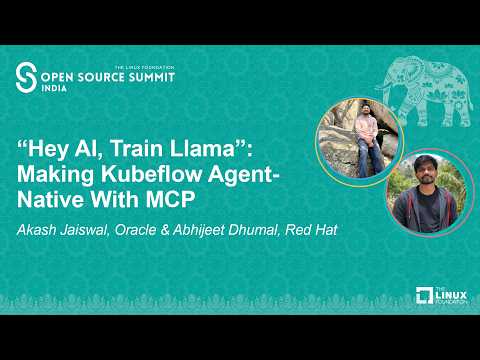](https://youtu.be/cZ2BP5hQjc8)
## Get Started
> New here? See the **[Quickstart & Troubleshooting guide](docs/quickstart.md)** for a step-by-step path from installation to a working MCP client.
### Install from PyPI
```bash
pip install kubeflow-mcp
```
### Install from source (development)
```bash
git clone https://github.com/kubeflow/mcp-server.git
cd mcp-server
make install-dev
```
### Prerequisites
Before starting the Kubeflow MCP Server, make sure the following requirements
are available:
- Python 3.10, 3.11, or 3.12
- A running Kubernetes cluster
- `kubectl` installed and available in `PATH`
- A kubeconfig configured for the target cluster
- Kubeflow Trainer installed in the cluster
- Kubeflow Trainer CRDs and at least one `ClusterTrainingRuntime`
- Kubernetes permissions for the namespace you train in, plus cluster-scoped
read access for planning and runtime discovery (see
[RBAC Configuration](ARCHITECTURE.md#rbac-configuration))
Verify the connection and your permissions in the target namespace. Each
`can-i` command should print `yes`:
```bash
kubectl config current-context
kubectl auth can-i create trainjobs.trainer.kubeflow.org -n <namespace>
kubectl auth can-i list pods -n <namespace>
kubectl auth can-i get pods --subresource=log -n <namespace>
```
The checks below need cluster-scoped read access, so they can return
`Forbidden` for a namespace-scoped user even when Kubeflow Trainer is installed
correctly. Without that access, the tools that read these resources
(`get_cluster_resources`, `check_compatibility`, `list_runtimes`) fail; tools
that work on jobs in your namespace are unaffected.
```bash
kubectl get nodes
kubectl get crd trainjobs.trainer.kubeflow.org
kubectl get clustertrainingruntimes
```
### Run the server
```bash
kubeflow-mcp serve
```
### Run with Docker
Pre-built multi-arch images are published to GHCR on every release:
```bash
docker run --rm -p 8000:8000 \
-e KUBEFLOW_MCP_AUTH_TOKEN=my-secret-token \
ghcr.io/kubeflow/mcp-server:latest
```
The server listens on `http://localhost:8000/mcp`.
Container and Kubernetes probes are available without MCP authentication:
```text
GET /health # liveness: the server process is accepting HTTP requests
GET /ready # readiness: configured clients imported and packaged resources loaded
```
`/ready` returns 200 only when both `clients_ready` and `resources_ready` are true. It does
not contact Kubernetes or other APIs, so it is not a live dependency check. A missing
packaged resource Markdown file keeps `/ready` at 503 even though `/health` and registered
tools remain available; check the server logs and package contents rather than cluster
dependencies.
**Environment variables**
| Variable | Default | Description |
|---|---|---|
| `MCP_TRANSPORT` | `stdio` | Transport protocol (`http`, `stdio`; `sse` is deprecated) |
| `KUBEFLOW_MCP_AUTH_TOKEN` | _(none)_ | Bearer token for HTTP auth |
| `KUBEFLOW_MCP_JWKS_URI` | _(none)_ | JWKS endpoint for JWT verification (production) |
| `KUBEFLOW_MCP_JWT_ISSUER` | _(none)_ | Expected JWT issuer |
| `KUBEFLOW_MCP_JWT_AUDIENCE` | _(none)_ | Expected JWT audience |
| `KUBEFLOW_MCP_CLIENTS` | `trainer` | Comma-separated client modules to load |
| `KUBEFLOW_MCP_PERSONA` | `readonly` | Tool persona (`readonly`, `data-scientist`, `ml-engineer`, `platform-admin`, or a custom persona from the policy file) |
| `KUBEFLOW_MCP_INSTRUCTION_TIER` | `full` | Instruction verbosity (`full`, `compact`, `minimal`) |
| `KUBEFLOW_MCP_ALLOWED_HOSTS` | _(loopback)_ | Comma-separated `Host` header allowlist for DNS rebinding protection; `:*` port wildcard supported (e.g. `mcp.example.com,mcp.example.com:*`) |
| `KUBEFLOW_MCP_ALLOWED_ORIGINS` | _(loopback)_ | Comma-separated `Origin` header allowlist; `:*` port wildcard supported (e.g. `https://mcp.example.com`) |
| `KUBEFLOW_MCP_DNS_REBINDING_PROTECTION` | `true` | Set `false` to disable Host/Origin validation (not recommended) |
| `LOG_FORMAT` | _(auto)_ | Log format (`json`, `console`); defaults to `console` in an interactive terminal and `json` otherwise |
| `LOG_LEVEL` | `INFO` | Log level (`DEBUG`, `INFO`, `WARNING`, `ERROR`) |
**MCP client config (HTTP transport)**
```json
{
"mcpServers": {
"kubeflow": {
"url": "http://localhost:8000/mcp",
"headers": { "Authorization": "Bearer my-secret-token" }
}
}
}
```
For in-cluster deployments, replace `localhost:8000` with the Kubernetes Service address and mount `KUBEFLOW_MCP_AUTH_TOKEN` from a Secret.
> **Note:** DNS rebinding protection allows only loopback `Host`/`Origin` headers by default. When exposing the server through a Service or Ingress, set `KUBEFLOW_MCP_ALLOWED_HOSTS` (e.g. `KUBEFLOW_MCP_ALLOWED_HOSTS=kubeflow-mcp.kubeflow.svc:*,mcp.example.com`) or requests will be rejected with HTTP 421.
### Example: Fine-tune a model via AI agent
Once connected, your AI agent can run a complete training workflow through natural language:
```
User: "Fine-tune gemma-2b on the alpaca dataset"
Agent calls: check_compatibility() → ✅ K8s 1.29, Trainer CRD installed
Agent calls: get_cluster_resources() → 4x A100 GPUs available
Agent calls: estimate_resources("google/gemma-2b") → needs ~16GB GPU, 1x A100
Agent calls: list_runtimes() → torchtune-llama, torchtune-gemma, ...
Agent calls: fine_tune( → preview config (confirmed=False)
model="hf://google/gemma-2b",
dataset="hf://tatsu-lab/alpaca",
runtime="torchtune-gemma-2b"
)
Agent calls: fine_tune(..., confirmed=True) → TrainJob "train-gemma-abc" created
Agent calls: get_training_logs("train-gemma-abc") → training progress...
```
All mutating tools require `confirmed=True` and return a preview before making changes.
### MCP Client Config
<details>
<summary>Cursor</summary>
Add to `.cursor/mcp.json` (or use the `.mcp.json` at the repo root for local dev):
```json
{
"mcpServers": {
"kubeflow": {
"command": "uv",
"args": ["run", "kubeflow-mcp", "serve"]
}
}
}
```
</details>
<details>
<summary>Claude Code</summary>
```bash
claude mcp add kubeflow -- kubeflow-mcp serve
```
</details>
## Tools
23 tools organized by workflow phase:
| Phase | Tools | Description |
|-------|-------|-------------|
| Planning | `pre_flight`, `check_compatibility`, `get_cluster_resources`, `estimate_resources` | Environment validation and resource estimation |
| Discovery | `list_training_jobs`, `get_training_job`, `list_runtimes`, `get_runtime` | Browse jobs and available runtimes |
| Training | `fine_tune`, `run_custom_training`, `run_container_training` | Submit LoRA/QLoRA fine-tuning, custom scripts, or container jobs |
| Monitoring | `get_training_logs`, `get_training_events`, `wait_for_training` | Track progress, debug failures |
| Lifecycle | `delete_training_job`, `update_training_job` | Manage existing jobs (ownership-guarded) |
| Platform | `inspect_crd`, `inspect_controller`, `patch_runtime`, `create_runtime`, `delete_runtime` | Cluster inspection and runtime management |
| Health | `health_check`, `get_server_logs` | Server diagnostics |
### Requirements
| MCP Server | Kubeflow Trainer | Kubeflow SDK | Python | Kubernetes |
|------------|------------------|--------------|-------------|------------|
| 0.2.x (upcoming) | >= 2.3.0, < 2.4.0 | >= 0.5.0, < 0.6.0 | 3.10 - 3.12 | >= 1.27 |
| 0.1.x | == 2.2.1 | == 0.4.1 | 3.10 - 3.12 | >= 1.27 |
## CLI Reference
### `kubeflow-mcp serve`
```bash
# Modules: trainer, optimizer (stub), hub (stub)
# Persona: readonly | data-scientist | ml-engineer | platform-admin
# Mode: full | progressive | semantic
# Instruction tier: full | compact | minimal
# Transport: stdio | http | sse (deprecated)
# Auth token: bearer token for HTTP auth (dev/staging)
# OTel endpoint: optional OTLP HTTP endpoint for tracing
# Log level: DEBUG | INFO | WARNING | ERROR
# Log format: console | json (auto-detected if omitted)
# No banner: suppress the FastMCP startup banner
kubeflow-mcp serve \
--clients trainer \
--persona ml-engineer \
--mode full \
--instruction-tier full \
--transport stdio \
--auth-token SECRET \
--otel-endpoint URL \
--log-level INFO \
--log-format console \
--no-banner
```
`--mode progressive` exposes 3 meta-tools (~85 tokens) for hierarchical discovery. `--mode semantic` exposes 2 meta-tools (~69 tokens) using embedding search. Both reduce token consumption significantly for agent workflows.
`--persona` controls which tools are exposed. Each persona includes the tools of the one above it:
| Persona | Use it for |
|---|---|
| `readonly` (default) | Planning, browsing jobs and runtimes, reading logs and events |
| `data-scientist` | Submitting fine-tuning and custom training, waiting for jobs, deleting MCP-created jobs |
| `ml-engineer` | Container training, suspending/resuming jobs, inspecting CRDs and the controller |
| `platform-admin` | All tools, including creating, patching and deleting runtimes |
A custom persona defined under `personas:` in `~/.kf-mcp-policy.yaml` can be used the same way, from `--persona`, `KUBEFLOW_MCP_PERSONA` or the config file. An unknown persona from any of them stops `serve` with an error.
<details>
<summary> HTTP Authentication</summary>
When using `--transport http`, configure auth to secure the endpoint:
```bash
# Simple API key (dev/staging)
kubeflow-mcp serve --transport http --auth-token my-secret-token
# Or via env var
export KUBEFLOW_MCP_AUTH_TOKEN=my-secret-token
kubeflow-mcp serve --transport http
# JWT verification (production)
export KUBEFLOW_MCP_JWKS_URI=https://auth.example.com/.well-known/jwks.json
export KUBEFLOW_MCP_JWT_ISSUER=https://auth.example.com
export KUBEFLOW_MCP_JWT_AUDIENCE=kubeflow-mcp
kubeflow-mcp serve --transport http
```
Without auth configured, the server logs a warning that the HTTP endpoint is open.
</details>
## Observability
OpenTelemetry tracing is optional and can be enabled without changing tool code.
- Install optional dependencies from source: `uv sync --group otel`
- Enable tracing with CLI flag or env var:
```bash
kubeflow-mcp serve --otel-endpoint http://localhost:4318
# or
export OTEL_EXPORTER_OTLP_ENDPOINT=http://localhost:4318
kubeflow-mcp serve
```
Each tool invocation emits an `execute_tool <tool>` span with attributes:
`tool.name`, `tool.args_preview`, `tool.success`, `tool.duration_ms`, `kubeflow.persona`, and `correlation_id`.
It is a child of the `tools/call <tool>` span that FastMCP creates, which continues the
caller's trace when the request `_meta` carries a W3C `traceparent`.
JSON logs and `get_server_logs` entries include `trace_id` and `span_id` while a span is
active, so logs can be joined to traces. A missing or malformed `traceparent` just starts
a new trace.
## Development
```bash
make install-dev # setup environment
make verify # lint + format check
make test-python # run tests
make inspector # launch MCP Inspector (stdio)
make inspector TRANSPORT=http # Inspector + Streamable HTTP (start server separately)
make inspector TRANSPORT=sse # Inspector + SSE (deprecated; start server separately)
```
## Community
- **Slack**: Join [#kubeflow-ml-experience](https://www.kubeflow.org/docs/about/community/#kubeflow-slack-channels) on CNCF Slack
- **Meetings**: Attend the [Kubeflow SDK and ML Experience](https://bit.ly/kf-ml-experience) bi-weekly call
- **GitHub**: Issues and contributions at [kubeflow/mcp-server](https://github.com/kubeflow/mcp-server)
## Documentation
- **[Quickstart & Troubleshooting](docs/quickstart.md)**: Install, connect a client, verify connectivity, and diagnose common failures
- **[CONTRIBUTING](CONTRIBUTING.md)**: Development workflow and PR guidelines
- **[ROADMAP](ROADMAP.md)**: Project roadmap
- **[SECURITY](SECURITY.md)**: Vulnerability reporting; see [ARCHITECTURE.md#security-model](ARCHITECTURE.md#security-model) for threat model, RBAC, and hardening
- **[Client conventions](docs/CONVENTIONS.md)**: Checklist for adding client modules
- **[KEP-936](https://github.com/kubeflow/community/tree/master/proposals/936-kubeflow-mcp-server)**: Design proposal
## License
Apache License 2.0 — see [LICENSE](LICENSE).
This server cannot be deployed
Maintenance
ActivityActive
ResponsivenessResponsive