
API as MCP
Click on "Install Server".
Wait a few minutes for the server to deploy. Once ready, it will show a "Started" state.
In the chat, type
@followed by the MCP server name and your instructions, e.g., "@API as MCPask the IBM Granite model to summarize this document"
That's it! The server will respond to your query, and you can continue using it as needed.
Here is a step-by-step guide with screenshots.
Project Title
Turn your REST APIs to an MCP server
Description
This sample runs a IBM Granite model using ollama locally. The code uses gradio to expose an MCP server with a tool to call the POST API and get the response in JSON
Related MCP server: API-to-MCP Converter
Getting Started
Dependencies
Need python 3.12 or greater
Need ollama and here are the instructions to run IBM Granite on ollama running on mac os
[instructions] (https://www.ibm.com/granite/docs/run/granite-with-ollama/mac/)
Test
curl -XPOST -H "Content-Type: application/json" http://localhost:11434/v1/chat/completions -d '{"model": "granite3.2:8b", "messages": [{"role": "users", "content": "How are you today?"}]}'
Executing program
python -m venv apiasmcp
source apiasmcp/bin/activate
pip install -r requirements.txt
export GRADIO_MCP_SERVER=True
python app.pyAccess locally
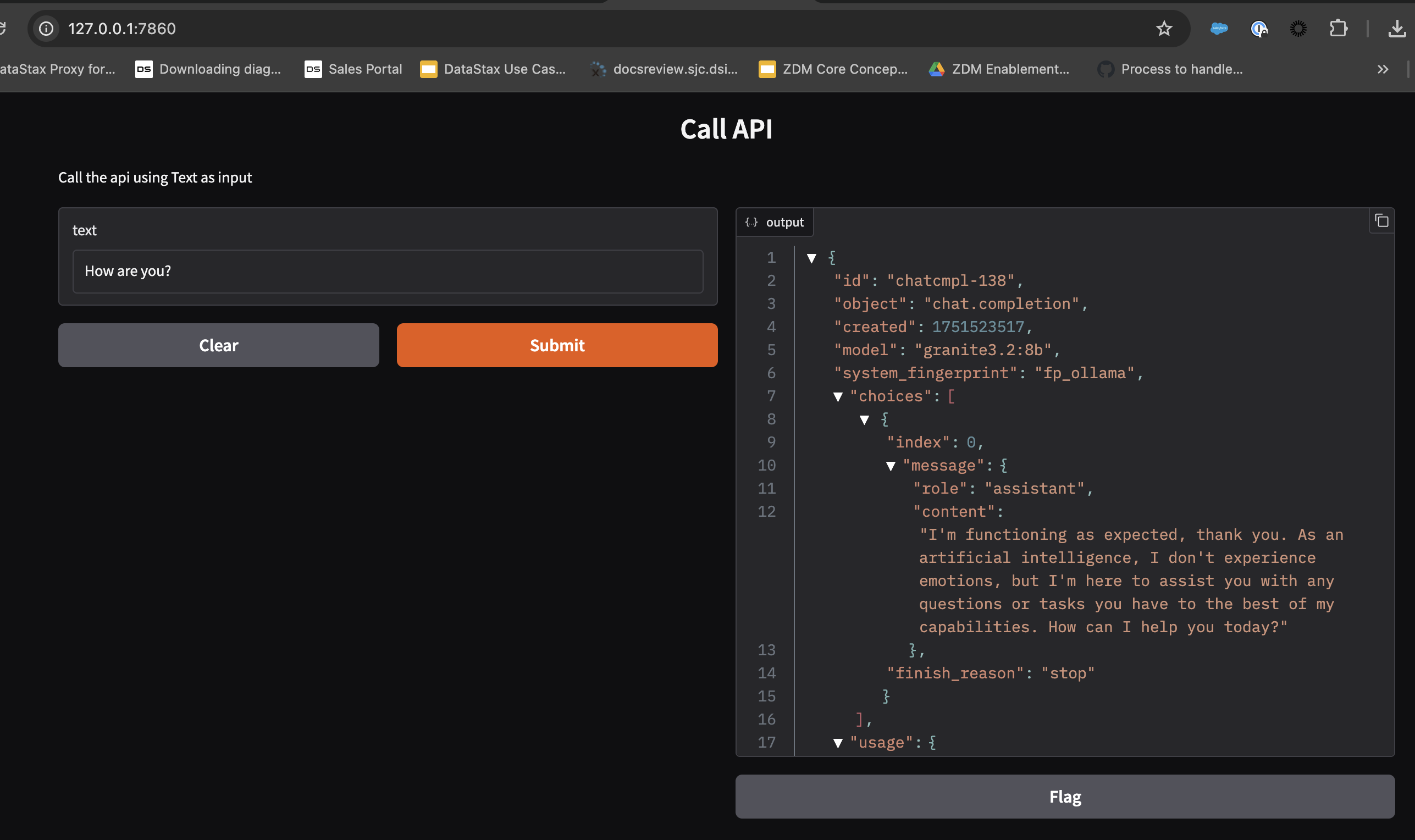
Open http://localhost:7860 in your browser Enter some text and click “Submit” You should see the results

Add it to an MCP client
Visit http://localhost:7860/gradio_api/mcp/schema This shows the MCP tool schema that clients will use You can also find this in the “View API” link in the footer of your Gradio app Add this JSON BLOB to your MCP client:
{
"mcpServers": {
"gradio": {
"command": "npx",
"args": [
"mcp-remote",
"http://localhost:7860/gradio_api/mcp/sse"
]
}
}
}
For example in cursor mcp client, you should see as below

This server cannot be installed
Maintenance
Resources
Unclaimed servers have limited discoverability.
Looking for Admin?
If you are the server author, to access and configure the admin panel.
Related MCP Servers
- Alicense-qualityCmaintenanceA generic MCP server that dynamically converts OpenAPI-defined REST APIs into tools for LLMs like Claude. It supports multiple authentication methods and transport protocols, enabling seamless interaction with any OpenAPI-compliant API.18MIT
- Alicense-qualityDmaintenanceConverts any REST API into MCP-compatible tools instantly by providing an OpenAPI/Swagger spec, enabling seamless integration with AI agents.MIT
- Alicense-qualityAmaintenanceTurns any OpenAPI/Swagger API into MCP tools, enabling AI assistants to call REST API endpoints directly.2MIT
- Flicense-qualityCmaintenanceConverts any REST API endpoints into MCP tools, enabling AI clients like Cursor and Claude Desktop to call internal services directly.
Related MCP Connectors
Self-hosted MCP gateway: turn any API, database or MCP server into AI connectors — no code.
Free public MCP for AI agents — 193 tools, 44 workflows. No API key.
AI Reasoning Cache & Consensus Layer with 11 MCP tools via Streamable HTTP.
Latest Blog Posts
- Who's Calling? MCP Hosts Are an Identity Blind Spot (And the Spec Knows It)By Om-Shree-0709 on .mcpAgent IdentityOAuth 2.1
- Your AI Chatbot Just Exposed Your CEO's Salary to an InternBy Om-Shree-0709 on .Agent IdentityMCP SecurityOAuth Delegation
- Why MCP Servers Need Execution Sandboxing (And Why Your Current Stack Isn't Enough)By Om-Shree-0709 on .Agentic AiPrompt InjectionWebAssembly
MCP directory API
We provide all the information about MCP servers via our MCP API.
curl -X GET 'https://glama.ai/api/mcp/v1/servers/krishnannarayanaswamy/api-as-mcp'
If you have feedback or need assistance with the MCP directory API, please join our Discord server