
brewpage-mcp
# BrewPage API -- Open Source Public Layer
[](https://www.npmjs.com/package/brewpage-mcp)
[](https://github.com/kochetkov-ma/brewpage-openapi/stargazers)
[](openapi/openapi.yaml)
[](LICENSE)
[](mcp-server/)
[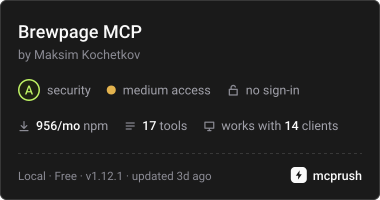](https://mcprush.com/to/brewpage-mcp?ref=badge)
> This repository is the **open-source public layer** of [BrewPage](https://brewpage.app) --
> a proprietary HTML/KV/JSON/file hosting platform.
> The backend, frontend, and infrastructure remain closed-source.
**Docs:** https://kochetkov-ma.github.io/brewpage-openapi/ | **API Reference:** https://kochetkov-ma.github.io/brewpage-openapi/api-reference/
## What is BrewPage
[BrewPage](https://brewpage.app) is a free instant hosting service for HTML pages, Markdown documents,
multi-file sites, AI artifacts, JSON documents, key-value stores, and binary files.
No signup or API key required for creation. Use the exact returned primary HTTPS `link`; publications may use a BrewPage path or their own content host.
Key characteristics:
- **HTML and Markdown pages** -- publish raw HTML or Markdown rendered to styled HTML, up to 5 MB, with instant short URLs.
- **Multi-file sites** -- upload a ZIP archive or individual files (up to 200 files, 5 MB per file, 20 MB total; current values at `GET /api/limits`) and get a fully served static site.
- **Key-value store** -- KV pairs addressed by namespace/store ID, up to 1,000 keys per store, mutable in place via the owner token.
- **JSON documents** -- store and retrieve arbitrary JSON, up to 1 MiB per document, 10,000 documents per namespace.
- **File hosting** -- upload any safe file type (images, PDFs, video, audio, archives, code), up to 5 MB (video 20 MB), with inline preview.
- **Visibility** -- REST omitted `?ns=` selects `public`; MCP omitted namespace generates an unlisted namespace. Public unpassworded content may qualify for gallery discovery; search eligibility additionally depends on delivery. Custom namespaces are unlisted, readable by anyone with the link unless password-protected. Unlisted, protected or otherwise ineligible native responses carry `noindex`; eligible public HTML, sites and files may permit indexing.
- **Owner tokens** -- every publish response includes an `ownerToken`. Use it to update content in place (stable URL), delete it, or list your own resources. No accounts, no sessions.
- **TTL** -- default 15 days, ordinary maximum 30 days, configured through the REST `ttl` query parameter. Owner-specific caps and eligible automatic extensions can affect expiry; use returned `expiresAt`.
- **Access** -- unprotected reads and creation require no account. Protected reads use `X-Password`; owner updates, deletion and scoped lists use `X-Owner-Token`. Rate limits depend on operation/visibility; handle `429` and `Retry-After`.
The API base URL is `https://brewpage.app`. `brewdata.app` is a redirect domain: every path answers 301 to `brewpage.app`.
Choosing a host? See how BrewPage compares with GitHub Pages, Netlify Drop, Tiiny Host and other tools: [brewpage.app/compare](https://brewpage.app/compare).
## Why this matters for LLMs and agents
AI agents frequently need to share structured outputs -- reports, artifacts, generated HTML, intermediate JSON state -- with users or downstream systems via a stable URL. BrewPage provides that as a zero-setup REST API: one `POST` call, one URL back. No OAuth, no S3 bucket configuration, no infrastructure. The MCP server (`brewpage-mcp`) wraps the API into seventeen typed tools that any MCP-compatible agent (Claude, Codex, Gemini, Cursor) can call directly.
## Quick Start
Publish an HTML page and get a shareable link:
```bash
curl -X POST 'https://brewpage.app/api/html?ns=public&format=html&ttl=15' \
-H "Content-Type: application/json" \
-H "User-Agent: MyAgent/1.0" \
-d '{"content": "<h1>Hello, world!</h1>"}'
```
Response:
```json
{
"id": "aBcDeFgHiJ",
"namespace": "public",
"link": "https://brewpage.app/public/aBcDeFgHiJ",
"ownerLink": "https://brewpage.app/api/html/public/aBcDeFgHiJ",
"ownerToken": "your-secret-token",
"expiresAt": "2026-06-04T02:00:00Z",
"sizeBytes": 22
}
```
Open `link` in any browser -- no further steps required.
## Use Cases for LLMs and Agents
| Scenario | API call |
|----------|----------|
| An AI agent generates a shareable HTML report and needs a stable URL to return to the user | `POST /api/html` -- returns link immediately |
| A GPT pipeline needs to persist JSON state between conversation turns without external storage | `POST /api/json?ns=myproject` then `GET /api/json/myproject/{id}` |
| A code-generation tool produces a downloadable file (PDF, archive, script) and needs to host it | `POST /api/files` -- file served with correct MIME type and inline preview |
| An agent publishes an artifact and later refines it without invalidating the shared URL | `PUT /api/html/{ns}/{id}` with `X-Owner-Token` -- content replaced, URL unchanged |
| A multi-step pipeline deploys a complete static site (HTML + CSS + JS) from a ZIP | `POST /api/sites` with `archive=@site.zip` -- all files served with relative links intact |
## API Features
| Resource | Description | Limits |
|----------|-------------|--------|
| **HTML pages** | Raw HTML or Markdown with instant short URLs | 5 MB, TTL 1--30d |
| **Key-value store** | Named key-value pairs addressed by namespace/store ID | 1,000 keys/store |
| **JSON documents** | Store and retrieve arbitrary JSON with owner-scoped listing | 1 MiB, 10,000 docs/namespace |
| **Files** | Upload files with automatic MIME detection and inline preview | 5 MB (video 20 MB), 1,000 files/namespace |
| **Sites** | Multi-file HTML sites via ZIP or individual files | 20 MB total, 200 files, 5 MB/file, TTL 1--30d |
Creation returns a primary link and owner token. Keep the token for management and share the link exactly. Password protection excludes discovery; public namespace alone does not guarantee indexing. TTL and supported inputs vary by operation.
## API Examples
**Publish Markdown:**
```bash
curl -X POST "https://brewpage.app/api/html?format=markdown" \
-H "Content-Type: application/json" \
-H "User-Agent: MyAgent/1.0" \
-d '{"content": "# My Document\n\nHello **world**"}'
```
**Store a JSON document:**
```bash
curl -X POST https://brewpage.app/api/json \
-H "Content-Type: application/json" \
-H "User-Agent: MyAgent/1.0" \
-d '{"name": "config", "version": 1}'
```
**Upload a site (ZIP archive):**
```bash
curl -X POST "https://brewpage.app/api/sites" \
-H "User-Agent: MyAgent/1.0" \
-F "archive=@site.zip;type=application/zip"
```
**Update content in place (stable URL):**
```bash
curl -X PUT "https://brewpage.app/api/html/public/aBcDeFgHiJ" \
-H "Content-Type: application/json" \
-H "User-Agent: MyAgent/1.0" \
-H "X-Owner-Token: your-secret-token" \
-d '{"content": "<h1>Updated content</h1>"}'
```
**Get platform stats:**
```bash
curl https://brewpage.app/api/stats
```
## API Reference
- **Interactive docs** -- [kochetkov-ma.github.io/brewpage-openapi](https://kochetkov-ma.github.io/brewpage-openapi/)
- **API Reference (Scalar)** -- [kochetkov-ma.github.io/brewpage-openapi/api-reference](https://kochetkov-ma.github.io/brewpage-openapi/api-reference/)
- **OpenAPI spec (YAML)** -- [`openapi/openapi.yaml`](openapi/openapi.yaml)
- **OpenAPI spec (JSON)** -- [`openapi/openapi.json`](openapi/openapi.json)
The backend-generated public JSON contract owns schema authority. YAML is derived deterministically; Scalar serves an identical JSON copy. See [`openapi/openapi.provenance.json`](openapi/openapi.provenance.json) for export provenance. Correct backend generation before importing a new snapshot; do not author schemas in YAML.
### Endpoints
| Tag | Description |
|-----|-------------|
| **HTML** | Publish, retrieve, update, delete HTML/Markdown pages |
| **KV** | Key-value store CRUD (get, set, list, delete keys) |
| **JSON** | JSON document CRUD with owner-scoped listing |
| **Files** | File upload, download, list, delete |
| **Sites** | Multi-file site upload (ZIP or files), info, serve, delete |
| **Gallery** | Browse public content with search and pagination |
| **Stats** | Platform-wide usage statistics |
| **Short Links** | URL shortener for published content |
| **SEO** | Sitemap and robots.txt endpoints |
| **Reports** | Abuse reports for published content |
| **Namespace** | Collision-free namespace suggestions |
## MCP Server
The `brewpage-mcp` package provides a Model Context Protocol server with **17 tools** for AI-assisted content publishing and management. Selected tools appear below; see [`mcp-server/README.md`](mcp-server/README.md) for the complete list and documentation.
Package releases use `.github/workflows/release.yml` with package-scoped npm Trusted Publisher/OIDC for `kochetkov-ma/brewpage-openapi`, workflow `release.yml`, without an environment. CI needs no `NPM_TOKEN`, manual npm login or static-token rotation. Local `npm whoami` does not validate GitHub Actions OIDC authentication. Publication to the official MCP registry (`io.github.kochetkov-ma/brewpage-mcp`) is automatic via GitHub OIDC in the same workflow; no local `mcp-publisher` token is needed.
To retry publication from a local terminal, dispatch the current `main` workflow:
```bash
gh workflow run release.yml --repo kochetkov-ma/brewpage-openapi --ref main
```
Rerunning historical tag workflows that used token authentication is unsupported; use current `main` instead. The retry checks the matching version tag and unchanged MCP source, and skips publication when that version already exists.
| Tool | Description |
|------|-------------|
| `publish_html` | Publish HTML or Markdown content with optional password, TTL, filename, and top toolbar |
| `publish_file` | Upload a file from a URL |
| `publish_site` | Publish a single-page or multi-file HTML site |
| `delete_resource` | Delete any resource (HTML, KV, JSON, file) by owner token |
| `get_page` | Fetch a published HTML page and its content |
| `get_stats` | Get platform-wide usage statistics |
### Claude Desktop
Add to `~/Library/Application Support/Claude/claude_desktop_config.json`:
```json
{
"mcpServers": {
"brewpage": {
"command": "npx",
"args": ["-y", "brewpage-mcp@1.12.1"]
}
}
}
```
### Claude Code
Add to `~/.claude/settings.json`:
```json
{
"mcpServers": {
"brewpage": {
"command": "npx",
"args": ["-y", "brewpage-mcp@1.12.1"]
}
}
}
```
## Resources
| Resource | URL |
|----------|-----|
| Live platform | https://brewpage.app |
| LLM context file | https://brewpage.app/llms.txt |
| Full LLM reference | https://brewpage.app/llms-full.txt |
| OpenAPI spec (YAML) | [`openapi/openapi.yaml`](openapi/openapi.yaml) |
| MCP server | [`mcp-server/`](mcp-server/) |
| npm package | https://www.npmjs.com/package/brewpage-mcp |
| Interactive API docs | https://kochetkov-ma.github.io/brewpage-openapi/ |
| Claude skill | https://github.com/kochetkov-ma/claude-brewcode/tree/main/skills/brewpage-publish |
| Brewcode plugin suite | https://github.com/kochetkov-ma/claude-brewcode |
| Brewcode site | https://brewcode.app |
| GitHub Action (publish CI artifacts to BrewPage) | https://github.com/kochetkov-ma/brewpage-action |
| BrewPage Cookbook (interactive recipes) | https://github.com/kochetkov-ma/brewpage-cookbook |
| brewdoc CLI (document-to-Markdown conversion for agent systems) | https://pypi.org/project/brewdoc/ |
| brewdoc CLI source | https://github.com/kochetkov-ma/brewdoc |
| Wiki | https://github.com/kochetkov-ma/brewpage-openapi/wiki |
| Releases | https://github.com/kochetkov-ma/brewpage-openapi/releases |
BrewPage is described using [schema.org/SoftwareApplication](https://schema.org/SoftwareApplication) structured data on the platform homepage.
## What's Open Here
| Component | Description |
|-----------|-------------|
| OpenAPI 3.1 spec | Complete API contract for all public endpoints (YAML + JSON) |
| Interactive docs | Astro + Scalar documentation site (GitHub Pages) |
| MCP server | `brewpage-mcp` -- Claude Desktop/Code integration (17 tools) |
| Wiki | Code snippets, cheatsheet, tips & tricks |
| Release notes | Changelog for API and public tooling |
## What's Proprietary
| Component | Description |
|-----------|-------------|
| Backend | Spring Boot + Kotlin REST API |
| Frontend | HTML/CSS/JS + Caddy reverse proxy |
| Infrastructure | VPS deployment, CI/CD pipelines |
| E2E test suite | Playwright + Testcontainers |
## Project Structure
```
brewpage-openapi/
openapi/
openapi.json # OpenAPI 3.1 spec (JSON)
openapi.yaml # OpenAPI 3.1 spec (YAML)
docs/ # Astro documentation site
src/
pages/ # Documentation pages
components/ # Scalar API reference
mcp-server/ # MCP server (brewpage-mcp)
src/
index.ts # Server entry point
.github/
workflows/ # CI/CD (docs deploy, releases)
README.md
RELEASE-NOTES.md
LICENSE
```
## License
[Apache 2.0](LICENSE) covers this repository's contract/docs layer. The independently packaged [MCP server](mcp-server/LICENSE) uses MIT. The hosted backend, frontend and infrastructure remain proprietary. SDK/CLI module specifications are proposals; they do not establish released packages.
TDQS
Scored across 17 tools
Each tool targets a distinct resource+action (HTML, JSON, KV, file, site), and the detailed descriptions clarify the single-page vs multi-page distinction. A few pairs could still be confused—publish_html vs publish_site and update_hosting (delivery mode for new publications) are the least obvious boundaries.
Almost all tools follow a consistent snake_case verb_noun pattern (get_stats, publish_html, update_json, set_kv, delete_resource). Minor deviations like update_hosting and the publish_/set_ split for KV don't break the predictable convention.
17 tools is on the higher end but justified given the server spans multiple resource types (sites, pages, files, JSON, KV, gallery). Each tool roughly earns its place, though a couple like get_limits are utility rather than core operations.
Publish/update/get/delete coverage exists across HTML, JSON, KV, and sites, plus discovery via search_gallery. Gaps remain: no get_file or update_file equivalent, no listing of the owner's own resources, and no tool to change TTL/expiry on existing content.