
Dataset Explorer MCP Server
# Dataset Explorer — MCP server for local data analysis
[](https://pypi.org/project/dataset-explorer-mcp/)
[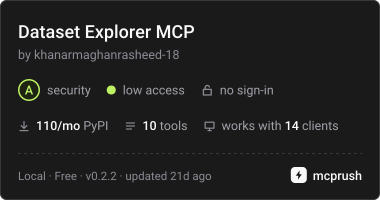](https://mcprush.com/to/dataset-explorer-mcp?ref=badge)
[Download on PyPI](https://pypi.org/project/dataset-explorer-mcp/) ·
[Official MCP Registry](https://registry.modelcontextprotocol.io/?q=io.github.khanarmaghanrasheed-18%2Fdataset-explorer) ·
[Glama directory](https://glama.ai/mcp/servers/khanarmaghanrasheed-18/MCP-Dataset-Explorer)
Ask your AI assistant questions about a dataset on your computer.
Dataset Explorer does the calculations so your assistant can explain what is in
the file, what needs attention, and which columns are related.
For example: **"Explore my sales file. Are any values missing? Are there repeated
rows? Which columns are related to revenue?"**
Your original file stays unchanged. There is no website to host and no Gemini
API key to set up.
<!-- mcp-name: io.github.khanarmaghanrasheed-18/dataset-explorer -->
## What can it help with?
- Summarize your data, including row counts, columns, averages, and medians.
- Find missing values, repeated rows, and unusual numbers.
- Look closely at a column you care about.
- Compare columns and explore their relationships.
Supported files: **CSV, TSV, Excel (`.xlsx` and `.xls`), JSON, and Parquet**.
For Excel, the first worksheet is used. JSON files should contain table-like data.
## Get started
### 1. Install it
You need **Python 3.10 or newer**. Run this in a terminal:
```sh
python -m pip install dataset-explorer-mcp
```
This downloads Dataset Explorer and the libraries it needs.
You can also find it on [PyPI](https://pypi.org/project/dataset-explorer-mcp/).
### 2. Connect your AI assistant
Use **Claude Desktop**, **Cursor**, or **VS Code with Copilot**. These apps can
connect to local tools through MCP. Choose your app below for the settings to add.
<details>
<summary>Claude Desktop or Cursor</summary>
For Claude Desktop, open **Settings > Developer > Edit Config**.
For Cursor, use its MCP settings or the `.cursor/mcp.json` file in your project.
Add this entry to your configuration, keeping any servers you already have:
```json
{
"mcpServers": {
"dataset-explorer": {
"command": "python",
"args": ["-m", "mcp_server"]
}
}
}
```
</details>
<details>
<summary>VS Code with Copilot</summary>
Create or open `.vscode/mcp.json` in your project and add this server:
```json
{
"servers": {
"dataset-explorer": {
"type": "stdio",
"command": "python",
"args": ["-m", "mcp_server"]
}
}
}
```
</details>
Restart your app or reload its MCP settings. It will start Dataset Explorer for
you. If it cannot find Python, see the quick fixes below.
### 3. Ask about a file
Give your assistant the full path to the file and ask your question:
> Use Dataset Explorer to summarize `C:/Users/YourName/Downloads/sales.csv`.
> Check for missing values and repeated rows, then explain the results.
On macOS or Linux, use a path such as `/Users/yourname/data/sales.csv` or
`/home/yourname/data/sales.csv`.
The file must be on the computer where the server runs. Your assistant may send
the calculated results to its AI provider according to that app's settings.
## How does it find relationships?
It calculates established statistics directly from your dataset:
- **Pearson correlation:** how two numeric columns move together.
- **Eta squared:** how numeric values differ between groups.
- **Cramer's V:** how two category columns are related.
It chooses the method to suit the columns. These results help you spot patterns;
they do not prove that one thing causes another. Results depend on the data you provide.
## Quick fixes
- **Python or the package cannot be found:** run `python -c "import sys; print(sys.executable)"`
in the terminal where you installed it. Use the printed path in place of `python`
in your app's configuration. On Windows, use forward slashes in that path.
- **File not found:** give the full file path and check that your assistant has
permission to read it.
- **No tools appear:** reload the MCP settings and check your app's server logs.
- **The terminal seems idle:** that is normal. This server waits for your assistant
to connect; it does not open a chat window of its own.
Large files need enough memory because the server loads the dataset for each request.
<details>
<summary>For developers: tools and running from source</summary>
The server uses local stdio. Start it with `dataset-explorer-mcp` or
`python -m mcp_server`. Logs go to stderr; stdout carries MCP messages.
Its ten tools are `get_dataset_overview`, `dataset_shape`,
`dataset_statistical_summary`, `inspect_Column`, `analyze_target`,
`duplicate_finder`, `analyze_missing_values`, `find_correlations`,
`detect_outliers`, and `screen_target_relationships`. Every tool accepts a local
file `path`. A guide is available at `dataset://guide`, along with an
`explore_dataset` prompt.
After cloning this repository:
```sh
python -m pip install -e ".[dev]"
python -m pytest -q
python mcp_server.py
```
Build a package with `python -m build`.
</details>
MIT licensed. See [LICENSE](LICENSE).
TDQS
Scored across 9 tools
Some overlap exists between get_dataset_overview and analyze_missing_values, as both report missing-value counts. Additionally, inspect_Column and analyze_target are similar in nature, though they target different columns. Most other tools are clearly distinct.
Naming is inconsistent: some tools use verb_noun format (get_dataset_overview, analyze_target, find_correlations) while others use noun phrases (dataset_shape, duplicate_finder). The tool inspect_Column mixes snake_case with camelCase.
Nine tools is well-scoped for a dataset exploration server, covering essential analysis tasks without redundancy.
The tool set covers a broad range of dataset exploration needs including shape, stats, missing values, duplicates, correlations, and outliers. A data preview or column value counts would be a minor addition, but no critical gaps are apparent.