
mnvitop-mcp
# mnvitop
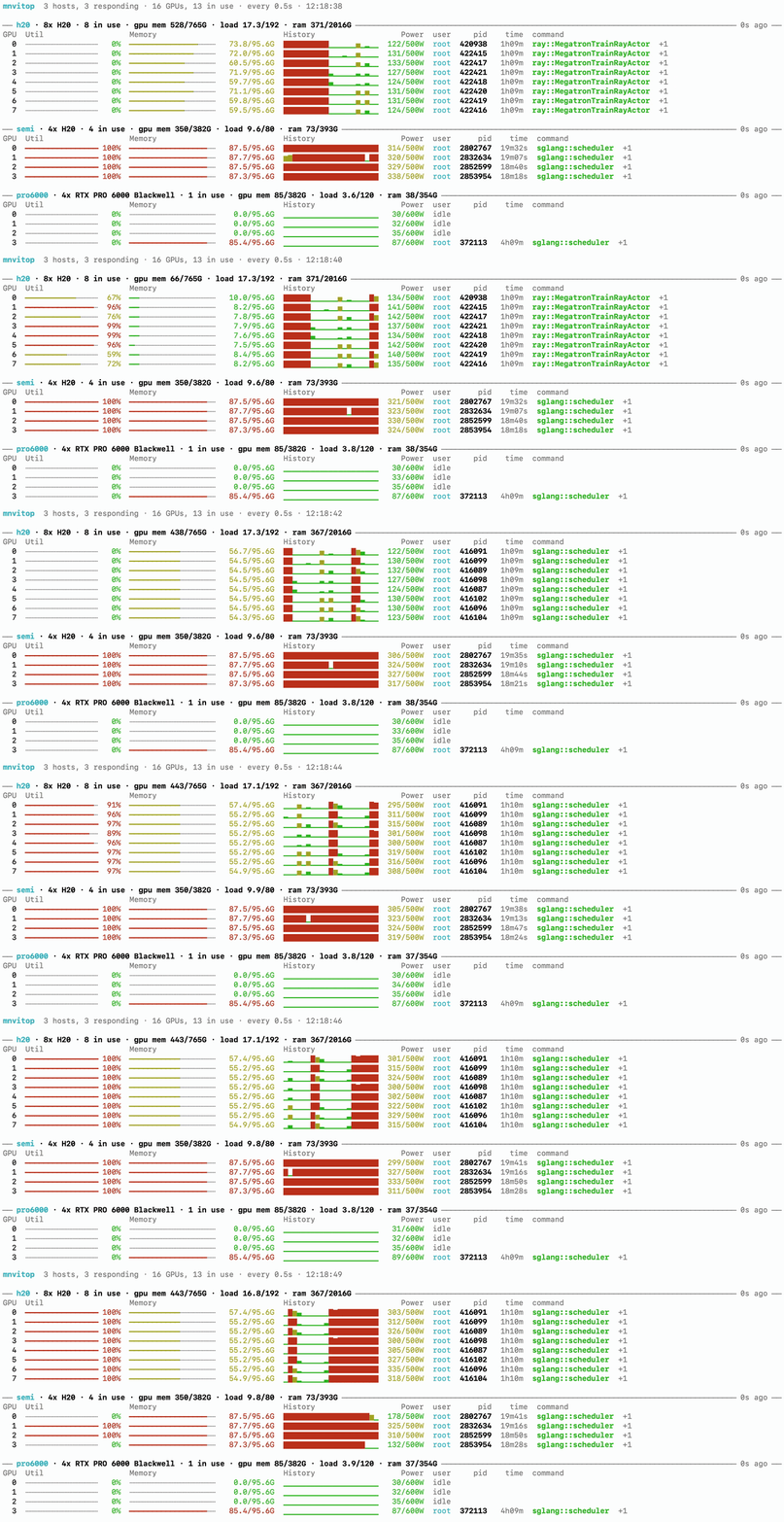
One terminal for the GPUs of all your ssh hosts. It runs `nvidia-smi` over ssh
and shows every host's GPUs, their memory, utilisation history and running
processes in a single live view. Nothing needs to be installed on the remote
side beyond `nvidia-smi` and `ps`. It also ships an MCP server, so an agent can
ask where a free GPU is.
## Install
```bash
uv tool install mnvitop
```
You need Python 3.11 or newer locally and ssh access to the hosts. To get the
MCP server as well, install `mnvitop[mcp]`.
## Use
```bash
mnvitop h20 semi pro6000
```
Each argument is an ssh destination, either an alias from `~/.ssh/config` or
`user@host`. Ctrl-C quits.
```bash
mnvitop -a # temperature, process cpu and memory, more processes per GPU
mnvitop --once # print once and exit
mnvitop --json # one JSON line per round, for logging
```
`mnvitop --help` lists the rest. To stop typing the hosts every time, put them
in `~/.config/mnvitop/hosts.toml`, following
[hosts.example.toml](https://github.com/kangkangzi2025/mnvitop/blob/main/hosts.example.toml).
For agents, `mnvitop-mcp` is a stdio MCP server with three tools: `find_gpus`,
`fleet_status` and `list_hosts`. Register it in Claude Code with
`claude mcp add mnvitop -- mnvitop-mcp`. The repository also carries a matching
skill in `skills/gpu-fleet`.
MIT license.
TDQS
Scored across 3 tools
Each tool has a clearly distinct purpose: listing configured hosts, querying live status, and finding placement for GPU jobs. No overlap or ambiguity between them.
Two tools use verb_noun pattern (list_hosts, find_gpus) while fleet_status is a noun phrase, creating a minor inconsistency. However, the names are short, clear, and follow a predictable theme of fleet management.
Three tools are ideal for a focused GPU fleet monitoring and placement server. Each tool serves a necessary and non-redundant function, and the count is well within the recommended range.
The server covers listing, status probing, and placement suggestion, which are core to its stated purpose. Minor gaps exist (e.g., no tool to modify host configuration or trigger actions), but for monitoring and placement discovery, it is complete.