

A
licenseNot graded
qualityD
maintenanceA model routing advisor for autonomous agents — get cost-optimised LLM recommendations via MCP.
2 npm
MIT

The AI Compass server helps you find the most suitable AI models for your needs using a single recommend_models tool.
Describe your use case in plain English (e.g., "I want to build a chatbot that summarizes legal documents with a $100/month budget") and receive a ranked list of AI model recommendations with reasoning and tradeoff explanations
Covers 62 models across 8 categories (Text & Code, Image, Video, Voice, Music, Embeddings, etc.) from 29 providers
Works inside your IDE — integrates with Claude Desktop, Cursor, and other MCP-compatible tools so you never have to leave your workflow
Fetches the latest model dataset from GitHub (1-hour cache) with a fallback to a bundled snapshot, powered by Claude as the ranking engine
Identifies when Deepgram models are the optimal choice for voice and speech processing workflows by scoring them against other providers.
Provides recommendations for ElevenLabs models for voice synthesis applications based on user constraints and capability needs.
Recommends OpenAI models, including GPT-4o, DALL-E 3, and Whisper, for text, image, video, and audio tasks based on specific use cases.
Recommends Suno models for music generation tasks by evaluating their fit against user-defined tradeoffs and requirements.
Describe what you're building, get the right AI model in 30 seconds.
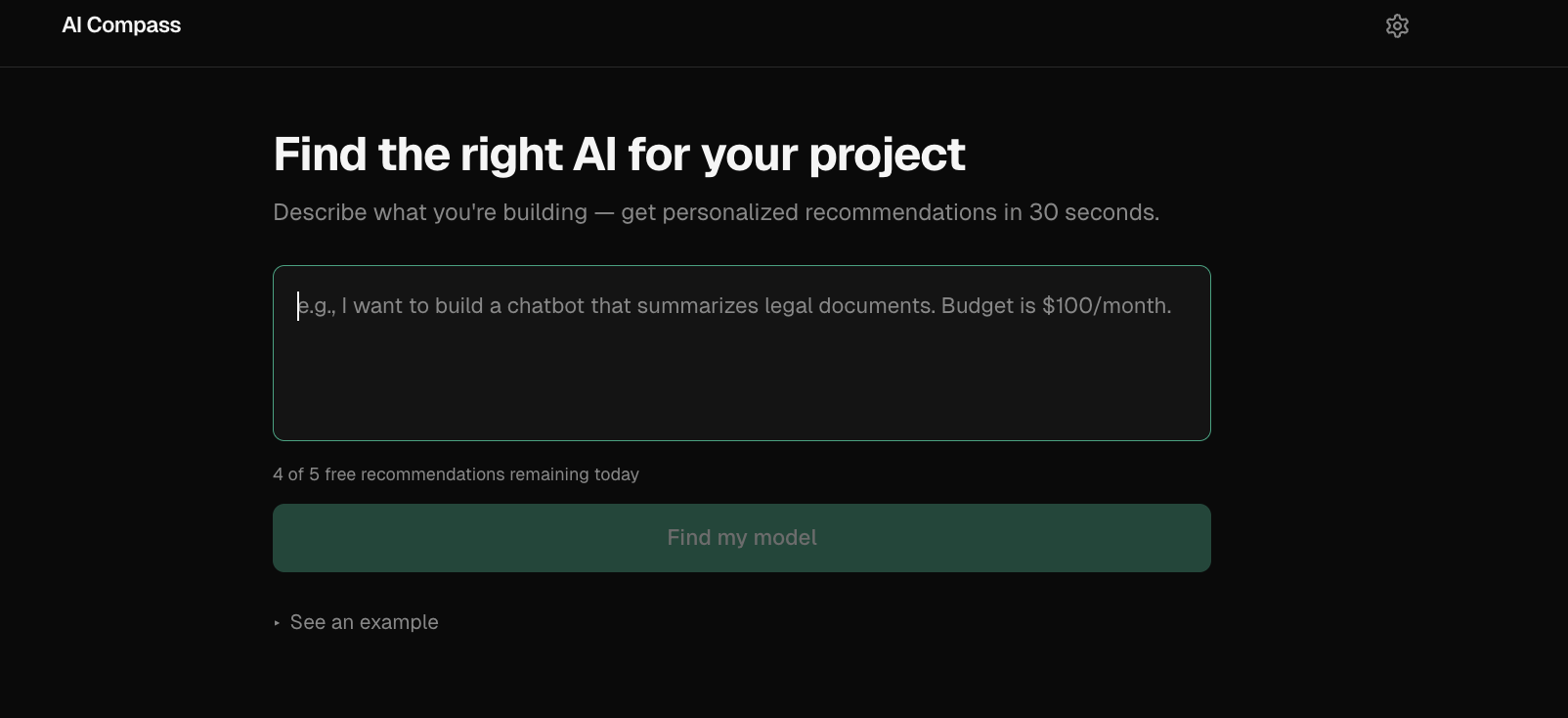

Input: "I want to build a chatbot that summarizes legal documents. Budget is $100/month."
Top recommendation: Claude Sonnet 4
Why: Best balance of long-context reasoning, summarization quality, and structured output within the stated budget.
Tradeoff: Higher cost than lightweight models, but better fit for document-heavy workflows.
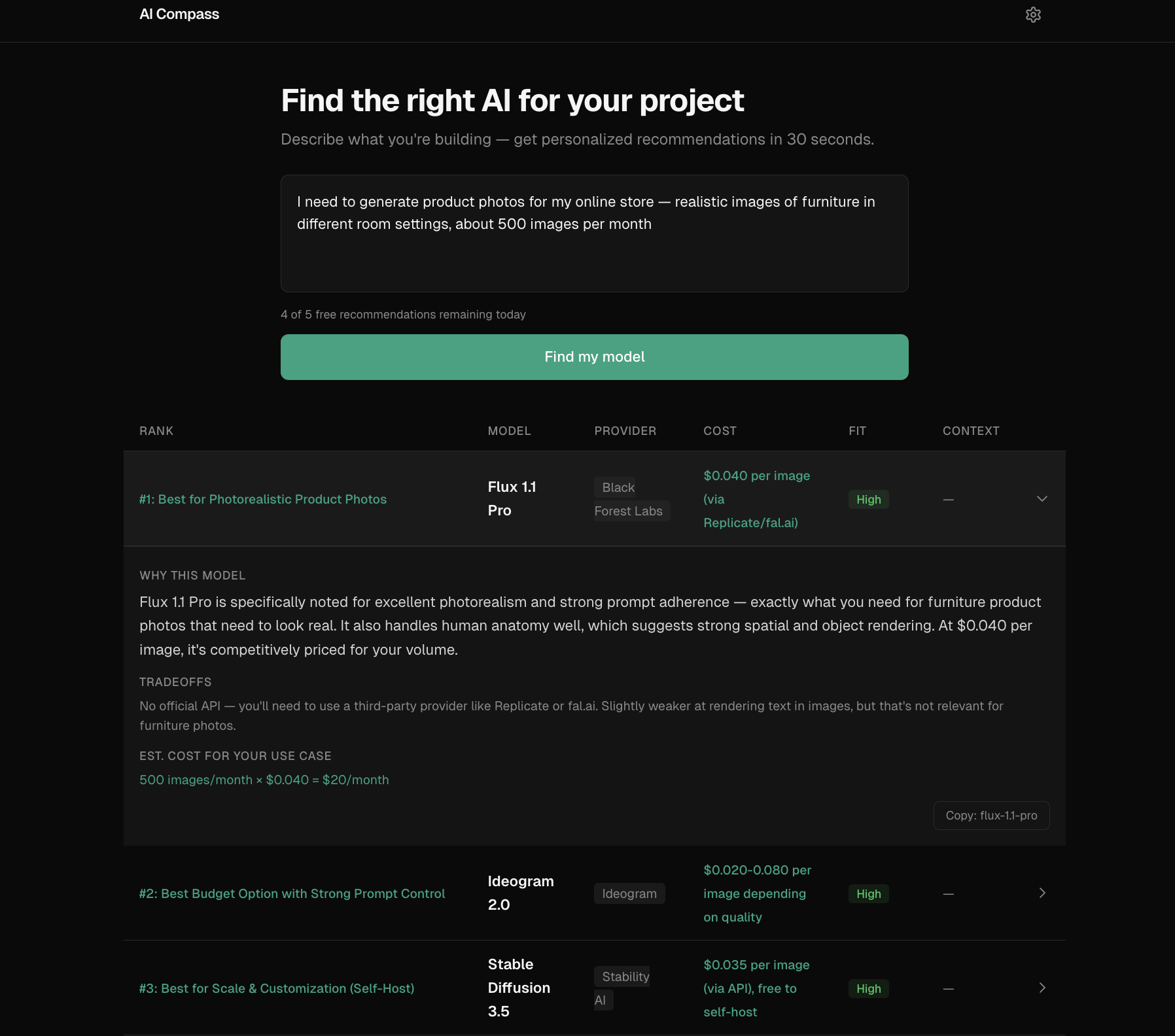
Related MCP server: AI Model Advisor MCP Server
Choosing an AI model is still a messy manual workflow. Teams jump between provider pricing pages, benchmark dashboards, and blog posts, then make an important decision based on incomplete information.
The hard part is not finding model data — there are now 100+ models across 30+ providers. The hard part is mapping a real use case ("cheap legal document analysis", "fast customer support copilot") into the right tradeoff across cost, latency, context window, and capability.
AI Compass turns a plain-English use case into a ranked set of model recommendations.
Instead of showing a generic comparison table, it: interprets the use case, identifies the most important constraints, scores model fit across capability/cost/tradeoffs, and returns top recommendations with reasoning.
Covers 62 models across 8 categories from 29 providers:
Category | Example models |
Text & Code | GPT-4o, Claude Sonnet, Gemini Pro, Llama, Mistral |
Image | DALL-E 3, Midjourney, Stable Diffusion, Flux |
Video | Sora, Runway Gen-3, Kling, Veo 2 |
Voice | ElevenLabs, OpenAI TTS/Whisper, Deepgram |
Music & Embedding | Suno, Udio, text-embedding-3 |
Two ways to use it:
Web app — paste your use case, get recommendations. Free tier (5/day) or bring your own Anthropic API key for unlimited use.
MCP server — plug into Claude Desktop, Cursor, or any MCP-compatible client. Get model recommendations without leaving your IDE.
The web app is for humans exploring model choices visually.
The MCP server exists for developer workflows where model selection needs to happen inside tools like Claude Desktop or Cursor — without leaving the IDE. Same recommendation engine, different interface.
Why Claude as the ranking engine, not a scoring algorithm? A static scoring formula can't interpret "I need something cheap that handles legal documents" — it doesn't know that "legal" implies long context, high accuracy, and low hallucination risk. An LLM can read the dataset, understand the intent, and reason about fit. The tradeoff: every recommendation costs an API call (~$0.01), and results aren't deterministic. Temperature 0.3 keeps variance low.
Why BYOK (Bring Your Own Key)?
I didn't want to eat API costs for every visitor, but I also didn't want to paywall the whole thing. The guest path (5 free/day via server-side key) lets people try it immediately. The BYOK path (dangerouslyAllowBrowser: true) sends requests directly from the browser to Anthropic — the key never touches my server.
Why no database? The entire model dataset is a JSON file (62 entries). No user accounts, no saved history. All state lives in localStorage (API key, usage count, query cache with 24h TTL). This keeps the architecture dead simple and the Vercel bill at $0.
What I cut:
Real-time pricing scraping — too fragile, too many providers with different page structures. Manual dataset updates with a daily GitHub Action refresh instead.
User accounts and saved recommendations — added complexity for unclear value at this stage.
Model comparison UI — started building it, decided the ranked cards with tradeoff explanations were clearer than a feature matrix.
One dataset. One recommendation engine. Two interfaces. The core recommend() function in packages/core is the only path — both the web API route and the MCP tool call it directly.
┌─────────────────────────────────────────────────────┐
│                    User's Browser                    │
├──────────────────┬──────────────────────────────────┤
│   BYOK Path      │        Guest Path                │
│                  │                                  │
│  Browser ──────► │  Browser ──► /api/recommend ───► │
│  Anthropic API   │             (Next.js route)      │
│  (direct)        │             Anthropic API        │
└──────────────────┴──────────────────────────────────┘

┌─────────────────────────────────────────────────────┐
│                   MCP Server                         │
│  Claude Desktop / Cursor ──► recommend_models tool   │
│  Fetches latest dataset from GitHub (1h cache)       │
│  Falls back to bundled snapshot                      │
└─────────────────────────────────────────────────────┘

Monorepo:
  packages/core      → recommend() engine, Claude prompt, response parser
  packages/dataset   → 62 models, pricing, strengths/weaknesses
  apps/web           → Next.js 16 frontend + API route
apps/mcp-server → MCP stdio server for IDE integrationRecommendations are only as good as the curated dataset. Pricing and benchmark data can drift as providers update models.
Some use cases — especially compliance-heavy or highly domain-specific workflows — still require human judgment beyond the recommendation output.
Prompt engineering is product design. The system prompt went through ~10 iterations. The biggest improvement was adding explicit cost math instructions (input_cost_per_1m is per 1M tokens, not per 1K words) — without it, Claude inflated cost estimates by 750x.
Monorepo friction is real but worth it. Turborepo + pnpm workspaces took real debugging (Turbopack doesn't resolve .js extensions in TypeScript imports, outputFileTracingRoot is required for Vercel monorepo deploys). But sharing types and the recommend engine between the web app and MCP server made it worth the setup cost.
MCP is surprisingly easy. The entire MCP server is ~100 lines. Zod schemas for tool inputs, StdioServerTransport, done. The hard part was the recommend engine, and that's shared code.
dangerouslyAllowBrowser: true is a feature, not a hack. For BYOK apps where the user provides their own API key, browser-direct calls mean the key never touches your server. It's actually more secure than proxying through a backend.
Stack: Next.js 16 · Tailwind CSS · Anthropic Claude API · MCP SDK · Turborepo · pnpm · Vercel
Prerequisites: Node.js 22+, pnpm
# Clone and install
git clone https://github.com/kalraakshit042/ai-compass.git
cd ai-compass
pnpm install

# Add your Anthropic API key
echo "ANTHROPIC_API_KEY=sk-ant-..." > apps/web/.env.local

# Run the dev server
pnpm dev

# Run tests
pnpm test
MCP Server — add to your Claude Desktop config (claude_desktop_config.json):
{
  "mcpServers": {
    "ai-compass": {
      "command": "node",
      "args": ["path/to/ai-compass/apps/mcp-server/dist/index.js"],
      "env": {
        "ANTHROPIC_API_KEY": "sk-ant-..."
      }
    }
  }
}See ROADMAP.md for planned improvements.
Built by Akshit
| Name | Required | Description | Default |
|---|---|---|---|
| use_case | Yes | Natural language description of what you want to build or do with an AI model |
Does the description disclose side effects, auth requirements, rate limits, or destructive behavior?
Tool has no description.
Agents need to know what a tool does to the world before calling it. Descriptions should go beyond structured annotations to explain consequences.
Is the description appropriately sized, front-loaded, and free of redundancy?
Tool has no description.
Shorter descriptions cost fewer tokens and are easier for agents to parse. Every sentence should earn its place.
Given the tool's complexity, does the description cover enough for an agent to succeed on first attempt?
Tool has no description.
Complex tools with many parameters or behaviors need more documentation. Simple tools need less. This dimension scales expectations accordingly.
Does the description clarify parameter syntax, constraints, interactions, or defaults beyond what the schema provides?
Tool has no description.
Input schemas describe structure but not intent. Descriptions should explain non-obvious parameter relationships and valid value ranges.
Does the description clearly state what the tool does and how it differs from similar tools?
Tool has no description.
Agents choose between tools based on descriptions. A clear purpose with a specific verb and resource helps agents select the right tool.
Does the description explain when to use this tool, when not to, or what alternatives exist?
Tool has no description.
Agents often have multiple tools that could apply. Explicit usage guidance like "use X instead of Y when Z" prevents misuse.
Recent tool additions, removals, and schema changes observed during successful MCP inspections.
v0.1.0recommend_modelsScored across 1 tool
With only one tool available, there is no possibility of confusing it with another tool. However, the complete absence of a description leaves the exact scope and intended use of 'recommend_models' undefined.
The single tool follows a clear verb_noun pattern (recommend_models), which aligns with recommended conventions. Consistency across a set cannot be fully verified with only one sample, but the chosen pattern is sound.
A single tool is insufficient for the implied scope of an 'ai-compass' server, which would typically require capabilities like listing available models, retrieving specifications, or comparing options. The guidelines specifically flag a single tool as 'too few' for most scopes.
The surface covers only the recommendation action with no supporting tools for model discovery, detail retrieval, or filtering. The lack of a description further exacerbates the gap, leaving agents uncertain about required parameters and return formats.
Hosted MCP server for LLM cost estimation, model comparison, and budget-aware routing.
Find AI models that fit a job from your requirements, sourced benchmarks and real cost.
Connect MCP clients to 2,000+ AI models without managing provider API keys.
Find the right AI model for your job. Free discovery and ranking; tests on your own key.

