
Store Screenshot Generator MCP
Generates App Store and Play Store screenshots by inserting app screenshots into iPhone/iPad mockup frames with customizable text overlays, gradient backgrounds, and support for multiple device types.
Integrates with Gumroad for Pro subscription management, including activation and verification of purchases for unlocking premium features.
Click on "Deploy Server".
Wait a few minutes for the server to deploy. Once ready, it will show a "Started" state.
In the chat, type
@followed by the MCP server name and your instructions, e.g., "@Store Screenshot Generator MCPgenerate a screenshot with headline 'Easy & Fast' and subheadline 'Task Management'"
That's it! The server will respond to your query, and you can continue using it as needed.
Here is a step-by-step guide with screenshots.
Store Screenshot Generator MCP
Generate beautiful App Store / Play Store screenshots with iPhone mockups using Claude Code.
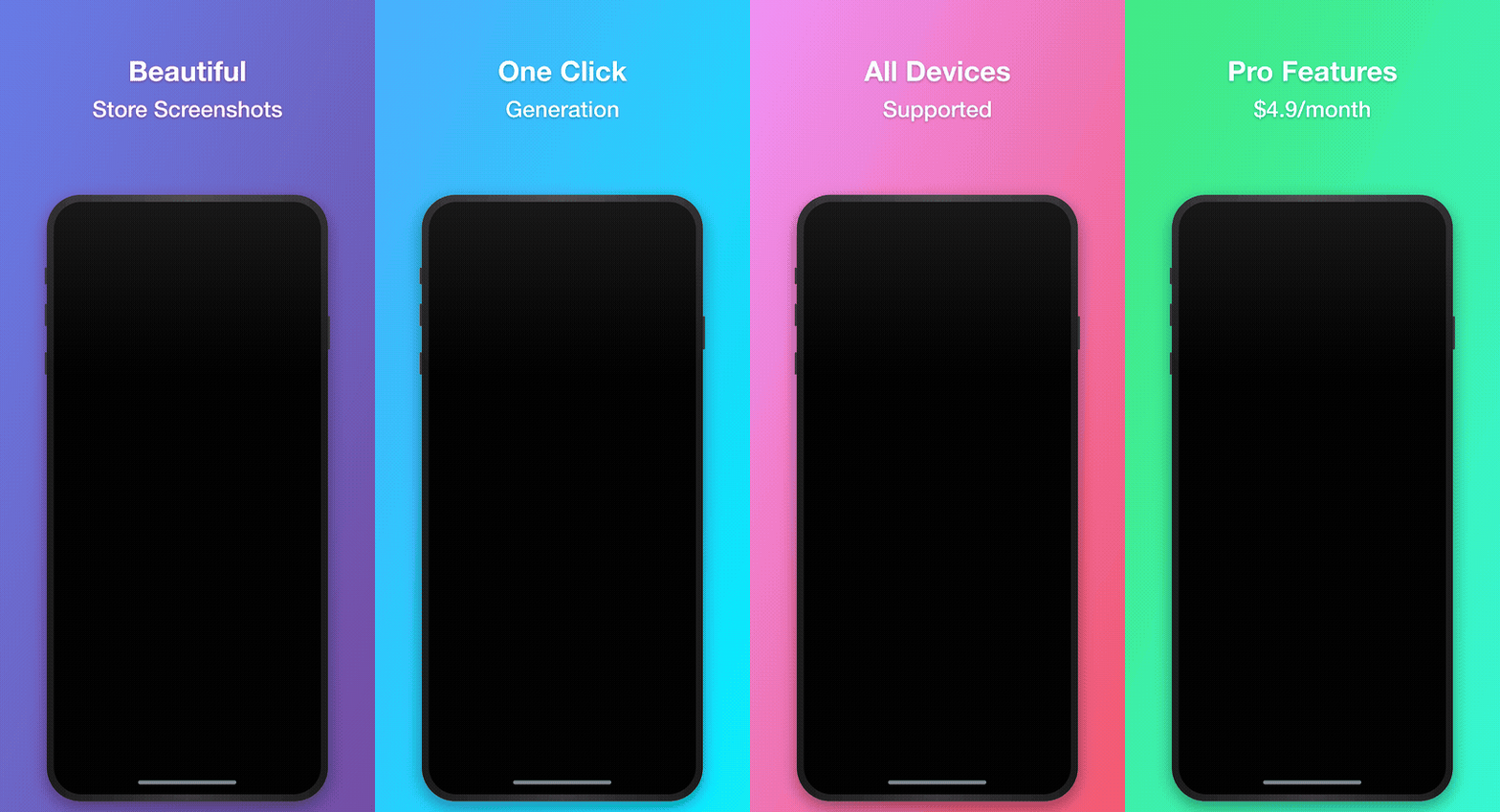
Features
Insert app screenshots into iPhone/iPad mockup frames
Add headline and subheadline text overlays
Multiple gradient background presets
Support for iPhone 15 Pro Max, iPhone 15 Pro, iPhone SE, iPad Pro
Batch generation support
Pricing
Plan | Price | Features |
Free | $0 | 3/day, watermark, limited presets/devices |
Pro | $4.9/mo | Unlimited, no watermark, all features |
Free vs Pro
Feature | Free | Pro |
Daily screenshots | 3 | Unlimited |
Watermark | Yes | No |
Presets | purple, dark | All 7 |
Devices | iPhone 15 Pro Max | All 7 (3 iPhones + 4 iPads) |
Batch generation | No | Yes |
Custom colors | No | Yes |
Installation
npm install
npm run build
Usage with Claude Code
Add to your project's .mcp.json:
{
  "mcpServers": {
    "store-screenshot": {
      "command": "node",
      "args": ["/path/to/store-screenshot-mcp/dist/index.js"]
    }
  }
}
Or for global setup, add to ~/.claude/settings.json:
{
  "mcpServers": {
    "store-screenshot": {
      "command": "node",
      "args": ["/path/to/store-screenshot-mcp/dist/index.js"]
    }
  }
}
Usage with Claude Desktop
Add to ~/Library/Application Support/Claude/claude_desktop_config.json (macOS) or %APPDATA%\Claude\claude_desktop_config.json (Windows):
{
  "mcpServers": {
    "store-screenshot": {
      "command": "node",
      "args": ["/path/to/store-screenshot-mcp/dist/index.js"]
    }
  }
}
Available Tools
generate_screenshot
Generate a single screenshot.
Parameters:
headline(optional): First line textsubheadline(optional): Second line textscreenshotPath(optional): Path to app screenshot imagescreenshotBase64(optional): Base64 encoded app screenshotoutputPath(optional): Output file pathdevice(optional): Device typepreset(optional): Color presetbgColor1,bgColor2(optional): Custom gradient colors (Pro)
generate_batch_screenshots
Generate multiple screenshots at once. (Pro)
subscription_status
Check current subscription status and usage.
activate_subscription
Activate Pro subscription.
activate_subscription(email="your_purchase_email")refresh_subscription
Refresh subscription status from server. Reflects cancellation immediately.
deactivate_subscription
Deactivate subscription on this device.
list_presets / list_devices
List available presets/devices for your plan.
Color Presets
Preset | Color 1 | Color 2 | Plan |
purple | #667eea | #764ba2 | Free |
dark | #232526 | #414345 | Free |
pink | #f093fb | #f5576c | Pro |
blue | #4facfe | #00f2fe | Pro |
green | #43e97b | #38f9d7 | Pro |
orange | #fa709a | #fee140 | Pro |
light | #e0e5ec | #f5f7fa | Pro |
Device Dimensions
Device | Resolution | Plan |
iPhone 15 Pro Max | 1290 x 2796 | Free |
iPhone 15 Pro | 1179 x 2556 | Pro |
iPhone SE | 750 x 1334 | Pro |
iPad Pro 12.9" | 2048 x 2732 | Pro |
iPad Pro 11" | 1668 x 2388 | Pro |
iPad Air | 1640 x 2360 | Pro |
iPad Mini | 1488 x 2266 | Pro |
Usage Example
# Check subscription status
subscription_status

# Activate Pro
activate_subscription(email="your@email.com")

# Generate screenshot
generate_screenshot(
  headline="Easy & Fast",
  subheadline="Task Management",
  screenshotPath="/path/to/app_screen.png",
  outputPath="/path/to/output.png",
  preset="purple"
)
License
MIT
Available Tools
8 toolsactivate_subscriptionC
Activate a Pro subscription with your purchase email
| Name | Required | Description | Default |
|---|---|---|---|
| Yes | Email used for Gumroad purchase |
TDQS
Does the description disclose side effects, auth requirements, rate limits, or destructive behavior?
With no annotations provided, the description carries the full burden of behavioral disclosure. It states the tool activates a subscription, implying a write operation, but doesn't cover critical aspects like required permissions, whether activation is reversible, rate limits, or what happens on success/failure. This leaves significant gaps for a mutation tool.
Agents need to know what a tool does to the world before calling it. Descriptions should go beyond structured annotations to explain consequences.
Is the description appropriately sized, front-loaded, and free of redundancy?
The description is a single, efficient sentence that front-loads the key action and resource without any wasted words. It's appropriately sized for a simple tool with one parameter.
Shorter descriptions cost fewer tokens and are easier for agents to parse. Every sentence should earn its place.
Given the tool's complexity, does the description cover enough for an agent to succeed on first attempt?
Given this is a mutation tool (activating a subscription) with no annotations and no output schema, the description is incomplete. It lacks details on behavioral traits, error handling, or return values, which are crucial for safe and effective use by an AI agent.
Complex tools with many parameters or behaviors need more documentation. Simple tools need less. This dimension scales expectations accordingly.
Does the description clarify parameter syntax, constraints, interactions, or defaults beyond what the schema provides?
The schema description coverage is 100%, with the parameter 'email' fully documented in the schema as 'Email used for Gumroad purchase'. The description adds no additional parameter details beyond what the schema provides, so it meets the baseline score of 3 for high schema coverage.
Input schemas describe structure but not intent. Descriptions should explain non-obvious parameter relationships and valid value ranges.
Does the description clearly state what the tool does and how it differs from similar tools?
The description clearly states the action ('Activate') and resource ('Pro subscription'), specifying it's for a subscription tied to a purchase email. It distinguishes from siblings like 'deactivate_subscription' and 'refresh_subscription' by focusing on activation, but doesn't explicitly differentiate from other tools like 'subscription_status' in terms of when to use each.
Agents choose between tools based on descriptions. A clear purpose with a specific verb and resource helps agents select the right tool.
Does the description explain when to use this tool, when not to, or what alternatives exist?
The description provides minimal guidance by implying usage when you have a purchase email to activate a Pro subscription, but it lacks explicit when-to-use rules, alternatives (e.g., vs. 'refresh_subscription'), or prerequisites. No context on when not to use this tool is given.
Agents often have multiple tools that could apply. Explicit usage guidance like "use X instead of Y when Z" prevents misuse.
deactivate_subscriptionB
Deactivate your current subscription on this device
| Name | Required | Description | Default |
|---|---|---|---|
No parameters | |||
TDQS
Does the description disclose side effects, auth requirements, rate limits, or destructive behavior?
With no annotations provided, the description carries full burden for behavioral disclosure. It states the action is a deactivation but doesn't reveal whether this is reversible, what permissions are needed, whether it triggers notifications or billing changes, or what happens to associated resources. For a subscription management tool with potential billing implications, this lack of behavioral context is a significant gap.
Agents need to know what a tool does to the world before calling it. Descriptions should go beyond structured annotations to explain consequences.
Is the description appropriately sized, front-loaded, and free of redundancy?
The description is a single, clear sentence that states exactly what the tool does with zero wasted words. It's front-loaded with the core action and target, making it immediately scannable. Every word earns its place by specifying 'deactivate', 'your current subscription', and 'on this device' to provide complete context in minimal space.
Shorter descriptions cost fewer tokens and are easier for agents to parse. Every sentence should earn its place.
Given the tool's complexity, does the description cover enough for an agent to succeed on first attempt?
For a zero-parameter tool with no output schema, the description provides adequate basic context about what the tool does. However, as a subscription management operation with potential billing or access implications, it should ideally disclose more about behavioral consequences, reversibility, or typical use cases. The description meets minimum viability but leaves important contextual questions unanswered given the tool's likely significance.
Complex tools with many parameters or behaviors need more documentation. Simple tools need less. This dimension scales expectations accordingly.
Does the description clarify parameter syntax, constraints, interactions, or defaults beyond what the schema provides?
The tool has zero parameters with 100% schema description coverage, so the schema already fully documents the parameter situation. The description appropriately doesn't waste space discussing nonexistent parameters. It implies the tool operates on the current subscription for the current device contextually, which adds useful semantic context beyond the empty schema.
Input schemas describe structure but not intent. Descriptions should explain non-obvious parameter relationships and valid value ranges.
Does the description clearly state what the tool does and how it differs from similar tools?
The description clearly states the action ('deactivate') and target ('your current subscription on this device'), making the purpose immediately understandable. It doesn't explicitly differentiate from sibling tools like 'activate_subscription' or 'refresh_subscription', but the verb 'deactivate' provides inherent contrast to 'activate'. The description avoids tautology by specifying what gets deactivated rather than just restating the tool name.
Agents choose between tools based on descriptions. A clear purpose with a specific verb and resource helps agents select the right tool.
Does the description explain when to use this tool, when not to, or what alternatives exist?
The description provides no guidance on when to use this tool versus alternatives like 'activate_subscription', 'refresh_subscription', or 'subscription_status'. It doesn't indicate prerequisites (e.g., whether a subscription must be active first), consequences, or typical scenarios for deactivation. The phrase 'on this device' hints at device-specific scope but doesn't clarify if this affects other devices or the overall account subscription.
Agents often have multiple tools that could apply. Explicit usage guidance like "use X instead of Y when Z" prevents misuse.
generate_batch_screenshotsB
Generate multiple screenshots at once (PRO feature - $4.9/mo)
| Name | Required | Description | Default |
|---|---|---|---|
| slides | Yes | Array of slide configurations | |
| outputDirectory | Yes | Directory to save all generated screenshots | |
| device | No | ||
| preset | No | ||
| bgColor1 | No | ||
| bgColor2 | No |
TDQS
Does the description disclose side effects, auth requirements, rate limits, or destructive behavior?
With no annotations provided, the description carries full burden but provides minimal behavioral information. It mentions the PRO feature requirement but doesn't disclose what happens during generation (e.g., file creation, overwriting behavior), error conditions, rate limits, or authentication needs. The description doesn't contradict annotations since none exist, but it's insufficient for a mutation tool.
Agents need to know what a tool does to the world before calling it. Descriptions should go beyond structured annotations to explain consequences.
Is the description appropriately sized, front-loaded, and free of redundancy?
The description is extremely concise with just one sentence that efficiently communicates the core functionality and pricing context. Every word earns its place with zero waste or redundancy.
Shorter descriptions cost fewer tokens and are easier for agents to parse. Every sentence should earn its place.
Given the tool's complexity, does the description cover enough for an agent to succeed on first attempt?
For a mutation tool with 6 parameters, 33% schema coverage, no annotations, and no output schema, the description is inadequate. It doesn't explain what the tool returns, how errors are handled, what the screenshots look like, or provide sufficient parameter guidance. The PRO feature mention is helpful but doesn't compensate for major gaps.
Complex tools with many parameters or behaviors need more documentation. Simple tools need less. This dimension scales expectations accordingly.
Does the description clarify parameter syntax, constraints, interactions, or defaults beyond what the schema provides?
Schema description coverage is only 33% (2 of 6 parameters have descriptions). The description adds no parameter information beyond what's in the schema - it doesn't explain what 'slides' contain, what 'device' and 'preset' refer to, or the purpose of color parameters. With low schema coverage, the description fails to compensate for undocumented parameters.
Input schemas describe structure but not intent. Descriptions should explain non-obvious parameter relationships and valid value ranges.
Does the description clearly state what the tool does and how it differs from similar tools?
The description clearly states the tool's purpose: 'Generate multiple screenshots at once' which is a specific verb+resource combination. It distinguishes from the sibling 'generate_screenshot' by specifying batch capability. However, it doesn't specify what kind of screenshots (e.g., from slides, devices) or the exact resource being generated.
Agents choose between tools based on descriptions. A clear purpose with a specific verb and resource helps agents select the right tool.
Does the description explain when to use this tool, when not to, or what alternatives exist?
The description implies usage context through 'PRO feature - $4.9/mo', suggesting this requires a paid subscription. However, it doesn't explicitly state when to use this vs. the sibling 'generate_screenshot' (single vs. batch), nor does it mention prerequisites like needing an active subscription or when batch processing is appropriate.
Agents often have multiple tools that could apply. Explicit usage guidance like "use X instead of Y when Z" prevents misuse.
generate_screenshotA
Generate a Store ScreenShot with text overlay and iPhone mockup.
FREE PLAN: 3 screenshots/day, watermark, limited presets (purple, dark), iPhone 15 Pro Max only PRO PLAN ($4.9/mo): Unlimited, no watermark, all presets & devices, batch generation, custom colors
| Name | Required | Description | Default |
|---|---|---|---|
| headline | No | Main headline text (first line) | |
| subheadline | No | Sub-headline text (second line) | |
| screenshotPath | No | Path to the app screenshot image file | |
| screenshotBase64 | No | Base64 encoded app screenshot (alternative to path) | |
| outputPath | No | Path to save the generated screenshot | |
| device | No | Device type (Free: iPhone 15 Pro Max only) | |
| preset | No | Color preset (Free: purple, dark only) | |
| bgColor1 | No | Custom gradient color 1 (Pro only) | |
| bgColor2 | No | Custom gradient color 2 (Pro only) |
TDQS
Does the description disclose side effects, auth requirements, rate limits, or destructive behavior?
With no annotations provided, the description carries the full burden and does well by disclosing key behavioral traits: rate limits (3/day for Free), authentication needs implied by plan differences, and output characteristics (watermark presence). It doesn't mention error handling or response format, but covers most critical operational constraints.
Agents need to know what a tool does to the world before calling it. Descriptions should go beyond structured annotations to explain consequences.
Is the description appropriately sized, front-loaded, and free of redundancy?
The description is appropriately sized and front-loaded with the core purpose first, followed by plan details. Every sentence earns its place by providing essential usage information. It could be slightly more structured with bullet points, but remains highly efficient.
Shorter descriptions cost fewer tokens and are easier for agents to parse. Every sentence should earn its place.
Given the tool's complexity, does the description cover enough for an agent to succeed on first attempt?
Given the complexity (9 parameters, no annotations, no output schema), the description provides substantial context about plan limitations and behavioral constraints. It doesn't explain return values or error cases, but covers the most critical operational aspects for a tool with significant usage restrictions based on subscription status.
Complex tools with many parameters or behaviors need more documentation. Simple tools need less. This dimension scales expectations accordingly.
Does the description clarify parameter syntax, constraints, interactions, or defaults beyond what the schema provides?
Schema description coverage is 100%, so the baseline is 3. The description adds minimal parameter semantics beyond the schema - it mentions 'text overlay' which relates to headline/subheadline parameters, and 'iPhone mockup' which relates to device parameter, but doesn't provide additional usage context or constraints beyond what's already in the schema descriptions.
Input schemas describe structure but not intent. Descriptions should explain non-obvious parameter relationships and valid value ranges.
Does the description clearly state what the tool does and how it differs from similar tools?
The description clearly states the specific action ('Generate a Store ScreenShot') and the key features (text overlay, iPhone mockup). It distinguishes from sibling tools like 'generate_batch_screenshots' by focusing on single generation and from subscription tools by describing core functionality.
Agents choose between tools based on descriptions. A clear purpose with a specific verb and resource helps agents select the right tool.
Does the description explain when to use this tool, when not to, or what alternatives exist?
The description explicitly provides when-to-use guidance by detailing Free vs Pro plan limitations: Free plan (3/day, watermark, limited presets/devices) vs Pro plan (unlimited, no watermark, all features). This helps the agent choose based on user subscription status and requirements.
Agents often have multiple tools that could apply. Explicit usage guidance like "use X instead of Y when Z" prevents misuse.
list_devicesB
List available device mockups for your plan
| Name | Required | Description | Default |
|---|---|---|---|
No parameters | |||
TDQS
Does the description disclose side effects, auth requirements, rate limits, or destructive behavior?
With no annotations provided, the description carries full burden but only states it lists mockups. It doesn't disclose behavioral traits such as whether this requires authentication, has rate limits, returns paginated results, or what happens if no mockups exist. This is inadequate for a tool with zero annotation coverage.
Agents need to know what a tool does to the world before calling it. Descriptions should go beyond structured annotations to explain consequences.
Is the description appropriately sized, front-loaded, and free of redundancy?
The description is a single, efficient sentence with no wasted words. It's front-loaded and appropriately sized for a simple list operation, making it easy to parse quickly.
Shorter descriptions cost fewer tokens and are easier for agents to parse. Every sentence should earn its place.
Given the tool's complexity, does the description cover enough for an agent to succeed on first attempt?
Given no annotations, no output schema, and a simple but undefined resource ('device mockups'), the description is incomplete. It doesn't explain what mockups are, how they're returned, or any constraints, leaving significant gaps for an agent to use this tool effectively.
Complex tools with many parameters or behaviors need more documentation. Simple tools need less. This dimension scales expectations accordingly.
Does the description clarify parameter syntax, constraints, interactions, or defaults beyond what the schema provides?
The tool has 0 parameters with 100% schema description coverage, so the schema fully documents the lack of inputs. The description adds no parameter information, which is acceptable here, but doesn't compensate for any gaps since there are none. Baseline 4 is appropriate for zero-parameter tools.
Input schemas describe structure but not intent. Descriptions should explain non-obvious parameter relationships and valid value ranges.
Does the description clearly state what the tool does and how it differs from similar tools?
The description clearly states the action ('List') and resource ('available device mockups for your plan'), making the purpose understandable. However, it doesn't differentiate from sibling tools like 'list_presets' or explain what 'device mockups' specifically are versus other listable resources.
Agents choose between tools based on descriptions. A clear purpose with a specific verb and resource helps agents select the right tool.
Does the description explain when to use this tool, when not to, or what alternatives exist?
No guidance is provided on when to use this tool versus alternatives like 'list_presets' or other sibling tools. The description implies it's for viewing mockups, but doesn't specify prerequisites, context, or exclusions, leaving usage unclear relative to other options.
Agents often have multiple tools that could apply. Explicit usage guidance like "use X instead of Y when Z" prevents misuse.
list_presetsB
List available color presets for your plan
| Name | Required | Description | Default |
|---|---|---|---|
No parameters | |||
TDQS
Does the description disclose side effects, auth requirements, rate limits, or destructive behavior?
With no annotations provided, the description carries full burden but only states it lists presets without disclosing behavioral traits such as permission requirements, rate limits, or response format. It lacks details on whether this is a read-only operation or has side effects.
Agents need to know what a tool does to the world before calling it. Descriptions should go beyond structured annotations to explain consequences.
Is the description appropriately sized, front-loaded, and free of redundancy?
The description is a single, efficient sentence that directly states the tool's purpose without unnecessary words. It is front-loaded and appropriately sized for a simple tool.
Shorter descriptions cost fewer tokens and are easier for agents to parse. Every sentence should earn its place.
Given the tool's complexity, does the description cover enough for an agent to succeed on first attempt?
Given the tool's simplicity (0 parameters, no output schema, no annotations), the description is adequate but minimal. It covers the basic purpose but lacks context on usage, behavior, or output, leaving gaps for an AI agent to fully understand when and how to invoke it.
Complex tools with many parameters or behaviors need more documentation. Simple tools need less. This dimension scales expectations accordingly.
Does the description clarify parameter syntax, constraints, interactions, or defaults beyond what the schema provides?
The tool has 0 parameters, and schema description coverage is 100%, so no parameter information is needed. The description appropriately doesn't add param details, earning a baseline high score for this context.
Input schemas describe structure but not intent. Descriptions should explain non-obvious parameter relationships and valid value ranges.
Does the description clearly state what the tool does and how it differs from similar tools?
The description clearly states the action ('List') and resource ('available color presets for your plan'), providing specific functionality. However, it doesn't differentiate from sibling tools like 'list_devices' or 'subscription_status' that also list resources, missing explicit distinction.
Agents choose between tools based on descriptions. A clear purpose with a specific verb and resource helps agents select the right tool.
Does the description explain when to use this tool, when not to, or what alternatives exist?
No guidance is provided on when to use this tool versus alternatives. The description implies usage for viewing color presets but offers no context on prerequisites, timing, or comparisons to other tools like 'generate_screenshot' that might involve presets.
Agents often have multiple tools that could apply. Explicit usage guidance like "use X instead of Y when Z" prevents misuse.
refresh_subscriptionA
Refresh subscription status from server (checks if still active)
| Name | Required | Description | Default |
|---|---|---|---|
No parameters | |||
TDQS
Does the description disclose side effects, auth requirements, rate limits, or destructive behavior?
With no annotations, the description carries the full burden. It discloses that the tool performs a server-side check, implying it may involve network calls and return updated status, but does not detail error handling, rate limits, or whether it modifies any state. No contradiction with annotations exists.
Agents need to know what a tool does to the world before calling it. Descriptions should go beyond structured annotations to explain consequences.
Is the description appropriately sized, front-loaded, and free of redundancy?
The description is a single, efficient sentence that front-loads the key action ('refresh subscription status') and adds necessary context ('from server, checks if still active') without any wasted words. It is appropriately sized for a simple tool.
Shorter descriptions cost fewer tokens and are easier for agents to parse. Every sentence should earn its place.
Given the tool's complexity, does the description cover enough for an agent to succeed on first attempt?
Given no annotations, no output schema, and 0 parameters, the description adequately covers the basic purpose but lacks details on behavioral aspects like what the return value contains, error conditions, or side effects. It is minimal but sufficient for a simple refresh operation.
Complex tools with many parameters or behaviors need more documentation. Simple tools need less. This dimension scales expectations accordingly.
Does the description clarify parameter syntax, constraints, interactions, or defaults beyond what the schema provides?
The tool has 0 parameters with 100% schema coverage, so no parameter documentation is needed. The description adds value by explaining the purpose of the refresh operation, justifying a baseline score above 3 for clarity in a parameterless context.
Input schemas describe structure but not intent. Descriptions should explain non-obvious parameter relationships and valid value ranges.
Does the description clearly state what the tool does and how it differs from similar tools?
The description clearly states the action ('refresh') and resource ('subscription status'), specifying it checks if the subscription is still active. It distinguishes from siblings like 'subscription_status' by indicating a server-side refresh rather than a status query, though the distinction could be more explicit.
Agents choose between tools based on descriptions. A clear purpose with a specific verb and resource helps agents select the right tool.
Does the description explain when to use this tool, when not to, or what alternatives exist?
The description implies usage when needing to verify current subscription status from the server, but does not explicitly state when to use this vs. alternatives like 'subscription_status' or in what contexts (e.g., before performing actions that require an active subscription). No exclusions or prerequisites are mentioned.
Agents often have multiple tools that could apply. Explicit usage guidance like "use X instead of Y when Z" prevents misuse.
subscription_statusB
Check your current subscription status and usage
| Name | Required | Description | Default |
|---|---|---|---|
No parameters | |||
TDQS
Does the description disclose side effects, auth requirements, rate limits, or destructive behavior?
With no annotations provided, the description carries the full burden of behavioral disclosure. It states 'check' which implies a read-only operation, but doesn't clarify authentication needs, rate limits, or what specific data is returned (e.g., plan details, usage metrics, expiration dates). This leaves significant behavioral gaps for the agent.
Agents need to know what a tool does to the world before calling it. Descriptions should go beyond structured annotations to explain consequences.
Is the description appropriately sized, front-loaded, and free of redundancy?
The description is a single, clear sentence that directly states the tool's function without any wasted words. It's front-loaded with the core action and resource, making it highly efficient and easy to parse.
Shorter descriptions cost fewer tokens and are easier for agents to parse. Every sentence should earn its place.
Given the tool's complexity, does the description cover enough for an agent to succeed on first attempt?
Given the lack of annotations and output schema, the description is insufficiently complete. It doesn't explain what 'status and usage' entails (e.g., returns JSON with fields like plan_name, usage_count, renewal_date), leaving the agent uncertain about the tool's output format and behavioral specifics.
Complex tools with many parameters or behaviors need more documentation. Simple tools need less. This dimension scales expectations accordingly.
Does the description clarify parameter syntax, constraints, interactions, or defaults beyond what the schema provides?
The tool has 0 parameters with 100% schema description coverage, so the schema fully documents the absence of inputs. The description appropriately doesn't add parameter information, maintaining focus on the tool's purpose without unnecessary details.
Input schemas describe structure but not intent. Descriptions should explain non-obvious parameter relationships and valid value ranges.
Does the description clearly state what the tool does and how it differs from similar tools?
The description clearly states the action ('check') and the resource ('current subscription status and usage'), making the purpose immediately understandable. It doesn't explicitly distinguish from sibling tools like 'activate_subscription' or 'deactivate_subscription', but the verb 'check' versus 'activate/deactivate' provides implicit differentiation.
Agents choose between tools based on descriptions. A clear purpose with a specific verb and resource helps agents select the right tool.
Does the description explain when to use this tool, when not to, or what alternatives exist?
The description provides no guidance on when to use this tool versus alternatives. It doesn't mention prerequisites, timing, or comparisons to sibling tools like 'refresh_subscription', leaving the agent to infer usage context solely from the tool name and description.
Agents often have multiple tools that could apply. Explicit usage guidance like "use X instead of Y when Z" prevents misuse.
Tool Schema Changelog
Recent tool additions, removals, and schema changes observed during successful MCP inspections.
8 tool updates
v1.0.0- First observed
activate_subscription - First observed
deactivate_subscription - First observed
generate_batch_screenshots - First observed
generate_screenshot - First observed
list_devices - First observed
list_presets - First observed
refresh_subscription - First observed
subscription_status
TDQS
Scored across 8 tools
Each tool has a clearly distinct purpose with no ambiguity: subscription management (activate, deactivate, refresh, status), screenshot generation (single and batch), and resource listing (devices and presets). The descriptions clearly differentiate between free and Pro features, preventing misselection.
All tools follow a consistent verb_noun pattern with snake_case naming (e.g., activate_subscription, generate_screenshot, list_devices). The naming is predictable and readable throughout the entire set, with no deviations in style or convention.
With 8 tools, the count is well-scoped for the server's purpose of generating store screenshots with subscription management. Each tool earns its place by covering essential operations like generation, resource listing, and subscription lifecycle without being excessive or insufficient.
The tool set provides complete coverage for the domain: CRUD-like subscription management (activate, deactivate, refresh, status), core screenshot generation (single and batch), and resource discovery (devices and presets). There are no obvious gaps, and agents can handle the full workflow from setup to generation.
Related MCP Connectors
Generate designed, localized App Store screenshot sets from your raw app captures.
App Store and Google Play screenshot generator: design, localize into 41 languages, render, upload.
Design and export App Store / Play Store screenshots, localized across all 48 App Store locales.
AI-designed App Store screenshot sets from your app's screens, uploaded to App Store Connect.
