A
licenseB
qualityD
maintenanceA Model Context Protocol server that enables AI agents to query Erick Wendel's talks, blog posts, and videos across different platforms using natural language.
4
401
MIT

The Duyet MCP Server enables AI assistants to interact with Duyet's professional profile and facilitate direct communication for collaboration and hiring purposes.
Access Professional Information: Retrieve Duyet's CV in summary, detailed, or JSON formats, basic information including dynamically calculated years of experience, and recent GitHub activity with commits, issues, and pull requests
Explore Content: Fetch recent blog posts and retrieve full content of specific posts by URL
Communicate and Collaborate: Send direct messages for job opportunities, consulting, general inquiries, or friendly greetings with optional personal messages
Hiring Information: Get details about hiring Duyet for various roles (full-time, contract, consulting, part-time) including expertise and next steps
Analytics: Generate comprehensive reports on contact submissions with summary statistics, purpose breakdowns, daily trends, and recent activity
Natural Discovery: Automatically discover and access resources for fluid conversations
Offers information about Duyet's expertise with Apache Spark through CV resources and tools, enabling discussions about data engineering projects.
Deployed on Cloudflare's infrastructure with Cloudflare D1 database integration for storing messages and analytics data.
Runs on Cloudflare Workers platform, providing serverless deployment with easy one-click deployment option.
Provides access to Duyet's GitHub activity including commits, issues, pull requests and other public events through dedicated tools and resources.
Click on "Deploy Server".
Wait a few minutes for the server to deploy. Once ready, it will show a "Started" state.
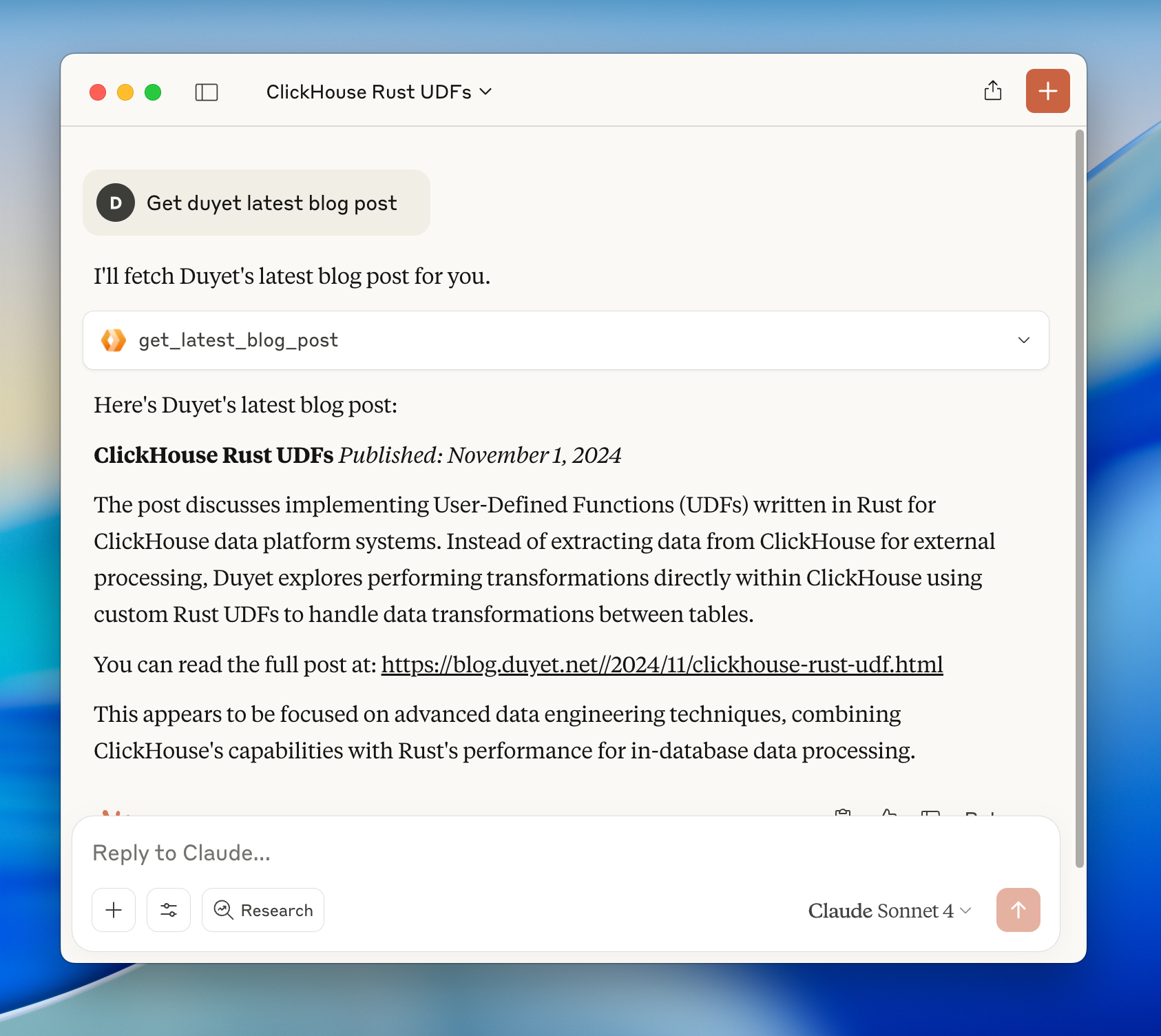
In the chat, type @ followed by the MCP server name and your instructions, e.g., "@Duyet MCP Server show me Duyet's latest blog post"
That's it! The server will respond to your query, and you can continue using it as needed.
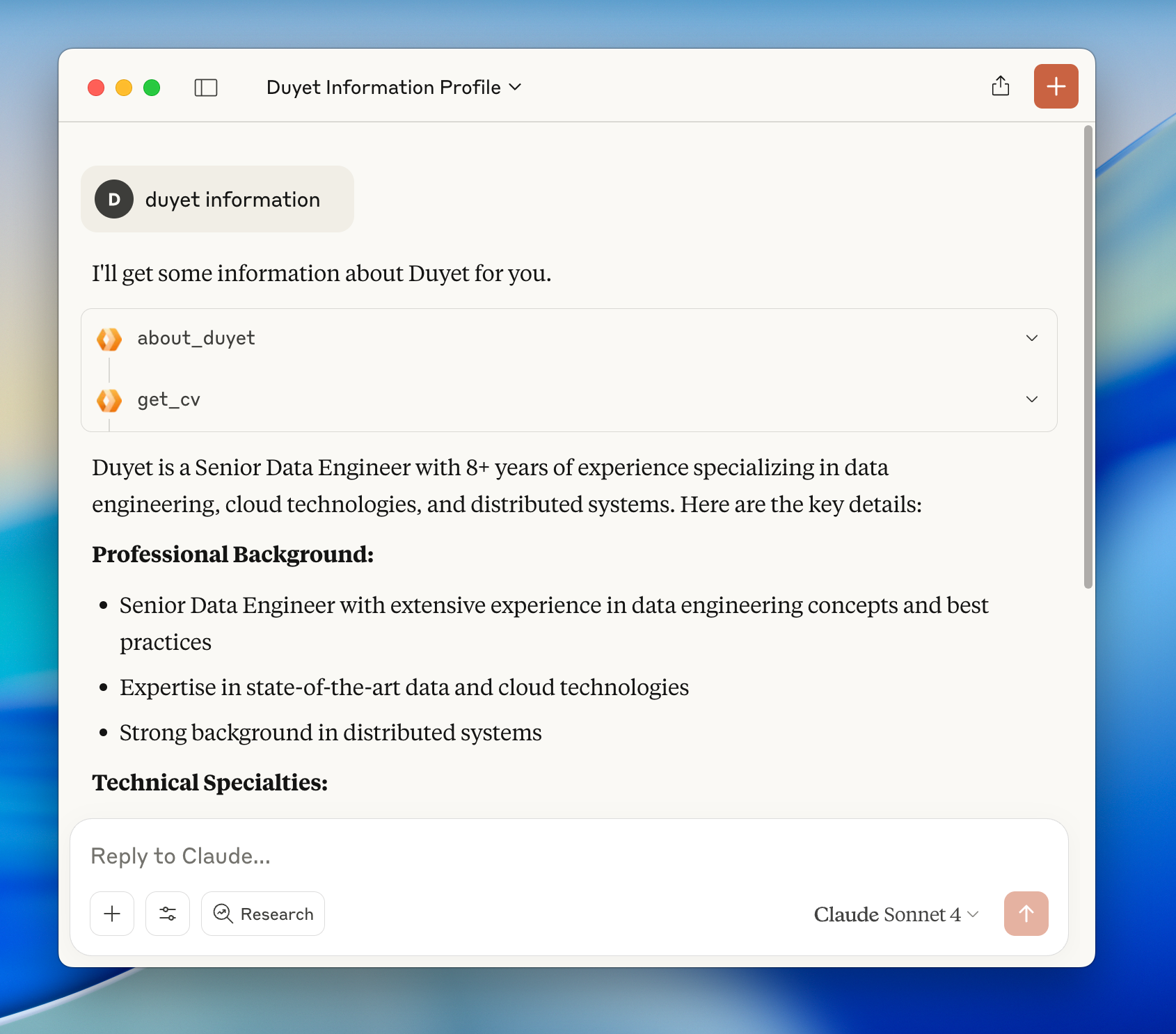
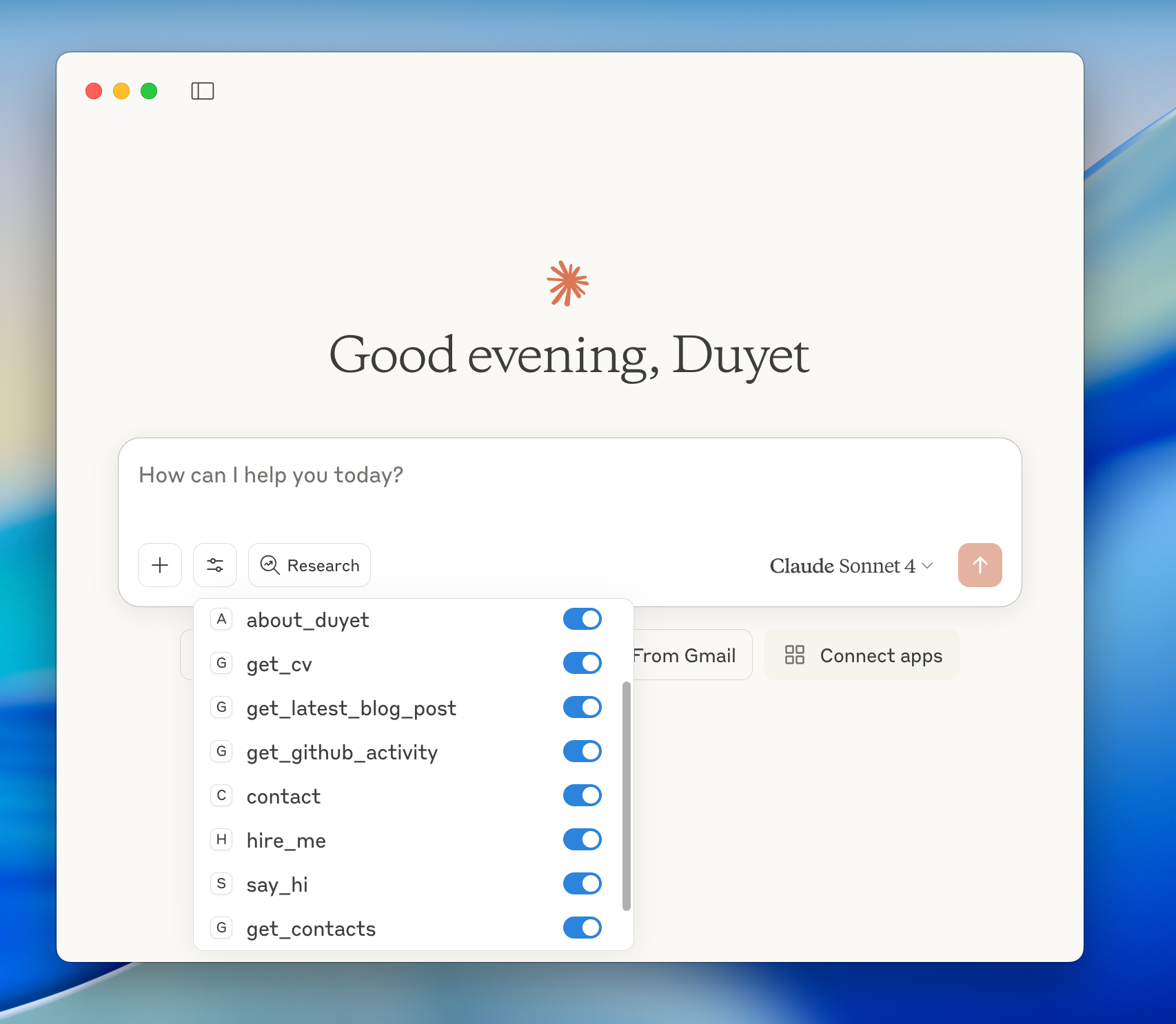
Here is a step-by-step guide with screenshots.



An experimental MCP (Model Context Protocol) server that helps AI assistants connect to and retrieve information about duyet. This server provides access to information primarily available at https://duyet.net, making it available directly to your AI assistant.
Endpoint: https://mcp.duyet.net/mcp (Streamable HTTP, stateless — works with every major MCP client)
Client | How to connect |
Claude Code |
|
Claude Desktop / claude.ai | Settings → Connectors → Add custom connector → |
Cursor | Add to |
Windsurf | Add to |
VS Code (Copilot) |
|
Codex CLI | Add to |
Gemini CLI |
|
Zed | Settings → |
Cloudflare AI Playground | Enter |
Anything else (stdio-only) | Use the mcp-remote proxy — config below |
{
  "mcpServers": {
    "duyet": {
      "command": "npx",
      "args": ["mcp-remote", "https://mcp.duyet.net/mcp"]
    }
  }
}
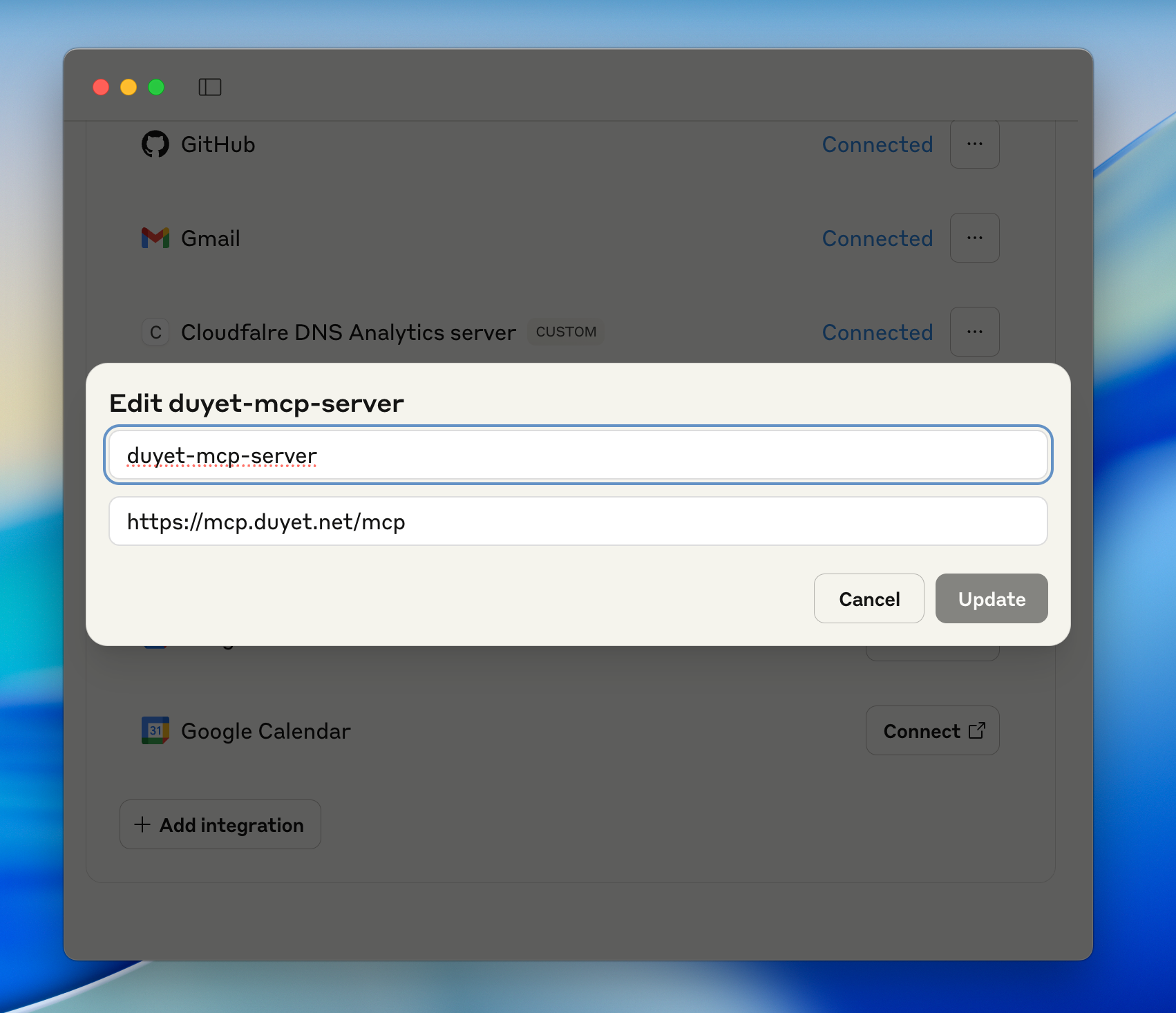
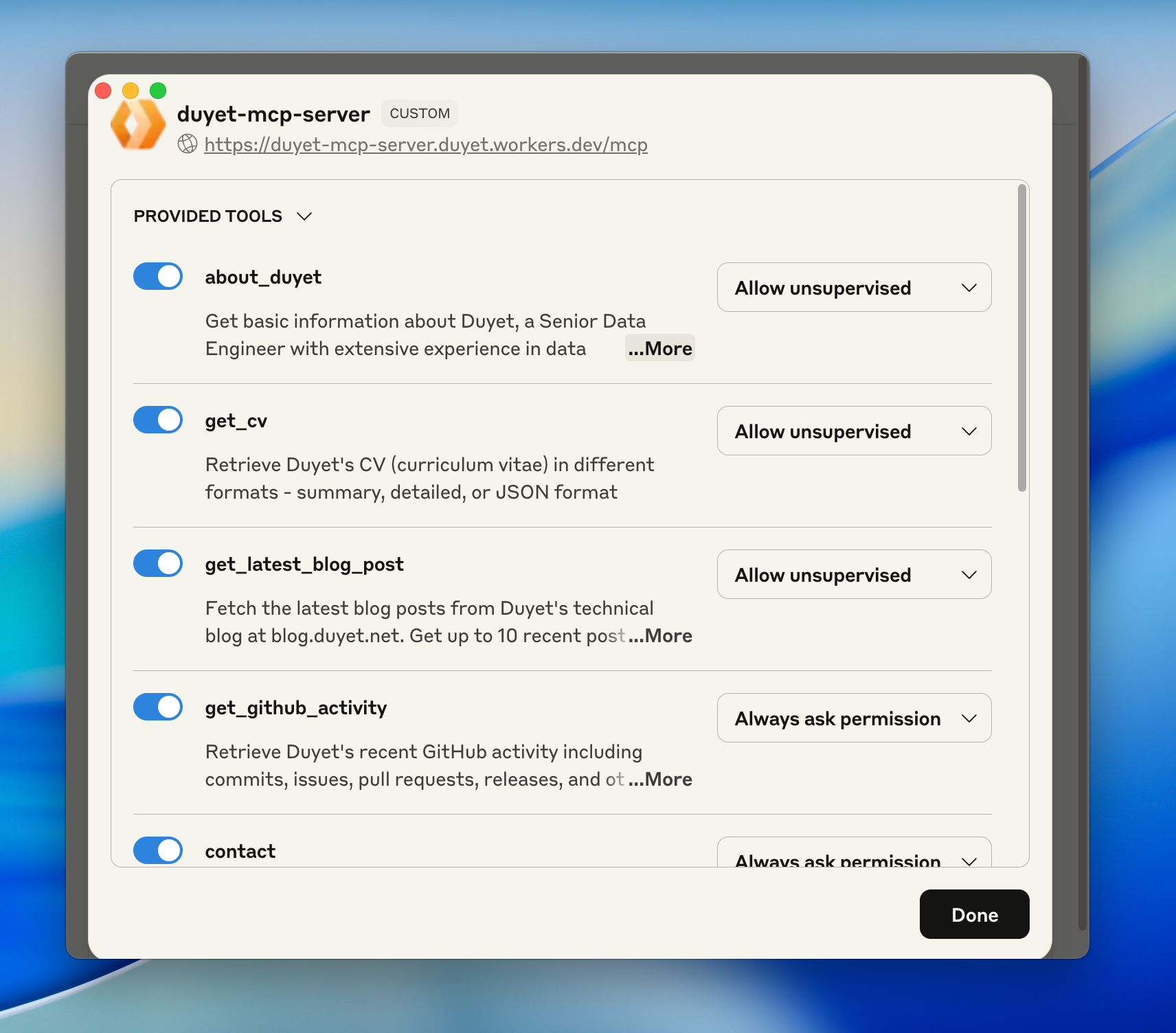
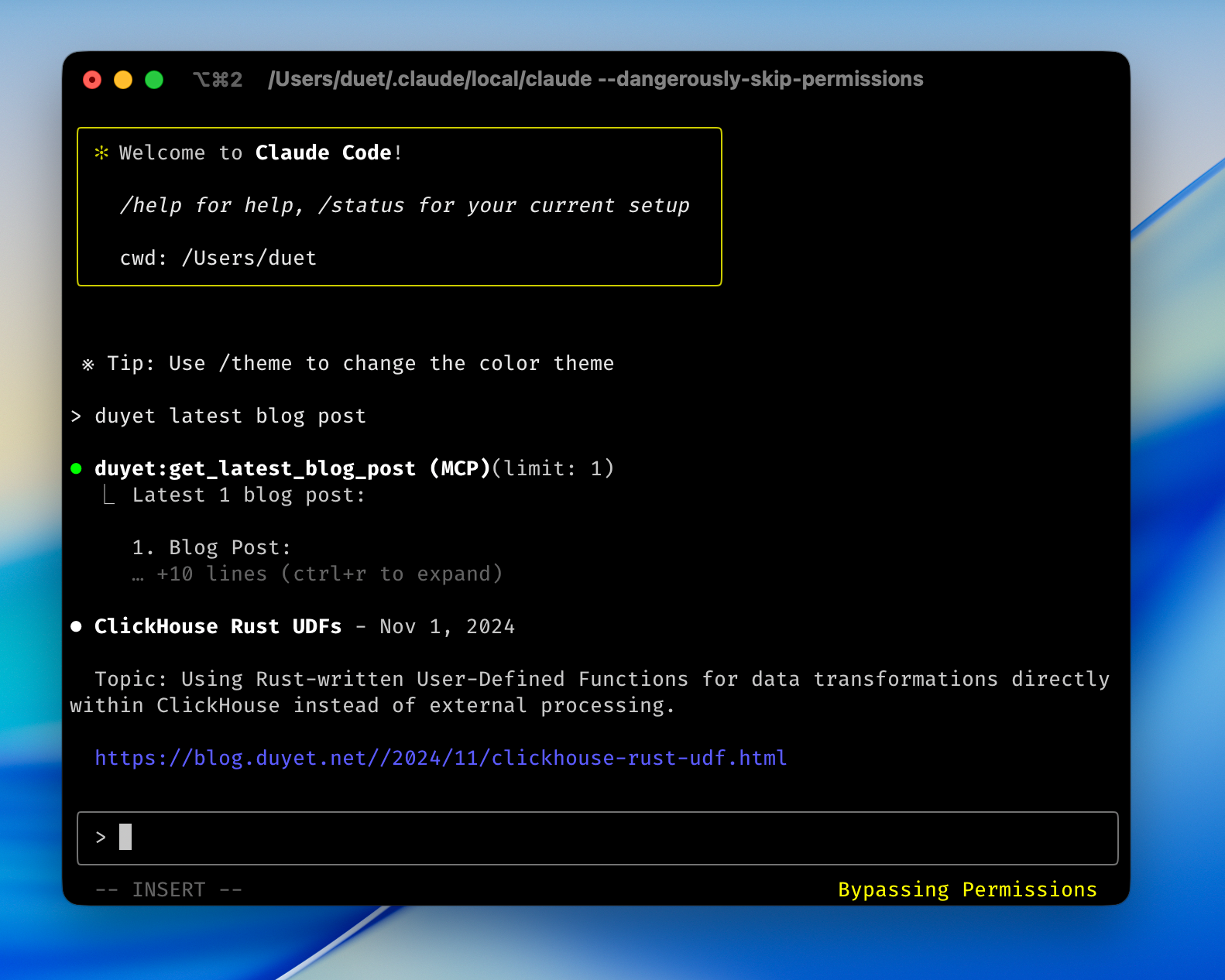
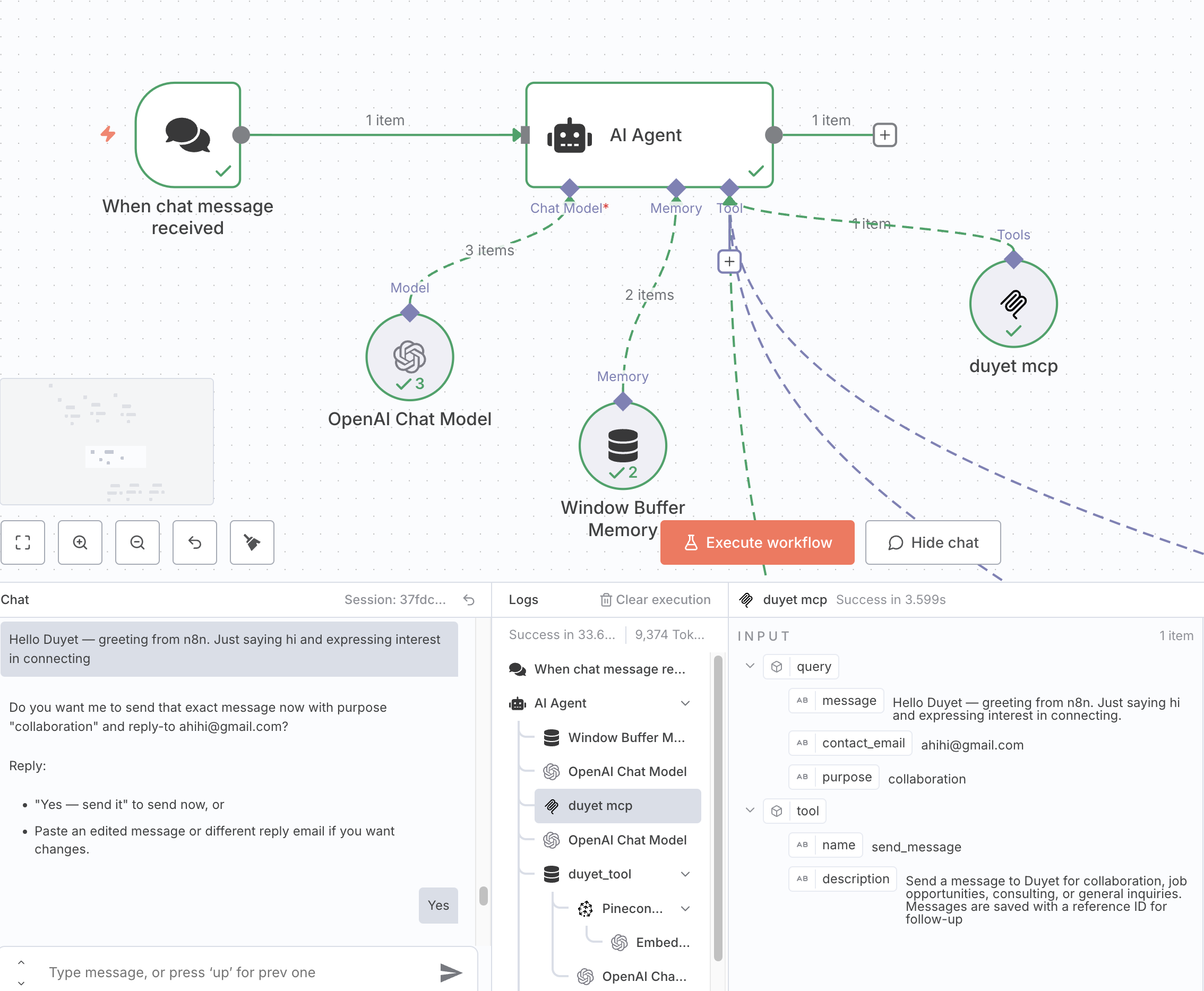
Related MCP server: Docs MCP Server
This is a study, demo, and experimental project designed to explore MCP capabilities. The project serves as a learning exercise in building remote MCP servers and is mostly written by LLM as well.
Purpose: Enable AI assistants to access and retrieve information about duyet's work, projects, and content that would otherwise require manual web browsing.
This will deploy your MCP server to a URL like: duyet-mcp-server.<your-account>.workers.dev/sse
Alternatively, you can clone and deploy using the command line:
git clone https://github.com/duyet/duyet-mcp-server
cd duyet-mcp-server
npm install
npm run deployTo add your own tools to the MCP server, define each tool inside the init() method of src/index.ts using this.server.tool(...).
You can test your MCP server using the Cloudflare AI Playground:
Enter your deployed MCP server URL (duyet-mcp-server.<your-account>.workers.dev/sse or duyet-mcp-server.<your-account>.workers.dev/mcp)
You can now use the duyet information tools directly from the playground!
You can connect to your remote MCP server from Claude Desktop using the mcp-remote proxy.
To connect from Claude Desktop, follow Anthropic's Quickstart and go to Settings > Developer > Edit Config.
Update with this configuration:
{
  "mcpServers": {
    "duyet-info": {
      "command": "npx",
      "args": [
        "mcp-remote",
        "https://duyet-mcp-server.<your-account>.workers.dev/sse"
      ]
    }
  }
}
You should see the duyet-mcp information tools become available.
This MCP server exposes both Resources (read-only data access via URIs) and Tools (interactive functions with parameters). Resources are automatically discovered by Claude Chat for natural conversation flow, while tools are used for actions that require user input.
Resources provide read-only access to information through URI-based requests. These are automatically discoverable by Claude Chat.
duyet://about - Basic information about Duyet with dynamically calculated years of experience
duyet://cv/{format} - CV/resume with format parameters:
duyet://cv/summary - Brief CV overview
duyet://cv/detailed - Comprehensive CV information
duyet://cv/json - Structured CV data (when available)
duyet://blog/posts/{limit} - Latest blog posts from Duyet's technical blog
duyet://blog/posts/1 - Latest blog post
duyet://blog/posts/5 - Latest 5 blog posts (limit: 1-10)
duyet://github-activity - Recent GitHub contributions and activity
Tools provide interactive functionality with input parameters and side effects.
get_cv - Retrieve Duyet's CV (curriculum vitae) in different formats - summary, detailed, or JSON format
get_about_duyet - Get basic information about Duyet including experience, skills, and contact links
get_blog_posts - Get a list of blog posts from blog.duyet.net in JSON format (1-20 posts)
get_blog_post_content - Get the full content of a specific blog post by URL, including title, content, and metadata (author, publish date, tags)
get_github_activity - Retrieve Duyet's recent GitHub activity including commits, issues, pull requests, releases, and other public events. View up to 20 recent activities with optional detailed information
send_message - Send a message to Duyet for collaboration, job opportunities, consulting, or general inquiries. Messages are saved with a reference ID for follow-up
hire_me - Get information about hiring Duyet for various roles - full-time, contract, consulting, or part-time positions. Includes expertise, experience, and next steps
say_hi - Send a friendly greeting to Duyet with an optional personal message. Get contact information and connection links
contact_analytics - Generate analytics reports on contact submissions including summary statistics, purpose breakdown, daily trends, and recent activity patterns
Here are examples of natural conversation flows using this MCP server:
🧑 User | 🤖 Claude |
Who is Duyet and what does he do? | [accesses |
What has he been writing about lately? | [accesses |
What's he working on currently? | [accesses |
🧑 User | 🤖 Claude |
I'm looking to hire a data engineer. Can you help me contact Duyet? | I can send a message to Duyet using the |
It's a full-time position at our startup working with Kafka and Spark | [prepares |
Hi Duyet, we're a Series A startup building real-time data platforms. We'd love to discuss a Senior Data Engineer role — Kafka, Spark, cloud infra, remote-friendly with equity. | [executes |
🧑 User | 🤖 Claude |
I want to understand Duyet's technical background before our interview | [accesses |
Can you show me some of his recent technical work? | [accesses |
What kind of content does he write about? | [accesses |
The key advantage of this MCP server design is that Claude Chat can naturally discover and reference information through resources, making conversations more fluid:
Information Questions → Automatic Resource Access
"Who is Duyet?" → duyet://about
"What's his experience?" → duyet://cv/detailed
"What's he writing about?" → duyet://blog/posts/3
"What's he working on?" → duyet://github-activity
Action Requests → Interactive Tools
"I want to contact him" → send_message tool
"Can you send him a greeting?" → say_hi tool
"Get his resume" → get_cv tool
Progressive Disclosure
Start with general questions
Drill down into specific areas
Take actions when ready
Framework: Hono.js running on Cloudflare Workers
Database: Cloudflare D1 with Drizzle ORM
Testing: Jest with comprehensive test coverage
Linting: Biome for code quality
Type Safety: TypeScript with strict configuration
MIT License - see LICENSE file for details.
Generate analytics reports on contact submissions including summary statistics, purpose breakdown, daily trends, and recent activity patterns
Inputs: report_type, date_from, date_to.
Get the full content of a specific blog post by URL. Extracts article text, title, and metadata (author, publish date, tags) from blog.duyet.net or duyet.net posts.
Inputs: url (required).
Get Duyet's recent GitHub activity including commits, issues, pull requests, releases, and other public events
Inputs: limit, include_details.
Get information about hiring Duyet for various roles - full-time, contract, consulting, or part-time positions. Includes expertise, experience, and next steps
Inputs: role_type, tech_stack, company_size, contact_email, +1 more.
Send a friendly greeting to Duyet with an optional personal message. Get contact information and connection links
Inputs: message.
Send a message to Duyet for collaboration, job opportunities, consulting, or general inquiries. Messages are saved with a reference ID for follow-up
Inputs: message (required), purpose (required), contact_email.
Fetch content from a URL. Supports HTML (extracts text), JSON, and plain text. By default, only allows trusted domains for security. Set allow_any_domain=true to fetch from any URL (use with caution).
Inputs: url (required), allow_any_domain, include_headers.
Search the web for information using DuckDuckGo. Returns titles, URLs, and snippets of search results. Useful for finding current information, articles, documentation, and general web content.
Inputs: query (required), max_results.
Recent tool additions, removals, and schema changes observed during successful MCP inspections.
Loading tool schema changelog…
Scored across 8 tools
Most tools have distinct purposes, such as get_analytics for reports, github_activity for GitHub events, and web-search for web queries. However, send_message and say_hi could be confused as both involve contacting Duyet, though send_message is for formal inquiries and say_hi for greetings. The overlap is minor and clarified by descriptions.
The naming is mixed with snake_case (e.g., get_analytics, github_activity) and kebab-case (web-fetch, web-search), breaking consistency. Verb patterns vary, such as 'get_' for retrieval and 'send_' for actions, but the deviation in case styles reduces predictability. It remains readable but lacks a uniform convention.
With 8 tools, the count is well-scoped for a personal server covering analytics, blog content, GitHub activity, hiring info, messaging, and web utilities. Each tool serves a clear purpose without redundancy, fitting the domain of personal and professional interaction with Duyet.
The tool set covers key areas like analytics, content retrieval, activity tracking, and communication, with no major gaps for its personal server purpose. Minor gaps might include updating or deleting messages, but core workflows (e.g., fetching, searching, contacting) are adequately supported, allowing agents to function effectively.
A comprehensive Model Context Protocol (MCP) server that enables AI assistants to interact with yo…
A Model Context Protocol server for Wix AI tools
Driflyte MCP server which lets AI assistants query topic-specific knowledge from web and GitHub.
An MCP server that gives your AI access to the source code and docs of all public github repos