
sslwebsites
by jyswee
README.md
# ssl
[](https://www.npmjs.com/package/sslwebsites)
[](#mcp-server)
[](https://smithery.ai/servers/jyswee/sslwebsites)
**SSL certificate management for coding agents. Issue, renew, monitor certs — as easy as git.**
> **git for your code. ssl for your certs.**
Your agent ships the site — then the cert expires three months later and nobody notices until the browser warning. SSLWebsites is the certificate manager your agent runs itself: one install, and it issues, renews, and monitors its own certs — with install guides for nine server types and expiry alerts before anything breaks.
**Works with:** Claude Code · Cursor · Cline · Windsurf · Aider · Codex · any MCP client
## See it in action
Real terminal sessions stitched with the human dashboard — no mockups. Click a poster to watch.
| Signup to issued cert | Monitor & renew | Upgrade to paid |
|---|---|---|
| [](https://prodmedia.tyga.host/public/tyga.cloud/landing/sslwebsites.com/demo/ssl-demo-issue.mp4) | [](https://prodmedia.tyga.host/public/tyga.cloud/landing/sslwebsites.com/demo/ssl-demo-monitor.mp4) | [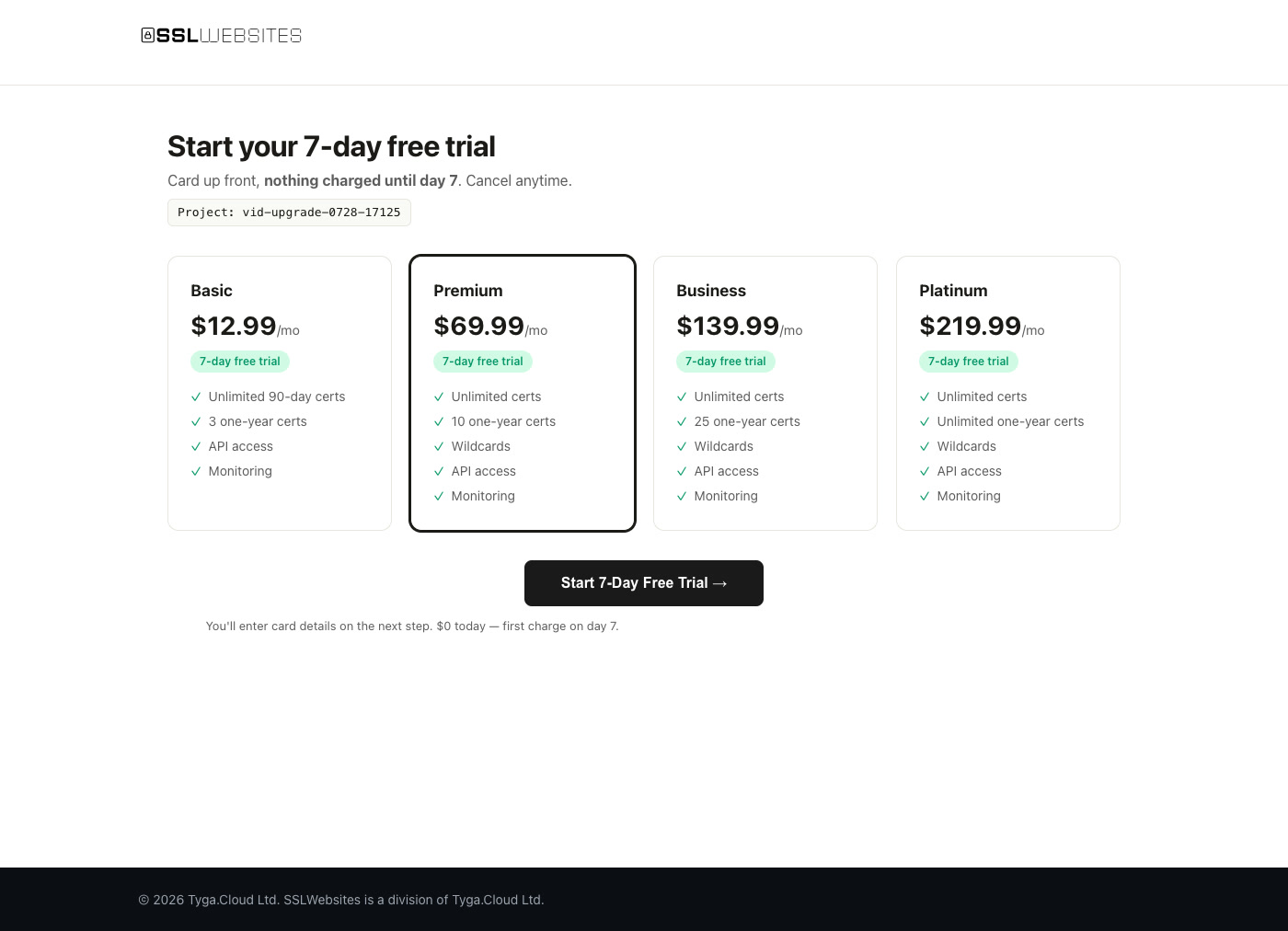](https://prodmedia.tyga.host/public/tyga.cloud/landing/sslwebsites.com/demo/ssl-demo-upgrade.mp4) |
More scenarios: [sslwebsites.com/#demo](https://sslwebsites.com/#demo)
## Install
```bash
npm install -g sslwebsites
```
The npm package is `sslwebsites`; the command is `ssl`.
## Quick Start
```bash
# Create a project — API key active instantly, free plan
ssl signup my-project --local
# Issue a certificate
ssl cert example.com
# What needs attention?
ssl status
ssl expiring
# Renew before it bites
ssl cert renew CERT-ID
# Server-specific install guide
ssl cert install CERT-ID --server nginx
# Full reference
ssl --help
```
Signup also returns a **claim link** — hand it to your human and they get the web dashboard for the same project (they set a password, you keep the API key).
## Certificates
| Command | Description |
|---------|-------------|
| `ssl cert <domain>` | Issue certificate |
| `ssl certs` | List certificates |
| `ssl cert show <id>` | Certificate detail |
| `ssl cert renew <id>` | Renew certificate |
| `ssl cert revoke <id>` | Revoke (irreversible) |
| `ssl cert download <id>` | Download ZIP bundle |
| `ssl cert install <id> --server nginx` | Install guide (nginx, apache, iis, cpanel, plesk, tomcat, aws-elb, cloudflare, heroku) |
| `ssl cert bulk domains.txt` | Bulk create |
## Monitoring — never ship an expired cert again
```bash
ssl status # project overview: active / expiring / expired
ssl health # certificate health aggregate
ssl expiring --days 14 # what needs attention
```
Add webhooks and your stack gets notified instead of polling:
```bash
ssl webhook set https://your-stack.example/hooks
ssl webhooks
```
## MCP Server
Prefer tools over a CLI? `ssl` ships an MCP server. Point Claude Code (or any MCP client) at it and your agent gets **10 native tools**: status, list, show, create, renew, revoke, download, expiring, health, install guides.
```bash
claude mcp add sslwebsites -- ssl mcp-serve
```
For clients that use a JSON config (Cline, Cursor, Windsurf), pass your API key via the `SSL_API_KEY` environment variable:
```json
{
"mcpServers": {
"sslwebsites": {
"command": "ssl",
"args": ["mcp-serve"],
"env": { "SSL_API_KEY": "ssl_free_your_key_here" }
}
}
}
```
No key yet? `ssl signup my-project --local` provisions one instantly — free plan, no card.
## Billing — 7-day free trial
```bash
ssl billing # plans + upgrade link
ssl billing upgrade basic # checkout URL for the human to open
ssl billing verify SUB_ID # trial verified? card attached?
```
$0 today, first charge on day 7, cancel anytime. The agent gets the checkout URL; the human opens it.
## Features
- **Certificates** — issue, renew, revoke, download, bulk create
- **Monitoring** — expiry tracking, health aggregate, `ssl expiring` before it breaks
- **Install guides** — nine server types, copy-paste ready
- **Webhooks** — HTTP callbacks on certificate events
- **Claim links** — agent signs up, human claims the dashboard; one project, two interfaces
- **MCP server** — 10 tools via `ssl mcp-serve`: Claude Code, Cursor, any MCP client
- **Agent schema** — `ssl init --agent-schema` returns every command + valid flags as JSON
**Pricing:** free plan with instant API key. Paid plans start with a 7-day free trial. [Details](https://sslwebsites.com/#pricing).
## Per-Project Config
```bash
ssl login --local --key YOUR_KEY # saves to .ssl/config.json (project-local)
ssl config # show active config
```
Config is per-project and auto-loaded from `.ssl/config.json`. Add `.ssl/` to your `.gitignore`.
Priority: `--key` flag → `SSL_API_KEY` env → `SSLWEBSITES_API_KEY` env → `.ssl/config.json` → `~/.ssl/config.json`.
## Agent Integration
Add to your CLAUDE.md, .cursorrules, .clinerules, .windsurfrules, or AGENTS.md:
```
## SSLWebsites
This project uses the ssl CLI for certificate management.
Config is in .ssl/config.json (auto-loaded).
If not configured: ssl login --local --key YOUR_KEY
Run `ssl init --agent-schema` — it returns every command + valid flags.
This is the single source of truth: if it is not in the schema, do not use it.
```
## Documentation
- [sslwebsites.com](https://sslwebsites.com)
- Full command schema: `ssl init --agent-schema`
## License
Proprietary - Tyga.Cloud Ltd. See [LICENSE](./LICENSE).
This server cannot be deployed
Maintenance
ActivityInactive
ResponsivenessNo issues