Click on "Install Server".
Wait a few minutes for the server to deploy. Once ready, it will show a "Started" state.
In the chat, type
@followed by the MCP server name and your instructions, e.g., "@Godot RAG MCP Serverhow do I move a CharacterBody2D using move_and_slide in Godot 4?"
That's it! The server will respond to your query, and you can continue using it as needed.
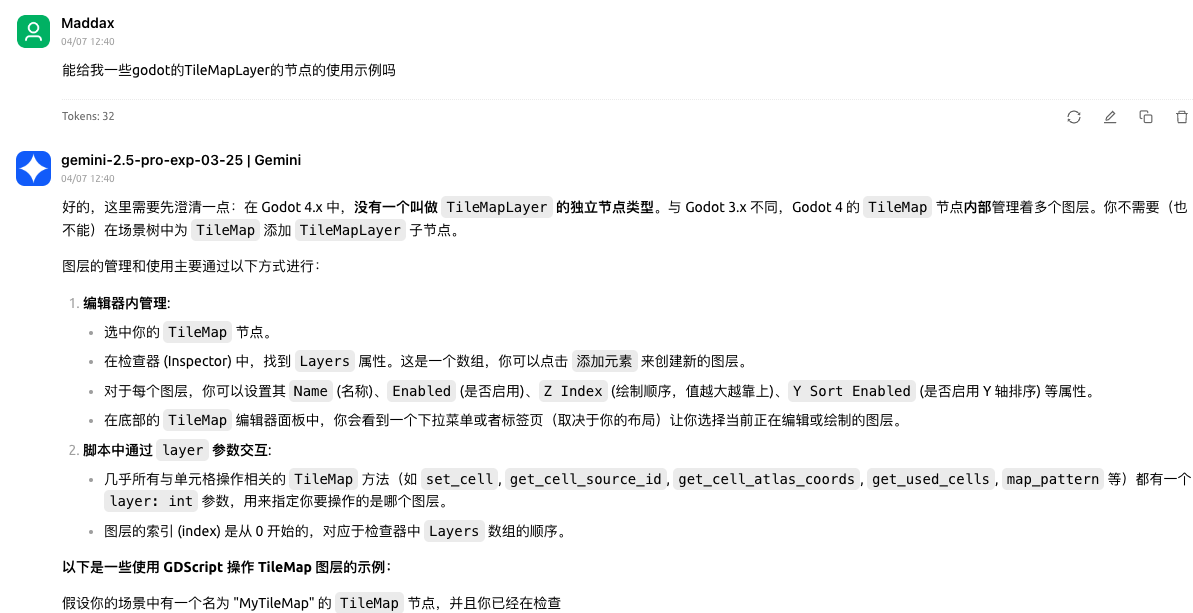
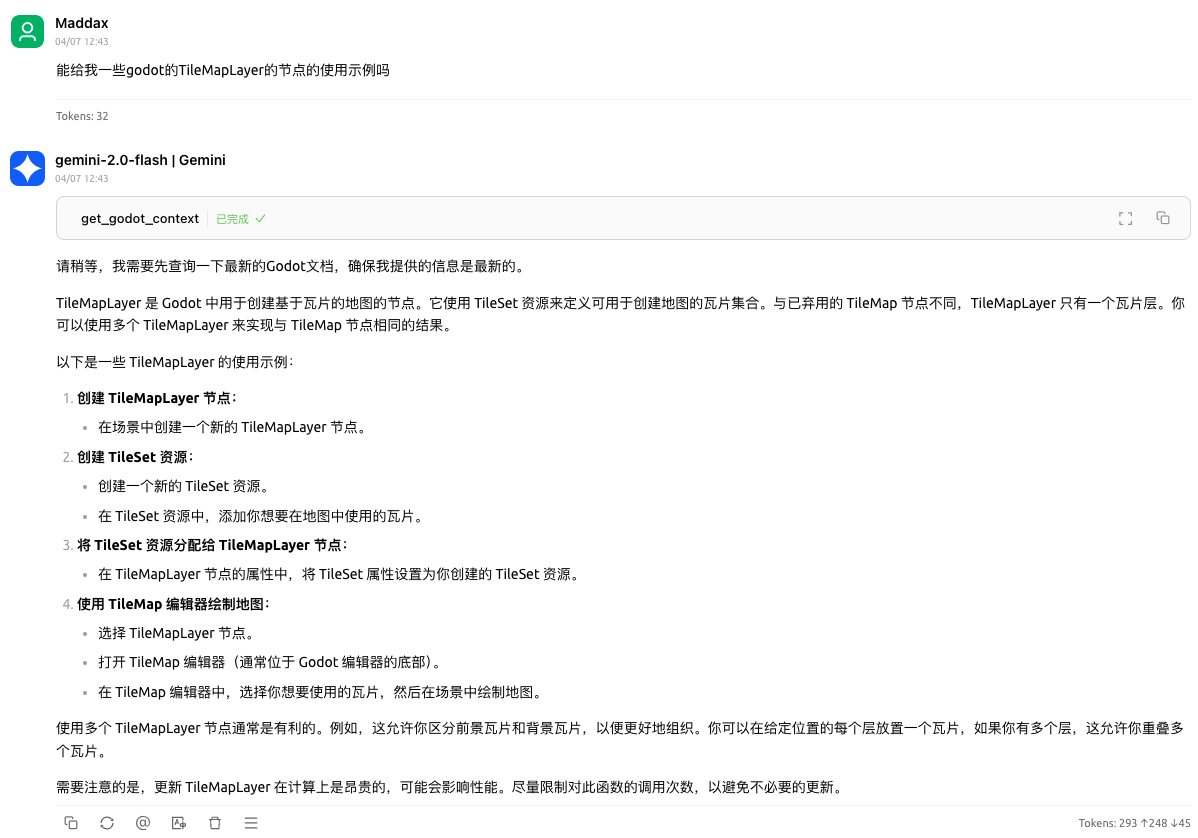
Here is a step-by-step guide with screenshots.
A MCP server for Godot RAG
This MCP server is used to provide Godot documentation to the Godot RAG model.
Screenshot
Before using

After using

MCP server config
{
"mcpServers": {
"godot-rag": {
"command": "python",
"args": [
"<path to the server script 'main.py'>",
"-d",
"<path to the chroma_db on your computer>",
"-c",
"<name of the collection in the chroma_db>"
]
}
}
}Setup
uv venv --python 3.12
source ./.venv/bin/activate
uv sync
cp .env.example .env.localInitiation steps
# clone godot docs
python download_godot_docs.py
# convert rst to markdown
python convert_rst2md.py
# chunk markdown files
python chunker.py -i artifacts
# create vector database
python vectorizer.py -i artifacts/chunks/artifacts_chunks_SZ_400_O_20.jsonl
# python vectorizer_api.py -i artifacts/chunks/artifacts_chunks_SZ_400_O_20.jsonl -m BAAI/bge-m3
# start mcp server
python main.py -d artifacts/vector_stores/chroma_db -c artifacts_chunks_SZ_400_O_20_all-MiniLM-L6-v2
# python main_with_api.py -d artifacts/vector_stores/chroma_db -c artifacts_chunks_SZ_400_O_20_BAAI-bge-m3 -k <your openai api key>Debug
npx @modelcontextprotocol/inspector \
uv \
--directory . \
run \
main.py \
--chromadb-path artifacts/vector_stores/chroma_db \
--collection-name artifacts_chunks_SZ_400_O_20_all-MiniLM-L6-v2Use Another Model
Other
mcp_godot_rag is indexed and certified by MCP Review
This server cannot be installed
Resources
Unclaimed servers have limited discoverability.
Looking for Admin?
If you are the server author, to access and configure the admin panel.