
A
licenseNot graded
qualityC
maintenanceWraps PredictHQ Events API to enable AI agents to query global event data through natural language, part of Pipeworx gateway.
295 npm
MIT

Click on "Deploy Server".
Wait a few minutes for the server to deploy. Once ready, it will show a "Started" state.
In the chat, type @ followed by the MCP server name and your instructions, e.g., "@Eventfinda MCP find free events in Wellington this weekend"
That's it! The server will respond to your query, and you can continue using it as needed.
Here is a step-by-step guide with screenshots.
This plugin provides access to event data from the Eventfinda API. It allows AI agents to search for events by location and retrieve detailed information including event descriptions, dates, addresses, and ticket information.
Example prompt to an AI with:
Find me events happening in Wellington this week.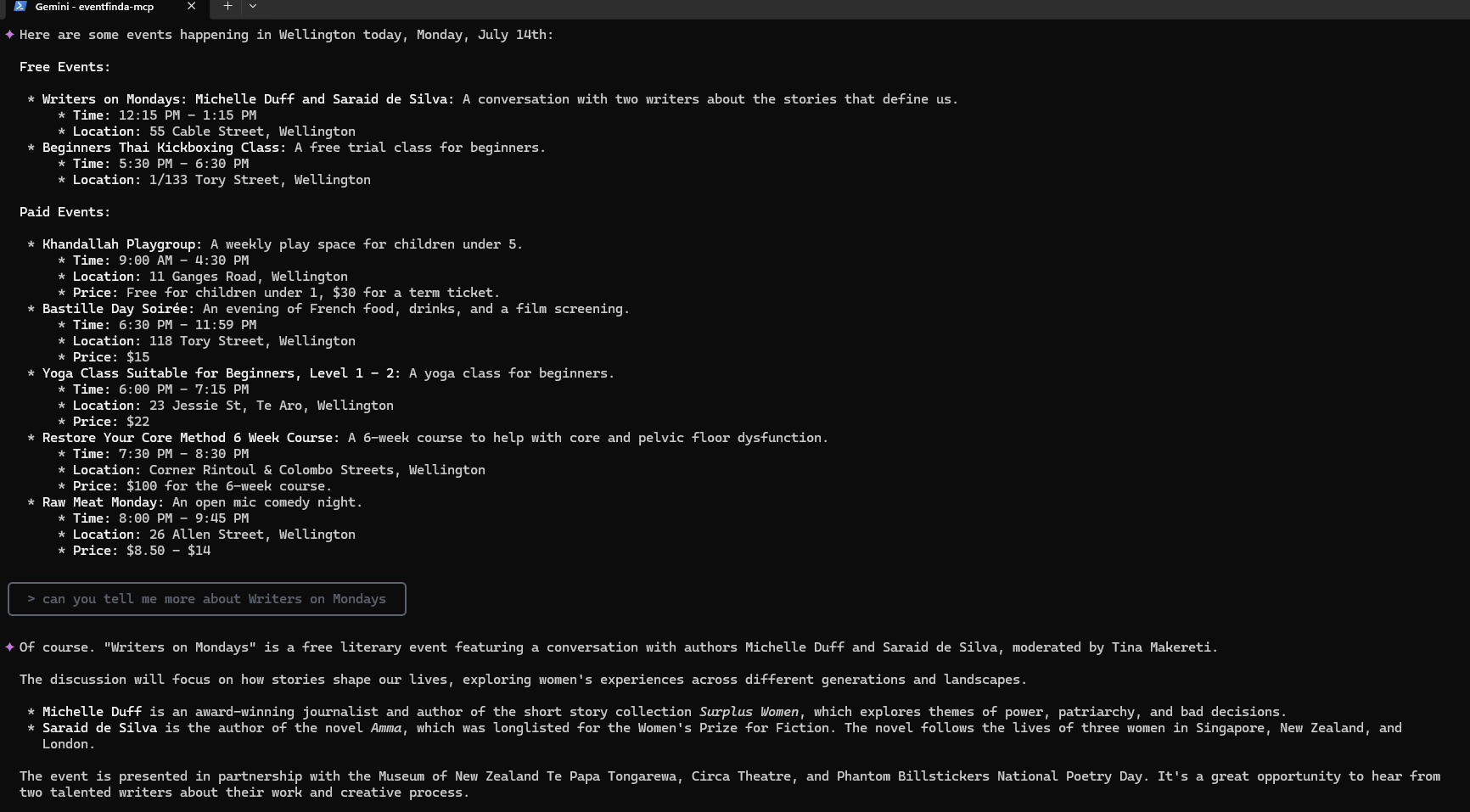
Search for events by location
Get detailed event information including:
Event title and description
Event URL
Date and time information
Address/location details
Ticket availability and pricing
Free event identification
Related MCP server: @pipeworx/ticketmaster
Apply API username and password from https://www.eventfinda.co.nz/api/v2/index
To use with Claude Desktop / Cursor / cline, ensure your configuration matches:
{
  "mcpServers": {
    "youtube-transcript": {
      "command": "npx",
      "args": ["-y", "@gabriel3615/eventfinda-mcp"],
      "env": {
        "EVENTFINDA_USERNAME": "USERNAME",
        "EVENTFINDA_PASSWORD": "PASSWORD"
      }
    }
  }
}Node.js (v14 or higher)
Eventfinda API credentials
Create a .env file in the root directory with your Eventfinda API credentials:
EVENTFINDA_USERNAME=your_api_username
EVENTFINDA_PASSWORD=your_api_passwordnpm installnpm startThis starts the MCP server using stdio transport, making it available to AI agents.
Example prompt to an AI agent with access to this plugin:
Find me free events happening in Auckland this week.Lists events within the next week for a specified location.
Parameters:
location: String - The location to search for events in (e.g., "Auckland", "Wellington")
Response Example:
[
  {
    "id": 123456,
    "title": "Summer Music Festival",
    "description": "A weekend of live music performances...",
    "url": "https://www.eventfinda.co.nz/2023/summer-music-festival/auckland",
    "datetime_start": "2023-11-25T15:00:00",
    "datetime_end": "2023-11-25T22:00:00",
    "address": "123 Main Street, Auckland CBD, Auckland",
    "is_free": false,
    "ticket_info": [
      {
        "name": "General Admission",
        "price": "25.00",
        "currency": "NZD"
      }
    ]
  },
  {
    "id": 123457,
    "title": "Community Art Exhibition",
    "description": "Local artists showcase their work...",
    "url": "https://www.eventfinda.co.nz/2023/community-art-exhibition/auckland",
    "datetime_start": "2023-11-26T10:00:00",
    "datetime_end": "2023-11-26T16:00:00",
    "address": "Auckland Art Gallery, Auckland CBD",
    "is_free": true,
    "ticket_info": "Free event"
  }
]npm run inspectYou can test the API using the included HTTP request files in the requests directory:
requests/auth-request.httpThis plugin uses the Eventfinda API v2. For more information, visit: https://www.eventfinda.co.nz/api/v2/index
MIT
List all events within this week for a given location.
Inputs: location (required).
Recent tool additions, removals, and schema changes observed during successful MCP inspections.
Loading tool schema changelog…
Scored across 1 tool
With only one tool, there is no possibility of ambiguity or overlap between tools, as there are no other tools to compare it to. The tool's purpose is clearly defined and distinct by default.
The single tool follows a consistent verb_noun pattern (list_events), and with no other tools, there is no inconsistency in naming conventions. The naming is straightforward and predictable.
A single tool is too few for a server named 'Eventfinda MCP', which implies a broader scope for event discovery and management. This minimal toolset likely leaves significant gaps in functionality, such as searching, filtering, or accessing event details beyond this week.
The tool surface is severely incomplete for an event-finding domain. It only lists events for this week in a given location, missing essential operations like searching events by date range, category, or keyword, getting event details, or managing user interactions.
Find public EventMatey events that organisers have approved for AI discovery.
Read-only search of upcoming local events worldwide: music, comedy, AI/tech, arts, food, sports.
Discover and book theatre, tours, attractions, and live experiences worldwide. No API key required.
Free web search, 130M+ business records, local search, weather and travel data for AI agents.