A
licenseC
qualityC
maintenanceA Model Context Protocol server that provides image generation capabilities using the Ideogram API, allowing users to create images from text prompts with customizable parameters.
1
27 npm
5
MIT

Recommended for exposing the local server to the internet when running in HTTP mode, allowing remote clients to connect to the Leonardo AI integration.
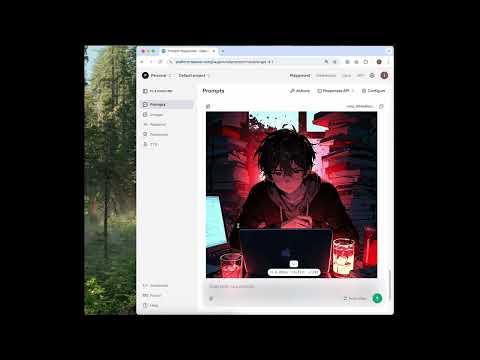
The server includes a video demo hosted on YouTube that showcases its functionality.
Click on "Deploy Server".
Wait a few minutes for the server to deploy. Once ready, it will show a "Started" state.
In the chat, type @ followed by the MCP server name and your instructions, e.g., "@Leonardo MCP Server generate an image of a futuristic city at sunset"
That's it! The server will respond to your query, and you can continue using it as needed.
Here is a step-by-step guide with screenshots.
A Model Context Protocol (MCP) server for Leonardo AI, supporting both HTTP and stdio modes.
Create image generation jobs with Leonardo AI
See available models
Check the status of image generation jobs
Get all the user's image generation jobs
Supports both HTTP and stdio transports
Related MCP server: OpenAI MCP
Support for Claude Desktop, Cursor and other MCP clients that use JSON config files.
You will need to generate a Leonardo API key and set it in the environment variable LEONARDO_API_KEY before running the server.
{
  "mcpServers": {
    "leonardo-mcp-server": {
      "command": "uvx",
      "args": [
        "--from",
        "git+https://github.com/ish-joshi/leonardo-mcp-server",
        "leonardo-mcp-server",
        "stdio"
      ],
      "env": {
        "LEONARDO_API_KEY": "YOUR_LEONARDO_API_KEY"
      }
    }
  }
}
This server supports two modes:
HTTP mode (default):
Suitable for remote clients (e.g., ChatGPT Playground, browser-based tools).
The server runs an HTTP endpoint. You must expose it to the internet if your client is remote.
Stdio mode:
Suitable for local clients that communicate over standard input/output (stdio).
No network port is opened.
Start the server in HTTP mode (default):
uvx --from git+https://github.com/ish-joshi/leonardo-mcp-server leonardo-mcp-serverIf your client is remote (e.g., ChatGPT Playground), you must expose your local server to the internet. You can use ngrok or a similar tunneling tool:
ngrok http 8080Copy the public URL from ngrok and use it as the endpoint in your client.
Start the server in stdio mode:
uvx --from git+https://github.com/ish-joshi/leonardo-mcp-server leonardo-mcp-server stdioLEONARDO_API_KEY (required): Your Leonardo AI API key.
Edit main.py to add or modify MCP tools.
Run using python main.py and test with a compatible MCP client. I prefer to use 5ire MCP client for testing.
See python-sdk documentation for more info.
This server cannot be deployed
A Model Context Protocol server for Wix AI tools
A comprehensive Model Context Protocol (MCP) server that enables AI assistants to interact with yo…
Generate AI images and videos from any compatible MCP client.
Stivio MCP server - AI image-to-video generator via MCP.