
F
licenseNot graded
qualityD
maintenanceA Model Context Protocol server that provides current weather information and 3-day forecasts for specified cities using the Open-Meteo API.
1
-

Click on "Deploy Server".
Wait a few minutes for the server to deploy. Once ready, it will show a "Started" state.
In the chat, type @ followed by the MCP server name and your instructions, e.g., "@Weather MCP Server what's the forecast for London tomorrow?"
That's it! The server will respond to your query, and you can continue using it as needed.
Here is a step-by-step guide with screenshots.
Learn mcp.
update your cursor to the latest version, my version is: 1.1.3 (Universal). in the cursor menu, click: Cursor -> About Cursor, to check your version. 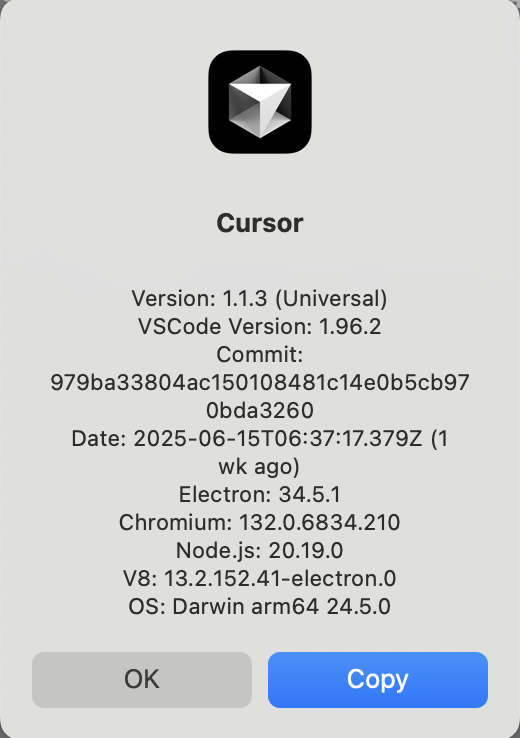
in the cursor menu, click: Cursor -> Settings -> Cursor Settings 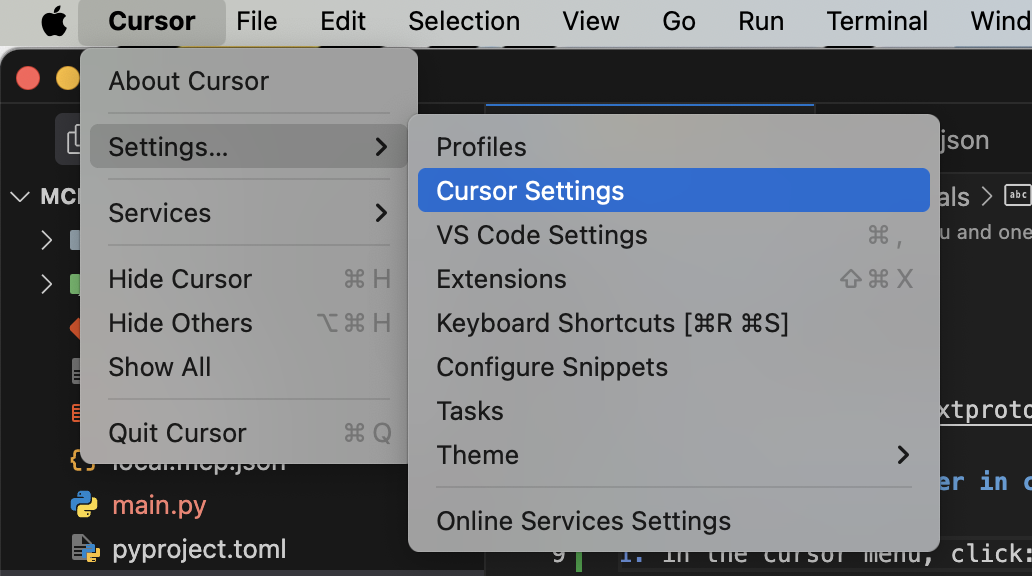
in the Cursor Settings, click: Tools & Integrations -> New MCP Server 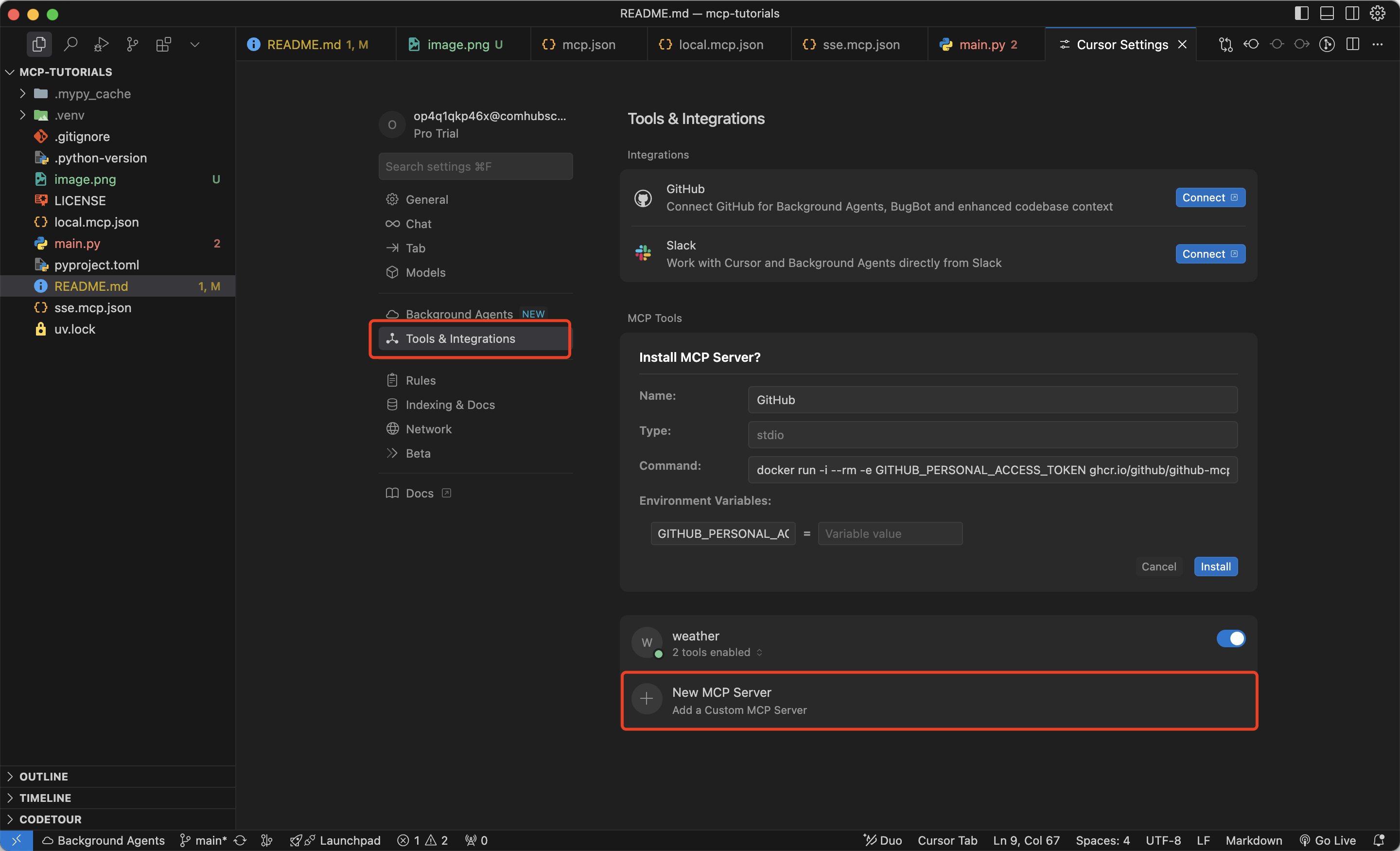
in the popped up mcp.json file, copy the sse.mcp.json content, and paste it into the mcp.json file, and save it. 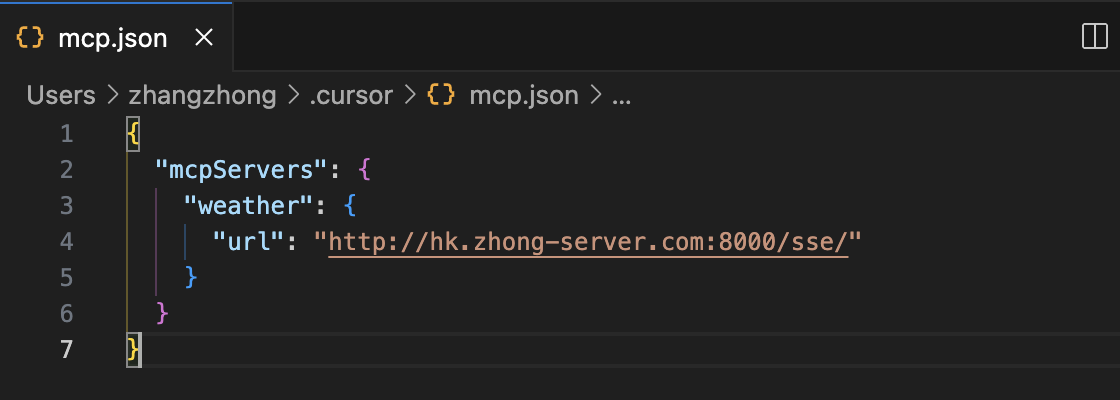
back to the Cursor Settings, you will see the weather mcp server is added. 
open a new chat window, input: what is the weather of New York?, when cursor pop up the Calling get_forecast, click: Run tool. 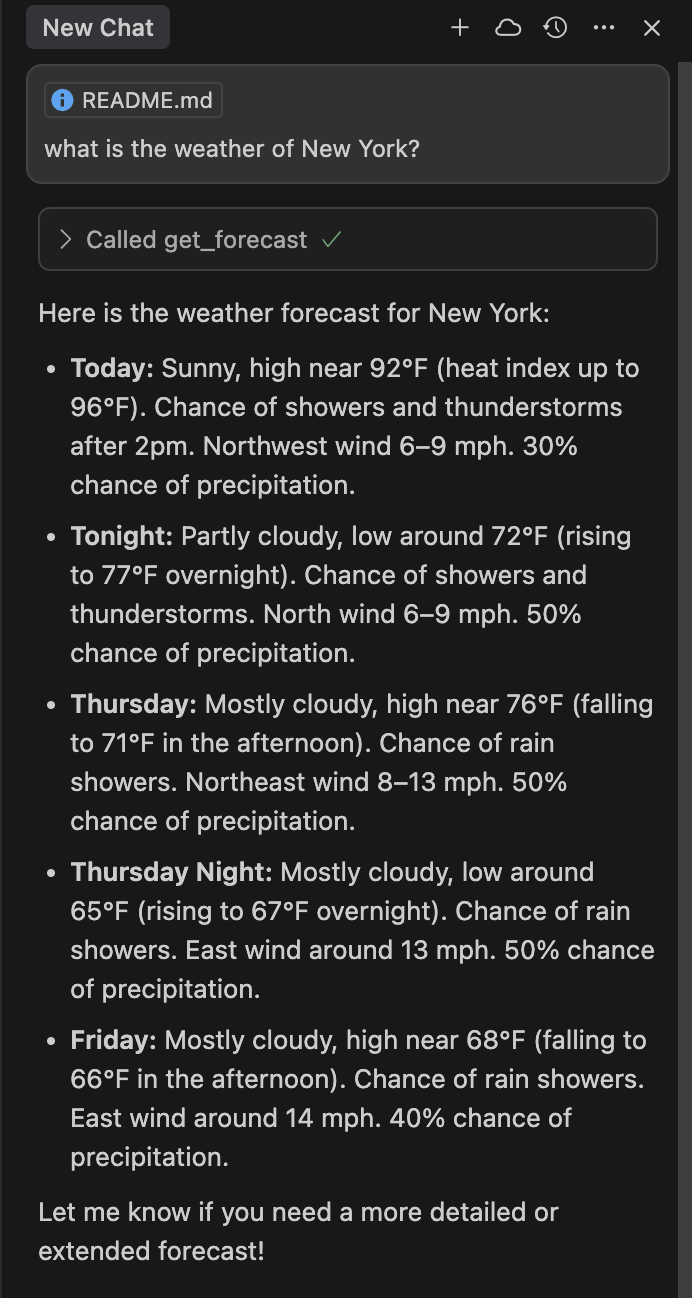
This server cannot be deployed
MCP server for weather with reasoning — umbrella advice, outdoor checks, city comparisons.
The official Model Context Protocol server for Ambee. It gives any MCP-compatible AI assistant — Claude, ChatGPT, Cursor, VS Code, Ollama, and more direct access to live air quality, pollen, and weather data. To get started, including information on signing up and obtaining your Ambee key, check out the Ambee documentation on https://docs.ambeedata.com
Hosted MCP server for Xweather weather data: conditions, forecasts, alerts, and more.
A Model Context Protocol server for Wix AI tools