


A
licenseA
qualityB
maintenanceEnables AI agents to interact with IDA Pro databases and GUI, supporting reverse engineering tasks such as analyzing binaries and querying open files via natural language.
6
46 npm
2,593 PyPI
1,691
MIT

Click on "Deploy Server".
Wait a few minutes for the server to deploy. Once ready, it will show a "Started" state.
In the chat, type @ followed by the MCP server name and your instructions, e.g., "@IDA Pro MCP decompile the function at 0x401000"
That's it! The server will respond to your query, and you can continue using it as needed.
Here is a step-by-step guide with screenshots.
Simple MCP Server to allow vibe reversing in IDA Pro.
https://github.com/user-attachments/assets/6ebeaa92-a9db-43fa-b756-eececce2aca0
The binaries and prompt for the video are available in the mcp-reversing-dataset repository.
Dynamic Database Loading: Start headless server without a binary, load/switch files on demand
Database Persistence: Save analysis to disk with save_database()
Byte Pattern Search: Find hex patterns with wildcards using search_bytes()
Comment Management: Full support for regular, repeatable, anterior, posterior, and function comments
Control Flow Graphs: Analyze function structure with get_function_cfg()
Script Execution: Run arbitrary IDAPython code via execute_script()
Available functionality:
check_connection(): Check if the IDA plugin is running.
get_metadata(): Get metadata about the current IDB.
get_function_by_name(name): Get a function by its name.
get_function_by_address(address): Get a function by its address.
get_current_address(): Get the address currently selected by the user.
get_current_function(): Get the function currently selected by the user.
convert_number(text, size): Convert a number (decimal, hexadecimal) to different representations.
list_functions_filter(offset, count, filter): List matching functions in the database (paginated, filtered).
list_functions(offset, count): List all functions in the database (paginated).
list_globals_filter(offset, count, filter): List matching globals in the database (paginated, filtered).
list_globals(offset, count): List all globals in the database (paginated).
list_imports(offset, count): List all imported symbols with their name and module (paginated).
list_strings_filter(offset, count, filter): List matching strings in the database (paginated, filtered).
list_strings(offset, count): List all strings in the database (paginated).
list_segments(): List all segments in the binary.
list_local_types(): List all Local types in the database.
decompile_function(address): Decompile a function at the given address.
disassemble_function(start_address): Get assembly code for a function (API-compatible with older IDA builds).
get_xrefs_to(address): Get all cross references to the given address.
get_xrefs_to_field(struct_name, field_name): Get all cross references to a named struct field (member).
get_callees(function_address): Get all the functions called (callees) by the function at function_address.
get_callers(function_address): Get all callers of the given address.
get_entry_points(): Get all entry points in the database.
set_comment(address, comment): Set a comment for a given address in the function disassembly and pseudocode.
rename_local_variable(function_address, old_name, new_name): Rename a local variable in a function.
rename_global_variable(old_name, new_name): Rename a global variable.
set_global_variable_type(variable_name, new_type): Set a global variable's type.
patch_address_assembles(address, instructions): .
get_global_variable_value_by_name(variable_name): Read a global variable's value (if known at compile-time).
get_global_variable_value_at_address(address): Read a global variable's value by its address (if known at compile-time).
rename_function(function_address, new_name): Rename a function.
set_function_prototype(function_address, prototype): Set a function's prototype.
declare_c_type(c_declaration): Create or update a local type from a C declaration.
set_local_variable_type(function_address, variable_name, new_type): Set a local variable's type.
get_stack_frame_variables(function_address): Retrieve the stack frame variables for a given function.
get_defined_structures(): Returns a list of all defined structures.
analyze_struct_detailed(name): Detailed analysis of a structure with all fields.
get_struct_at_address(address, struct_name): Get structure field values at a specific address.
get_struct_info_simple(name): Simple function to get basic structure information.
search_structures(filter): Search for structures by name pattern.
rename_stack_frame_variable(function_address, old_name, new_name): Change the name of a stack variable for an IDA function.
create_stack_frame_variable(function_address, offset, variable_name, type_name): For a given function, create a stack variable at an offset and with a specific type.
set_stack_frame_variable_type(function_address, variable_name, type_name): For a given disassembled function, set the type of a stack variable.
delete_stack_frame_variable(function_address, variable_name): Delete the named stack variable for a given function.
read_memory_bytes(memory_address, size): Read bytes at a given address.
data_read_byte(address): Read the 1 byte value at the specified address.
data_read_word(address): Read the 2 byte value at the specified address as a WORD.
data_read_dword(address): Read the 4 byte value at the specified address as a DWORD.
data_read_qword(address): Read the 8 byte value at the specified address as a QWORD.
data_read_string(address): Read the string at the specified address.
search_bytes(pattern, start_address, max_results): Search for byte patterns with wildcards (e.g., "48 8B ?? ?? ?? ?? 00").
get_comments(address): Get all comments at an address (regular, repeatable, anterior, posterior, function).
add_comment(address, comment, comment_type): Add a comment at an address.
delete_comment(address, comment_type): Delete a comment at an address.
get_function_cfg(address): Get control flow graph with basic blocks, successors, and predecessors.
execute_script(code, timeout_seconds): Execute arbitrary IDAPython code with access to all IDA modules.
Headless server tools (idalib-mcp only):
load_database(path, run_auto_analysis): Load a binary file or IDB for analysis.
close_database(): Close the currently open database.
save_database(path): Save the current database to disk (preserves all analysis).
get_database_status(): Check if a database is loaded and get its path.
Unsafe functions (--unsafe flag required):
dbg_get_registers(): Get all registers and their values. This function is only available when debugging.
dbg_get_registers_for_thread(thread_id): Get registers and their values for a specific thread.
dbg_get_registers_for_thread_current(): Get registers for the thread currently paused in the debugger (top of the call stack).
dbg_get_registers_general_for_thread(thread_id): Get general-purpose registers and their values for a specific thread.
dbg_get_registers_general_for_thread_current(): Get general-purpose registers for the thread currently paused in the debugger.
dbg_get_registers_specific_for_thread(thread_id, register_names): Get specific registers and their values for a given thread.
dbg_get_registers_specific_for_thread_current(register_names): Get specific registers for the thread currently paused in the debugger.
dbg_get_call_stack(): Get the current call stack.
dbg_list_breakpoints(): List all breakpoints in the program.
dbg_start_process(): Start the debugger, returns the current instruction pointer.
dbg_exit_process(): Exit the debugger.
dbg_continue_process(): Continue the debugger, returns the current instruction pointer.
dbg_run_to(address): Run the debugger to the specified address.
dbg_set_breakpoint(address): Set a breakpoint at the specified address.
dbg_step_into(): Step into the current instruction.
dbg_step_over(): Step over the current instruction.
dbg_delete_breakpoint(address): Delete a breakpoint at the specified address.
dbg_enable_breakpoint(address, enable): Enable or disable a breakpoint at the specified address.
Related MCP server: IDA Pro MCP Server
Python (3.11 or higher)
Use idapyswitch to switch to the newest Python version
IDA Pro (8.3 or higher, 9 recommended), IDA Free is not supported
Supported MCP Client (pick one you like)
Other MCP Clients: Run ida-pro-mcp --config to get the JSON config for your client.
Install the latest version of the IDA Pro MCP package:
pip uninstall ida-pro-mcp
pip install https://github.com/icryo/ida-pro-mcp/archive/refs/heads/main.zip
Configure the MCP servers and install the IDA Plugin:
ida-pro-mcp --installImportant: Make sure you completely restart IDA/Visual Studio Code/Claude for the installation to take effect. Claude runs in the background and you need to quit it from the tray icon.
https://github.com/user-attachments/assets/65ed3373-a187-4dd5-a807-425dca1d8ee9
Note: You need to load a binary in IDA before the plugin menu will show up.
LLMs are prone to hallucinations and you need to be specific with your prompting. For reverse engineering the conversion between integers and bytes are especially problematic. Below is a minimal example prompt, feel free to start a discussion or open an issue if you have good results with a different prompt:
Your task is to analyze a crackme in IDA Pro. You can use the MCP tools to retrieve information. In general use the following strategy:
Inspect the decompilation and add comments with your findings
Rename variables to more sensible names
Change the variable and argument types if necessary (especially pointer and array types)
Change function names to be more descriptive
If more details are necessary, disassemble the function and add comments with your findings
NEVER convert number bases yourself. Use the convert_number MCP tool if needed!
Do not attempt brute forcing, derive any solutions purely from the disassembly and simple python scripts
Create a report.md with your findings and steps taken at the end
When you find a solution, prompt to user for feedback with the password you found
This prompt was just the first experiment, please share if you found ways to improve the output!
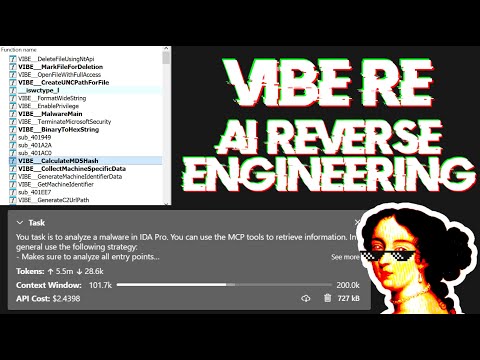
Live stream discussing prompting and showing some real-world malware analysis:
Large Language Models (LLMs) are powerful tools, but they can sometimes struggle with complex mathematical calculations or exhibit "hallucinations" (making up facts). Make sure to tell the LLM to use the conver_number MCP and you might also need math-mcp for certain operations.
Another thing to keep in mind is that LLMs will not perform well on obfuscated code. Before trying to use an LLM to solve the problem, take a look around the binary and spend some time (automatically) removing the following things:
String encryption
Import hashing
Control flow flattening
Code encryption
Anti-decompilation tricks
You should also use a tool like Lumina or FLIRT to try and resolve all the open source library code and the C++ STL, this will further improve the accuracy.
You can run an SSE server to connect to the user interface like this:
uv run ida-pro-mcp --transport http://127.0.0.1:8744/sseAfter installing idalib you can also run a headless SSE server:
# Start with a specific binary (backwards compatible)
uv run idalib-mcp --host 127.0.0.1 --port 8745 path/to/executable

# Or start without a binary (new in v1.6.0)
uv run idalib-mcp --host 127.0.0.1 --port 8745The headless server now supports loading and switching binaries dynamically:
# Start server without a binary
# uv run idalib-mcp --port 8745

# Then via MCP tools:
load_database("/path/to/malware.exe")           # Load binary
# ... analyze, rename functions, add comments ...
save_database()                                   # Save to malware.i64
save_database("/backups/malware_v1.i64")        # Create backup

load_database("/path/to/other.dll")             # Switch to another binary
get_database_status()                            # Check current state
close_database()                                  # Close without opening another
This enables:
Analyzing multiple binaries in one session
Creating analysis snapshots before risky operations
Persisting analysis between sessions
Team sharing of analyzed IDB files
Note: The original idalib feature was contributed by Willi Ballenthin.
Note: This section is for LLMs and power users who need detailed installation instructions.
To install the MCP server yourself, follow these steps:
Install uv globally:
Windows: pip install uv
Linux/Mac: curl -LsSf https://astral.sh/uv/install.sh | sh
Clone this repository, for this example C:\MCP\ida-pro-mcp.
Navigate to the Cline/Roo Code MCP Servers configuration (see screenshot).
Click on the Installed tab.
Click on Configure MCP Servers, which will open cline_mcp_settings.json.
Add the ida-pro-mcp server:
{
  "mcpServers": {
    "github.com/icryo/ida-pro-mcp": {
      "command": "uv",
      "args": [
        "--directory",
        "c:\\MCP\\ida-pro-mcp",
        "run",
        "server.py",
        "--install-plugin"
      ],
      "timeout": 1800,
      "disabled": false
    }
  }
}
To check if the connection works you can perform the following tool call:
<use_mcp_tool>
<server_name>github.com/icryo/ida-pro-mcp</server_name>
<tool_name>check_connection</tool_name>
<arguments></arguments>
</use_mcp_tool>The IDA Pro plugin will be installed automatically when the MCP server starts. If you disabled the --install-plugin option, use the following steps:
Copy (not move) src/ida_pro_mcp/mcp-plugin.py in your plugins folder (%appdata%\Hex-Rays\IDA Pro\plugins on Windows).
Open an IDB and click Edit -> Plugins -> MCP to start the server.
There are a few IDA Pro MCP servers floating around, but I created my own for a few reasons:
Installation should be fully automated.
The architecture of other plugins make it difficult to add new functionality quickly (too much boilerplate of unnecessary dependencies).
Learning new technologies is fun!
If you want to check them out, here is a list (in the order I discovered them):
https://github.com/taida957789/ida-mcp-server-plugin (SSE protocol only, requires installing dependencies in IDAPython).
https://github.com/fdrechsler/mcp-server-idapro (MCP Server in TypeScript, excessive boilerplate required to add new functionality).
https://github.com/MxIris-Reverse-Engineering/ida-mcp-server (custom socket protocol, boilerplate).
Feel free to open a PR to add your IDA Pro MCP server here.
Adding new features is a super easy and streamlined process. All you have to do is add a new @jsonrpc function to mcp-plugin.py and your function will be available in the MCP server without any additional boilerplate! Below is a video where I add the get_metadata function in less than 2 minutes (including testing):
https://github.com/user-attachments/assets/951de823-88ea-4235-adcb-9257e316ae64
To test the MCP server itself:
uv run mcp dev src/ida_pro_mcp/server.pyThis will open a web interface at http://localhost:5173 and allow you to interact with the MCP tools for testing.
For testing I create a symbolic link to the IDA plugin and then POST a JSON-RPC request directly to http://localhost:13337/mcp. After enabling symbolic links you can run the following command:
uv run ida-pro-mcp --installGenerate the changelog of direct commits to main:
git log --first-parent --no-merges 1.2.0..main "--pretty=- %s"Add a comment at the specified address.
Comment types:
- regular: Standard comment shown at the address
- repeatable: Comment that appears at all references to this address
- anterior: Comment line(s) shown before the address
- posterior: Comment line(s) shown after the address
- function: Comment for the entire function (address must be within a function)
Inputs: address (required), comment (required), comment_type.
Detailed analysis of a structure with all fields
Inputs: name (required).
Check if the IDA plugin is running
Inputs: no named parameters. Returns: result
Convert a number (decimal, hexadecimal) to different representations
Inputs: text (required), size (required). Returns: ascii, bytes, binary, decimal, +1 more
For a given function, create a stack variable at an offset and with a specific type
Inputs: function_address (required), offset (required), variable_name (required), type_name (required).
Read the 1 byte value at the specified address.

Only use this function if `get_global_variable_at` failed.
Inputs: address (required). Returns: result
Read the 4 byte value at the specified address as a DWORD.

Only use this function if `get_global_variable_at` failed.
Inputs: address (required). Returns: result
Read the 8 byte value at the specified address as a QWORD.

Only use this function if `get_global_variable_at` failed.
Inputs: address (required). Returns: result
Read the string at the specified address.

Only use this function if `get_global_variable_at` failed.
Inputs: address (required). Returns: result
Read the 2 byte value at the specified address as a WORD.

Only use this function if `get_global_variable_at` failed.
Inputs: address (required). Returns: result
Create or update a local type from a C declaration
Inputs: c_declaration (required).
Decompile a function at the given address
Inputs: address (required). Returns: result
Delete a comment at the specified address. For anterior/posterior, deletes all lines.
Inputs: address (required), comment_type.
Delete the named stack variable for a given function
Inputs: function_address (required), variable_name (required).
Get assembly code for a function (API-compatible with older IDA builds)
Inputs: start_address (required). Returns: name, lines, start_ea, arguments, +2 more
Execute arbitrary IDAPython code in the IDA environment.

The code has access to all IDA modules (idaapi, ida_funcs, ida_bytes, etc.).
Use 'result' variable to return a value from the script.

WARNING: This is a powerful tool - use with caution as it can modify the database.

Example:
    code = '''
    # Count functions with more than 100 instructions
    count = 0
    for func_ea in idautils.Functions():
        func = ida_funcs.get_func(func_ea)
        if func and func.end_ea - func.start_ea > 100:
            count += 1
    result = f"Found {count} large functions"
    '''
Inputs: code (required), timeout_seconds. Returns: error, output, success, return_value
Get all the functions called (callees) by the function at function_address
Inputs: function_address (required). Returns: result
Get all callers of the given address
Inputs: function_address (required). Returns: result
Get all comments at the specified address including regular, repeatable, anterior, and posterior comments. If the address is within a function, also returns the function comment.
Inputs: address (required). Returns: address, regular, anterior, posterior, +2 more
Get the address currently selected by the user
Inputs: no named parameters. Returns: result
Get the function currently selected by the user
Inputs: no named parameters. Returns: result
Returns a list of all defined structures
Inputs: no named parameters. Returns: result
Get all entry points in the database
Inputs: no named parameters. Returns: result
Get a function by its address
Inputs: address (required). Returns: name, size, address
Get a function by its name
Inputs: name (required). Returns: name, size, address
Get the control flow graph of a function, including all basic blocks and their connections. Returns basic blocks with their instructions and successor/predecessor relationships.
Inputs: address (required). Returns: blocks, entry_block, exit_blocks, function_name, +1 more
Read a global variable's value by its address (if known at compile-time)

Prefer this function over the `data_read_*` functions.
Inputs: address (required). Returns: result
Read a global variable's value (if known at compile-time)

Prefer this function over the `data_read_*` functions.
Inputs: variable_name (required). Returns: result
Get metadata about the current IDB
Inputs: no named parameters. Returns: md5, base, path, size, +4 more
Retrieve the stack frame variables for a given function
Inputs: function_address (required). Returns: result
Get structure field values at a specific address
Inputs: address (required), struct_name (required).
Simple function to get basic structure information
Inputs: name (required).
Get all cross references to the given address
Inputs: address (required). Returns: result
Get all cross references to a named struct field (member)
Inputs: struct_name (required), field_name (required). Returns: result
List all functions in the database (paginated)
Inputs: offset (required), count (required). Returns: result
List matching functions in the database (paginated, filtered)
Inputs: offset (required), count (required), filter (required). Returns: result
List all globals in the database (paginated)
Inputs: offset (required), count (required). Returns: result
List matching globals in the database (paginated, filtered)
Inputs: offset (required), count (required), filter (required). Returns: result
List all imported symbols with their name and module (paginated)
Inputs: offset (required), count (required). Returns: result
List all Local types in the database
Inputs: no named parameters.
List all segments in the binary.
Inputs: no named parameters. Returns: result
List all strings in the database (paginated)
Inputs: offset (required), count (required). Returns: result
List matching strings in the database (paginated, filtered)
Inputs: offset (required), count (required), filter (required). Returns: result
Inputs: address (required), instructions (required). Returns: result
Read bytes at a given address.

Only use this function if `get_global_variable_at` and `get_global_variable_by_name`
both failed.
Inputs: memory_address (required), size (required). Returns: result
Rename a function
Inputs: function_address (required), new_name (required).
Rename a global variable
Inputs: old_name (required), new_name (required).
Rename a local variable in a function
Inputs: function_address (required), old_name (required), new_name (required).
Change the name of a stack variable for an IDA function
Inputs: function_address (required), old_name (required), new_name (required).
Search for a byte pattern in the binary. Supports wildcards with ?? for single byte wildcards. Returns addresses where the pattern was found along with surrounding context bytes.
Inputs: pattern (required), start_address, max_results. Returns: result
Search for structures by name pattern
Inputs: filter (required). Returns: result
Set a comment for a given address in the function disassembly and pseudocode
Inputs: address (required), comment (required).
Set a function's prototype
Inputs: function_address (required), prototype (required).
Set a global variable's type
Inputs: variable_name (required), new_type (required).
Set a local variable's type
Inputs: function_address (required), variable_name (required), new_type (required).
For a given disassembled function, set the type of a stack variable
Inputs: function_address (required), variable_name (required), type_name (required).
Recent tool additions, removals, and schema changes observed during successful MCP inspections.
Loading tool schema changelog…
Scored across 56 tools
The tool set has clear distinctions in many areas, such as separate tools for reading different data types (data_read_byte, data_read_word, etc.) and distinct operations like add_comment vs. delete_comment. However, there is notable overlap between tools like get_struct_info_simple and analyze_struct_detailed, and between get_global_variable_value_at_address and the data_read_* functions, which could cause confusion despite descriptions guiding usage.
Most tools follow a consistent verb_noun pattern (e.g., add_comment, get_function_by_address, list_functions), with clear and descriptive names. There are minor deviations, such as analyze_struct_detailed (verb_adjective_noun) and execute_script (verb_noun), but overall the naming is predictable and readable across the set.
With 56 tools, the count is excessive for typical MCP server purposes, making it heavy and potentially overwhelming. While IDA Pro is a complex tool, this many tools suggests poor scoping, as many could be consolidated (e.g., multiple data_read_* tools into a single parameterized tool) without losing functionality.
The tool set provides comprehensive coverage for reverse engineering tasks in IDA Pro, including analysis (decompile_function, disassemble_function), data manipulation (read/write memory, rename variables), structure handling, and scripting. It supports full CRUD operations for comments, variables, and types, with no obvious gaps for the domain, ensuring agents can perform complex workflows without dead ends.
Evidence-oriented REA + Ghidra static-analysis workflows, read-only PE32 and Delphi VMT tools.
Hunt zero-days by talking to binaries. 40+ tools. Hosted, OAuth + SSO, invite: hi@byteray.ai
Code intelligence platform for AI agents. 20 tools for architecture, security & impact analysis.
Real-time CVE, exploit, and vulnerability intelligence for AI assistants (350K+ CVEs, 115K+ PoCs)