
claude-init
by horiastanxd
README.md
<div align="center">
# claude-init
**One command generates the AI context files for every coding assistant - from one repo scan.**
`CLAUDE.md` · `AGENTS.md` · Cursor · Windsurf · Cline · Continue · Kilo Code · Trae · Copilot · `GEMINI.md` · Aider · Junie · Warp
```bash
npx @horiastanxd/claude-init
```
[](https://www.npmjs.com/package/@horiastanxd/claude-init)
[](https://github.com/horiastanxd/claude-init/actions/workflows/ci.yml)
[](./LICENSE)
[](https://nodejs.org)
[](https://glama.ai/mcp/servers/horiastanxd/claude-init)
[**Website**](https://horiastanxd.github.io/claude-init/) · [npm](https://www.npmjs.com/package/@horiastanxd/claude-init) · [Changelog](./CHANGELOG.md)
</div>
<div align="center">

</div>
---
## Why
Every AI coding tool wants a file describing your project - and they all use a
different name and format. Keeping over a dozen of them in sync by hand is busywork, and the
moment your stack changes they go stale.
`claude-init` scans your repo once - stack, scripts, structure, env vars, conventions,
git - and writes all of them in seconds. **No API key, no network, 100% local.**
```bash
$ npx @horiastanxd/claude-init
✔ Analyzed my-app (TypeScript, Next.js)
+ CLAUDE.md
+ AGENTS.md
+ .cursor/rules/project.mdc
+ .windsurf/rules/project.md
+ .clinerules/project.md
+ .continue/rules/project.md
+ .kilocode/rules/project.md
+ .trae/rules/project_rules.md
+ .github/copilot-instructions.md
+ GEMINI.md
+ CONVENTIONS.md
+ .junie/guidelines.md
+ WARP.md
Done. 13 file(s) generated.
```
## Supported tools
| Target (`-t`) | File written | Read by |
| --- | --- | --- |
| `claude` | `CLAUDE.md` | Claude Code |
| `agents` | `AGENTS.md` | OpenAI Codex, Jules, Amp, Zed, Devin, RooCode, Factory, +20 agents |
| `cursor` | `.cursor/rules/project.mdc` | Cursor (modern `.mdc` rules) |
| `windsurf` | `.windsurf/rules/project.md` | Windsurf / Codeium |
| `cline` | `.clinerules/project.md` | Cline, Roo Code |
| `continue` | `.continue/rules/project.md` | Continue |
| `kilocode` | `.kilocode/rules/project.md` | Kilo Code |
| `trae` | `.trae/rules/project_rules.md` | Trae IDE |
| `copilot` | `.github/copilot-instructions.md` | GitHub Copilot |
| `gemini` | `GEMINI.md` | Gemini CLI |
| `aider` | `CONVENTIONS.md` | Aider |
| `junie` | `.junie/guidelines.md` | JetBrains Junie |
| `warp` | `WARP.md` | Warp terminal |
> [`AGENTS.md`](https://agents.md) is becoming the shared standard - one file read by
> a growing list of agents. `claude-init` generates it alongside each tool's native
> format, so you are covered both ways.
## Usage
```bash
npx @horiastanxd/claude-init # generate everything in the current repo
npx @horiastanxd/claude-init ./path/to/repo # analyze a different directory
npx @horiastanxd/claude-init -t claude,cursor # only specific tools
npx @horiastanxd/claude-init --overwrite # refresh files that already exist
npx @horiastanxd/claude-init --dry-run # print the analysis as JSON, write nothing
npx @horiastanxd/claude-init --recurse # also generate into each workspace package (monorepo)
npx @horiastanxd/claude-init --enrich # opt-in: sharpen the description with an LLM (needs ANTHROPIC_API_KEY)
npx @horiastanxd/claude-init list # show all targets and their paths
```
By default existing files are left untouched - re-run with `--overwrite` to refresh
them after your stack changes.
```
claude-init [generate] [dir] analyze a repo and write context files (default)
claude-init check [dir] verify files are up to date (exit 1 on drift)
claude-init list list supported targets
claude-init mcp run as an MCP server over stdio
Options:
-t, --targets <list> comma-separated target ids, or "all" (default: all)
-o, --output <dir> output directory (default: .)
--overwrite overwrite existing files
--dry-run print the analysis as JSON, write nothing
--recurse also generate into each workspace package (monorepo)
--enrich use an LLM to enrich the project description (opt-in)
--enrich-model <model> model for --enrich (default: claude-opus-4-8)
```
`--enrich` is the one feature that leaves your machine, and it is off by default -
everything else is 100% local. It needs `ANTHROPIC_API_KEY` and the Anthropic SDK
(`npm install @anthropic-ai/sdk`); if either is missing, generation continues without
enrichment, so nothing breaks.
For a monorepo, `--recurse` reads the workspaces from `package.json`
(`workspaces`) or `pnpm-workspace.yaml`, then generates context files in the root
and in each package, analyzing every package on its own. It works for both
`generate --recurse` and `check --recurse` (and the MCP tools take a `recurse` flag).
## Keep context files fresh
`claude-init check` regenerates in memory and compares against disk, exiting non-zero
on drift. Wire it into CI or a pre-commit hook so your context never rots.
**pre-commit** (`.git/hooks/pre-commit` or [pre-commit](https://pre-commit.com)):
```bash
npx @horiastanxd/claude-init check || {
echo "AI context files are stale - run: npx @horiastanxd/claude-init --overwrite"
exit 1
}
```
**GitHub Actions** - run the CLI directly:
```yaml
- run: npx @horiastanxd/claude-init check
```
or use the action:
```yaml
- uses: horiastanxd/claude-init@v1
with:
command: check # or "generate"
targets: all # comma-separated ids, or "all"
# args: --overwrite --recurse
```
## Example output
<details>
<summary><code>CLAUDE.md</code> generated for a Next.js + Prisma app</summary>
```markdown
# my-app
A demo application.
## Stack
- Language: TypeScript
- Framework: Next.js
- Runtime: Node.js
- Package manager: pnpm
- Database: Prisma ORM
- Testing: Vitest
## Commands
```bash
pnpm install # install
pnpm run dev # dev
pnpm run test # test
```
## Code conventions
- TypeScript strict mode is enabled - keep full type safety, avoid `any`.
- Linter: ESLint. Run it before committing.
- Formatter: Prettier. Do not hand-format against it.
## Environment variables
Copy `.env.example` to `.env` and set:
- `DATABASE_URL` (**required**) - Postgres connection string
```
</details>
## MCP server
`claude-init` also runs as a [Model Context Protocol](https://modelcontextprotocol.io)
server, so an agent can analyze a repo and write the context files itself.
```bash
# Claude Code
claude mcp add claude-init -- npx @horiastanxd/claude-init --mcp
```
Tools exposed: `analyze_project`, `generate_context_files`, `check_context_files`.
## What gets detected
- **Stack** - language, framework, runtime, package manager, database, test runner, build / monorepo tool, CI provider
- **Commands** - install / dev / build / test / lint / format, plus other scripts, `Makefile` / `justfile` / `Taskfile` targets, and commands from `.github/workflows`
- **Structure** - a trimmed file tree, entry points, config files
- **Conventions** - strict mode, linter, formatter, import style, commit convention
- **Env vars** - parsed from `.env.example`, with inline comments as descriptions
- **Git** - default branch, remote, top authors, frequently changed files
Languages: JS/TS (npm, pnpm, yarn, bun), TypeScript on Deno, Python (pip, uv,
poetry), Rust (cargo), Go (modules), Java/Kotlin (Maven, Gradle), C#/.NET
(NuGet), Elixir (mix), Dart (pub), Ruby (Bundler), and PHP (Composer).
Frameworks detected include Next.js, Remix, Astro, Angular, Gatsby, NestJS,
Express, Fastify, Hono, SvelteKit, Nuxt, Vue, Svelte, React (JS/TS); Fresh
(Deno); FastAPI, Django, Flask (Python); Axum, Actix, Rocket (Rust); Gin, Fiber,
Echo (Go); Spring Boot (Java); ASP.NET Core (.NET); Phoenix (Elixir); Android
(Kotlin); Flutter (Dart); Rails, Sinatra (Ruby); and Laravel, Symfony (PHP).
It also recognizes databases (PostgreSQL, MySQL, SQLite, MongoDB, Redis,
Supabase, Prisma, Drizzle), monorepo/build tooling (Nx, Turborepo, Lerna, Vite,
esbuild, webpack), and the CI provider (GitHub Actions, GitLab CI, CircleCI,
Azure Pipelines, Jenkins, Travis, Drone).
## Use as a library
```ts
import { analyzeProject, generateClaudeMd, buildFiles } from 'claude-init';
const analysis = await analyzeProject(process.cwd());
const md = generateClaudeMd(analysis);
// or render every target in memory
for (const file of buildFiles(analysis)) {
console.log(file.relPath, file.content.length);
}
```
## Development
```bash
npm install
npm run dev -- --dry-run # run from source
npm test
npm run build
```
Contributions welcome - adding a new tool is usually a single entry in
[`src/generators/registry.ts`](./src/generators/registry.ts). See
[CONTRIBUTING.md](./CONTRIBUTING.md).
## Roadmap
- More tools as their formats stabilize
Ideas and PRs welcome.
## Star History
[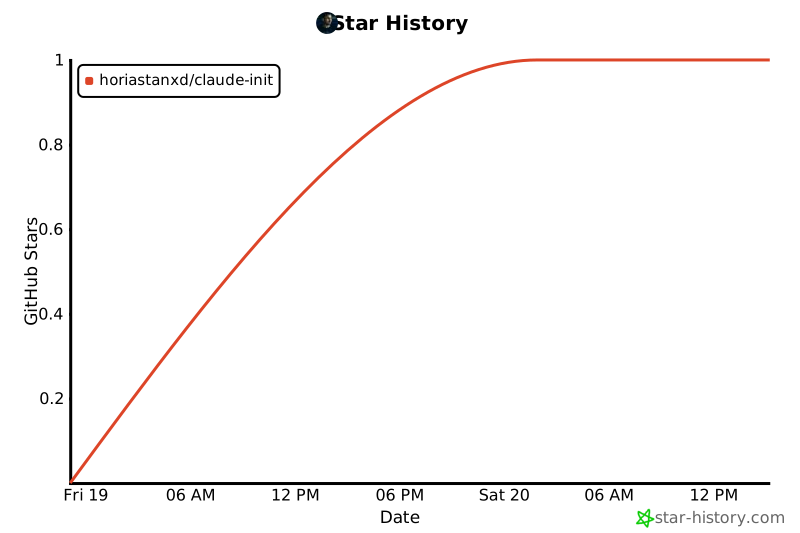](https://star-history.com/#horiastanxd/claude-init&Date)
## License
[MIT](./LICENSE)
TDQS
A3.8/5.0
Scored across 3 tools
Disambiguation5/5
Each tool has a clearly distinct purpose: analyze the project, check existing context files, and generate new ones. There is no overlap or ambiguity between them.
Naming Consistency5/5
All tool names follow a consistent verb_noun pattern (analyze_project, check_context_files, generate_context_files) using snake_case, making them predictable and easy to parse.
Tool Count5/5
With only 3 tools, the set is concise and well-scoped for the purpose of initializing AI context for a repository. Each tool serves a necessary function without redundancy.
Completeness5/5
The set covers the full workflow: analyzing the repository, checking existing context files, and generating/initializing them. No obvious gaps are present for the stated purpose.
Maintenance
ActivityInactive
ResponsivenessResponsive