
geogebra-mcp
# geogebra-mcp
An MCP server that lets an AI (Claude Desktop, Claude Code, Cursor, …) draw and edit plane-geometry figures **directly on GeoGebra Calculator** (`https://www.geogebra.org/calculator`).
Unlike the copy/paste workflow of the GeoGebra AutoDraw AI extension, the AI here works in a loop: it runs commands, reads errors and the figure state, verifies properties, looks at a screenshot, and fixes the figure itself — and it can edit the figure on request ("H must be the foot from A").
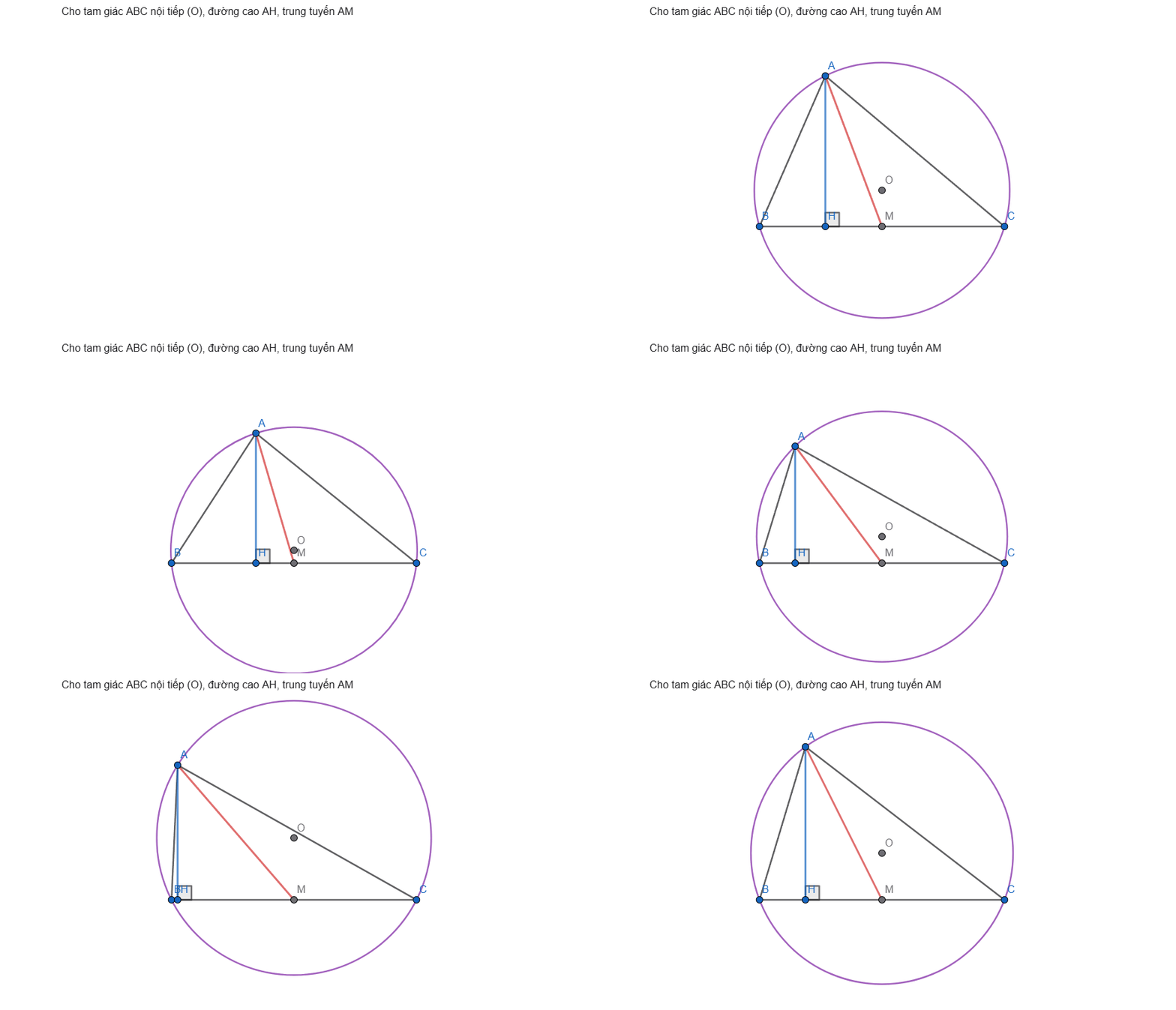
## How it works
```
AI client ──MCP (stdio)──► geogebra-mcp ──Playwright──► Chrome window: geogebra.org/calculator
└─ window.ggbApplet (GeoGebra JS API)
```
- On the first tool call the server opens a Chrome (or Edge) window on GeoGebra Calculator. The user watches the figure being drawn and can drag/edit it by hand.
- Tools call the GeoGebra JS API (`ggbApplet`) inside the page through `page.evaluate` — no simulated clicks.
- Commands run through `asyncEvalCommandGetLabels`, which lazy-loads GeoGebra modules, so prover/scripting commands (`AreCollinear`, `Incircle`, `TriangleCenter`, `ClosestPoint(line, point)`…) work.
- GeoGebra reports a failed command only as `null`, so the server adds its own diagnostics (unknown names, unknown commands, unbalanced brackets, known pitfalls) and warnings (undefined results, reserved names, two-point intersections without an index).
- If the window is closed or reloaded, the next tool call reopens it and restores the last known figure.
- Undo is managed by the server (XML history), because `ggbApplet.undo()` does not revert API commands.
## Tools
| Tool | Purpose |
|---|---|
| `ggb_run_commands` | Run commands in order; per-command result, created/removed objects, warnings, failure hints. Assigning to an existing name redefines it. |
| `ggb_get_state` | Objects with type, definition, value, coordinates, visibility, `dependsOn` / `usedBy`. |
| `ggb_screenshot` | PNG of the drawing area (or the whole window) for visual checking. |
| `ggb_evaluate` | Evaluate expressions without adding objects (`Angle(B, A, C)`, `AreCollinear(A, H, O)`…). |
| `ggb_set_style` | Color, visibility, label, caption, thickness, line style, point size, fill, fixed. |
| `ggb_delete` | Delete objects (and their dependents). |
| `ggb_clear` | Start a new figure. |
| `ggb_undo` | Revert changes made through the server. |
| `ggb_snapshot` | Save / restore / list named versions. |
| `ggb_fit_view` | Fit every visible point and circle in view (1:1 ratio), toggle axes/grid. |
| `ggb_export` | Save as `.ggb` or `.png`. |
Also: resource `geogebra://rules` (construction rules), resource `geogebra://commands` (command catalog), prompt `draw_geometry_problem`.
## Setup
Requirements: Node.js ≥ 20 and Google Chrome or Microsoft Edge (otherwise run `npx playwright install chromium`).
### Claude Code (plugin)
```bash
claude plugin marketplace add haison8x/geogebra-mcp
claude plugin install geogebra-mcp@geogebra-tools
```
The server then shows up in `/mcp` as `plugin:geogebra-mcp:geogebra`. Update later with `claude plugin update geogebra-mcp@geogebra-tools`.
### Claude Code (without the plugin)
```bash
claude mcp add geogebra -- npx -y geogebra-mcp
```
### Claude Desktop, Cursor and other MCP clients
Edit `claude_desktop_config.json` (Settings → Developer → Edit Config), or your client's MCP config:
```json
{
"mcpServers": {
"geogebra": {
"command": "npx",
"args": ["-y", "geogebra-mcp"]
}
}
}
```
Then restart the client and ask, for example: *"Vẽ tam giác ABC nội tiếp đường tròn (O), đường cao AH, M là trung điểm BC."*
### From source
```bash
git clone https://github.com/haison8x/geogebra-mcp.git
cd geogebra-mcp
npm install
npm run build
claude mcp add geogebra -- node /path/to/geogebra-mcp/dist/index.js
```
### Configuration (environment variables)
| Variable | Default | Meaning |
|---|---|---|
| `GGB_BROWSER` | try `chrome`, `msedge`, then Playwright Chromium | Browser channel |
| `GGB_HEADLESS` | `0` | `1` to run without a window (testing) |
| `GGB_PROFILE_DIR` | `~/.geogebra-mcp/profile` | Browser profile (keeps the GeoGebra login). One server instance per profile. |
| `GGB_URL` | `https://www.geogebra.org/calculator` | Page to open |
## Development
Releasing: bump the version in `package.json`, `.claude-plugin/plugin.json`, `.claude-plugin/marketplace.json`, `server.json` (both `version` fields) and the pinned version in `.mcp.json`. Then push, `npm publish`, `mcp-publisher publish`, and create a GitHub release.
```bash
npm run build
npm run smoke # end-to-end test through a real MCP client (headless)
npm run smoke -- --headed # same, with a visible window
```
## Notes
- GeoGebra is free for non-commercial use; check the GeoGebra license before any commercial use of this automation.
- Snapshots and undo history live in memory while the server runs.
TDQS
Scored across 11 tools
Each tool has a clearly distinct purpose: ggb_run_commands mutates the figure while ggb_evaluate only reads, ggb_delete removes specific objects while ggb_clear wipes all, and ggb_snapshot (in-memory) is clearly separated from ggb_export (file). Overlaps are explicitly called out and resolved in the descriptions.
All tools use the ggb_ prefix with snake_case, mostly verb_noun (ggb_run_commands, ggb_get_state, ggb_set_style, ggb_fit_view). The few single-verb names (ggb_delete, ggb_undo, ggb_clear) are natural and consistent with the convention.
11 tools is well within the ideal 3-15 range and each tool earns its place by covering a distinct facet of figure manipulation. Nothing feels redundant or padded.
The surface covers execution, inspection, visual check, evaluation, styling, deletion, undo, snapshots, view fitting, export, and clearing—a strong lifecycle. Minor gaps exist (no import/load of an existing .ggb file, though snapshot restore partially covers this), but core workflows are complete.