
F
licenseNot graded
qualityD
maintenanceEnables users to manage appointments through a FastAPI backend with PostgreSQL database. Supports creating, listing, updating, and deleting appointments via natural language interactions through Claude.
-

Powers the backend API server handling all requests for appointment management, user authentication, and LLM interactions.
Serves as the runtime environment for the server, handling business logic and API endpoints for the hospital appointment system.
Integrates with Mistral LLM to provide natural language understanding for appointment scheduling, SQL generation, and automated API calls based on user requests.
Stores and manages all hospital data including doctors, patients, appointments, and user credentials with complex queries and relationships.
Provides the frontend interface for the hospital appointment system with components for booking, doctor management, and LLM chat interactions.
Click on "Deploy Server".
Wait a few minutes for the server to deploy. Once ready, it will show a "Started" state.
In the chat, type @ followed by the MCP server name and your instructions, e.g., "@MCP Hospital Assistant book an appointment for Sarah with Dr. Smith at 2pm tomorrow"
That's it! The server will respond to your query, and you can continue using it as needed.
Here is a step-by-step guide with screenshots.
A full-stack intelligent hospital appointment management system powered by React, Node.js, PostgreSQL, and Mistral LLM (via Ollama).
▶️ Click here to watch the demo
🔁 Node.js + Express

🎨 React.js (frontend)

🧠 LLM (Ollama - Mistral)

💾 PostgreSQL

🛡️ Session-based login
📷 UI Preview
Login / Register Page

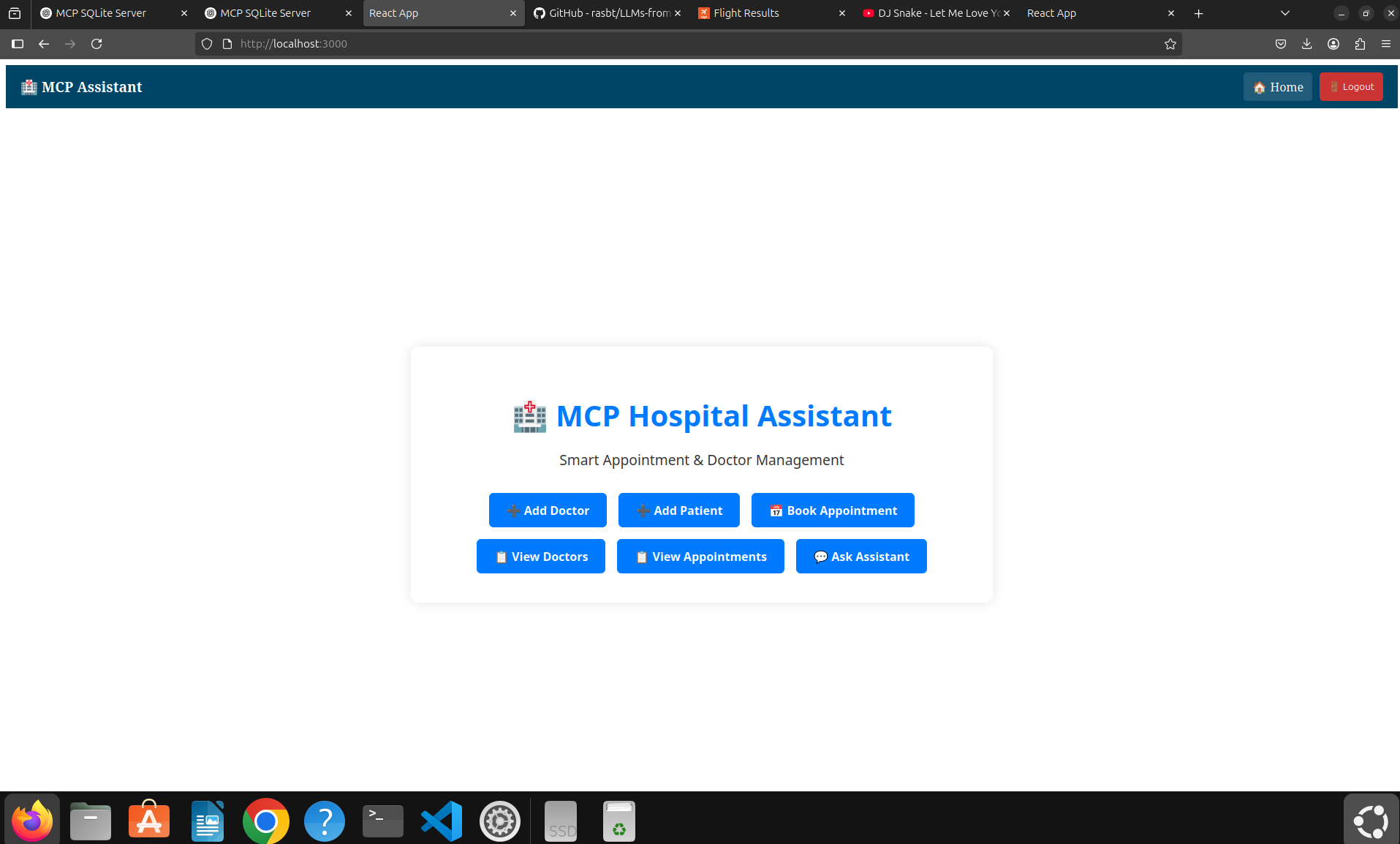
Dashboard with buttons to manage system manually

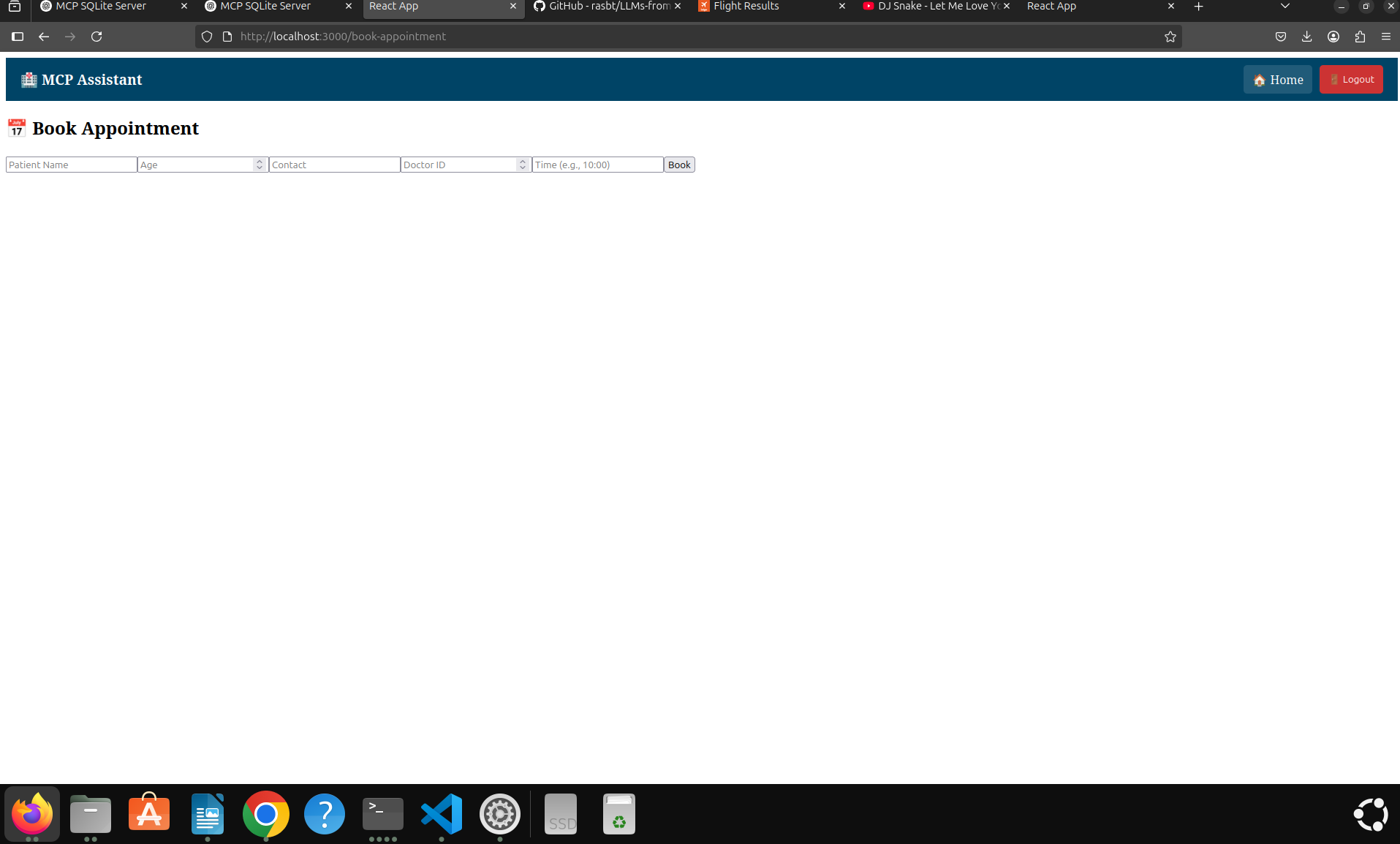
Book Appointment (manual)

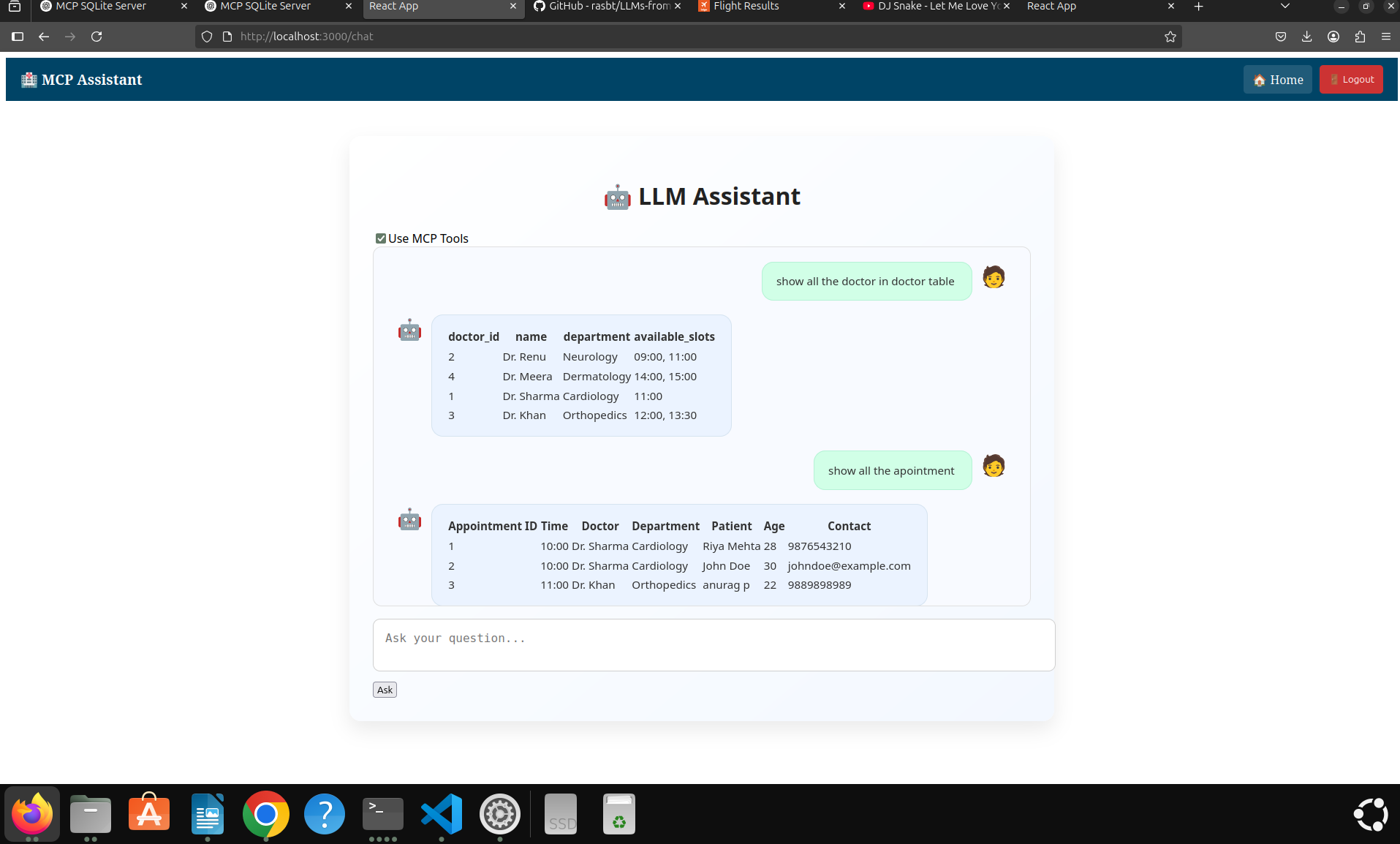
LLM-powered auto assistant interface
📁 Project Structure
├── backend/ │ ├── server.js # Node.js + Express backend │ ├── config/config.js # PostgreSQL config │ ├── mcp/ # All business logic handlers │ ├── auth/ # Login, register, session routes ├── frontend/ │ └── mcp-ui/ # React frontend │ ├── components/ # AddDoctor, Chat, Login, Home etc. │ └── App.js # Main route controller
⚙️ Setup Instructions
✅ Install PostgreSQL and create DB
sudo apt install postgresql postgresql-contrib sudo -u postgres psql
Then run:
CREATE DATABASE mcp; CREATE USER mcpuser WITH PASSWORD 'mcppass'; GRANT ALL PRIVILEGES ON DATABASE mcp TO mcpuser;
📦 Create Schema
Connect:
psql -U mcpuser -d mcp -h localhost
CREATE TABLE doctors ( doctor_id SERIAL PRIMARY KEY, name TEXT, department TEXT, available_slots JSONB );
CREATE TABLE patients ( patient_id SERIAL PRIMARY KEY, name TEXT, age INTEGER, contact TEXT );
CREATE TABLE appointments ( appointment_id SERIAL PRIMARY KEY, doctor_id INTEGER REFERENCES doctors(doctor_id), patient_id INTEGER REFERENCES patients(patient_id), appointment_time TEXT );
CREATE TABLE users ( id SERIAL PRIMARY KEY, username TEXT UNIQUE, password TEXT );
GRANT ALL PRIVILEGES ON ALL TABLES IN SCHEMA public TO mcpuser; GRANT ALL PRIVILEGES ON ALL SEQUENCES IN SCHEMA public TO mcpuser;
🧠 Install Ollama with Mistral
curl -fsSL https://ollama.com/install.sh | sh ollama run mistral
Make sure the local Ollama server is running and available on default port 11434. 4. 🚀 Backend Setup (Node.js)
cd backend/ npm install node server.js
This starts backend on: http://localhost:3007 5. 💻 Frontend Setup (React)
cd frontend/mcp-ui npm install npm start
This starts frontend at: http://localhost:3000 🧠 Key Functionalities ✨ Mode 1: Manual via UI
You can click on homepage icons to:
➕ Add Doctor

➕ Add Patient

📅 Book Appointment

📋 View Doctors

📋 View Appointments
These UI features directly use API endpoints (/api/execute, /api/book, etc.) 🔍 Mode 2: Smart Assistant (LLM-enabled)
From the "Ask Assistant" chat interface:
Type: Show all appointments

Or: Book appointment for patient John with doctor 2 at 10:00
✅ If MCP Tools is enabled (checkbox at top), the LLM will:
🔎 Understand user command

🔧 Choose correct tool from tools.json

🧠 Generate SQL

🔁 Automatically execute API calls behind the scenes
❌ If disabled, LLM simply gives plain answers (no system change). 🔐 Authentication
Only authenticated users can access core pages.

Register page stores hashed credentials securely in PostgreSQL.

Session stored using express-session.
📝 Example Prompts for LLM
Show all the doctors in doctor table Show appointments after 11:00 Book an appointment with Dr. Renu at 09:00 for John (age 30)
✅ Summary Feature Manual UI LLM Tools Add Doctor ✅ Yes ✅ via prompt Book Appointment ✅ Yes ✅ if slot available View Doctors/Appointments ✅ Yes ✅ via prompt Edit Slots ✅ Yes (via query) ✅ via prompt Security 🔐 Session Login 🔐 Session Protected
This server cannot be deployed
Medical RAG: semantic search for clinical guidelines, drug interactions, diagnoses & EHR data.
Medical RAG: semantic search for clinical guidelines, drug interactions, diagnoses & EHR data.
Schedule, members, and bookings in your AI tools
LLM Orchestration Agent