Click on "Install Server".
Wait a few minutes for the server to deploy. Once ready, it will show a "Started" state.
In the chat, type
@followed by the MCP server name and your instructions, e.g., "@MCP Chess Servermake the move e4 to start a new game"
That's it! The server will respond to your query, and you can continue using it as needed.
Here is a step-by-step guide with screenshots.
MCP Chess Server
This MCP let's you play chess against any LLM.
Installation
To use this chess server, add the following configuration to your MCP config:
{
"mcpServers": {
"chess": {
"command": "uvx",
"args": [
"mcp-chess"
]
}
}
}Related MCP server: Lichess MCP
Usage
Play a game:


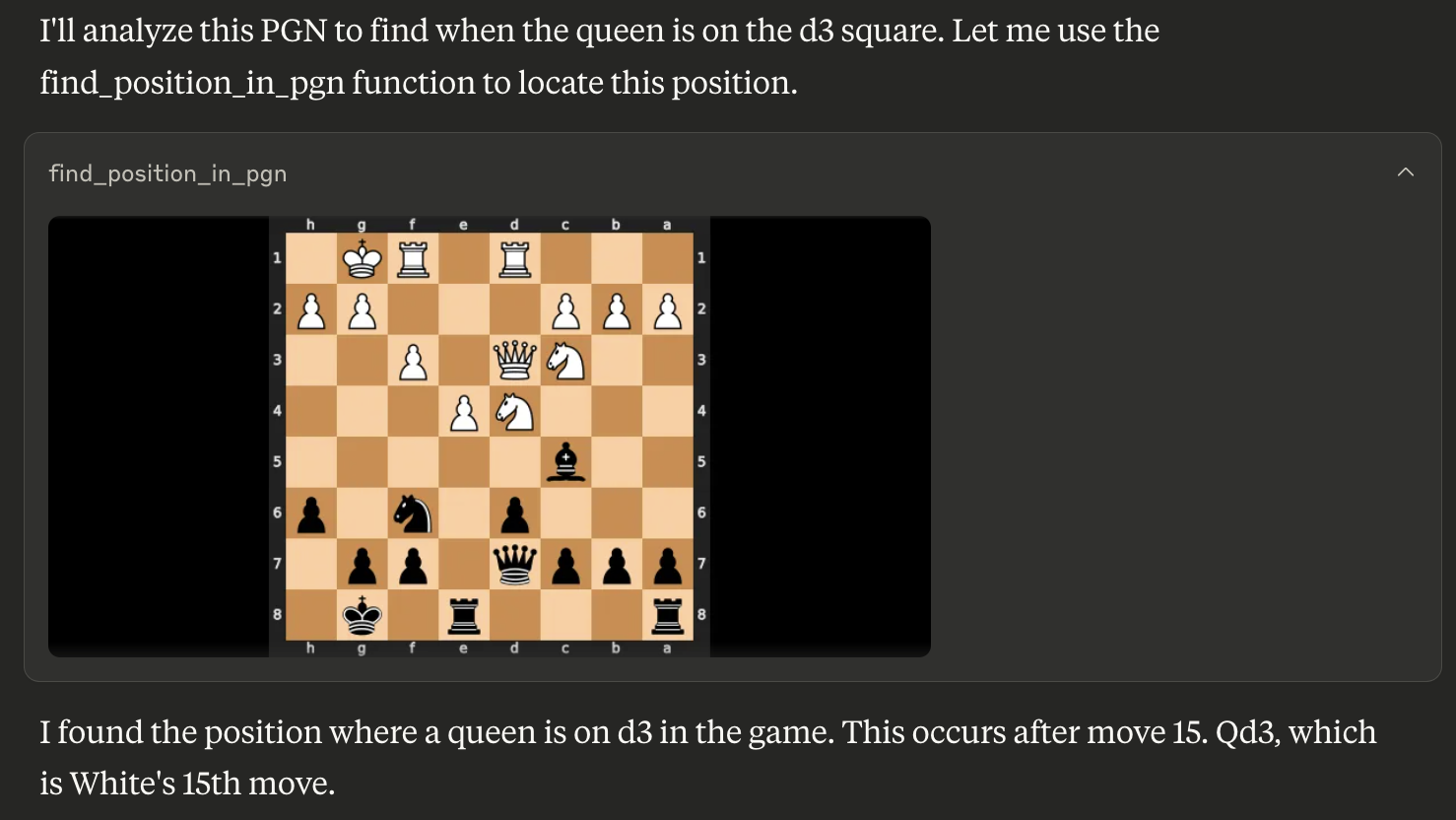
Find a position in a PGN for game analysis:

Available Tools
The server provides the following tools:
get_board_visualization(): Provides the current state of the chessboard as an image. The board orientation automatically flips based on the user's assigned color.get_turn(): Indicates whose turn it is ('white' or 'black').get_valid_moves(): Lists all legal moves for the current player in UCI notation (e.g., 'e2e4', 'g1f3'). Returns an empty list if the game is over.make_move(move_san: str): Makes a move on the board using Standard Algebraic Notation (SAN) (e.g., 'e4', 'Nf3', 'Bxe5'). Returns the move in SAN and UCI, the new board FEN, and game status.new_game(user_plays_white: bool = True): Starts a new game, resetting the board. By default, the user plays white. Sets the user's color for board orientation. Returns a confirmation message.find_position_in_pgn(pgn_string: str, condition: str): Finds the first board position in a PGN string matching a condition (e.g., "bishop on a3") and returns an image of that board state. The condition format is "piece_type on square_name". Valid piece types are "pawn", "knight", "bishop", "rook", "queen", "king".
This server cannot be installed
Resources
Unclaimed servers have limited discoverability.
Looking for Admin?
If you are the server author, to access and configure the admin panel.