
linklight
# linklight
**The MCP server for SEO.** Plug linklight into Claude Desktop, Claude Code, Cursor, or any MCP client and let your AI agent find prospects, draft outreach, and monitor backlinks — you approve and send.
Dashboard included. But the agent is the point.

[](https://glama.ai/mcp/servers/grodgers1-ctrl/kinky_link)
---
## 60-second setup
1. Sign in at [lightlinks.dev](https://lightlinks.dev) with Google.
2. Go to **Settings → API Access → Generate key**. Copy it.
3. Paste this into `~/.claude/settings.json` (or your MCP client's config):
```json
{
"mcpServers": {
"linklight": {
"type": "http",
"url": "https://lightlinks.dev/api/mcp",
"headers": { "Authorization": "Bearer sk_ll_PASTE_YOUR_KEY_HERE" }
}
}
}
```
4. Restart your MCP client. Ask your agent: *"List my linklight campaigns."*
Full docs: **[lightlinks.dev/docs/mcp](https://lightlinks.dev/docs/mcp)**.
## What your agent can do
| Tool | What it does |
|---|---|
| `search_prospects(keyword)` | Find prospect sites for a topic (Tavily-backed, DA-enriched) |
| `find_competitor_backlinks(competitor_domain)` | Find pages linking to a competitor in roundups/alternatives lists — pass `my_domain` to get only NEW opportunities |
| `find_similar_prospects(url)` | Given one good prospect, return 20 more like it (Exa.ai neural search) |
| `enrich_domain(domain)` | DA + contact email + homepage title/description |
| `find_email(domain)` | Look up a contact email (Hunter) |
| `draft_email(topic)` | Write a personalised outreach email with a built-in spam score |
| `save_draft(prospect_id, subject, body)` | Save a drafted email against a prospect for you to review |
| `find_quick_win_keywords(site_id)` | Return striking-distance keywords (pages 2-3 with impressions) |
| `find_prospect_gaps(campaign_id)` | Prospects in a campaign missing an email, sorted by DA |
| `list_lost_backlinks(site_id)` | Backlinks currently broken, unreachable, or redirected |
| `list_campaigns` / `list_prospects` / `list_replies` / `list_backlinks` | Query your data |
Sending emails is **never** exposed as an MCP tool. Every send needs your manual approval in the dashboard.
## Example agent prompts
```
Find the top 20 prospects for "nextjs seo" with DA ≥ 40.
For each, draft a warm personalised email referencing their most recent post,
save each draft against the prospect, and show me the spam scores.
```
```
Who links to ahrefs.com in roundups or "best of" articles?
Exclude domains that already link to my site, and give me the top 15 by DA.
```
```
List my lost backlinks from the past 30 days, group by domain,
and tell me which ones are worth reaching out to.
```
```
For campaign "Q4 outreach", find prospects without emails and run find_email
on the top 10 by domain authority.
```
## Pricing
$19/mo. 7-day free trial, no credit card required.
## Under the hood
- Next.js 16 (Turbopack) on Vercel
- Supabase (Postgres) with RLS on every table
- NextAuth + Google OAuth (Gmail + Search Console)
- Tavily for real-time web search
- Exa.ai for semantic prospect discovery
- OpenAI for email drafting
- Moz + Hunter for enrichment
## MCP directories
- [MCP Servers (official registry)](https://github.com/modelcontextprotocol/servers)
- [mcp.so](https://mcp.so)
- [Glama MCP Directory](https://glama.ai/mcp/servers)
- [Smithery](https://smithery.ai)
- [PulseMCP](https://www.pulsemcp.com)
- [MCP Market](https://mcpmarket.com)
See [docs/mcp/directory-submission.md](docs/mcp/directory-submission.md) for ready-to-paste listing details.
## License
MIT — see [LICENSE](LICENSE).
TDQS
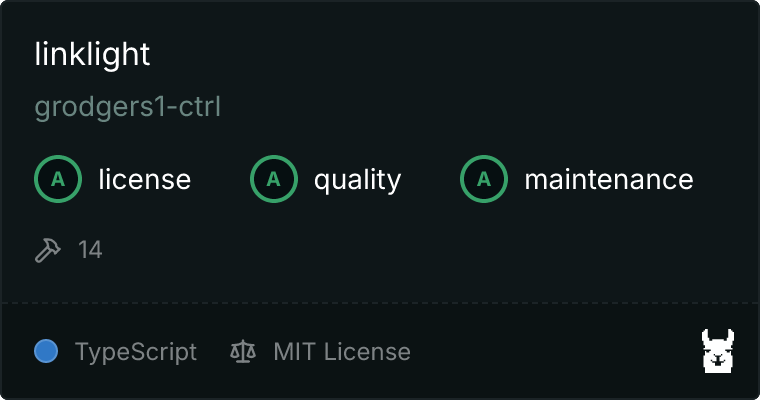
Scored across 14 tools
Most tools have clearly distinct purposes: discovery (search, similar, competitor), enrichment (domain, email), listing (prospects, backlinks, replies, campaigns), outreach (draft, save), and analysis (quick win keywords, gaps). Minor overlap exists (list_backlinks vs list_lost_backlinks, enrich_domain vs find_email) but descriptions clarify the intended use cases.
All tool names use snake_case with a verb_noun structure, consistently using 'list' for listing actions and 'find' for discovery. The only deviation is 'search_prospects' using 'search' instead of 'find', but this is acceptable given the keyword-based nature of the search.
With 14 tools, the set is well-scoped for a link-building workflow, covering discovery, enrichment, outreach, and monitoring. Each tool serves a distinct purpose and none are redundant or superfluous, fitting the 3-15 tool sweet spot.
The toolset covers discovery, enrichment, outreach drafting, and backlink monitoring, but lacks lifecycle management operations such as updating prospect status or creating campaigns. This creates a dead end where agents can list prospects by status but cannot move them through the pipeline, making the surface incomplete for full workflow automation.