
mcp-ragchat
<p align="center">
<h1 align="center">mcp-ragchat</h1>
<p align="center">
An MCP server that adds RAG-powered AI chat to any website. One command from Claude Code.
</p>
</p>
<p align="center">
<a href="https://opensource.org/licenses/MIT"><img src="https://img.shields.io/badge/License-MIT-yellow.svg" alt="License: MIT"></a>
<a href="https://nodejs.org/"><img src="https://img.shields.io/badge/node-%3E%3D20-brightgreen.svg" alt="Node.js 20+"></a>
<a href="https://www.typescriptlang.org/"><img src="https://img.shields.io/badge/TypeScript-5.0-blue.svg" alt="TypeScript"></a>
<a href="https://modelcontextprotocol.io/"><img src="https://img.shields.io/badge/MCP-compatible-8A2BE2.svg" alt="MCP"></a>
<a href="https://www.npmjs.com/package/mcp-ragchat"><img src="https://img.shields.io/npm/v/mcp-ragchat.svg" alt="npm"></a>
</p>
---
Tell Claude Code _"add AI chat to mysite.com"_ and it will crawl your content, build a local vector store, spin up a chat server, and hand you an embed snippet. No cloud infra. No database. Just one API key.
## Demo
```
You: "Set up AI chat for mybakery.com using this FAQ and menu content"
Claude: I'll set up RAG-powered chat for mybakery.com.
[1/4] ragchat_setup
Splitting content into sections...
Generating embeddings for 12 documents...
Domain "mybakery.com" configured with 12 documents.
[2/4] ragchat_test
Query: "What are your hours?"
Reply: "We're open Monday-Saturday 7am-6pm, and Sunday 8am-2pm."
RAG Sources: mybakery.com-3 (0.91), mybakery.com-7 (0.84)
Latency: 340ms
[3/4] ragchat_serve
Chat server running at http://localhost:3456
POST /chat ready.
[4/4] ragchat_widget
Generated embed code. Paste this into your HTML:
<script src="http://localhost:3456/widget.js"></script>
You: Done. Live chat on my site in under 60 seconds.
```
## Quick Start
**1. Clone and build**
```bash
git clone https://github.com/gogabrielordonez/mcp-ragchat
cd mcp-ragchat
npm install && npm run build
```
**2. Configure Claude Code** (`~/.claude/mcp.json`)
```json
{
"mcpServers": {
"ragchat": {
"command": "node",
"args": ["/absolute/path/to/mcp-ragchat/dist/mcp-server.js"],
"env": {
"OPENAI_API_KEY": "sk-..."
}
}
}
}
```
**3. Use it**
Open Claude Code and say:
> "Add AI chat to mysite.com. Here's the content: [paste your markdown]"
Claude handles the rest.
## Tools
| Tool | What it does |
|------|-------------|
| `ragchat_setup` | Seed a knowledge base from markdown content. Each `##` section becomes a searchable document with vector embeddings. |
| `ragchat_test` | Send a test message to verify RAG retrieval and LLM response quality. |
| `ragchat_serve` | Start a local HTTP chat server with CORS and input sanitization. |
| `ragchat_widget` | Generate a self-contained `<script>` tag -- a floating chat bubble, no dependencies. |
| `ragchat_status` | List all configured domains with document counts and config details. |
## How It Works
```
+------------------+
| Your Markdown |
+--------+---------+
|
ragchat_setup
|
+------------v-------------+
| Local Vector Store |
| ~/.mcp-ragchat/domains/ |
| vectors.json |
| config.json |
+------------+-------------+
|
User Question |
| |
+------v------+ +------v------+
| Embedding | | Cosine |
| Provider +->+ Similarity |
+-------------+ +------+------+
|
Top 3 chunks
|
+----------v-----------+
| System Prompt |
| + RAG Context |
| + User Message |
+----------+-----------+
|
+----------v-----------+
| LLM Provider |
+----------+-----------+
|
Reply
```
Everything runs locally. No cloud infrastructure. Bring your own API key.
## Supported Providers
### LLM (chat completions)
| Provider | Env Var | Default Model |
|----------|---------|---------------|
| OpenAI | `OPENAI_API_KEY` | `gpt-4o-mini` |
| Anthropic | `ANTHROPIC_API_KEY` | `claude-sonnet-4-5-20250929` |
| Google Gemini | `GEMINI_API_KEY` | `gemini-2.0-flash` |
### Embeddings (vector search)
| Provider | Env Var | Default Model |
|----------|---------|---------------|
| OpenAI | `OPENAI_API_KEY` | `text-embedding-3-small` |
| Google Gemini | `GEMINI_API_KEY` | `text-embedding-004` |
| AWS Bedrock | `AWS_REGION` + IAM | `amazon.titan-embed-text-v2:0` |
Override defaults with `LLM_MODEL` and `EMBEDDING_MODEL` environment variables.
## Architecture
```
~/.mcp-ragchat/domains/
mysite.com/
config.json -- system prompt, settings
vectors.json -- documents + embedding vectors
```
- **Vector store** -- Local JSON files with cosine similarity search. Zero external dependencies.
- **Chat server** -- Node.js HTTP server with CORS and input sanitization.
- **Widget** -- Self-contained `<script>` tag. No frameworks, no build step.
## Contributing
Issues and pull requests are welcome.
- Found a bug? [Open an issue](https://github.com/gogabrielordonez/mcp-ragchat/issues)
- Want to add a feature? Fork, branch, PR.
- Questions? Start a [discussion](https://github.com/gogabrielordonez/mcp-ragchat/discussions)
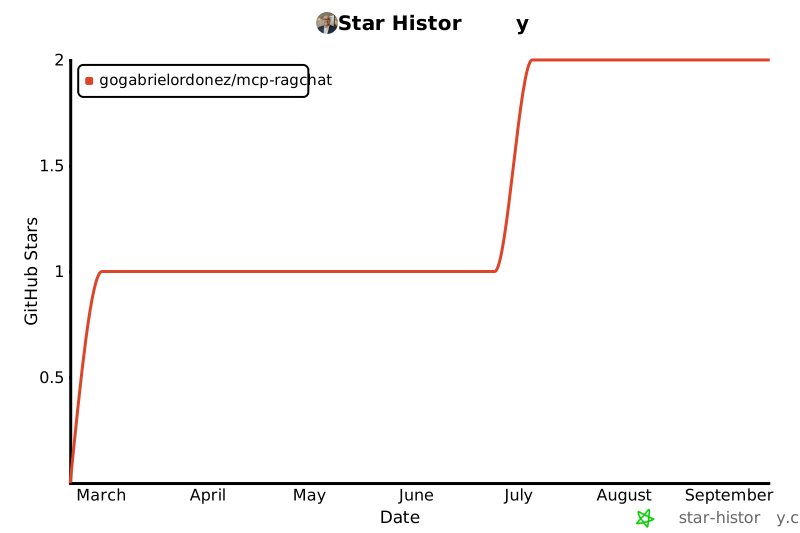
## Star History
[](https://star-history.com/#gogabrielordonez/mcp-ragchat&Date)
---
### Enterprise
Need multi-tenancy, security guardrails, audit trails, and managed infrastructure? Check out [Supersonic](https://adwaizer.com/supersonic) -- the enterprise AI platform built on the same RAG pipeline.
---
**MIT License** -- Gabriel Ordonez
TDQS
Scored across 5 tools
Each tool targets a distinct operation: setup initializes a domain, status checks configuration, test sends a query, serve starts a server, and widget generates embed code. There is no overlap in functionality.
All tools share the consistent prefix 'ragchat_', but the second part mixes verbs (serve, setup, test) and nouns (status, widget). This is mostly predictable, though not strictly verb_noun.
With 5 tools, the server covers the essential lifecycle of a RAG chat system (setup, verify, test, deploy, embed) without unnecessary bloat or missing critical steps.
The tools cover the core workflow: initialize, check status, test, serve, and embed. Minor gaps exist (e.g., no update or delete domain), but the surface is complete for basic usage.