
ShortsFlow
# ⚡ ShortsFlow AI Studio
> **The self-hosted Opus Clip alternative.**
> Paste a podcast or YouTube link, get captioned 9:16 Shorts that cut to whoever is talking. Free, local, no watermark, no credit caps.
**Clip long videos** with local Whisper, an LLM that scores the hooks, face-tracked 9:16 crops, a stacked two-speaker split or active-speaker switching, and Remotion spring captions.
**Or generate from an idea** with 30+ formats (facts quizzes, explainers, top-5 lists, stories) and drive everything from a browser UI, the CLI, Docker, Colab or an MCP agent.
<div align="center">
<img src="demos/demo_clipping_active.gif" width="220" alt="Podcast clip: the crop cuts to whoever is speaking" />
<img src="demos/demo_spot_the_lie.gif" width="220" alt="Spot the Lie short rendered by ShortsFlow" />
<img src="demos/demo_short.gif" width="220" alt="Viral Short Preview" />
<img src="demos/demo_facts.gif" width="220" alt="AI Facts Preview" />
<img src="demos/demo_explainer.gif" width="220" alt="Manim Explainer Preview" />
</div>
<p align="center">
🎬 <b>Running in production:</b> the YouTube channel <a href="https://www.youtube.com/@spottheliee">@spottheliee</a> is generated and posted
entirely by ShortsFlow - 6 "spot the lie" Shorts a day from <a href=".github/workflows/daily_generate.yml">one GitHub Actions workflow</a>.
</p>
<p align="center">
<a href="https://pypi.org/project/shortsflow/"><img src="https://img.shields.io/pypi/v/shortsflow?style=flat&logo=pypi&logoColor=white&color=3775A9" alt="PyPI version" /></a>
<a href="https://pypi.org/project/shortsflow/"><img src="https://img.shields.io/pypi/pyversions/shortsflow?style=flat&logo=python&logoColor=white" alt="Python versions" /></a>
<a href="https://remotion.dev"><img src="https://img.shields.io/badge/Remotion-React_Video-61DAFB?style=flat&logo=react" alt="Remotion" /></a>
<a href="https://nvidia.com"><img src="https://img.shields.io/badge/CUDA-GPU_Accelerated-76B900?style=flat&logo=nvidia" alt="CUDA" /></a>
<a href="LICENSE"><img src="https://img.shields.io/badge/License-MIT-green?style=flat" alt="MIT License" /></a>
<a href="https://colab.research.google.com/github/ghost1412/shorts-generator/blob/main/ShortsFlow_Colab.ipynb"><img src="https://colab.research.google.com/assets/colab-badge.svg" alt="Open in Colab" /></a>
<a href="https://github.com/ghost1412/shorts-generator/stargazers"><img src="https://img.shields.io/github/stars/ghost1412/shorts-generator?style=flat&logo=github" alt="GitHub stars" /></a>
<a href="https://github.com/ghost1412/shorts-generator/actions/workflows/tests.yml"><img src="https://github.com/ghost1412/shorts-generator/actions/workflows/tests.yml/badge.svg" alt="Tests" /></a>
</p>
<p align="center"><b>⭐ If ShortsFlow saves you an Opus Clip subscription, please star the repo - it helps more creators find it.</b></p>
---
## ✂️ Clipping demo: the crop follows whoever is talking
The first GIF above is a real run of `py main.py --source_video interview.mp4 --layout active --use_remotion` on a 4:3, 480p two-person
interview: the shot cuts to the speaker, found by voice pitch plus face detection, and Whisper word captions are burned in.
Source footage: [Aida Thomas Interviews Nancy Many - Part 1](https://commons.wikimedia.org/wiki/File:Aida_Thomas_Interviews_Nancy_Many_-_Part_1.ogv)
by Aida Thomas, [CC BY-SA 3.0](https://creativecommons.org/licenses/by-sa/3.0); the demo GIF is a derivative and is shared under the same licence.
---
## 🎛️ Review, restyle and brand your shorts
After **Make my shorts**, the browser app (`shortsflow webui`) shows every short as a card instead of a bare file list:
<div align="center">
<img src="demos/webui_review.jpg" width="720" alt="Review screen: preview, score, copy-ready title and hashtags for each short" />
</div>
- **Review:** a preview player, a *strong / good / okay / weak* label with the reason, and a title, description and hashtags ready to copy. Remove what you do not want, then **Download all as .zip**. Earlier runs can be reopened.
- **Edit one short:** pick another caption style or change its start and end, and only that short is re-rendered (about a minute). **Undo** puts the previous version back.
- **Caption styles** come with a preview, and your **brand** (logo, @handle, end card, accent colour) is saved once and added to every short.
<div align="center">
<img src="demos/webui_edit.jpg" width="440" alt="Edit panel: caption style, start and end, re-render and undo" />
<img src="demos/webui_style_brand.jpg" width="280" alt="Caption style picker with preview and the brand kit panel" />
</div>
<sub>Screenshots use sample clips made from the demo GIFs above.</sub>
---
## ⚡ Quick Start - pick one
## 🪟 Windows: one-click install
**[⬇ Download ShortsFlow-Setup.exe](https://github.com/ghost1412/shorts-generator/releases/latest/download/ShortsFlow-Setup.exe)** (or see [all releases](https://github.com/ghost1412/shorts-generator/releases)), run it, then open **ShortsFlow** from your Desktop. A browser page opens where you paste a video link or upload a file and press one button. No Python, Node or API key to install first.
- The installer downloads roughly 2 GB the first time (about 5 GB with an NVIDIA card, because of the GPU libraries; it fetches its own private Python, the speech-recognition components and Node), so it needs an internet connection and a few minutes. It does not need admin rights.
- It is not code-signed yet, so Windows may show a blue "Windows protected your PC" box: click **More info**, then **Run anyway**.
- With an NVIDIA graphics card it uses the GPU (fast). Without one it still works on the CPU, but transcribing a long video takes much longer, and the first run also downloads the speech model.
- Uninstall from Windows Settings > Apps. Your videos and settings in `%LOCALAPPDATA%\ShortsFlow\workspace` are kept.
## 🚀 Your first shorts in 3 steps (no API key needed)
Clipping a long video into vertical shorts works **without any account or API key**. A key (or a free local Ollama) only adds AI titles and descriptions, and is needed for the idea-to-video modes.
1. **Install** (needs [Python 3.12](https://python.org)): `pip install "shortsflow[clip]"`
2. **Check your setup**: `shortsflow doctor` lists what is ready and what to fix, in plain words.
3. **Make shorts** from a file or a link: `shortsflow clip my_video.mp4` (or `shortsflow clip "https://youtube.com/watch?v=..."`). Add `--count 5` for more clips, `--captions` for animated captions (needs [Node.js](https://nodejs.org), then run `shortsflow init` once).
Your shorts are saved in a `shortsflow` folder in your home directory (the command prints the exact path). Stuck? `shortsflow doctor` tells you the next step, and error messages say how to fix a bad key or a rate limit.
| Option | Command | Best for |
|---|---|---|
| ☁️ **Google Colab** (free GPU, zero install) | [](https://colab.research.google.com/github/ghost1412/shorts-generator/blob/main/ShortsFlow_Colab.ipynb) | Trying it in 5 minutes |
| 🐳 **Docker** (browser WebUI) | `docker run -p 7860:7860 -e GEMINI_API_KEY=your_key ghcr.io/ghost1412/shorts-generator` → open http://localhost:7860 | Servers, Linux, no Python setup |
| 📦 **pip** | `pip install shortsflow` then `shortsflow init` and `shortsflow doctor` (clipping: `pip install "shortsflow[clip]"`) | Using it as a command from anywhere |
| 🌐 **Browser WebUI** | `pip install -r requirements-full.txt && python webui.py` | Local use with a GPU |
| 🖥️ **Desktop Studio GUI** (Windows) | `setup.bat && launch.bat` | Windows desktop |
| 🤖 **AI agents** | `python mcp_server.py` or point your agent at [`SKILL.md`](SKILL.md) | Claude Code, Cursor, n8n |
```bash
git clone --depth 1 https://github.com/ghost1412/shorts-generator.git
cd shorts-generator
```
> 🐧 **Linux / macOS**: `chmod +x setup.sh && ./setup.sh && python3 webui.py`
---
## ⚡ ShortsFlow vs Opus Clip, Klap & Vizard
| | ⚡ ShortsFlow | Paid clippers |
|---|---|---|
| **Price** | Free (MIT). You pay only for the LLM key you choose, or $0 with Ollama | ~$19-49 / month with minute or credit caps |
| **Where your video goes** | Stays on your machine; Whisper runs locally | Uploaded to their cloud |
| **Watermark / export limits** | None | Watermark and caps on lower tiers |
| **Face-tracked 9:16 reframing** | ✅ | ✅ |
| **Podcast layouts** | ✅ single, stacked split, active-speaker switching | ✅ varies by tool |
| **Word-level animated captions** | ✅ Remotion (Hormozi, Glow Box, Bounce, Minimal) | ✅ |
| **Virality / hook score per clip** | ✅ in `--output_json` (WebUI view planned) | ✅ |
| **Dubbing** | ✅ | Often a paid add-on |
| **Idea-to-video (facts, explainers, stories)** | ✅ 30+ modes | ❌ clipping only |
| **Automation** | ✅ CLI, MCP server, Docker, GitHub Actions | API usually on higher tiers |
| **Polished timeline editor** | ❌ not yet | ✅ |
| **Multi-platform scheduling** | ✅ TikTok / Instagram / YouTube via Upload-Post (`python -m engine.publish`) | ✅ |
_Honest take: the paid tools have a nicer editor and scheduling. ShortsFlow wins on cost, privacy, and being scriptable._
---
## 🖥️ Desktop Studio GUI (`gui_app.py`)
<div align="center">
<img src="demos/ui_studio_preview.png" width="100%" alt="ShortsFlow AI Studio GUI Preview" />
</div>
- **3-Column Single-Window Studio Layout**: Live 9:16 vertical canvas preview, mode picker, preset cards, and 1-click render launcher.
- **Interactive Remotion Presets**: 1-click selection between `HORMOZI`, `GLOW_BOX`, `BOUNCE`, and `MINIMAL` spring captions.
---
## 🎬 Video Generator Modes
| Mode | Visual Format | Quick Command |
| :--- | :--- | :--- |
| ✂️ **AI Clipping** | Slices long YouTube/local videos into high-scoring vertical shorts | `py main.py --source_video "URL" --smart_crop` |
| 🔢 **Top 5 Countdown** | Numbered listicle countdown shorts (#5 ➔ #1) with rank badges | `py main.py --mode TOP_5 --category "inventions"` |
| 💬 **Chat Story** | Animated text message conversation shorts (iMessage format) | `py main.py --mode CHAT_STORY --category "mystery"` |
| 👥 **Podcast** *(planned, not implemented yet)* | 2-speaker debate shorts with alternating multi-voice synthesis | - |
| 🌐 **Video Dubbing** *(planned, not implemented yet)* | Multilingual video translation & voice re-synthesis | - |
| 🧮 **Manim Explainer** | Programmatic 2D/3D math, CS, and science animations | `py main.py --mode EXPLAINER --prompt "Gravity"` |
| 💡 **AI Facts** | High-energy trivia & mystery facts with scene stock loops | `py main.py --mode FACTS --category "space"` |
| 📖 **AI Story** | Narrative story voiceover with visual scene stitching | `py main.py --mode STORY --category "sci-fi"` |
| 🤔 **This or That (WYR)** | Split-screen dilemma challenge with VS central badge | `py main.py --mode WYR --category "superpowers"` |
| 🧩 **Emoji Guess** | Interactive emoji puzzle game with animated reveal | `py main.py --mode EMOJI_GUESS --category "movies"` |
| 📰 **News Breakdown** | RSS news headline summary with cartoon personas | `py main.py --mode NEWS --cartoon --persona mafia_cat` |
---
## 🎛️ Engine Power Capabilities
| Capability | Supported Technologies & Flags |
| :--- | :--- |
| 🎙️ **Voice Synthesis & Cloning** | Local Kokoro TTS (`--tts_provider kokoro`, no key), Zero-Shot Voice Cloning (`--clone_voice "sample.wav"`), VoiceStudio Local REST (`--tts_provider voicestudio`), ElevenLabs, EdgeTTS |
| 📐 **Aspect Ratios** | `9:16` (Vertical), `16:9` (Landscape), `1:1` (Square), `4:5` (Social Feed) via `--aspect_ratio` |
| 🔊 **Audio Mastering & SFX** | Auto SFX (`whoosh`, `pop`, `riser`, `boom`), Dynamic BGM Audio Ducking (`--auto_ducking`), Studio Master Filter (`--enhance_audio`) |
| 🎥 **Motion & Visual Filters** | Dynamic Camera Push-In Zoom (`--enable_zoom`), 12 Color Grade Presets (`--video_filter cyberpunk`, `kurosawa`, `teal_orange`) |
| 📦 **Batch Automation** | Automated queue execution from CSV / text lists (`--batch_file "topics.txt"`) |
| 🤖 **Multi-LLM Matrix** | Google Gemini, Local Ollama (`qwen3:8b`), DeepSeek, Groq, Anthropic, OpenRouter (`--llm_provider`) |
---
## 🎨 Visual Color Grading Presets (`--video_filter`)
| Preset Name | Visual Atmosphere | Preset Name | Visual Atmosphere |
| :--- | :--- | :--- | :--- |
| **`dynamic`** | AI auto-switches color grade per scene beat | **`kurosawa`** | Black & White high-contrast samurai |
| **`cyberpunk`** | Neon boosted purples/blues for night sci-fi | **`teal_orange`** | Blockbuster movie cinematic color balance |
| **`cinematic_warm`** | Golden hour warmth for scenery & drama | **`vibrant_action`** | Sharp contrast & saturation for sports/action |
| **`vintage_vhs`** | Analog retro tape scanlines & color shift | **`moody_dark`** | Dark fantasy / horror shadow contrast |
---
## 🤖 Model Context Protocol (MCP) & AI Agent Server
ShortsFlow AI Studio provides a native **MCP Server** (`mcp_server.py`) allowing AI assistants (Claude Desktop, Cursor, Antigravity, n8n, AutoGPT) to create shorts autonomously:
```bash
# Launch MCP Server over standard I/O for AI IDEs & Workflow Engines
python mcp_server.py
```
### Add it to your AI tool
The MCP server runs from a checkout of this repo (it starts `main.py` next to it):
```bash
git clone --depth 1 https://github.com/ghost1412/shorts-generator.git
cd shorts-generator && pip install -r requirements.txt
claude mcp add shortsflow -- python /full/path/to/shorts-generator/mcp_server.py # Claude Code
```
Claude Desktop / Cursor: add this under `mcpServers` in the tool's config JSON (use the full path):
```json
{ "mcpServers": { "shortsflow": { "command": "python", "args": ["/full/path/to/shorts-generator/mcp_server.py"] } } }
```
### Available MCP Tools:
* `generate_short`: Create AI shorts from topics or prompts.
* `extract_clips`: Slice long YouTube videos into vertical shorts with face tracking, a stacked two-speaker split (`layout: split`) or active-speaker switching (`layout: active`).
* `generate_social_package`: Generate platform metadata (`.meta.json`) for YouTube Shorts, TikTok, and Reels.
* `get_render_status`: Query live rendering job progress.
* `list_supported_modes`: List the content modes, caption styles and options the server accepts.
---
## 🔌 REST API & Webhooks
```bash
pip install -r requirements-full.txt
SHORTSFLOW_API_KEY=change-me python -m shortsflow.api # http://127.0.0.1:8080/docs
```
```bash
curl -X POST localhost:8080/v1/clips -H "Authorization: Bearer change-me" -H "Content-Type: application/json" -d '{"source_video": "https://youtu.be/VIDEO_ID", "layout": "active", "clip_count": 3, "webhook_url": "https://example.com/hook"}'
# -> {"id": "a1b2c3", "status": "queued", "url": "/v1/jobs/a1b2c3"}
curl localhost:8080/v1/jobs/a1b2c3 -H "Authorization: Bearer change-me" # status + files[] download links
```
`POST /v1/shorts` generates from an idea (`mode`, `category`, `prompt`...). Webhooks are signed with
`X-ShortsFlow-Signature: sha256=<HMAC of body>` when `SHORTSFLOW_WEBHOOK_SECRET` is set. Jobs run one at a time by default
(`SHORTSFLOW_MAX_CONCURRENT`). With Docker: `SHORTSFLOW_API_KEY=change-me docker compose --profile api up api` (refuses to start without a key). A ready-made n8n flow lives in [`examples/n8n/`](examples/n8n/shortsflow-clip-workflow.json).
---
## 📤 Publish & Schedule (TikTok, Instagram Reels, YouTube Shorts)
Clip extraction writes `metadata.json` (title, description, tags) and a badge thumbnail next to every clip. Post them with
[Upload-Post](https://upload-post.com), which holds the platform logins (set `UPLOAD_POST_API_KEY` and `UPLOAD_POST_USER`):
```bash
# preview what would be posted, then post now or stagger one clip every 3 hours
python -m engine.publish sessions/extraction_123/metadata.json --platforms tiktok,instagram,youtube --dry-run
python -m engine.publish sessions/extraction_123/metadata.json --platforms tiktok,instagram --start 2026-11-02T10:00 --every 180 --timezone Europe/Madrid
```
---
## 🏷️ Brand Kit
Burn your logo, `@handle` and a closing end card into every clip (placed clear of the Shorts/Reels UI):
```bash
py main.py --source_video "URL" --logo logo.png --handle @mychannel --end_card "Follow for more"
py main.py --source_video "URL" --brand examples/brand.json # same thing as a preset file
python -m engine.branding existing_clip.mp4 --logo logo.png --handle @mychannel # any finished video
```
---
## 💡 Top Command Recipes
```bash
# 1. Podcast Shorts that cut to whoever is talking (stacked split when unsure) + silence removal
py main.py --source_video "https://www.youtube.com/watch?v=VIDEO_ID" --extract_mode shorts --layout active --tighten --use_remotion
# 1b. Prompt-based clipping: only the moments that match your request (LLM search, keyword fallback offline)
py main.py --source_video "https://www.youtube.com/watch?v=VIDEO_ID" --find "where they discuss pricing" --clip_count 3 --use_remotion
# 1a. Cut the ums and uhs (and silences) out of clips
py main.py --source_video "URL" --tighten --remove_fillers --use_remotion
# 1e. Edit by transcript: cut phrases, or delete words from the transcript text file and re-run
py main.py --source_video "URL" --session_dir sessions/talk --cut "you know" --cut "so basically"
# -> writes sessions/talk/transcript.txt; delete words/lines in a copy, then:
py main.py --source_video "URL" --session_dir sessions/talk --edit_transcript my_edit.txt
# 1c. Emoji pop on keywords in HORMOZI/BOUNCE captions (needs an emoji font; included in the Docker image)
py main.py --source_video "URL" --use_remotion --caption_style HORMOZI --caption_emoji
# 1d. Fully local, zero-cost voice: Kokoro TTS (no API key; ~120 MB model downloads once)
py main.py --mode FACTS --category "space" --tts_provider kokoro --voice af_heart --use_remotion
# 2. High-Retention Short with Voice Cloning, Zoom Motion & Audio Ducking
py main.py --mode FACTS --category "cyberpunk AI" --tts_provider voicestudio --clone_voice "my_voice.wav" --enable_zoom --auto_ducking --use_remotion
# 3. Render Landscape 16:9 YouTube Video with SFX
py main.py --mode EXPLAINER --prompt "Quantum physics" --aspect_ratio 16:9 --sfx_preset whoosh
# 4. Translate and dub video: planned, not implemented yet (--mode DUB / --target_lang are ignored)
# 5. Process Batch Content Calendar Queue
py main.py --batch_file "topics.txt" --mode FACTS --aspect_ratio 9:16 --use_remotion
```
---
## ⚙️ Environment Configuration (`.env`)
Rename `env.example` to `.env`:
```env
GEMINI_API_KEY=your_gemini_key_here
HF_API_KEY=your_huggingface_key_here
PEXELS_API_KEY=your_pexels_key_here
# Local Voice Studio & Production Defaults
VOICE_PROVIDER=auto
VOICE_STUDIO_URL=http://localhost:8000/v1/audio/speech
DEFAULT_ASPECT_RATIO=9:16
AUTO_DUCKING=true
```
---
## 🤖 AI Agent Onboarding
If you are an AI Coding Agent (Cursor, Antigravity, Claude Code, Copilot, AutoGPT) onboarding into this codebase, see **[AGENTS.md](AGENTS.md)** for structured architectural context, module maps, CLI skills, and execution rules, and **[ROADMAP.md](ROADMAP.md)** for the open task board.
---
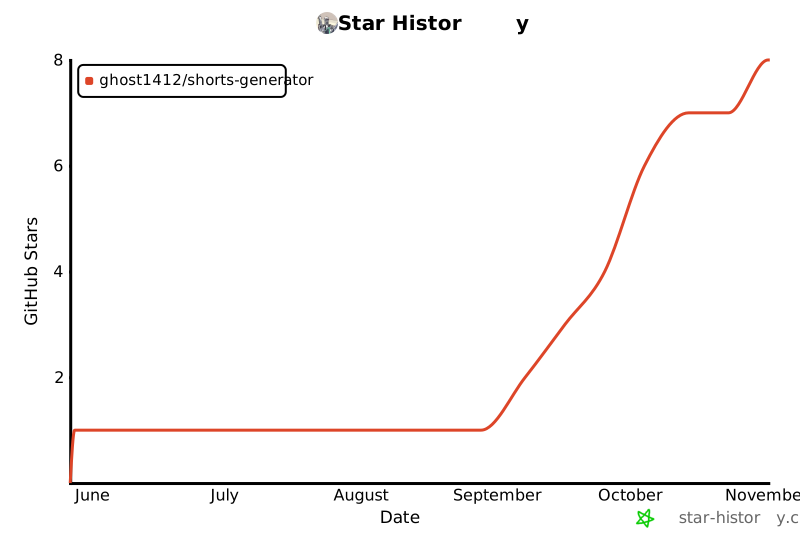
## ⭐ Star History
[](https://star-history.com/#ghost1412/shorts-generator&Date)
---
## 📄 License
ShortsFlow AI Studio is open-source software licensed under the MIT License.
The optional animated-caption renderer uses [Remotion](https://www.remotion.dev), which has its own source-available licence (free for individuals and small teams; see [remotion.dev/license](https://www.remotion.dev/license) if you are a larger company). Without Node.js/Remotion you still get clips, just without the animated captions.
TDQS
Scored across 5 tools
Each tool has a clearly distinct role: creating a short from a topic (generate_short), clipping an existing video (extract_clips), polling jobs (get_render_status), enumerating options (list_supported_modes) and writing social copy (generate_social_package). The descriptions explicitly contrast the two easily-confused generation paths ("use extract_clips instead"), eliminating the main ambiguity risk.
All names are snake_case and verb-first (generate_*, get_*, list_*, extract_*), following a single predictable verb_noun convention. No mixing of styles or vague bare nouns.
Five tools is tightly scoped to the server's purpose: two job-starting tools, one poller, one options lookup and one text generator. Nothing is redundant and no trivial tool is padded in.
The core lifecycle (start job → poll status → get options → produce metadata) is fully covered, and the async pattern is documented in each tool. Minor gaps remain: no job cancel/list, and get_render_status does not advertise returning the output file path, which agents would likely need to locate the finished video.