Glama

Pipepie

Self-hosted, encrypted tunnel for webhooks, AI pipelines, and local development. End-to-end Noise encryption, pipeline tracing, web dashboard.

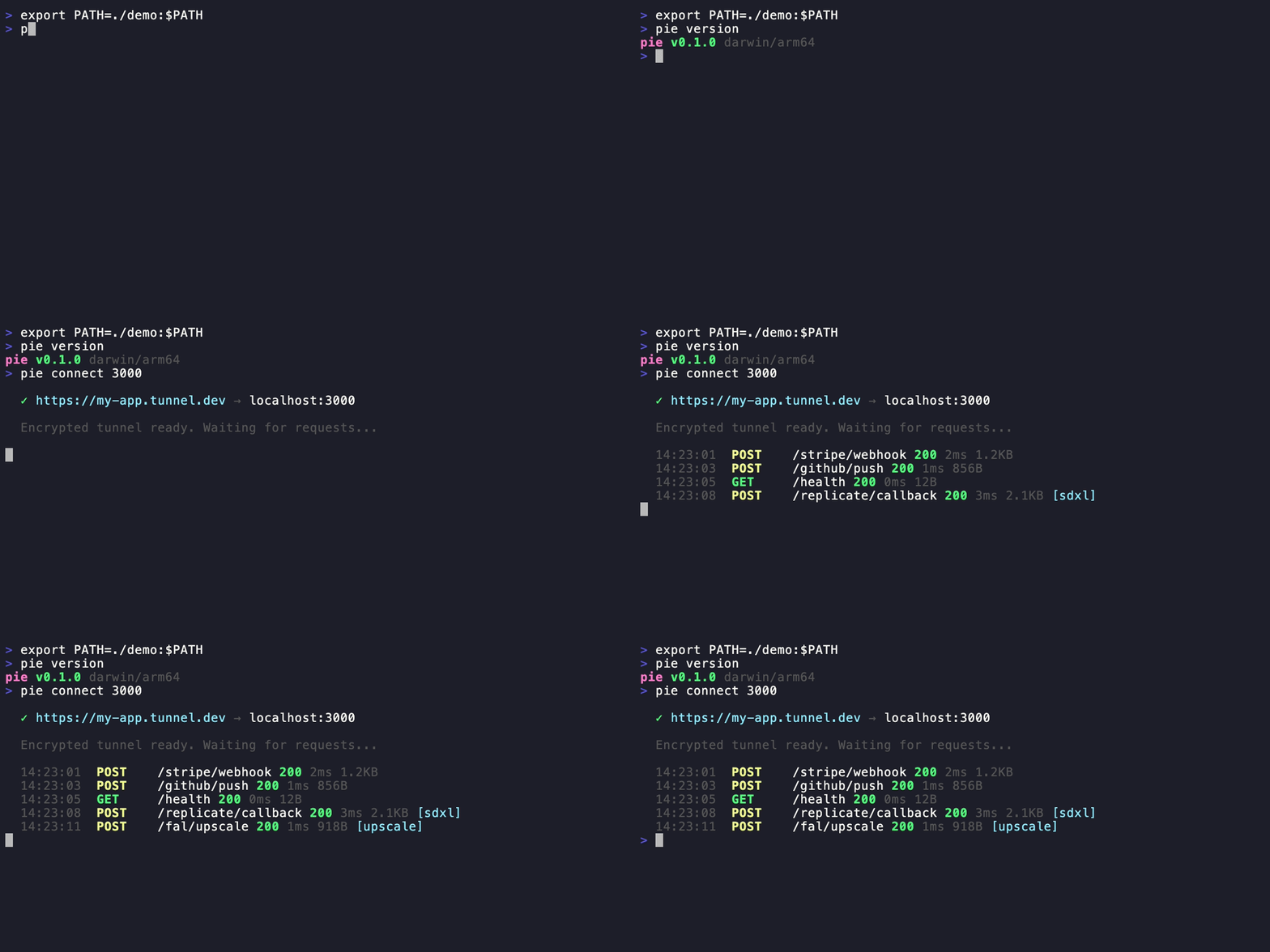
pipepie connect

pie connect 3000
# ✓ https://my-app.tunnel.dev → localhost:3000

Why Pipepie?

  • End-to-end encrypted — Noise NK protocol. The relay server never sees your data.

  • AI-first — auto-detects Replicate, fal.ai, RunPod, Modal, OpenAI webhooks. Pipeline tracing with timeline visualization.

  • Self-hosted — your server, your domain, your data. No vendor lock-in.

  • Fast — 577 req/s parallel, 2ms overhead. Protobuf + zstd + yamux.

  • MCP server built-inpie mcp gives Claude, Cursor, and AI tools direct access to tunnels, requests, and pipeline traces.

  • Beautiful CLI — Dracula theme, interactive forms, 17 commands.

  • Zero-config startpie setup on server, pie login on client, done.

Related MCP server: LivePort MCP

Install

# Homebrew
brew install pipepie/tap/pipepie

# Script
curl -sSL https://raw.githubusercontent.com/pipepie/pipepie/main/install.sh | sh

# Or build from source
git clone https://github.com/pipepie/pipepie && cd pipepie && make build

Quick Start

Server (your VPS, one time)

pie setup

Interactive wizard handles DNS, firewall, TLS (Let's Encrypt auto or Cloudflare), nginx detection, systemd service — everything.

Client (your dev machine)

# Save server connection (key from pie setup)
pie login --server tunnel.mysite.com:9443 --key a7f3bc21...

# Tunnel any local port
pie connect 3000

AI Tool Presets

pie connect --ollama       # Ollama (port 11434, auth enabled)
pie connect --comfyui      # ComfyUI (port 8188, WebSocket)
pie connect --n8n          # n8n workflows (port 5678)
pie connect --tma          # Telegram Mini App (port 5173)

Features

Tunneling

pie connect 3000                    # HTTP tunnel
pie connect 3000 --name my-app     # Stable subdomain
pie connect --tcp 5432              # TCP (databases, gRPC)
pie connect 3000 --auth secret      # Password-protected URL
pie up                              # Multi-tunnel from pipepie.yaml

Webhook Inspection

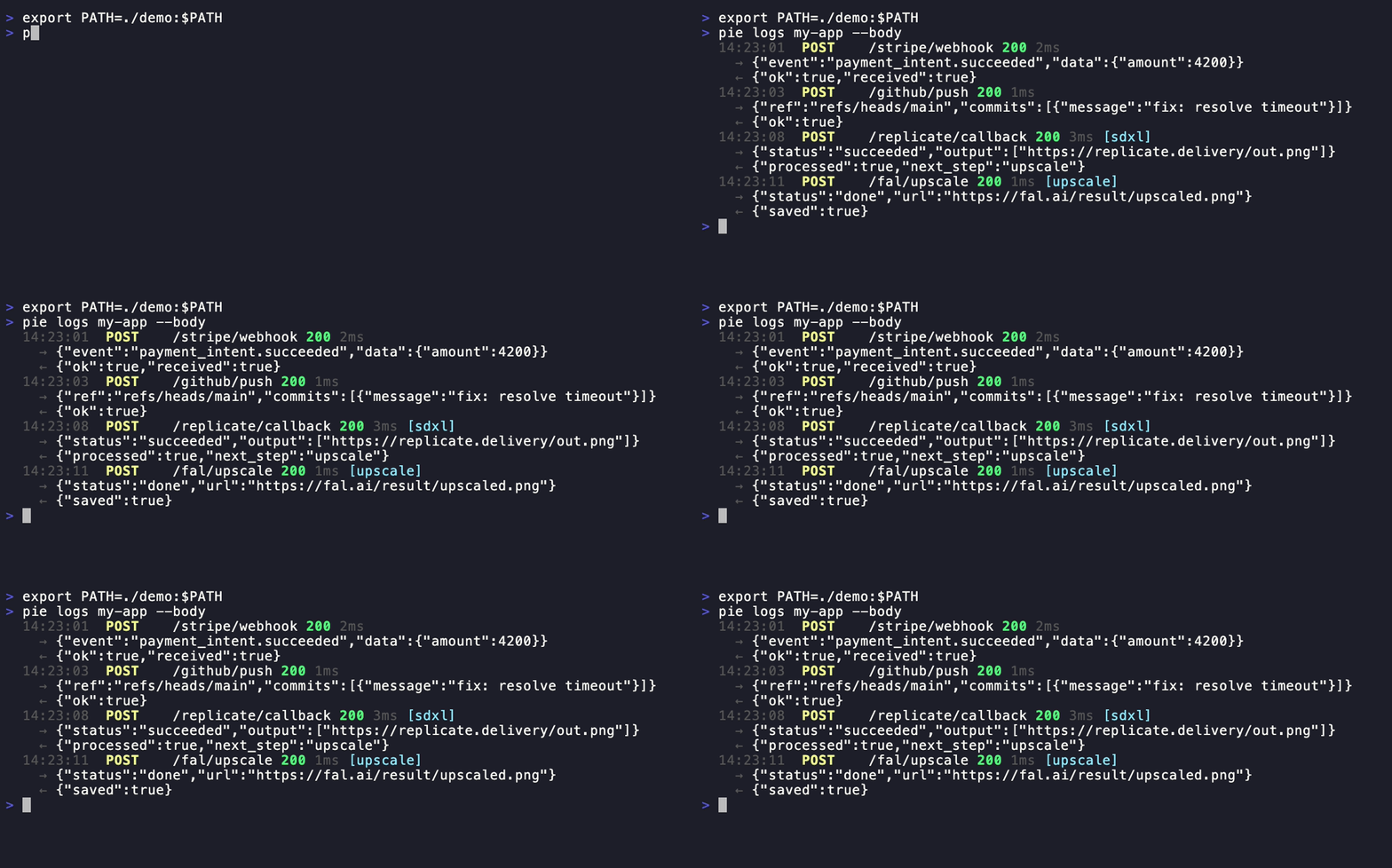
pipepie logs

pie logs my-app --follow --body     # Stream with request/response bodies
pie inspect <request-id>            # Full headers, body, metadata
pie replay <request-id>             # Re-send a captured webhook
pie dashboard                       # Open web UI in browser

AI Pipeline Tracing

Pipepie auto-detects webhooks from AI providers — no configuration needed:

Provider

Detection

What's extracted

Replicate

webhook-id header + payload

Job ID, status, predict_time

fal.ai

x-fal-signature header

Request ID, status

RunPod

UPPERCASE status in payload

Run ID, execution time

Modal

call_id in payload

Call ID, status

OpenAI

batch_ prefix in ID

Batch ID, model

MCP

JSON-RPC 2.0 method field

Tool name, call ID

Webhooks from the same pipeline are auto-correlated into traces:

pie traces my-app                   # Terminal timeline view
pie dashboard                       # Web UI with Jaeger-style bars

Or use headers for manual correlation:

curl -X POST https://my-app.tunnel.dev/webhook \
  -H "X-Pipepie-Pipeline: image-gen" \
  -H "X-Pipepie-Step: generate" \
  -H "X-Pipepie-Trace-ID: trace-001"

Multi-Service Config

# pipepie.yaml
server: tunnel.mysite.com:9443
key: a7f3bc21...

tunnels:
  api:
    subdomain: my-api
    forward: http://localhost:3000
  frontend:
    subdomain: my-app
    port: 5173

pipeline:
  name: image-gen
  steps:
    - name: replicate-sdxl
      webhook: /replicate
      forward: localhost:3000/on-image
    - name: fal-upscale
      webhook: /fal
      forward: localhost:3000/on-upscale
pie up

Multi-Account

pie login --server work.example.com:9443 --key abc...
pie login --server personal.example.com:9443 --key def...

pie account                         # List all, see active
pie account use work.example.com    # Switch
pie logout personal.example.com     # Remove

Server Management

pipepie status

pie setup                           # Interactive setup wizard
pie server --config pipepie.yaml    # Start server
pie doctor --config pipepie.yaml    # Diagnose configuration
pie status                          # Tunnel overview
pie status --json                   # JSON output for scripts

Architecture

Client (pie connect)                    Server (pie server)
     │                                       │
     │◄──── Noise NK handshake ────►│
     │       (ChaChaPoly + BLAKE2b)          │
     │                                       │
     │◄──── yamux multiplexing ────►│
     │       (parallel streams)              │
     │                                       │
     │◄──── Protobuf + zstd ──────►│
     │       (binary, compressed)            │
     │                                       │
  localhost:3000              https://sub.domain.com

Noise NK — server authenticated by public key. Know the key = have access. yamux — multiplexed streams, no head-of-line blocking. Protobuf — binary wire format, ~10x smaller than JSON. zstd — bodies >1KB auto-compressed. SSE/streaming — pass-through without buffering (Vercel AI SDK, Ollama compatible).

MCP Server (Claude, Cursor, AI tools)

Pipepie includes a built-in Model Context Protocol server. Your AI tools can inspect webhooks, replay requests, manage tunnels, and debug pipelines — directly from the chat.

# Claude Code (one command)
claude mcp add --transport stdio pipepie -- pie mcp

Add to claude_desktop_config.json or Cursor MCP settings:

{
  "mcpServers": {
    "pipepie": {
      "command": "pie",
      "args": ["mcp"]
    }
  }
}

13 tools available:

Tool

What it does

overview

Dashboard with all tunnels, stats, success rates

list_tunnels

All registered tunnels with online/offline status

tunnel_status

Check if a specific tunnel is online

connect

Start a tunnel (e.g. port 3000 → public URL)

disconnect

Stop a running tunnel

active_tunnels

List tunnels running in this session

list_requests

Recent webhook requests for a tunnel

inspect_request

Full request details: headers, body, response

replay_request

Re-send a captured webhook

pipeline_traces

AI pipeline execution traces

trace_timeline

Step-by-step timeline for a trace

create_tunnel

Register a new subdomain

delete_tunnel

Remove a tunnel and its data

CLI Reference

Command

Description

pie connect [port]

Create a tunnel

pie connect --tcp [port]

TCP tunnel

pie connect --ollama

Ollama preset

pie connect --comfyui

ComfyUI preset

pie connect --n8n

n8n preset

pie connect --tma

Telegram Mini App preset

pie login

Add server connection

pie logout

Remove account

pie account

List & switch accounts

pie dashboard

Open web UI in browser

pie status

Show tunnels and activity

pie logs [name]

Stream requests

pie inspect [id]

Full request details

pie replay [id]

Replay a webhook

pie traces [name]

Pipeline trace timelines

pie up

Multi-tunnel from pipepie.yaml

pie setup

Server setup wizard

pie server

Start relay server

pie doctor

Diagnose server config

pie mcp

Start MCP server for AI tools

pie update

Self-update to latest

pie version

Version + update check

Performance

Metric

Result

Latency

2ms overhead

Sequential

119 req/s

Parallel (20 workers)

577 req/s

1MB body

16ms

What makes Pipepie different

  • Self-hosted & open source — your infrastructure, your data, no third-party traffic inspection

  • End-to-end encrypted — Noise NK protocol, the relay server never sees plaintext

  • AI-native — auto-detects 6 providers, pipeline tracing, MCP support

  • Complete toolkit — tunneling + inspection + replay + dashboard in one binary

  • Free forever — no bandwidth limits, no session timeouts, no paid tiers for core features

License

AGPL-3.0 — free to use, modify, and self-host. If you modify and offer as a service, you must open-source your changes.

Install Server
A
license - permissive license
A
quality
C
maintenance

Maintenance

Maintainers
Response time
0dRelease cycle
11Releases (12mo)
Commit activity

Resources

Unclaimed servers have limited discoverability.

Looking for Admin?

If you are the server author, to access and configure the admin panel.

Related MCP Servers

View all related MCP servers

Related MCP Connectors

  • A webhook inbox for agents: one call returns a live URL. Mock, verify, inspect and replay.

  • Self-hosted MCP gateway: turn any API, database or MCP server into AI connectors — no code.

  • Hosted MCP endpoint with realistic fake data for prototyping agents. 12 tools, no setup.

View all MCP Connectors

Latest Blog Posts

MCP directory API

We provide all the information about MCP servers via our MCP API.

curl -X GET 'https://glama.ai/api/mcp/v1/servers/pipepie/pipepie'

If you have feedback or need assistance with the MCP directory API, please join our Discord server