

A
licenseNot graded
qualityA
maintenanceAn MCP server that exposes CalDAV calendar operations as tools for AI assistants. It enables users to connect to CalDAV servers to create and list calendar events within specific timeframes.
517 npm
103
MIT

Enables cross-platform automation and linkage for managing calendar events and to-do tasks within automated workflows.
Click on "Deploy Server".
Wait a few minutes for the server to deploy. Once ready, it will show a "Started" state.
In the chat, type @ followed by the MCP server name and your instructions, e.g., "@MCP Personal Calendar Add a lunch meeting with Sarah tomorrow at 1 PM at the Riverside Cafe."
That's it! The server will respond to your query, and you can continue using it as needed.
Here is a step-by-step guide with screenshots.
This is a self-hostable calendar MCP service. It allows large language models to automatically manage your schedules and to-do lists.
Related MCP server: mcp-labrat
(Only CalDAV protocol calendars are supported; reliability for other protocols has not been tested)
Query all schedules within a specified date range (across all calendars).
Query all to-do items within a specified date range (across all calendars).
Batch create schedules and to-dos.
Supports adding location information
Supports intelligent timezone adjustments
Can be integrated with tools like Dify and N8n for cross-platform automation
Schedules are created in Beijing Time by default
Supports modifying and deleting schedules.
Clone the source code using the following command:
git clone https://github.com/Blacol/MCP-PersonalCalendarCreate a config.json file in the directory where the source code is located. Here is an example:
{
 "calendar_url": "Caldav服务器地址",
 "calendar_username": "日历用户名",
 "calendar_password": "日历密码",
 "default_remind_time": "-15m"
}
Run the following command to install dependencies:
# 先创建一个虚拟环境
python3 -m venv .venv
# 进入虚拟环境(Linux)
source .venv/bin/activate
# 安装依赖
uv pip install -e .
# 运行程序
uv run main.py
Open your MCP client and configure the information.
This software listens on port 20002. Remember to open the corresponding port after deploying on a server.
Configuration (CherryStudio):
{
   "mcpServers": {
     "PersonalCalendar": {
       "type": "sse",
       "url": "[服务器公网IP]:20002/sse"
     }
   }
}
Configuration (Other MCP clients):
{
  "transport": "sse",
  "url": "[服务器公网IP]:20002/sse"
}
Open the model to test.
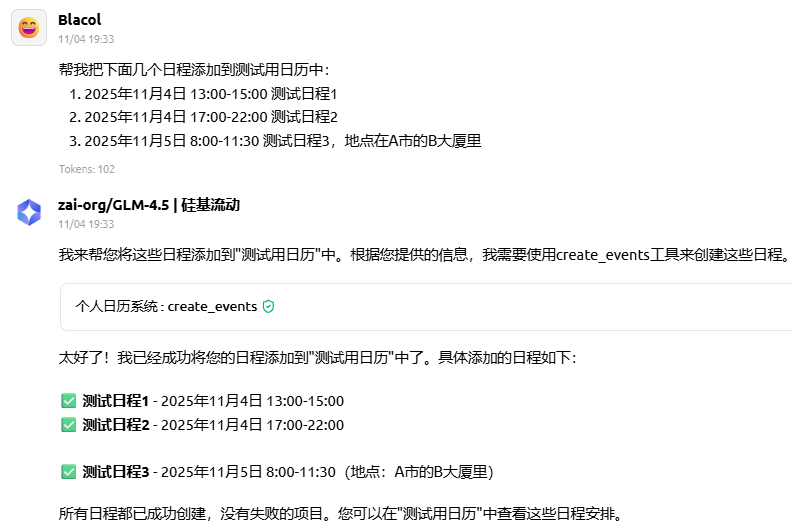
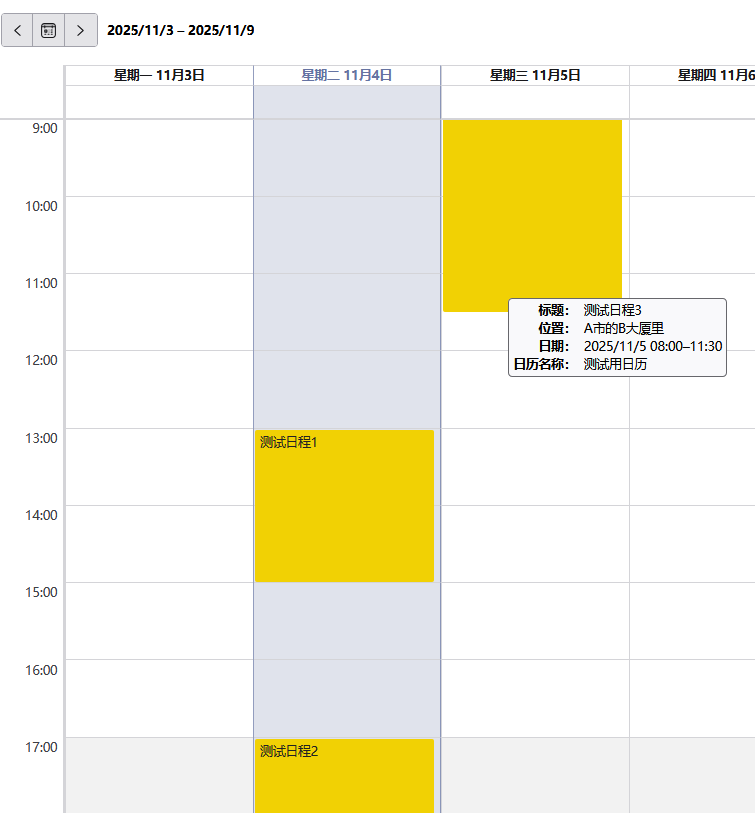
Add multiple schedules
帮我把下面几个日程添加到测试用日历中:
1. 2025年11月4日 13:00-15:00 测试日程1
2. 2025年11月4日 17:00-22:00 测试日程2
3. 2025年11月5日 8:00-11:30 测试日程3,地点在A市的B大厦里
Example
Add schedules in different timezones
帮我把下面几个日程添加到测试用日历中:
1. 2025年11月4日 13:00-15:00(东京时间) 测试日程1
2. 2025年11月4日 17:00-22:00(纽约时间) 测试日程2
Example
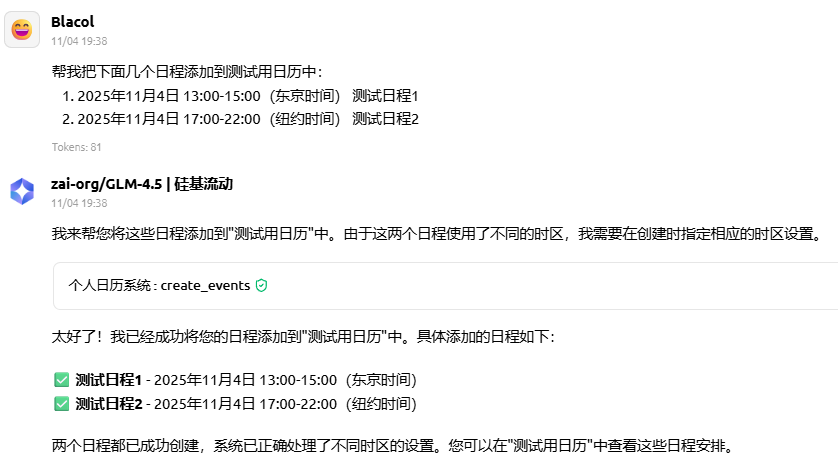
 (The software displays schedules in Beijing Time by default; 13:00 Tokyo time corresponds to 12:00 Beijing time, and 17:00 New York time corresponds to 06:00 Beijing time)
This server cannot be deployed
Hosted Google Calendar MCP server for AI agents. No self-hosting or Google Cloud setup.
GDPR-compliant calendar access for AI assistants: read, create, edit, RSVP. Google, MS 365, Apple.
Calendar API for AI agents: events, availability, Google/Microsoft setup, scheduling, and iCal.
MCP server enabling AI agents to manage Bitrix24 features via standardized protocol