バイナリ忍者MCP
このリポジトリには、Binary Ninja プラグイン、MCP サーバー、およびお気に入りの LLM クライアントと Binary Ninja の機能をシームレスに統合できるブリッジが含まれています。
特徴
Binary NinjaとMCPクライアント間のシームレスでリアルタイムな統合
AI支援によるリバースエンジニアリングワークフローの強化
MCPクライアントとしてClaude Desktopを主にサポートしていますが、他の統合にも拡張可能です。
Related MCP server: GhidraMCP
例
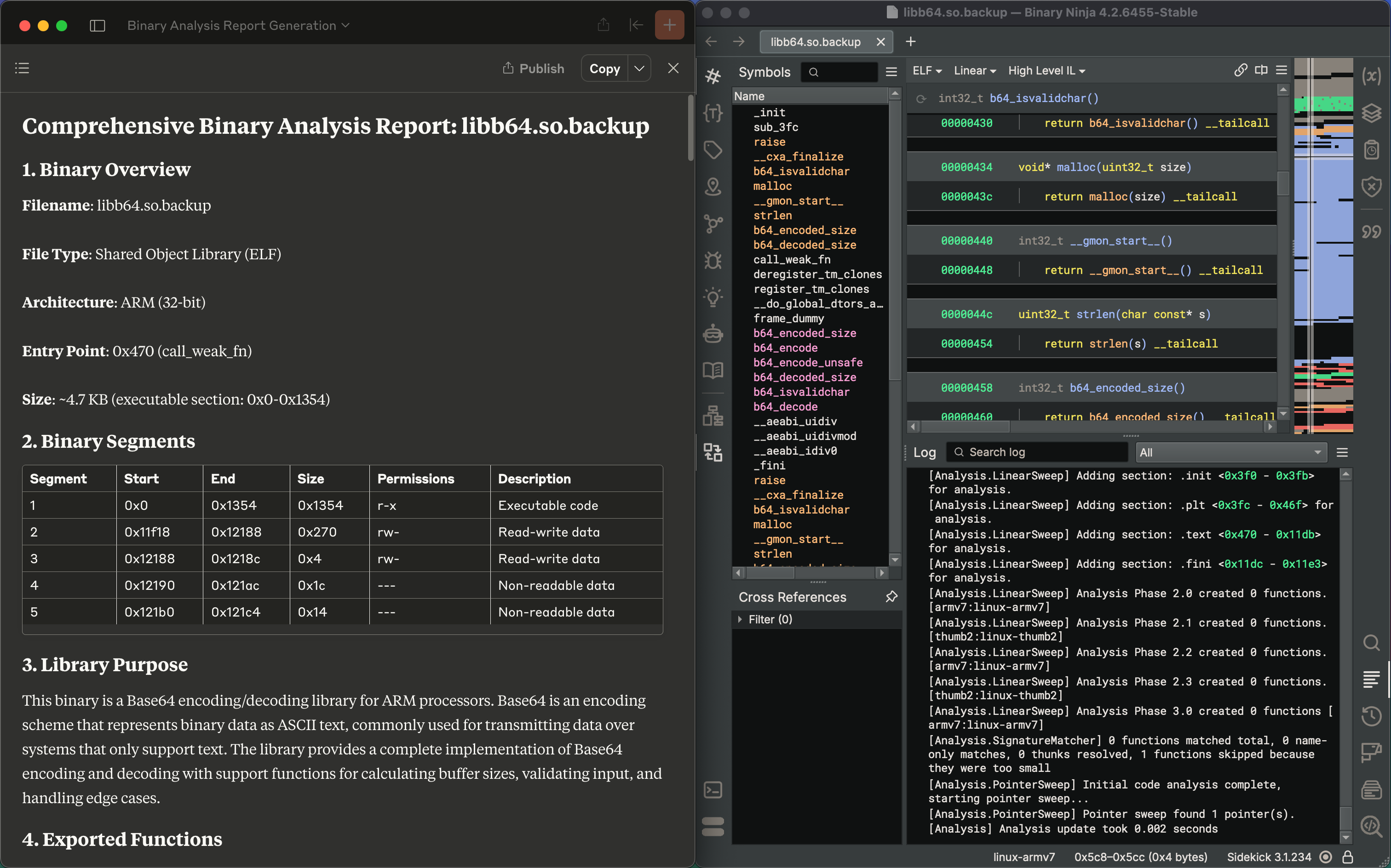
バイナリ分析レポートの生成
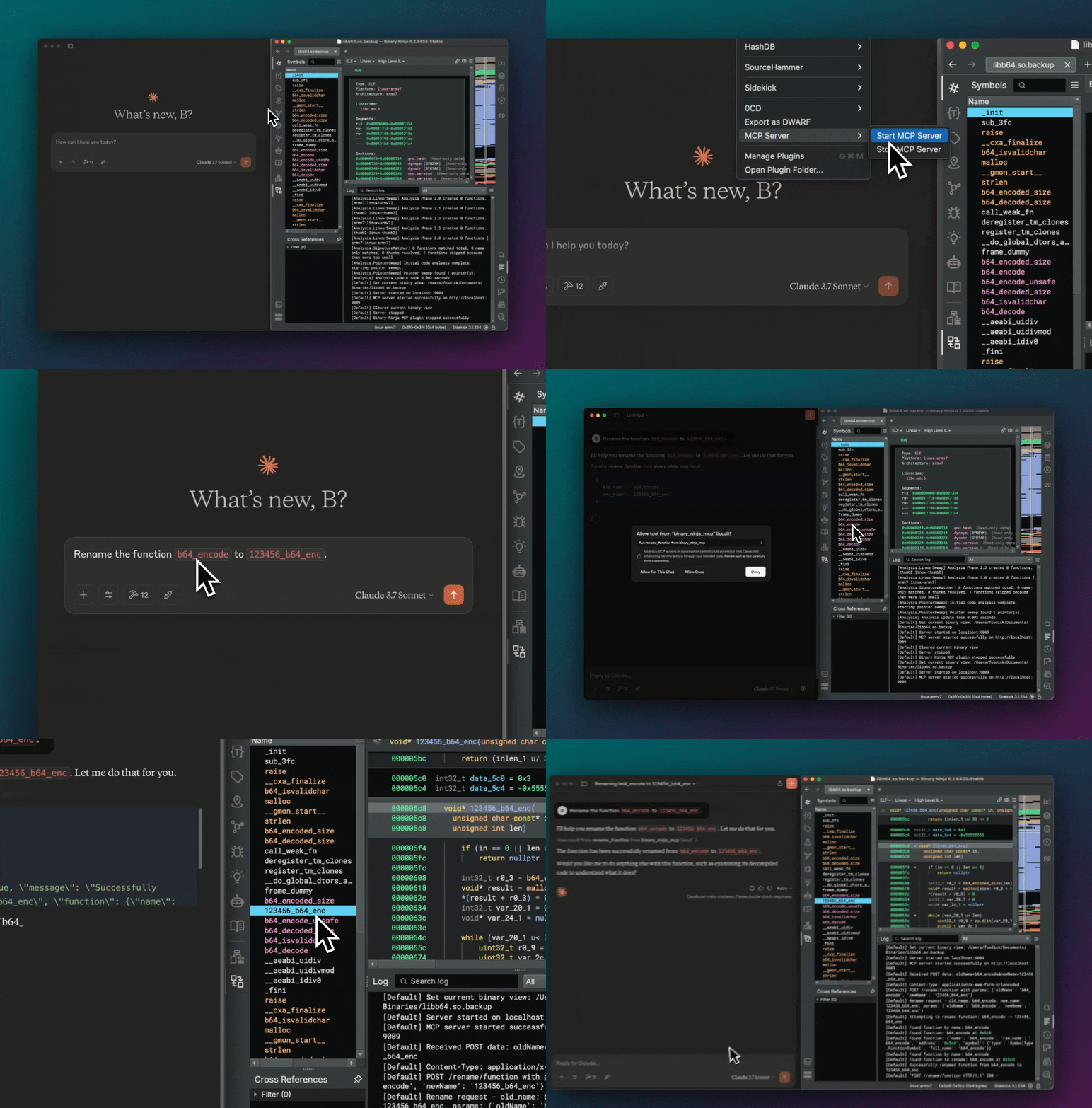
関数名の変更
コンポーネント
このリポジトリには 2 つの個別のコンポーネントが含まれています。
Binary Ninjaの機能をHTTPエンドポイント経由で公開するMCPサーバーを提供するBinary Ninjaプラグイン。MCPプロトコルを実装するあらゆるクライアントで使用できます。
お気に入りのMCPクライアントをBinary Ninja MCPサーバーに接続する、独立したMCPブリッジコンポーネントです。Claude Desktopが主な統合パスですが、MCPサーバーは他のクライアントでも使用できます。
サポートされている統合
次の表は、現在サポートされている Binary Ninja との統合の詳細を示しています。
関数 | 説明 |
get_binary_status
| ロードされたバイナリの現在のステータスを取得します。 |
list_classes
| プログラム内のすべての名前空間/クラス名を一覧表示します。 |
list_data_items
| 定義されたデータ ラベルとその値を一覧表示します。 |
list_exports
| エクスポートされた関数/シンボルを一覧表示します。 |
list_imports
| プログラムにインポートされたシンボルを一覧表示します。 |
list_methods
| プログラム内のすべての関数名を一覧表示します。 |
list_namespaces
| プログラム内のすべての非グローバル名前空間を一覧表示します。 |
list_segments
| プログラム内のすべてのメモリ セグメントを一覧表示します。 |
rename_data
| 指定されたアドレスのデータ ラベルの名前を変更します。 |
rename_function
| 関数の現在の名前を新しいユーザー定義の名前に変更します。 |
search_functions_by_name
| 名前に指定された部分文字列が含まれる関数を検索します。 |
decompile_function
| 特定の関数を名前で逆コンパイルし、逆コンパイルされた C コードを返します。 |
set_comment
| 特定のアドレスにコメントを設定します。 |
set_function_comment
| 関数のコメントを設定します。 |
get_comment
| 特定のアドレスでコメントを取得します。 |
get_function_comment
| 関数のコメントを取得します。 |
delete_comment
| 特定のアドレスのコメントを削除します。 |
delete_function_comment
| 関数のコメントを削除します。 |
get_assembly_function
| 名前またはアドレスによって関数のアセンブリ表現を取得します。 |
function_at
| アドレスが属する関数の名前を取得します。 |
code_references
| 指定された関数を呼び出す関数の名前とアドレスを取得します。 |
get_user_defined_type
| ユーザー定義型 (構造体、列挙型、typedef、共用体) の定義を取得します。 |
rename_variable
| 指定された関数内の変数の名前を変更します。 |
retype_variable
| 指定された関数内の変数を再入力する。 |
define_types
| C 文字列型定義から型定義を追加します。 |
edit_function_signature
| 型文字列として指定された、特定の関数のシグネチャを編集します。 |
前提条件
インストール
バイナリ忍者プラグイン
プラグインは、Binary Ninja のプラグイン マネージャー ( Plugins > Manage Plugins ) からインストールできます。

プラグインを手動で構成するには、このリポジトリを Binary Ninja プラグイン フォルダーにコピーします。
クロード デスクトップ ブリッジ (オプション)
これは、Claude DesktopをMCPクライアントとして使用する場合にのみ必要です。まず、仮想環境が設定されていることを確認してください。
git clone git@github.com:fosdickio/binary_ninja_mcp.git
cd binary_ninja_mcp

python3 -m venv .venv
source .venv/bin/activate   # On macOS/Linux

pip install -r bridge/requirements.txt
自動構成(Mac)
Mac では、次のコマンドを実行してセットアップを自動化できます。
./scripts/setup_claude_desktop.py
手動設定
他のオペレーティング システムの場合、または Claude Desktop 統合を手動で構成する場合:
Settings > Developer > Edit Configに移動します
次の構成を追加します。
{
  "mcpServers": {
    "binary_ninja_mcp": {
      "command": "/ABSOLUTE/PATH/TO/binary_ninja_mcp/.venv/bin/python",
      "args": [
        "/ABSOLUTE/PATH/TO/binary_ninja_mcp/bridge/binja_mcp_bridge.py"
      ]
    }
  }
}
注: /ABSOLUTE/PATH/TOプロジェクトディレクトリへの実際の絶対パスに置き換えてください。インストールされた依存関係にアクセスするには、仮想環境の Python インタープリターを使用する必要があります。
使用法
クロードデスクトップ
Binary Ninjaを開き、 Binary Ninja MCPプラグインをインストールします。
Binary Ninjaを再起動してバイナリファイルを開きます
MCP サーバーを起動します ( Plugins > MCP Server > Start MCP Server )
Claudeデスクトップを起動
Claude Desktop を開くと、統合が自動的に利用可能になります。
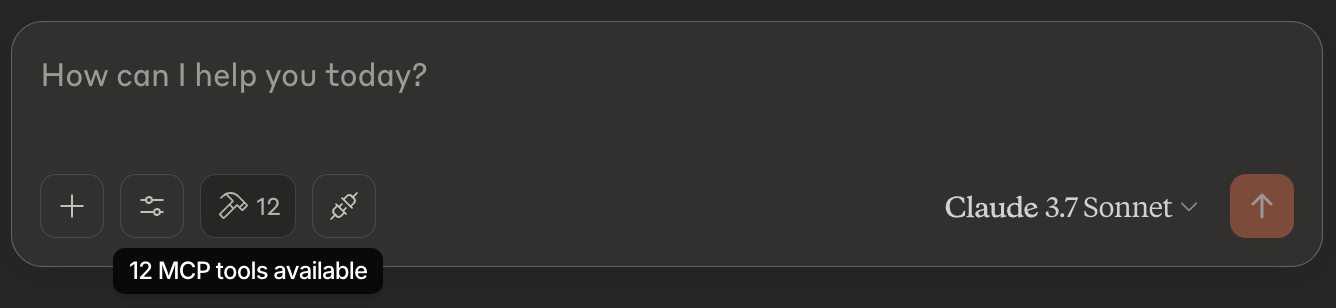
現在開いているバイナリについてClaudeに確認メッセージを送ることができます。プロンプトの例:
「現在のバイナリのバイナリ分析レポートを生成します。」
「現在のバイナリで関数 X の名前を Y に変更します。」
「現在のバイナリ内のすべての関数を一覧表示します。」
「ロードされたバイナリのステータスはどうですか?」
その他のMCPクライアント統合
適切な統合レイヤーを実装することにより、ブリッジを他の MCP クライアントと共に使用できます。
発達
プロジェクト構造は次のように構成されます。
binary_ninja_mcp/
├── bridge/                      # MCP client integration
├── plugin/                      # Binary Ninja plugin
├── scripts/
│   └── setup_claude_desktop.py  # Setup script for Claude Desktop
貢献
貢献を歓迎します。お気軽にプルリクエストを送信してください。
