
matlab-mcp-server
by flyearth9981
README.md
# MATLAB MCP Server
[](https://deepwiki.com/subspace-lab/matlab-mcp-server)
A Model Context Protocol (MCP) server that enables seamless integration between MATLAB and MCP-compatible applications like Claude Code. Execute MATLAB code, manage workspace variables, create plots, handle data I/O, and more - all through a token-efficient MCP interface.
## Features
- **Execute MATLAB Code**: Run MATLAB commands and scripts with persistent session
- **Workspace Management**: Get, set, list, and clear workspace variables
- **Figure Operations**: Save, export, and close MATLAB figures (PNG, SVG, PDF, etc.)
- **Data I/O**: Import/export data (CSV, JSON, XLSX) and load/save MAT files
- **Environment Info**: Check MATLAB version and installed toolboxes
- **Documentation Access**: Get MATLAB help, search functions, and find toolbox locations
- **Token-Efficient Design**: Multi-operation tools minimize API calls
- **JSON Resources**: Structured access to workspace, toolboxes, and session info
## Quick Start
**Prerequisites:**
- MATLAB installed on your system
- `uv` package manager installed ([install uv](https://docs.astral.sh/uv/getting-started/installation/))
### Option 1: Zero-Installation Setup (Recommended)
Just configure and run - no manual installation needed!
**1. Find your MATLAB library path:**
```bash
# macOS (Apple Silicon)
/Applications/MATLAB_R2025b.app/bin/maca64
# Linux
/usr/local/MATLAB/R2024b/bin/glnxa64
```
**2. Configure Claude Code:**
**Option A: Using CLI (Recommended)**
```bash
# macOS (Apple Silicon)
claude mcp add --transport stdio matlab \
--env DYLD_LIBRARY_PATH=/Applications/MATLAB_R2025b.app/bin/maca64 \
-- uvx matlab-mcp-server
# Linux
claude mcp add --transport stdio matlab \
--env LD_LIBRARY_PATH=/usr/local/MATLAB/R2024b/bin/glnxa64 \
-- uvx matlab-mcp-server
```
This uses **local scope** by default (private to you, only this project). For other scopes:
- `--scope project`: Share with team (stores in `.mcp.json`, can be committed to git)
- `--scope user`: Available across all your projects
**Option B: Manual `.mcp.json` file**
Create `.mcp.json` in your project root directory:
```json
{
"mcpServers": {
"matlab": {
"command": "uvx",
"args": ["matlab-mcp-server"],
"env": {
"DYLD_LIBRARY_PATH": "/Applications/MATLAB_R2025b.app/bin/maca64"
}
}
}
}
```
Replace the library path with your actual MATLAB path from step 1.
**For Linux**, use `LD_LIBRARY_PATH` instead of `DYLD_LIBRARY_PATH`.
That's it! When Claude Code starts, `uvx` will automatically:
- Download `matlab-mcp-server` from PyPI
- Install `matlabengine` and all dependencies
- Start the MATLAB MCP server
### Option 2: Configuration Helper (If you don't know your MATLAB path)
Run the helper script to auto-detect MATLAB and display the config:
```bash
curl -fsSL https://raw.githubusercontent.com/subspace-lab/matlab-mcp-server/main/install-matlab-mcp.sh | bash
```
The script will:
- Auto-detect your MATLAB installation
- Display the config with the correct paths
- You copy and paste it into your `.mcp.json` file (in project root)
### Option 3: Manual Installation
If you prefer to install manually or the automated installer doesn't work:
#### 1. Install matlabengine
```bash
# Navigate to your MATLAB Python engine directory
cd /Applications/MATLAB_R20XXx.app/extern/engines/python # macOS
# OR
cd /usr/local/MATLAB/R20XXx/extern/engines/python # Linux
# Install using uv
uv pip install .
```
Replace `R20XXx` with your MATLAB version (e.g., R2024a, R2024b, R2025a).
#### 2. Install matlab-mcp-server
```bash
uv pip install matlab-mcp-server
```
#### 3. Configure MCP server
Create `.mcp.json` in your project root directory:
**macOS (Apple Silicon):**
```json
{
"mcpServers": {
"matlab": {
"command": "matlab-mcp",
"env": {
"DYLD_LIBRARY_PATH": "/Applications/MATLAB_R20XXx.app/bin/maca64"
}
}
}
}
```
**macOS (Intel):**
```json
{
"mcpServers": {
"matlab": {
"command": "matlab-mcp",
"env": {
"DYLD_LIBRARY_PATH": "/Applications/MATLAB_R20XXx.app/bin/maci64"
}
}
}
}
```
**Linux:**
```json
{
"mcpServers": {
"matlab": {
"command": "matlab-mcp",
"env": {
"LD_LIBRARY_PATH": "/usr/local/MATLAB/R20XXx/bin/glnxa64"
}
}
}
}
```
Replace `R20XXx` with your actual MATLAB version.
**Note for Claude Desktop users:** If you're using Claude Desktop (the desktop app) instead of Claude Code (CLI), the configuration file is located at:
- **macOS**: `~/Library/Application Support/Claude/claude_desktop_config.json`
- **Windows**: `%APPDATA%\Claude\claude_desktop_config.json`
## Available Tools
The server provides 8 MCP tools for interacting with MATLAB:
- **`execute_matlab`** - Execute MATLAB code and get results
- **`workspace`** - Manage workspace variables (get, set, list, clear)
- **`figure`** - Save, export, and manage MATLAB figures (PNG, SVG, PDF, etc.)
- **`data_io`** - Import/export data in various formats (CSV, JSON, XLSX, MAT files)
- **`env`** - Get MATLAB version and check installed toolboxes
- **`get_help`** - Access MATLAB documentation and search functions
- **`route_intent`** - Suggest appropriate tool mode (meta-tool)
- **`select_mode`** - Enable optional tool groups (meta-tool)
For detailed documentation on each tool, see [TOOLS.md](md-files/TOOLS.md) or [MATLAB_MCP_GUIDE.md](md-files/MATLAB_MCP_GUIDE.md).
## Troubleshooting
### MATLAB Engine Not Found
If you get an error about MATLAB engine not being found:
1. Ensure MATLAB is properly installed
2. Verify MATLAB Engine API for Python is installed
3. Check Python version matches MATLAB compatibility
4. Verify library path is correctly set in config
### Library Path Issues
**Default MATLAB locations:**
- macOS: `/Applications/MATLAB_R20XXx.app`
- Linux: `/usr/local/MATLAB/R20XXx`
- Windows: `C:\Program Files\MATLAB\R20XXx`
If MATLAB is in a non-standard location, update the library path in your config.
## Documentation
- [CONTRIBUTING.md](CONTRIBUTING.md) - Development setup and guidelines
- [PLANNING.md](md-files/PLANNING.md) - Roadmap and architecture
- [MATLAB_MCP_GUIDE.md](md-files/MATLAB_MCP_GUIDE.md) - Detailed usage guide
- [TOOLS.md](md-files/TOOLS.md) - Tool catalog
## License
MIT License
## Contributing
Contributions are welcome! Please see [CONTRIBUTING.md](CONTRIBUTING.md) for development setup and guidelines.
## Star History
[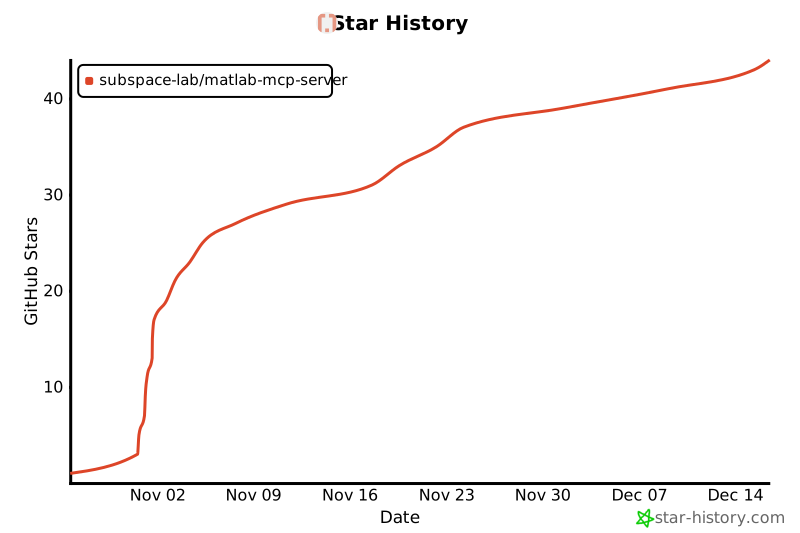](https://www.star-history.com/#subspace-lab/matlab-mcp-server&type=date&legend=top-left)
This server cannot be deployed
Maintenance
ActivityInactive
ResponsivenessNo issues