

F
licenseNot graded
qualityD
maintenanceThis MCP server provides tools for OCR and keyword extraction, enabling AI workflows to be split into discrete steps for easier testing, tuning, and cost control.
-

This server does not currently have a deployable release on Glama. Follow the repository's setup instructions to install and configure it for your MCP client, including any required credentials and local dependencies.
The fileAI MCP Server offers a robust set of tools to work with the fileAI file processing pipeline. It allows for uploading files, performing Optical Character Recognition (OCR), classifying documents, and extracting structured data. The server leverages the Model Context Protocol (MCP) to provide seamless integration with AI models, enabling them to work with your documents programmatically.
End-to-end File Processing: From file upload to structured data extraction — manage the entire lifecycle of your files
AI-Powered: Leverage powerful AI models for OCR, file classification, and structured data extraction.
Schema Management: Define, update, and manage schemas to control how data is extracted for your specific needs
Asynchronous Processing: Upload files and track processing status asynchronously
Related MCP server: OCR MCP
To use the FileAI MCP Server, make sure you have:
A fileAI account - Sign up or login here (https://orion.file.ai/en/sign-up)
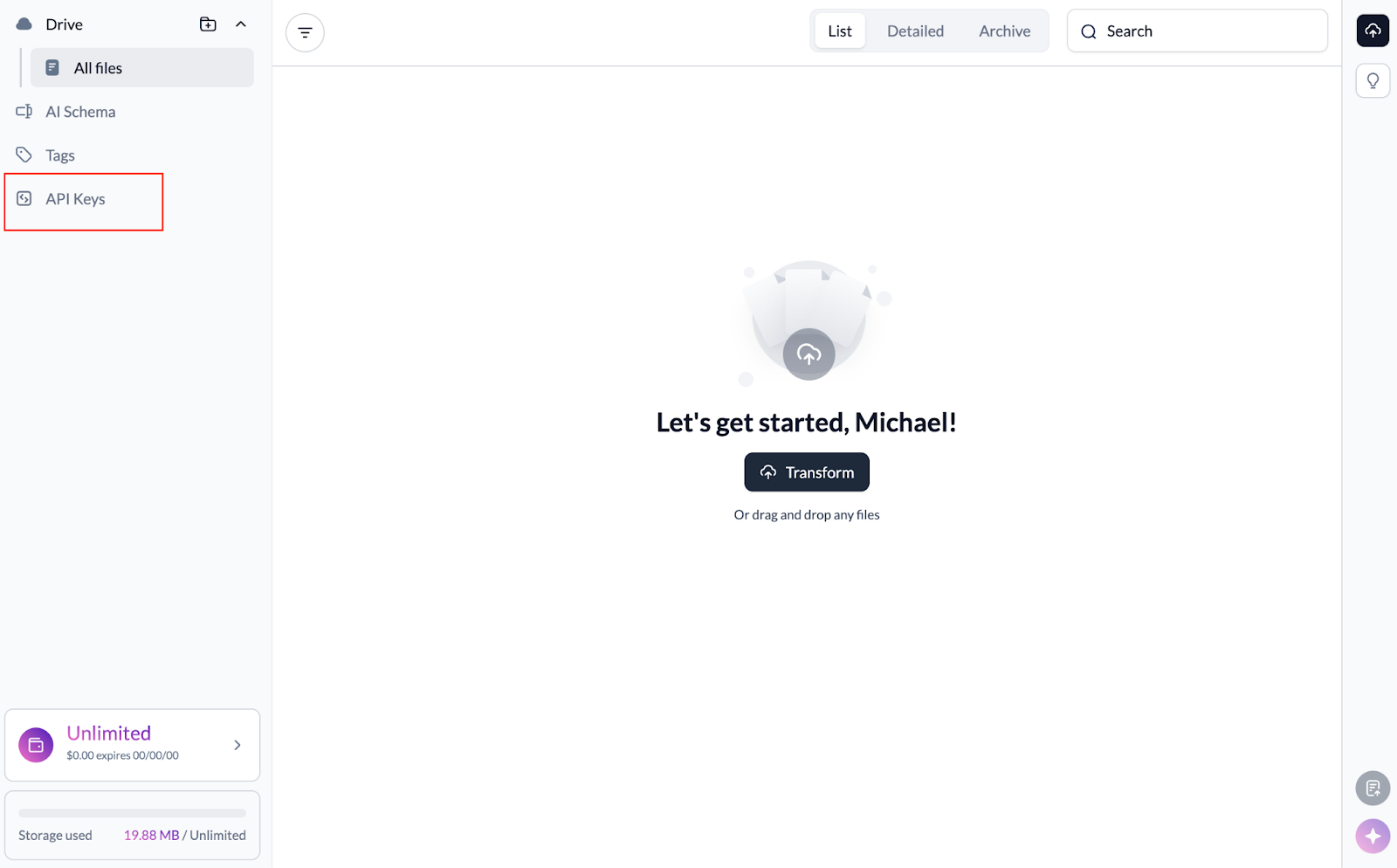
A fileAI API Key - After creating your fileAI account, you can generate your API Key
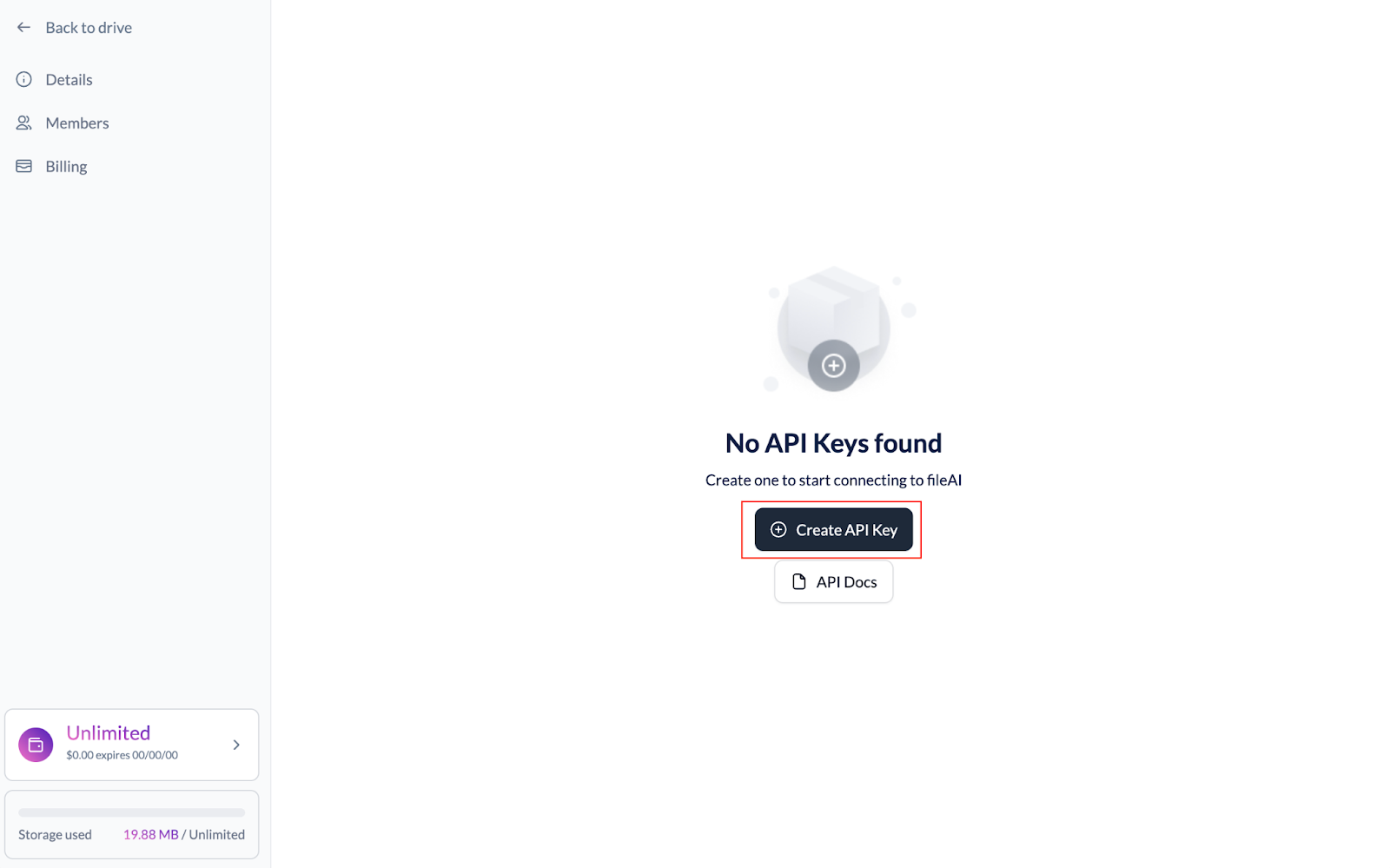
Verified AI Schemas in your fileAI account if you want to receive deterministic responses
Our system automatically suggests extraction and data fetch schemas. In our UI, confirm or edit the schema to call it directly
An MCP client (e.g., Cursor or Claude Desktop)
npx installed in your environment (usually comes with Node.js)
HTTP Transport
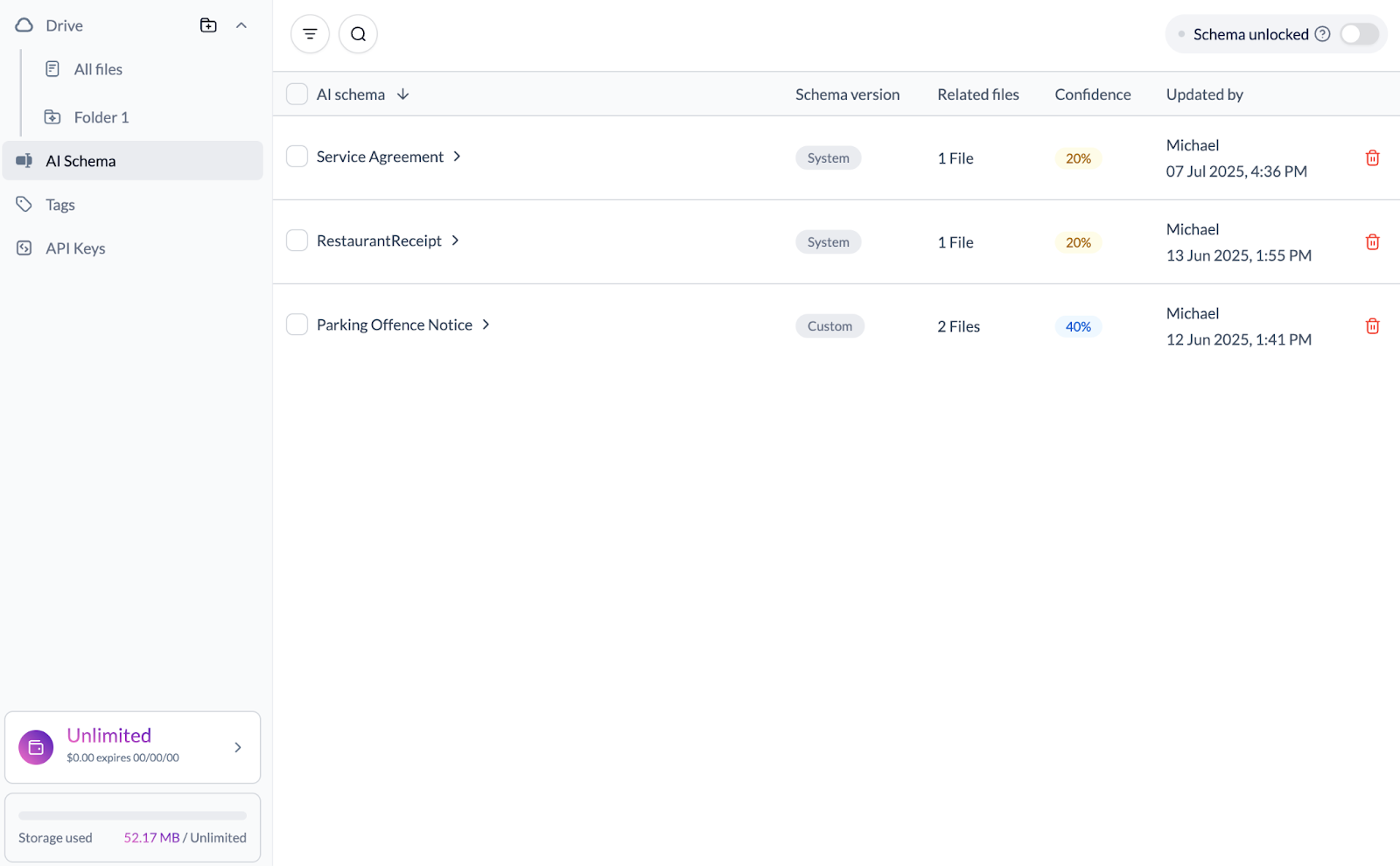
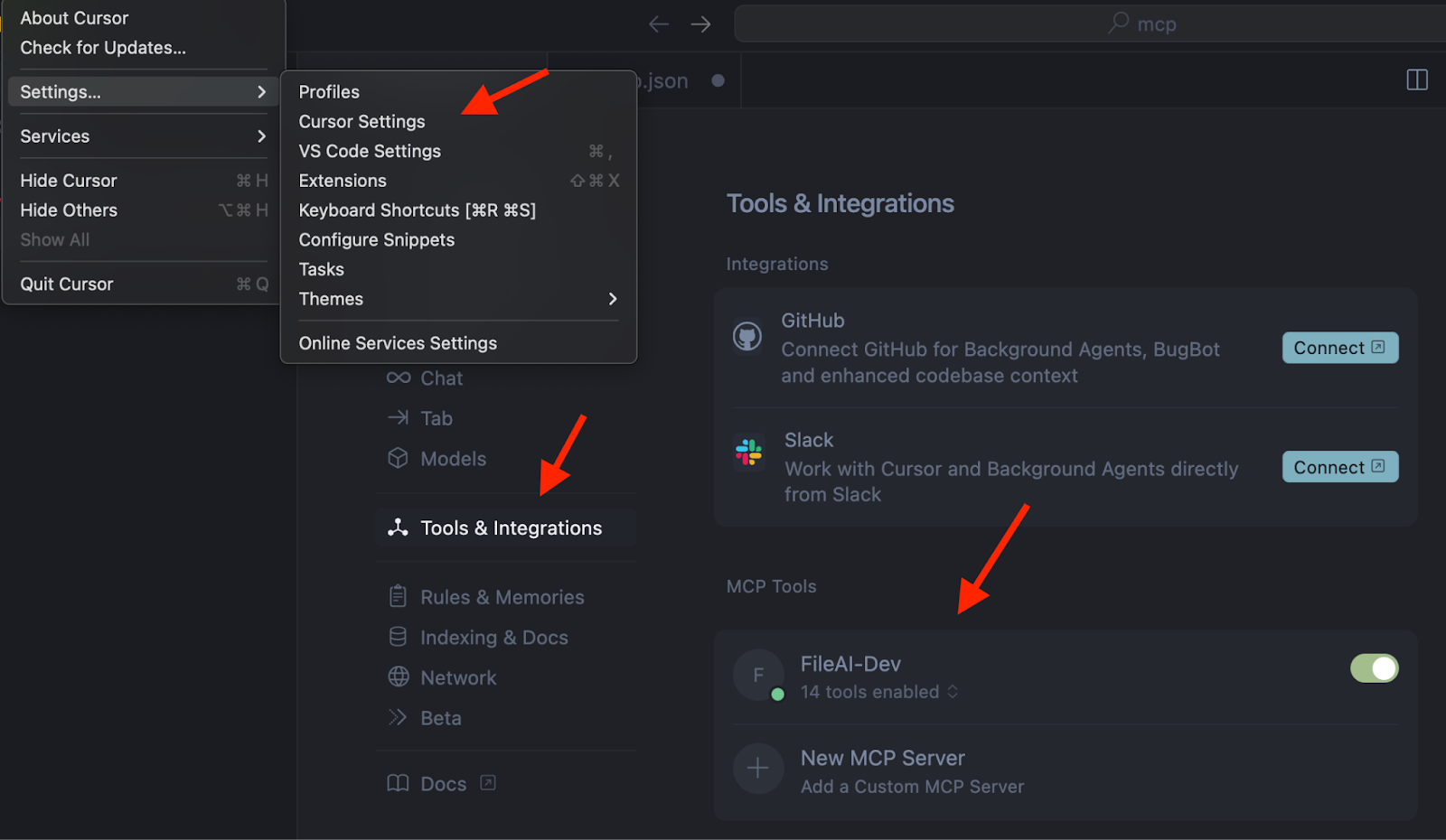
Open Cursor Settings (Ctrl/Cmd + ,)
Navigate to Tools & Integration → MCP Tools
Click + New MCP Server
Use the configuration below:
{
  "mcpServers": {
    "FileAI": {
      "command": "npx",
      "args": [
        "mcp-remote",
        "https://mcp.file.ai",
        "--header",
        "accept: application/json",
        "--header",
        "x-api-key:${API_KEY}"
      ],
      "env": {
        "API_KEY": "<YOUR_FILEAI_API_KEY>"
      }
    }
  }
}
Note: Make sure to replace <YOUR_FILEAI_API_KEY> with your actual fileAI API key.
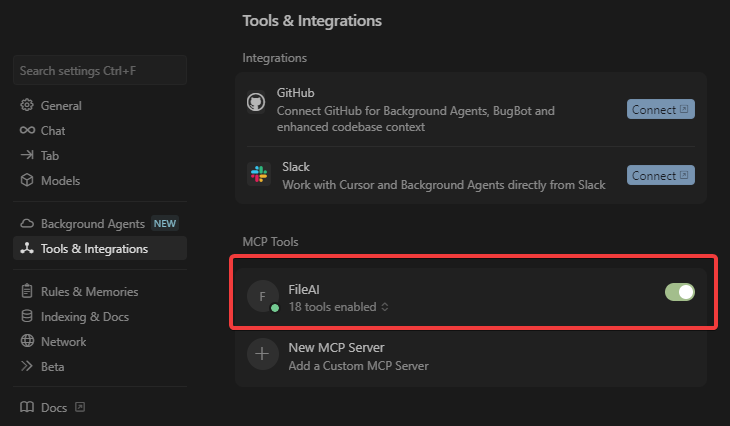
Verify that the MCP Server is set up correctly. You should see that tools are enabled.
To add the fileAI MCP Server to Claude:
Go to your Claude Integrations page
Click + Add integration
In the URL field, enter:
https://mcp.file.ai/sse?x-api-key=Bearer YOUR_API_API_KEY_HEREReplace YOUR_API_API_KEY_HERE with your actual fileAI API key.
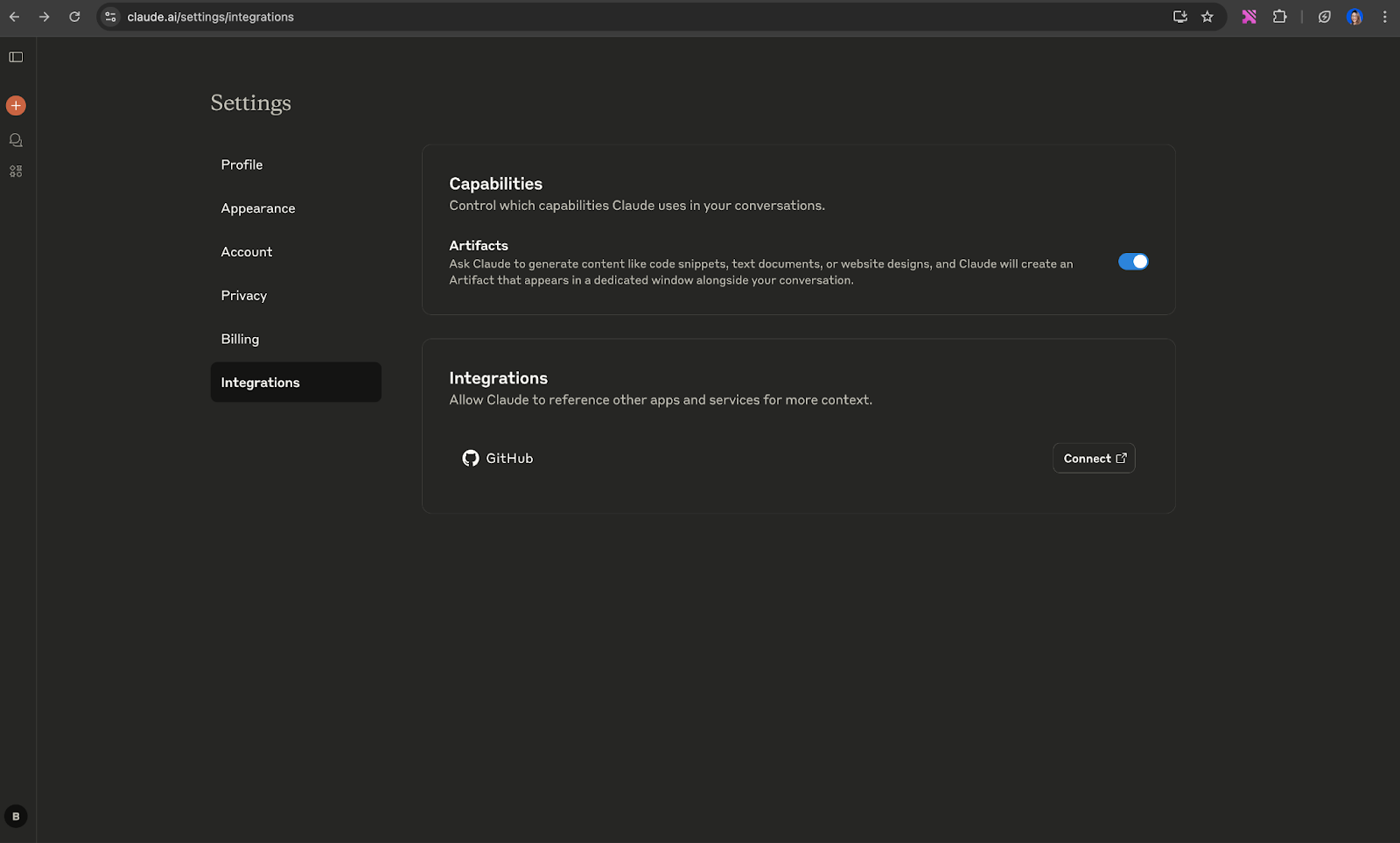
***Please note that Claude has restrictive rules regarding the ability to send PII via MCP. Please ensure that your use case is consistent with Claude’s Terms of Service.
If you're having issues, please reach out to support@file.ai
This server cannot be deployed
Document conversion MCP server: PDF to Markdown, image OCR, spreadsheet parsing.
The CustomGPT.ai MCP server is a fully managed, RAG-powered endpoint that connects large language models with private knowledge bases and external data sources. It provides tools for retrieval-augmented generation queries (send_message), data ingestion (upload_file), and source listing, enabling AI agents to query private documents like PDFs with high accuracy and real-time citations.
FalaAI API MCP server: transcribe audio, diagnose conversations, audit compliance (ISO 18295-1).
OCR, transcription, file extraction, and image generation for AI agents via MCP.