Glama
fairyming

Suricata MCP

by fairyming

Suricata MCP

MCP service for validating Suricata rules against pcap files.

Installation

# 安装依赖
source /path/to/venv/bin/activate
pip install -e .

Usage

运行 MCP Server

suricata-mcp

或在 Claude Desktop 配置中添加:

{
  "mcpServers": {
    "suricata": {
      "command": "python",
      "args": ["-m", "suricata_mcp.server"],
      "env": {
        "SURICATA_PATH": "/usr/local/bin/suricata"
      }
    }
  }
}

Tools

validate_suricata_rule

验证 Suricata 规则语法是否正确。

参数:

  • rule_content (string, 必需): Suricata 规则内容

validate_suricata_rule_file

验证 Suricata 规则文件语法是否正确。

参数:

  • rule_path (string, 必需): 规则文件路径

示例:

{
  "rule_path": "/path/to/rules.rules"
}

test_suricata_rule

测试 Suricata 规则对 pcap 文件是否生效,验证规则是否能匹配到预期告警。

参数:

  • rule_content (string, 必需): Suricata 规则内容

  • pcap_path (string, 必需): pcap 文件路径

  • expected_sid (integer, 可选): 预期匹配的 signature ID,不提供则从规则中提取

test_suricata_rule_file

测试 Suricata 规则文件对 pcap 文件是否生效。

参数:

  • rule_path (string, 必需): 规则文件路径

  • pcap_path (string, 必需): pcap 文件路径

  • expected_sids (array of integers, 可选): 预期匹配的 signature IDs

工作流程

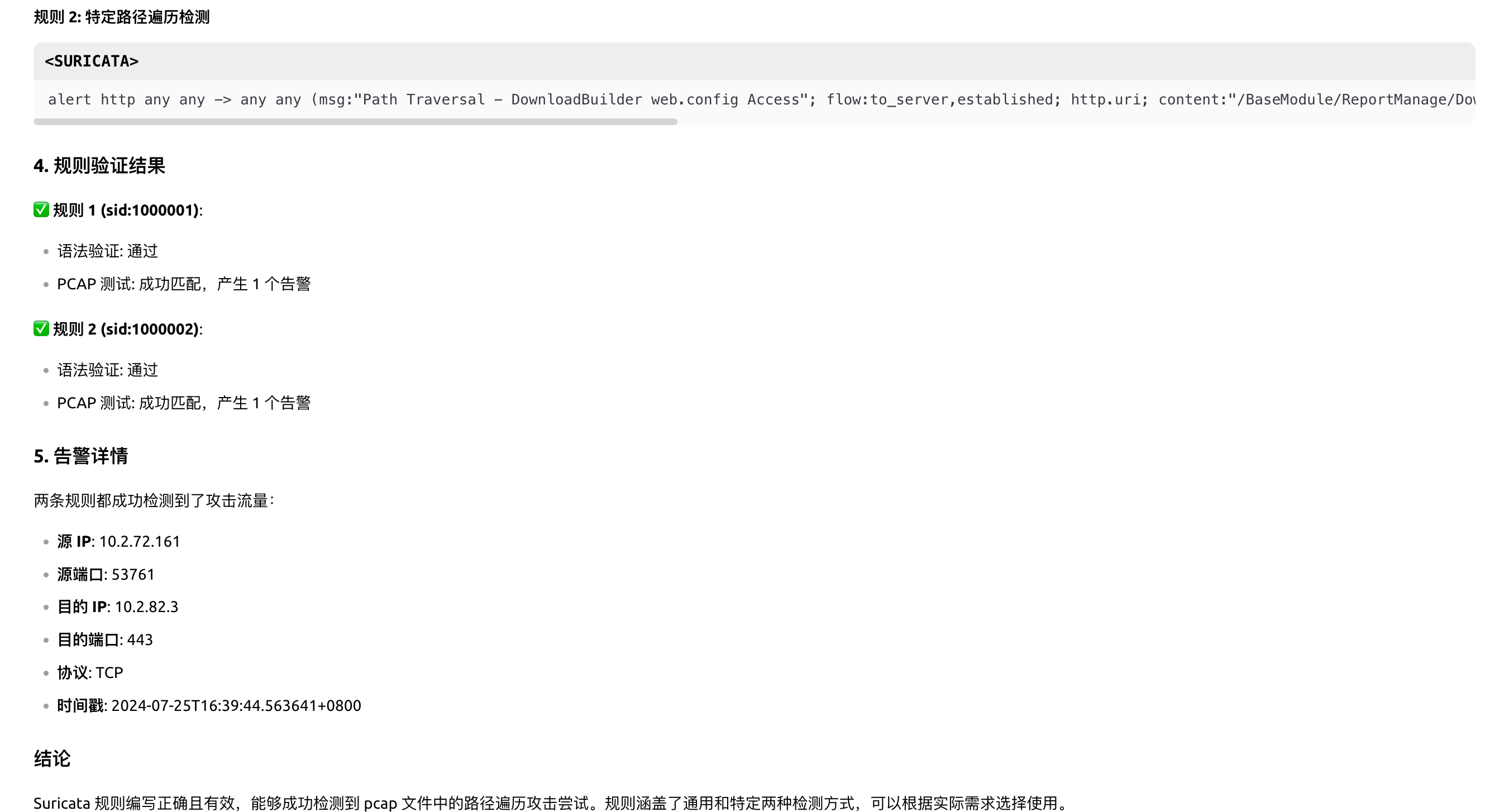
  1. 规则语法验证: 使用 suricata -S <rule_path> -T 验证规则语法

  2. pcap 测试: 使用 suricata -r <pcap_path> -S <rule_path> -l <log_path> 运行测试

  3. 告警解析: 解析 eve.jsonevent_typealert 的记录

  4. sid 匹配: 验证规则的 sid 与告警日志中的 signature_id 是否一致

自动编写规则

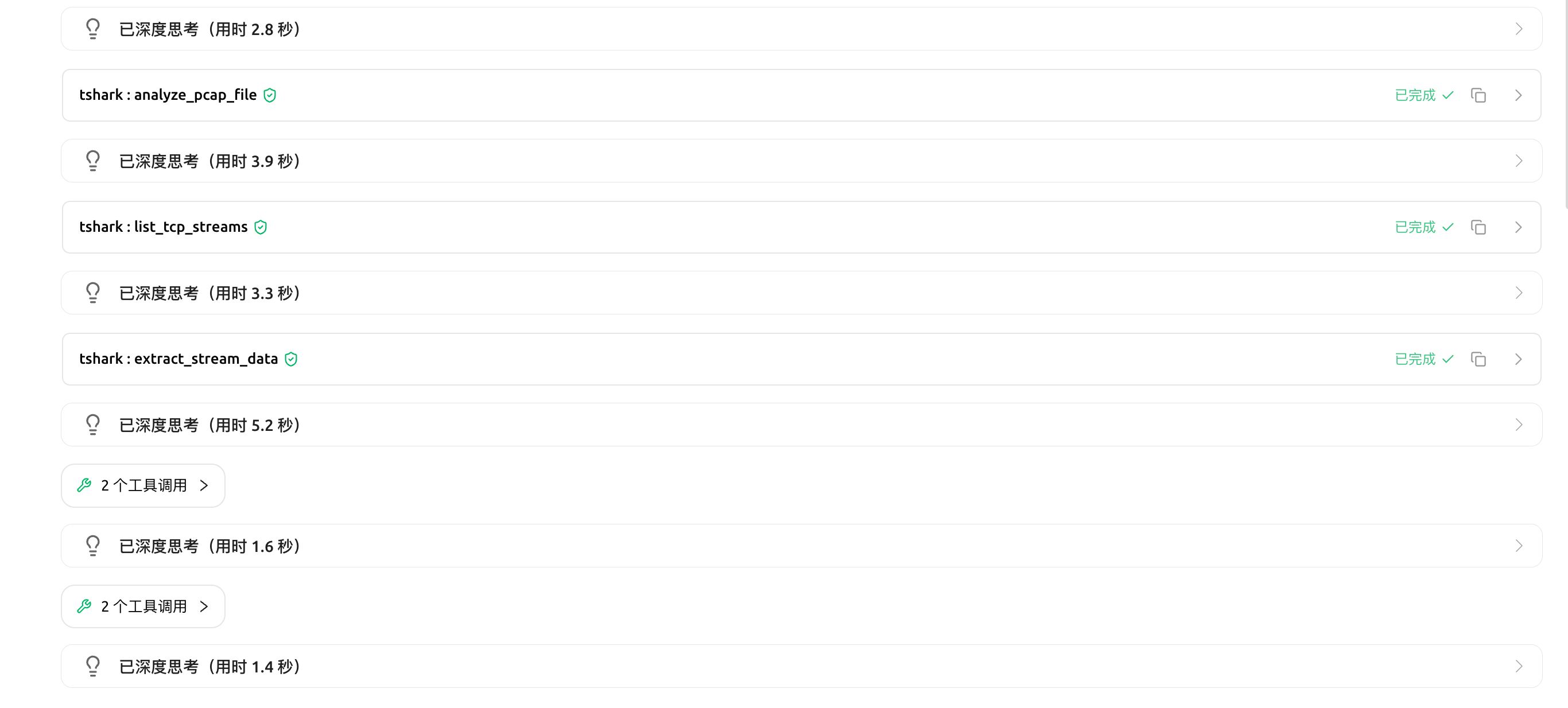
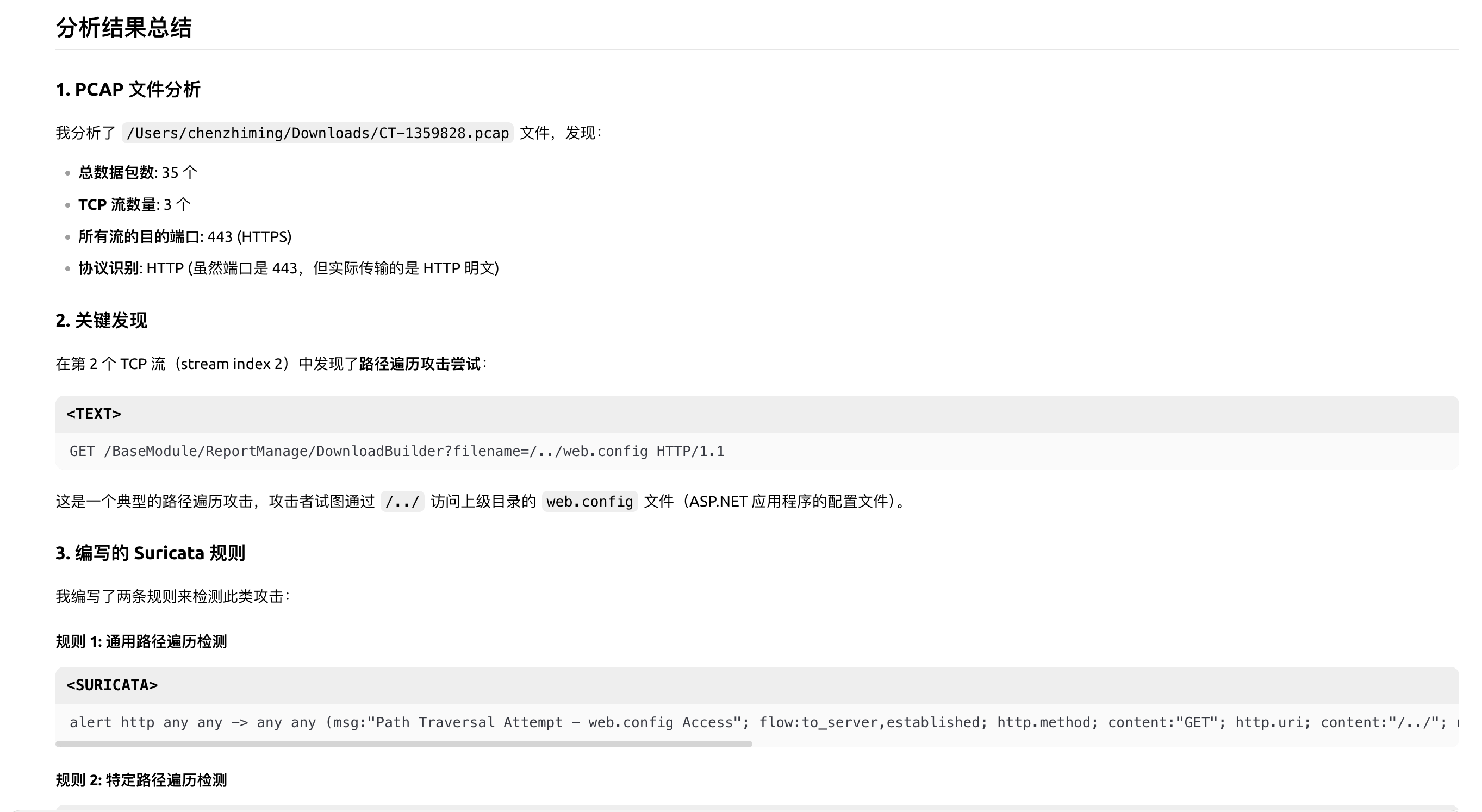
配合: https://github.com/fairyming/tshark_mcp, 可以实现自动分析,编写规则并验证

image.png image.png image.png

-
security - not tested
F
license - not found
-
quality - not tested

Resources

Unclaimed servers have limited discoverability.

Looking for Admin?

If you are the server author, to access and configure the admin panel.

Latest Blog Posts

MCP directory API

We provide all the information about MCP servers via our MCP API.

curl -X GET 'https://glama.ai/api/mcp/v1/servers/fairyming/suricata_mcp'

If you have feedback or need assistance with the MCP directory API, please join our Discord server