iRacing Data MCP Server 🏎️
A Node.js Model Context Protocol (MCP) server that provides seamless access to iRacing's racing simulation data API. This project serves as both a standalone CLI tool and an MCP server for AI assistant integration.


🌟 Features
🤖 MCP Server Integration
AI Assistant Ready: Seamlessly integrate with Claude, ChatGPT, and other AI assistants
Real-time Data Access: Live access to iRacing's comprehensive racing data
Automatic Authentication: Handles login and session management automatically
Type-safe Operations: Full TypeScript support with Zod schema validation
📊 Data Access
Member Profiles: Detailed driver information including licenses and ratings
Team Information: Comprehensive team data and statistics
Career Statistics: Complete racing career history and achievements
Season Recaps: Detailed season performance and progression
Driver Lookup: Search and find drivers by name
API Documentation: Built-in access to iRacing's API documentation
🛠️ Dual Interface
Related MCP server: iRacing MCP
📖 Usage
As MCP Server
Configuration for LLM Clients
To use this MCP server with AI assistants like Claude Desktop, add the following configuration to your MCP settings file:
For Claude Desktop (~/Library/Application Support/Claude/claude_desktop_config.json on macOS):
{
  "mcpServers": {
    "iracing-data-mcp-server": {
      "command": "npx",
      "args": [
        "iracing-data-mcp-server@latest",
        "@modelcontextprotocol/server-filesystem",
        "/path/to/your/cookie-jar-file"
      ]
      "env": {
        "COOKIE_JAR": "/path/to/your/cookie-jar-file",
        "EMAIL": "your.email@example.com",
        "API_KEY": "your_api_key_here"
      }
    }
  }
}
Available MCP Tools
The server will run and provide the following tools to AI assistants:
Tool | Description | Parameters |
login
| Authenticate with iRacing | None |
get_members_profile
| Get member profile data | member_ids: number[]
|
get_team
| Retrieve team information | team_id: string
|
get_member_recap
| Get season recap data | member_id: number, year?: number, season?: number
|
get_member_career
| Get career statistics | member_id: number
|
driver_lookup
| Search for drivers | driver_name: string
|
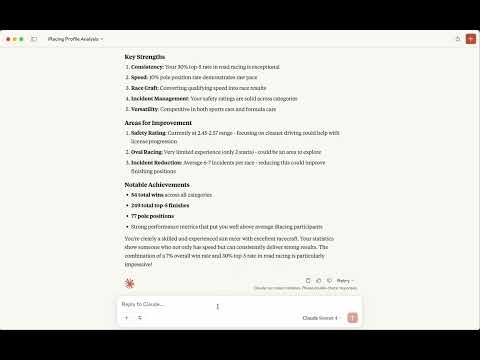
📹 Watch the video
As CLI Tool
Environment Setup
Create a .env file in your project directory:
# Required: Path to store authentication cookies
COOKIE_JAR=./cookies.txt

# Required: Your iRacing account credentials
EMAIL=your.email@example.com

# Option 1: Use your iRacing password
PASSWORD=your_password

# Option 2: Use pre-generated API key (recommended for security)
# API_KEY=your_api_key_here
Initial Authentication
Before using the cli, authenticate with iRacing:
Use the command-line interface for direct data access:
Get Member Profile
# Single member
npm run api member 123456

# Multiple members
npm run api member 123456,789012
Get Team Information
Get Member Career Data
npm run api member-career 123456
Get Season Recap
# Current season recap
npm run api member-recap --member-id 123456

# Specific year and season
npm run api member-recap --member-id 123456 --year 2024 --season 1
Driver Lookup
npm run api driver-lookup "Max Verstappen"
API Documentation
npm run api documentation
🔧 Development Setup
Prerequisites
Clone and Install
git clone https://github.com/yourusername/iracing-data-mcp-server.git
cd iracing-data-mcp-server
npm install
🔐 Authentication & Security
API Key vs Password
Recommended: Use an API key for enhanced security:
Generate API Key:
const crypto = require('crypto');
const apiKey = crypto.createHash('sha256')
  .update(password + email)
  .digest('base64');
Set in Environment:
API_KEY=your_generated_api_key
# Remove PASSWORD variable when using API_KEY
Cookie Management
The server automatically manages authentication cookies:
Stores cookies in the path specified by COOKIE_JAR
Automatically refreshes expired sessions
Handles authentication errors gracefully
