
A
licenseA
qualityD
maintenanceAn MCP server that allows Claude to interact with Discord by providing tools for sending/reading messages and managing server resources through Discord's API.
19
162 npm
MIT

Provides tools for interacting with Discord, enabling AI agents to list channels, read message history, and send messages to specific channels.
Click on "Deploy Server".
Wait a few minutes for the server to deploy. Once ready, it will show a "Started" state.
In the chat, type @ followed by the MCP server name and your instructions, e.g., "@Discord MCP Server Read the latest messages from the general channel"
That's it! The server will respond to your query, and you can continue using it as needed.
Here is a step-by-step guide with screenshots.
Connect Claude Desktop to Discord using MCP (Model Context Protocol).
get_channel — list channels
read_message — read messages
send_message — send messages
Related MCP server: MCP-Discord
Claude → MCP Server → Discord Bot → DiscordMCP DISCORD/
├── server.py
├── assets/
│ ├── list_channels.png
│ ├── read_messages.png
│ └── send_message.png
├── .env
├── pyproject.toml
└── README.md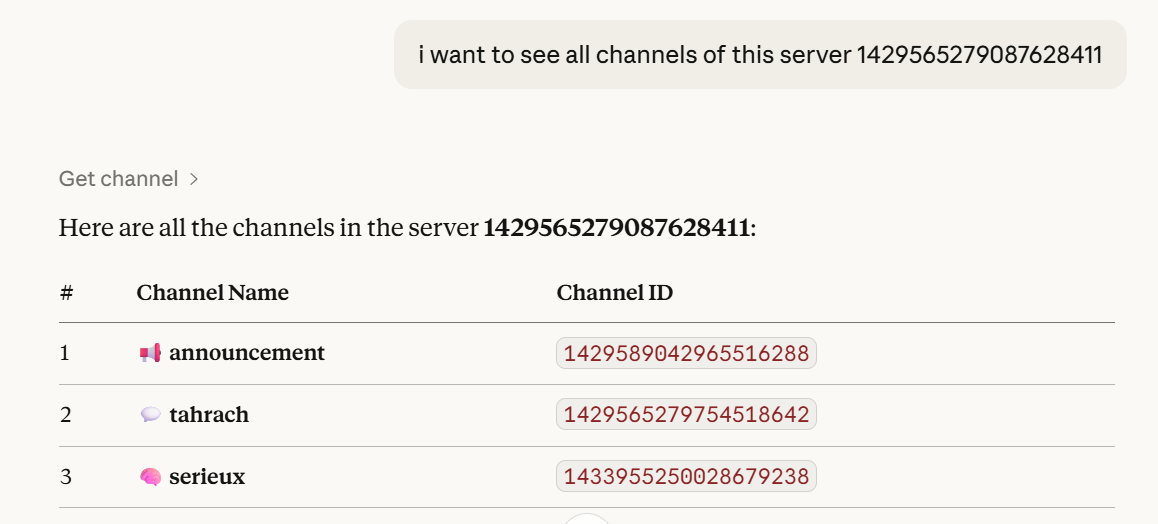
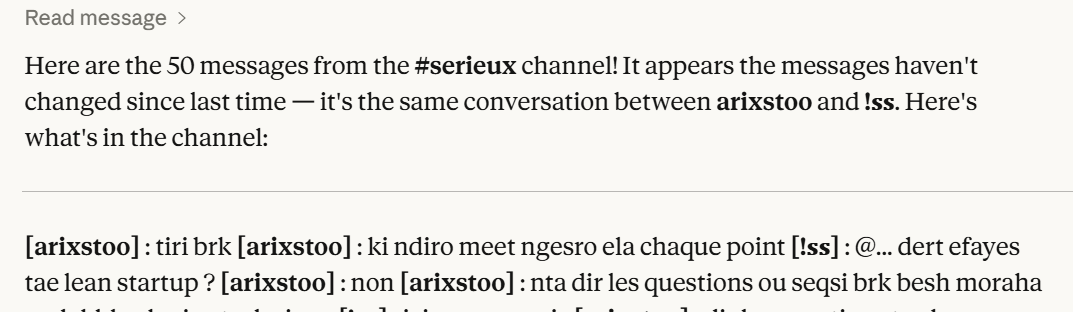
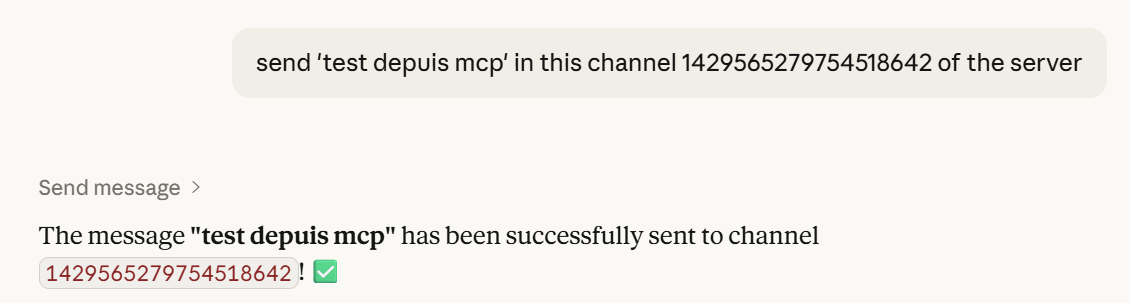
uv syncor
pip install mcp discord.py python-dotenv pydanticCreate bot: https://discord.com/developers/applications
Enable:
Message Content Intent
Server Members Intent
Invite with permissions:
View Channels
Send Messages
Read Message History
.envDISCORD_TOKEN=your_token_here{
"mcpServers": {
"discord": {
"command": "uv",
"args": [
"--directory",
"C:/path/to/MCP DISCORD",
"run",
"server.py"
],
"env": {
"DISCORD_TOKEN": "your_token"
}
}
}
}uv run server.pyList channels in server 123
Read last 10 messages from channel 456
Send "Hello" to channel 456Don’t share your token
Reset it if leaked
Dioubi Issam Ai developer
This server cannot be deployed
An MCP server that integrates with Discord to provide AI-powered features.
Hosted MCP server connecting claude.ai, ChatGPT and other AI apps to your own computer
MCP server unifying ERPs, CRMs, APIs and knowledge base for Claude, ChatGPT and Gemini.
Driflyte MCP server which lets AI assistants query topic-specific knowledge from web and GitHub.