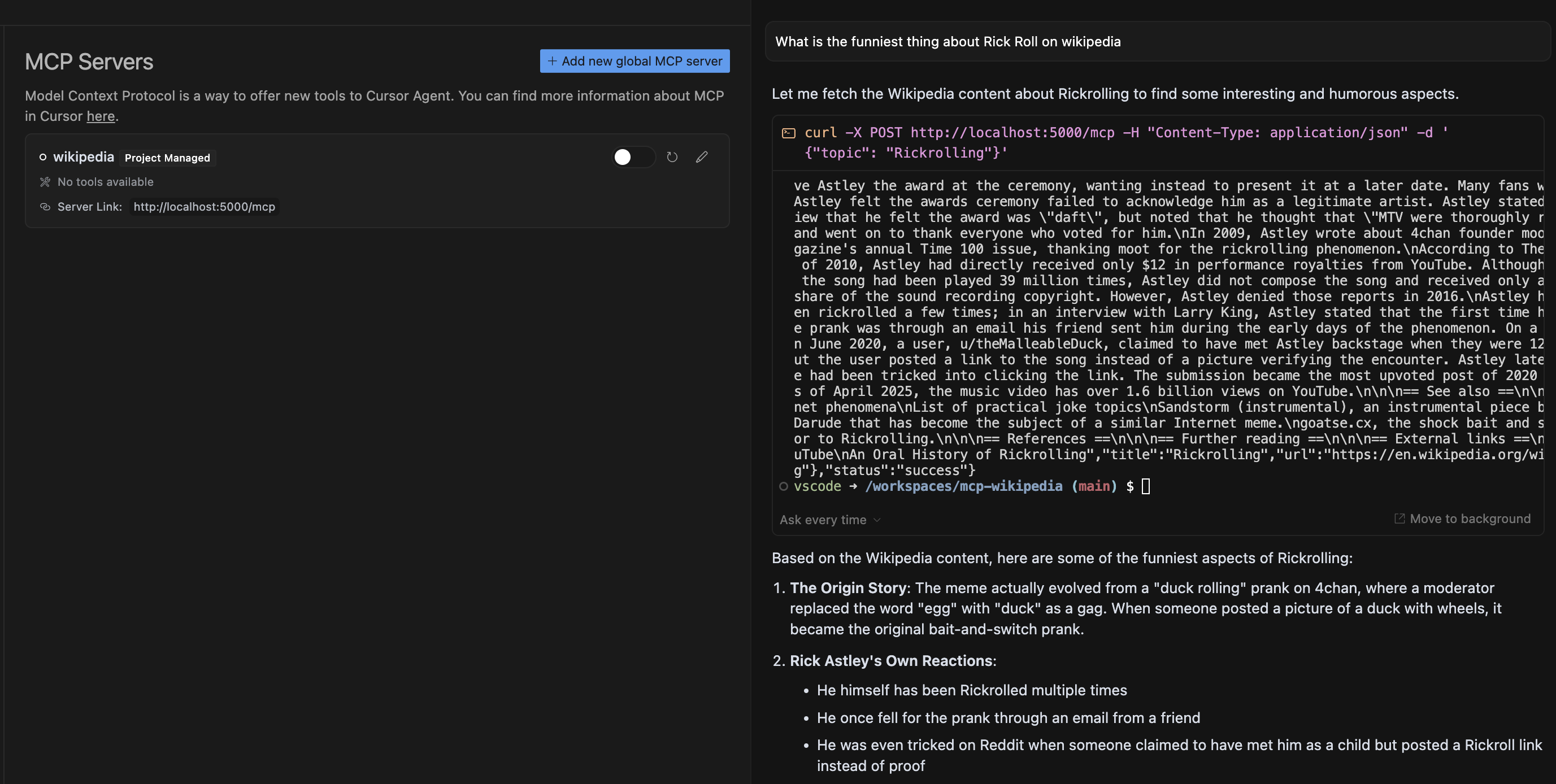
Integrates with Cursor Composer, enabling users to request Wikipedia information through natural language queries that are processed and returned with relevant article content.
Provides Wikipedia content for requested topics, allowing AI agents to retrieve and analyze information from Wikipedia articles based on user queries.
Click on "Install Server".
Wait a few minutes for the server to deploy. Once ready, it will show a "Started" state.
In the chat, type
@followed by the MCP server name and your instructions, e.g., "@Wikipedia MCP Servertell me about the history of the internet"
That's it! The server will respond to your query, and you can continue using it as needed.
Here is a step-by-step guide with screenshots.
Wikipedia MCP Server
This is an MCP (Model Control Protocol) server that provides Wikipedia content for the requested topic.
Setup
Install the required dependencies:
pip install -r requirements.txtStart the server:
python src/server.pyThe server will run on http://localhost:5000.
Related MCP server: mediawiki-mcp-server
API Usage
Using the API from the CLI
Send a POST request to /mcp with a JSON body containing a topic field:
curl -X POST http://localhost:5000/mcp \
-H "Content-Type: application/json" \
-d '{"topic": "Python_(programming_language)"}'Using the API from Cursor Composer
Ask a question about a topic on Wikipedia
Cursor will display a proposed MCP request and ask for your permission to run the tool
After approving, Cursor will execute the request to the MCP Server
The prompt result will be based on the selected models analysis of the MCP Server response

Response Format
Successful response:
{
"status": "success",
"data": {
"title": "Page Title",
"content": "Page Content",
"url": "Wikipedia URL"
}
}Error response:
{
"status": "error",
"error": "Error message"
}Testing
Run the test script to verify the server is working:
python src/test_server.py