
A
licenseNot graded
qualityD
maintenanceA FastMCP-powered server for programmatically creating, editing, and rendering PowerPoint (PPTX) presentations with features for slide creation, content insertion, and PNG rendering.
35
Apache 2.0

The PowerPoint Translator server provides comprehensive PowerPoint translation and management capabilities using Amazon Bedrock models.
Translation Features:
Translate entire presentations or specific slides/ranges to various languages
Preserve original formatting, layouts, styles, and colors during translation
Automatically apply appropriate fonts for target languages
Utilize Amazon Bedrock models for high-quality translation with natural language polishing
Presentation Management:
Get slide information including count and content previews
Preview specific slide content in detail
Apply post-processing optimization with text auto-fitting for overflowed text
Additional Capabilities:
List supported target languages and Amazon Bedrock models
Access usage examples and help information
Integrate with AI assistants like Amazon Q Developer via FastMCP for seamless workflows
Integrates with Amazon Bedrock to power high-quality PowerPoint translations, leveraging Amazon's AI models for translating text content while preserving formatting and structure.
Enables translation of PowerPoint slides, allowing users to translate entire presentations or specific slides while maintaining original formatting, layouts, and styles.
Click on "Deploy Server".
Wait a few minutes for the server to deploy. Once ready, it will show a "Started" state.
In the chat, type @ followed by the MCP server name and your instructions, e.g., "@PowerPoint Translator translate my presentation to Spanish"
That's it! The server will respond to your query, and you can continue using it as needed.
Here is a step-by-step guide with screenshots.
A PowerPoint translation tool that calls OpenAI and Anthropic models through Amazon Bedrock Mantle while preserving presentation formatting and structure. Use it as a CLI or a FastMCP server.
Current release: v1.1.0
한국어 · Configuration & MCP reference · CLI cheatsheet
GPT-5.6 Sol/Terra/Luna/Cyber and Claude Opus 5/Sonnet 5/Haiku 4.5
GPT-5.6 Terra as the default model with optional Luna fallback
AWS default credential chain, short-term Mantle tokens, and SigV4
Formatting, layout, color, language-specific font, notes, and chart preservation
Parallel translation for large presentations and multi-file folder batches
Structured PowerPoint-to-Markdown export with optional web verification
SQLite or in-memory translation cache
Source-language detection, custom YAML glossary, and cost dry-run
Exponential retry for transient errors and model fallback after 429/503 failures
CLI and FastMCP interfaces
Related MCP server: PowerPoint Translator MCP Service
The translator preserves complex slide layouts:
Python 3.11 or later
AWS account with Amazon Bedrock access
AWS credentials available through the default credential chain
Model access in the selected AWS Region
git clone https://github.com/daekeun-ml/ppt-translator
cd ppt-translator
uv sync
Configure AWS credentials:
aws configure
export AWS_REGION=us-east-1
# export AWS_PROFILE=default
The translator generates short-term tokens for GPT models and uses SigV4 for
Claude models. AWS_BEARER_TOKEN_BEDROCK is an optional long-term API key
override.
The built-in defaults are sufficient for normal use. To customize them:
cp .env.example .envSee Configuration for all settings. The
README intentionally does not duplicate the complete .env file.
uv run ppt-translate translate samples/en.pptx -t koPresentations larger than 30 slides are split into parallel chunks:
# Defaults: up to 4 slide workers, 30 slides per chunk
uv run ppt-translate translate large-deck.pptx -t ko

# 80 slides -> 20+20+20+20
uv run ppt-translate translate large-deck.pptx -t ko \
  --slide-workers 4 --slides-per-worker 20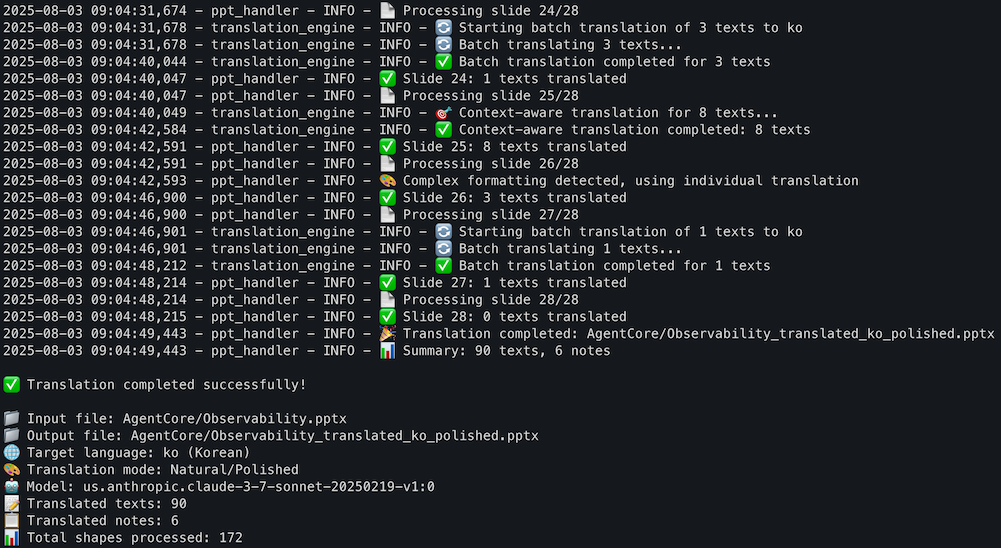
# Recursive by default
uv run ppt-translate batch-translate samples/ -t ko

# Top-level files only
uv run ppt-translate batch-translate samples/ -t ko --no-recursive

# Output folder and concurrent PowerPoint files
uv run ppt-translate batch-translate samples/ -t ko -o translated_ko/ -w 10
--workers controls concurrent PowerPoint files. --slide-workers controls
parallel slide chunks inside each presentation.

uv run ppt-translate translate-slides samples/en.pptx -s "1,3,5" -t ko
uv run ppt-translate translate-slides samples/en.pptx -s "2-4" -t ko# AI-structured Korean notes with slide references
uv run ppt-translate export-markdown samples/en.pptx -l ko
# Deterministic extraction without model calls
uv run ppt-translate export-markdown samples/en.pptx \
--mode extract --language source
# Export every presentation and preserve the folder structure
uv run ppt-translate batch-export-markdown samples/ -l ko
# Verify a bounded set of external claims with client-side web search
uv run ppt-translate export-markdown samples/en.pptx -l ko --web-verifyStructured mode summarizes slides in parallel chunks, creates a sourced presentation overview, and preserves tables, chart data, and speaker notes. Each chunk is validated against the requested output language. Invalid or incomplete responses are regenerated and automatically split into smaller chunks when needed; source-language text is never silently substituted into a translated Markdown document. Web verification is opt-in. See the Markdown export reference.
# Estimate tokens and cost without calling the model
uv run ppt-translate translate samples/en.pptx -t ko --dry-run

# Cache is enabled by default at ~/.ppt-translator/cache.db
uv run ppt-translate translate samples/en.pptx -t ko

# Disable cache
uv run ppt-translate translate samples/en.pptx -t ko --no-cache
The following comparison shows a fully cached folder run and a first run that calls the model:

# Explicit source language skips auto-detection
uv run ppt-translate translate samples/en.pptx --source-language en -t ko

# Use a glossary; ./glossary.yaml is detected automatically
uv run ppt-translate translate samples/en.pptx -t ko -g glossary.yaml

# Leave chart text unchanged
uv run ppt-translate translate samples/en.pptx -t ko --no-charts

# Inspect the first slides
uv run ppt-translate info samples/en.pptx
See the CLI cheatsheet for the complete everyday command reference.
Start the FastMCP server:
uv run mcp_server.pyThen ask the connected assistant naturally:
Translate samples/en.pptx to Korean
Batch-translate samples/ into Japanese, dry-run first
Show me what is in slide 3
Export samples/en.pptx as structured Korean Markdown
Host configuration for Claude Code and Kiro, plus the complete MCP tool list, is in the Configuration & MCP reference.
This project is licensed under the MIT License. See LICENSE.
Export all PowerPoint files in a folder as Markdown.
| Name | Required | Description | Default |
|---|---|---|---|
| mode | No | structured | |
| workers | No | ||
| model_id | No | openai.gpt-5.6-terra | |
| recursive | No | ||
| cache_path | No | ||
| web_verify | No | ||
| input_folder | Yes | ||
| cache_backend | No | sqlite | |
| chunk_workers | No | ||
| output_folder | No | ||
| max_web_queries | No | ||
| output_language | No | ja | |
| slides_per_chunk | No |
| Name | Required | Description |
|---|---|---|
| result | Yes |
Does the description disclose side effects, auth requirements, rate limits, or destructive behavior?
No annotations are provided, so the description carries the full burden of behavioral disclosure. It only states the output format and batch scope; it does not mention output location, caching, concurrency, web queries, or side effects of the many configuration options.
Agents need to know what a tool does to the world before calling it. Descriptions should go beyond structured annotations to explain consequences.
Is the description appropriately sized, front-loaded, and free of redundancy?
The description is a single concise sentence with no unnecessary words, and the core operation is front-loaded. However, for a tool with 13 parameters, no annotations, and an output schema, this brevity crosses into under-specification rather than good structure.
Shorter descriptions cost fewer tokens and are easier for agents to parse. Every sentence should earn its place.
Given the tool's complexity, does the description cover enough for an agent to succeed on first attempt?
With 13 parameters, no annotations, and no parameter-level documentation, the description is insufficient. It gives an agent the minimal default-call scenario but omits all operational guidance about output folders, language, model selection, concurrency, and when the batch tool is preferable to the single-file tool.
Complex tools with many parameters or behaviors need more documentation. Simple tools need less. This dimension scales expectations accordingly.
Does the description clarify parameter syntax, constraints, interactions, or defaults beyond what the schema provides?
Schema description coverage is 0%, and the description names none of the 13 parameters. The important parameters such as mode, workers, output_language, cache_path, recursive, and output_folder are left completely unexplained, so an agent cannot reason about their semantics.
Input schemas describe structure but not intent. Descriptions should explain non-obvious parameter relationships and valid value ranges.
Does the description clearly state what the tool does and how it differs from similar tools?
The description uses a clear verb ('Export') and a specific resource/scope: all PowerPoint files in a folder to Markdown. It identifies the batch nature of the tool well enough to be distinguished from the sibling export_powerpoint_markdown, though it does not name that sibling.
Agents choose between tools based on descriptions. A clear purpose with a specific verb and resource helps agents select the right tool.
Does the description explain when to use this tool, when not to, or what alternatives exist?
The phrase 'all ... in a folder' implies this is the batch variant and should be used for folder-wide conversion. However, there is no explicit guidance about when to prefer the single-file sibling or any exclusions, prerequisites, or boundary conditions.
Agents often have multiple tools that could apply. Explicit usage guidance like "use X instead of Y when Z" prevents misuse.
Translate all PowerPoint files in a folder (with optional recursive processing).
| Name | Required | Description | Default |
|---|---|---|---|
| dry_run | No | If True, estimate aggregate cost without translating | |
| workers | No | Number of PowerPoint files translated concurrently (default: 10) | |
| model_id | No | Amazon Bedrock Mantle model ID to use for translation | openai.gpt-5.6-terra |
| recursive | No | Process subfolders recursively (default: True — set to False to limit to top level) | |
| cache_path | No | SQLite cache path (ignored for memory/none backends) | |
| input_folder | Yes | Path to the input folder containing PowerPoint files | |
| cache_backend | No | Translation cache backend: 'sqlite' (default), 'memory', or 'none' | sqlite |
| glossary_file | No | Path to a glossary YAML file (defaults to ./glossary.yaml if present) | |
| output_folder | No | Path to save translated files (optional, auto-generated if not provided) | |
| slide_workers | No | Maximum slide translation workers per presentation | |
| source_language | No | ||
| target_language | No | Target language code (e.g., 'ko', 'ja', 'es', 'fr', 'de') | ja |
| enable_polishing | No | Enable natural language polishing for more fluent translation | |
| translate_charts | No | If True, translate chart titles/axes/categories/series | |
| slides_per_worker | No | Number of slides assigned to each slide worker | |
| auto_detect_source | No |
| Name | Required | Description |
|---|---|---|
| result | Yes |
Does the description disclose side effects, auth requirements, rate limits, or destructive behavior?
There are no annotations, so the description carries the full responsibility for behavioral disclosure. It only states scope and recursion; it does not mention where output files are written, whether source files are modified, cost implications, caching, model defaults, or any dry-run behavior. For a batch mutation-like operation, this is a meaningful transparency gap.
Agents need to know what a tool does to the world before calling it. Descriptions should go beyond structured annotations to explain consequences.
Is the description appropriately sized, front-loaded, and free of redundancy?
The description is a single focused sentence with the core action front-loaded and the recursive option included as a compact parenthetical. There is no fluff, and every component contributes to the primary selection decision.
Shorter descriptions cost fewer tokens and are easier for agents to parse. Every sentence should earn its place.
Given the tool's complexity, does the description cover enough for an agent to succeed on first attempt?
For a 16-parameter tool with no annotations, this description is quite sparse, but the rich input schema and existence of an output schema reduce the burden. It still omits useful high-level context, such as how the output folder is determined, whether files are overwritten, and how dry-run behaves, but it is sufficient for a straightforward batch translation call.
Complex tools with many parameters or behaviors need more documentation. Simple tools need less. This dimension scales expectations accordingly.
Does the description clarify parameter syntax, constraints, interactions, or defaults beyond what the schema provides?
The schema already provides detailed descriptions for 88% of parameters, including defaults, so the description does not need to repeat parameter semantics. The only parameter-related mention is the recursive parenthetical, which adds marginal value over the schema's own recursive parameter description, so the baseline 3 is appropriate.
Input schemas describe structure but not intent. Descriptions should explain non-obvious parameter relationships and valid value ranges.
Does the description clearly state what the tool does and how it differs from similar tools?
The description names a specific verb and resource ('Translate all PowerPoint files in a folder') and adds a recursive scope trait. It clearly distinguishes this from siblings such as translate_powerpoint, translate_specific_slides, or batch_export_powerpoint_markdown, even without naming them.
Agents choose between tools based on descriptions. A clear purpose with a specific verb and resource helps agents select the right tool.
Does the description explain when to use this tool, when not to, or what alternatives exist?
The description gives a clear usage context: use this when you want to translate every PowerPoint file in a folder, optionally recursing into subfolders. It does not explicitly name sibling tools for single-file translation or exclusion rules, but the folder-scoped phrasing makes the intended invocation obvious.
Agents often have multiple tools that could apply. Explicit usage guidance like "use X instead of Y when Z" prevents misuse.
Export one PowerPoint presentation as structured Markdown.
| Name | Required | Description | Default |
|---|---|---|---|
| mode | No | "structured" for AI notes or "extract" for deterministic extraction | structured |
| workers | No | Concurrent slide-summary chunks | |
| model_id | No | Bedrock Mantle model used for structured mode | openai.gpt-5.6-terra |
| cache_path | No | Optional SQLite cache path | |
| input_file | Yes | Path to a .pptx file | |
| web_verify | No | Run bounded client-side web verification | |
| output_file | No | Markdown output path; generated beside the PPT when omitted | |
| cache_backend | No | sqlite, memory, or none | sqlite |
| max_web_queries | No | Maximum search queries when web_verify is enabled | |
| output_language | No | Language code for AI notes, or "source" | ja |
| slides_per_chunk | No | Slides supplied to each summary request |
| Name | Required | Description |
|---|---|---|
| result | Yes |
Does the description disclose side effects, auth requirements, rate limits, or destructive behavior?
No annotations are provided, so the description carries the burden of explaining behavior. It only discloses that a PowerPoint is exported to Markdown, but fails to mention that the tool may invoke an AI model, perform web verification, write output files, use a cache, or have side effects. These behaviors are important for agent decision-making and are not transparent.
Agents need to know what a tool does to the world before calling it. Descriptions should go beyond structured annotations to explain consequences.
Is the description appropriately sized, front-loaded, and free of redundancy?
The description is one concise, front-loaded sentence with no filler. It does not waste space, though for a tool with 11 parameters and important behavioral differences, a slightly richer description would be more appropriately sized.
Shorter descriptions cost fewer tokens and are easier for agents to parse. Every sentence should earn its place.
Given the tool's complexity, does the description cover enough for an agent to succeed on first attempt?
This is a complex tool with many options (mode, workers, model, caching, web_verify, output_language, chunking) and no annotations. The one-sentence description is not enough to let an agent know when to choose single export vs batch, or what operational trade-offs exist. The presence of an output schema helps, but the description still leaves substantial contextual gaps.
Complex tools with many parameters or behaviors need more documentation. Simple tools need less. This dimension scales expectations accordingly.
Does the description clarify parameter syntax, constraints, interactions, or defaults beyond what the schema provides?
Parameter schema coverage is 100%, with descriptions for all parameters, so the schema already explains each parameter. The tool description adds no parameter-level nuance beyond saying 'structured Markdown', so a baseline score of 3 is appropriate.
Input schemas describe structure but not intent. Descriptions should explain non-obvious parameter relationships and valid value ranges.
Does the description clearly state what the tool does and how it differs from similar tools?
The description states a concrete action ('Export'), a clear resource ('one PowerPoint presentation'), and a specific output ('structured Markdown'). The word 'one' distinguishes it from the sibling batch_export_powerpoint_markdown tool, making the intended scope unambiguous.
Agents choose between tools based on descriptions. A clear purpose with a specific verb and resource helps agents select the right tool.
Does the description explain when to use this tool, when not to, or what alternatives exist?
The description provides no guidance on when to prefer this tool over alternatives such as batch_export_powerpoint_markdown or translate_powerpoint. It also does not mention the 'structured' vs 'extract' modes as usage decisions, leaving the agent to infer mostly from parameter defaults.
Agents often have multiple tools that could apply. Explicit usage guidance like "use X instead of Y when Z" prevents misuse.
Get information about slides in a PowerPoint presentation.
| Name | Required | Description | Default |
|---|---|---|---|
| input_file | Yes | Path to the PowerPoint file (.pptx) |
| Name | Required | Description |
|---|---|---|
| result | Yes |
Does the description disclose side effects, auth requirements, rate limits, or destructive behavior?
With no annotations provided, the description carries the full burden of behavioral disclosure, but it only says 'get information.' It does not describe whether the operation changes files, requires authentication, opens read-only, performs disk access beyond the given path, or has performance implications. The 'get' verb implies a read, but little else is transparent.
Agents need to know what a tool does to the world before calling it. Descriptions should go beyond structured annotations to explain consequences.
Is the description appropriately sized, front-loaded, and free of redundancy?
The description is short, direct, and front-loaded, with no filler. It is appropriately compact for a tool with one parameter, but its brevity also skips useful context about the returned data and how this tool differs from nearby siblings.
Shorter descriptions cost fewer tokens and are easier for agents to parse. Every sentence should earn its place.
Given the tool's complexity, does the description cover enough for an agent to succeed on first attempt?
For a simple one-parameter tool with an output schema, the description is minimally adequate. However, given the presence of purpose-overlapping siblings such as get_slide_preview, a little more context about what makes get_slide_info distinct would meaningfully improve the definition.
Complex tools with many parameters or behaviors need more documentation. Simple tools need less. This dimension scales expectations accordingly.
Does the description clarify parameter syntax, constraints, interactions, or defaults beyond what the schema provides?
The single parameter input_file is already fully described in the schema as 'Path to the PowerPoint file (.pptx).' The description adds no parameter-level detail beyond that, so it meets the baseline for high schema coverage without adding new meaning.
Input schemas describe structure but not intent. Descriptions should explain non-obvious parameter relationships and valid value ranges.
Does the description clearly state what the tool does and how it differs from similar tools?
The description states a clear verb and resource — it 'gets information about slides' from a PowerPoint file. It is understandable, but 'information' is vague and does not define what kinds of slide data are returned, so it stops short of a fully precise statement.
Agents choose between tools based on descriptions. A clear purpose with a specific verb and resource helps agents select the right tool.
Does the description explain when to use this tool, when not to, or what alternatives exist?
There is no guidance about when to use this tool over its siblings like get_slide_preview, export_powerpoint_markdown, or translate_specific_slides. The agent is not told whether this is the right fit for a casual read, a translation workflow, or a visual check, so selection depends entirely on inference.
Agents often have multiple tools that could apply. Explicit usage guidance like "use X instead of Y when Z" prevents misuse.
Get a detailed preview of a specific slide's content.
| Name | Required | Description | Default |
|---|---|---|---|
| input_file | Yes | Path to the PowerPoint file (.pptx) | |
| slide_number | Yes | Slide number to preview (1-based indexing) |
| Name | Required | Description |
|---|---|---|
| result | Yes |
Does the description disclose side effects, auth requirements, rate limits, or destructive behavior?
No annotations are provided, so the description carries the full burden. It says 'detailed preview' but does not disclose read-only behavior, what is included, or how it handles missing files or invalid slide numbers. This is not misleading, but it is under-specified.
Agents need to know what a tool does to the world before calling it. Descriptions should go beyond structured annotations to explain consequences.
Is the description appropriately sized, front-loaded, and free of redundancy?
The description is a single, front-loaded sentence with no filler. It conveys the essential operation without redundant restatement of parameter names or sibling context.
Shorter descriptions cost fewer tokens and are easier for agents to parse. Every sentence should earn its place.
Given the tool's complexity, does the description cover enough for an agent to succeed on first attempt?
For a two-parameter read-style tool with a full output schema, this is close to sufficient, but the missing use-case guidance and behavioral detail prevent it from being fully complete. An agent can likely call it correctly, but not confidently know when it is the right choice versus get_slide_info or export tools.
Complex tools with many parameters or behaviors need more documentation. Simple tools need less. This dimension scales expectations accordingly.
Does the description clarify parameter syntax, constraints, interactions, or defaults beyond what the schema provides?
The schema already provides high-quality, 100% descriptions for both parameters. The phrase 'specific slide' reinforces the slide_number parameter, but the description adds no additional semantic value beyond the schema.
Input schemas describe structure but not intent. Descriptions should explain non-obvious parameter relationships and valid value ranges.
Does the description clearly state what the tool does and how it differs from similar tools?
The description clearly identifies the verb ('Get') and resource ('detailed preview of a specific slide's content'), making it easy to recognize what the tool does. It is slightly vague about how this differs from the sibling get_slide_info, so it does not fully earn a 5.
Agents choose between tools based on descriptions. A clear purpose with a specific verb and resource helps agents select the right tool.
Does the description explain when to use this tool, when not to, or what alternatives exist?
There is no guidance about when to use this tool instead of get_slide_info, export_powerpoint_markdown, or translate_specific_slides. The description gives a definitional statement but no contextual signal for tool selection.
Agents often have multiple tools that could apply. Explicit usage guidance like "use X instead of Y when Z" prevents misuse.
Get help information about using the PowerPoint translator.
Returns: Help text with usage examples
| Name | Required | Description | Default |
|---|---|---|---|
No parameters | |||
| Name | Required | Description |
|---|---|---|
| result | Yes |
Does the description disclose side effects, auth requirements, rate limits, or destructive behavior?
The description tells the agent what the operation returns — help text and usage examples — and thus describes the complete observable behavior. Since there are no annotations and no realistic side effects for a help lookup, the description carries the transparency burden reasonably well.
Agents need to know what a tool does to the world before calling it. Descriptions should go beyond structured annotations to explain consequences.
Is the description appropriately sized, front-loaded, and free of redundancy?
Two sentences, no fluff, and a clear 'Returns:' marker makes it easy to scan. Every word earns its place.
Shorter descriptions cost fewer tokens and are easier for agents to parse. Every sentence should earn its place.
Given the tool's complexity, does the description cover enough for an agent to succeed on first attempt?
Given zero parameters and an output schema, the description is nearly complete for a help-intent tool. It states what the user receives and covering the full scope of the operation; a little more explicit context about which translator features the help covers would fully set expectations.
Complex tools with many parameters or behaviors need more documentation. Simple tools need less. This dimension scales expectations accordingly.
Does the description clarify parameter syntax, constraints, interactions, or defaults beyond what the schema provides?
The tool has zero parameters, so there is no schema to reinforce or undocumented input to compensate for. The baseline of 4 applies because the description has nothing to add about non-existent parameters and no semantic risk to mitigate.
Input schemas describe structure but not intent. Descriptions should explain non-obvious parameter relationships and valid value ranges.
Does the description clearly state what the tool does and how it differs from similar tools?
States a clear verb and resource: get help about using the PowerPoint translator. The mention of 'help text and usage examples' makes its purpose concrete and distinct from translation/export sibling tools.
Agents choose between tools based on descriptions. A clear purpose with a specific verb and resource helps agents select the right tool.
Does the description explain when to use this tool, when not to, or what alternatives exist?
The name and description imply that this should be used when an agent needs assistance or examples about the translator. However, there is no explicit 'when to use this vs alternatives' statement, though the absence is less harmful here because siblings are task-execution tools and this is clearly the help lookup tool.
Agents often have multiple tools that could apply. Explicit usage guidance like "use X instead of Y when Z" prevents misuse.
List all supported target languages for translation.
Returns: List of supported language codes and names
| Name | Required | Description | Default |
|---|---|---|---|
No parameters | |||
| Name | Required | Description |
|---|---|---|
| result | Yes |
Does the description disclose side effects, auth requirements, rate limits, or destructive behavior?
There are no annotations, so the description carries the burden of disclosing behavior. The description explains that the tool returns a list of supported language codes and names, which covers the basic behavioral outcome, but it does not disclose details such as whether the list is exhaustive, whether it is ordered, or whether it includes any additional metadata. This is acceptable for a simple read-only list tool but lacks depth.
Agents need to know what a tool does to the world before calling it. Descriptions should go beyond structured annotations to explain consequences.
Is the description appropriately sized, front-loaded, and free of redundancy?
The description is extremely concise and front-loaded with the core purpose. The returns statement adds necessary information without redundancy. Every sentence earns its place.
Shorter descriptions cost fewer tokens and are easier for agents to parse. Every sentence should earn its place.
Given the tool's complexity, does the description cover enough for an agent to succeed on first attempt?
For a zero-parameter tool with a straightforward output, the description is sufficient. It states the action, the resource, and the return content. The presence of an output schema covers further structural details, leaving no missing information an agent would need to invoke this tool correctly.
Complex tools with many parameters or behaviors need more documentation. Simple tools need less. This dimension scales expectations accordingly.
Does the description clarify parameter syntax, constraints, interactions, or defaults beyond what the schema provides?
The tool has zero parameters, so the description does not need to explain parameter usage. The baseline of 4 applies, and the schema coverage is 100%, leaving no ambiguity.
Input schemas describe structure but not intent. Descriptions should explain non-obvious parameter relationships and valid value ranges.
Does the description clearly state what the tool does and how it differs from similar tools?
The description uses a specific verb ('List') and clearly identifies the resource ('all supported target languages for translation'). It distinguishes itself from sibling tools like list_supported_models by specifying target languages, leaving no ambiguity about what this tool returns.
Agents choose between tools based on descriptions. A clear purpose with a specific verb and resource helps agents select the right tool.
Does the description explain when to use this tool, when not to, or what alternatives exist?
The purpose is stated clearly enough to infer when it should be used, but there is no explicit mention of when not to use it or alternatives. Since sibling tools include similar list-related operations, some explicit usage guidance would be helpful, though the description implies its use for enumerating translation target languages.
Agents often have multiple tools that could apply. Explicit usage guidance like "use X instead of Y when Z" prevents misuse.
List all supported Amazon Bedrock Mantle models for translation.
Returns: List of supported model IDs
| Name | Required | Description | Default |
|---|---|---|---|
No parameters | |||
| Name | Required | Description |
|---|---|---|
| result | Yes |
Does the description disclose side effects, auth requirements, rate limits, or destructive behavior?
Annotations are nonexistent, so the description carries the full burden of behavioral disclosure. It only says 'List', which implies read-only, but does not explicitly state safety, permissions, or side effects. The return type is the only behavioral clue.
Agents need to know what a tool does to the world before calling it. Descriptions should go beyond structured annotations to explain consequences.
Is the description appropriately sized, front-loaded, and free of redundancy?
The description is short and front-loaded with the purpose. The 'Returns' line is somewhat redundant with the opening sentence, but the overall structure is clear and economically written.
Shorter descriptions cost fewer tokens and are easier for agents to parse. Every sentence should earn its place.
Given the tool's complexity, does the description cover enough for an agent to succeed on first attempt?
For a parameterless tool with an output schema provided, the description captures the essential purpose and return. However, it could have briefly mentioned how this model list fits into the translation process, which is minor given the simplicity of the tool.
Complex tools with many parameters or behaviors need more documentation. Simple tools need less. This dimension scales expectations accordingly.
Does the description clarify parameter syntax, constraints, interactions, or defaults beyond what the schema provides?
The tool has zero parameters and the input schema confirms this. There is nothing for the description to add. The baseline for 0-parameter tools is 4, and the description correctly contains no parameter-specific text.
Input schemas describe structure but not intent. Descriptions should explain non-obvious parameter relationships and valid value ranges.
Does the description clearly state what the tool does and how it differs from similar tools?
The description states a specific verb, 'List', and a clear resource, 'all supported Amazon Bedrock Mantle models for translation'. This clearly differentiates it from sibling tools like list_supported_languages or the translation/export operations.
Agents choose between tools based on descriptions. A clear purpose with a specific verb and resource helps agents select the right tool.
Does the description explain when to use this tool, when not to, or what alternatives exist?
There is no guidance about when to use this tool, no mention of alternatives or exclusions, and no context about how this relates to the translation workflow. The agent must infer its usage externally.
Agents often have multiple tools that could apply. Explicit usage guidance like "use X instead of Y when Z" prevents misuse.
Apply post-processing to a PowerPoint presentation to optimize text boxes.
This function enables text wrapping and shrink text on overflow for text boxes that contain text longer than the specified threshold.
| Name | Required | Description | Default |
|---|---|---|---|
| input_file | Yes | Path to the input PowerPoint file (.pptx) | |
| output_file | No | Path to save the processed file (optional, auto-generated if not provided) | |
| enable_autofit | No | Enable text auto-fitting (default: True) | |
| text_threshold | No | Text length threshold for enabling auto-fit (overrides .env setting) |
| Name | Required | Description |
|---|---|---|
| result | Yes |
Does the description disclose side effects, auth requirements, rate limits, or destructive behavior?
With no annotations provided, the description carries the full burden of behavior disclosure. It does disclose the core behavioral effect — enabling text wrapping and shrink-on-overflow for qualifying text boxes. However, it does not mention whether the input file is modified in place, how the auto-generated output path behaves, or any side effects on existing autofit settings, leaving a mild gap for a mutation tool.
Agents need to know what a tool does to the world before calling it. Descriptions should go beyond structured annotations to explain consequences.
Is the description appropriately sized, front-loaded, and free of redundancy?
Two front-loaded sentences with zero filler. The first sentence states the operation and resource, the second immediately gives the concrete behavior and the condition that triggers it. Every part of the description earns its place.
Shorter descriptions cost fewer tokens and are easier for agents to parse. Every sentence should earn its place.
Given the tool's complexity, does the description cover enough for an agent to succeed on first attempt?
For a tool with 4 fully-schema-covered parameters and no output schema needing explanation, the description communicates the purpose, target behavior, and the threshold condition. Minor omissions are details such as where the auto-generated output path is written and the meaning of the .env fallback for the threshold, but nothing that would prevent an agent from invoking the tool correctly.
Complex tools with many parameters or behaviors need more documentation. Simple tools need less. This dimension scales expectations accordingly.
Does the description clarify parameter syntax, constraints, interactions, or defaults beyond what the schema provides?
Schema description coverage is 100%, so the baseline is 3 and the schema already documents all four parameters. The description does add useful context by tying the threshold concept to the tool's trigger condition ('text longer than the specified threshold'), which clarifies text_threshold's role. But it offers no extra format, syntax, or edge-case details beyond what the schema already provides.
Input schemas describe structure but not intent. Descriptions should explain non-obvious parameter relationships and valid value ranges.
Does the description clearly state what the tool does and how it differs from similar tools?
The description states a clear operation on a specific resource: 'Apply post-processing to a PowerPoint presentation' and concretely defines what that means with 'enables text wrapping and shrink text on overflow'. It is easily distinguishable from the sibling tools, which are all translation/export operations, so an agent can tell this is the text-box optimization tool. The one weakness is the generic initial verb 'Apply post-processing' before the more specific detail.
Agents choose between tools based on descriptions. A clear purpose with a specific verb and resource helps agents select the right tool.
Does the description explain when to use this tool, when not to, or what alternatives exist?
There is no explicit when-to-use vs alternative statements, no exclusions, and no mention of the sibling translation/export tools. However, usage is strongly implied by the content: the description defines the trigger condition ('text boxes that contain text longer than the specified threshold'), and the sibling set is clearly for different tasks, making the intended context reasonably inferable.
Agents often have multiple tools that could apply. Explicit usage guidance like "use X instead of Y when Z" prevents misuse.
Translate a PowerPoint presentation to the specified language.
| Name | Required | Description | Default |
|---|---|---|---|
| dry_run | No | If True, estimate cost without translating or saving the output file | |
| model_id | No | Amazon Bedrock Mantle model ID to use for translation | openai.gpt-5.6-terra |
| input_file | Yes | Path to the input PowerPoint file (.pptx) | |
| output_file | No | Path to save the translated file (optional, auto-generated if not provided) | |
| cache_backend | No | Translation cache backend: 'sqlite' (default), 'memory', or 'none' | sqlite |
| glossary_file | No | Path to a glossary YAML file (defaults to ./glossary.yaml if present) | |
| slide_workers | No | Maximum parallel workers within this presentation | |
| source_language | No | ||
| target_language | No | Target language code (e.g., 'ko', 'ja', 'es', 'fr', 'de') | ja |
| enable_polishing | No | Enable natural language polishing for more fluent translation | |
| translate_charts | No | If True, translate chart titles, axes, categories, and series names | |
| slides_per_worker | No | Number of slides assigned to each worker | |
| auto_detect_source | No |
| Name | Required | Description |
|---|---|---|
| result | Yes |
Does the description disclose side effects, auth requirements, rate limits, or destructive behavior?
No annotations are provided, so the description carries the full burden of behavioral disclosure. It mentions only the translation action and says nothing about output file generation, cost estimation via dry_run, model selection, caching, or any side effects. For a tool that writes a translated file and has many tunable behaviors, this is a significant transparency gap.
Agents need to know what a tool does to the world before calling it. Descriptions should go beyond structured annotations to explain consequences.
Is the description appropriately sized, front-loaded, and free of redundancy?
The description is a single efficient sentence with no wasted words. It is front-loaded with the key action and resource. It is concise, though it sacrifices contextual details that other dimensions would need.
Shorter descriptions cost fewer tokens and are easier for agents to parse. Every sentence should earn its place.
Given the tool's complexity, does the description cover enough for an agent to succeed on first attempt?
Given the tool's complexity (13 parameters, multiple translation options, output file handling) and the lack of annotations, the one-sentence description is inadequate. The output schema reduces the need to describe return values, but the description still fails to explain overall workflow, output side effects, or how this tool fits with its siblings. More context is needed for reliable invocation.
Complex tools with many parameters or behaviors need more documentation. Simple tools need less. This dimension scales expectations accordingly.
Does the description clarify parameter syntax, constraints, interactions, or defaults beyond what the schema provides?
Schema description coverage is 85%, so most parameters are already documented in the schema and the description does not need to repeat them. The description adds no extra meaning beyond stating the general translation goal, but the few undocumented parameters like source_language and auto_detect_source are not compensated for in the description either. Baseline of 3 is appropriate.
Input schemas describe structure but not intent. Descriptions should explain non-obvious parameter relationships and valid value ranges.
Does the description clearly state what the tool does and how it differs from similar tools?
The description clearly states the action ('Translate') and the resource ('a PowerPoint presentation') with a target language, making the tool's primary function obvious. However, it does not distinguish itself from siblings like translate_specific_slides or batch_translate_powerpoint, so the exact scope (whole deck vs. selected slides) is left implicit.
Agents choose between tools based on descriptions. A clear purpose with a specific verb and resource helps agents select the right tool.
Does the description explain when to use this tool, when not to, or what alternatives exist?
The description gives no guidance on when to use this tool versus alternatives. It does not say 'use for a single full deck' or exclude partial-slide translation, and it does not mention batch_translate_powerpoint for multiple presentations. The contextual choice is left entirely to inference.
Agents often have multiple tools that could apply. Explicit usage guidance like "use X instead of Y when Z" prevents misuse.
Translate specific slides in a PowerPoint presentation.
| Name | Required | Description | Default |
|---|---|---|---|
| dry_run | No | ||
| model_id | No | Amazon Bedrock Mantle model ID to use for translation | openai.gpt-5.6-terra |
| input_file | Yes | Path to the input PowerPoint file (.pptx) | |
| output_file | No | Path to save the translated file (optional, auto-generated if not provided) | |
| cache_backend | No | sqlite | |
| glossary_file | No | ||
| slide_numbers | Yes | Comma-separated slide numbers to translate (e.g., "1,3,5" or "2-4,7") | |
| slide_workers | No | Maximum parallel workers within this presentation | |
| source_language | No | ||
| target_language | No | Target language code (e.g., 'ko', 'ja', 'es', 'fr', 'de') | ja |
| enable_polishing | No | Enable natural language polishing for more fluent translation | |
| translate_charts | No | ||
| slides_per_worker | No | Number of slides assigned to each worker | |
| auto_detect_source | No |
| Name | Required | Description |
|---|---|---|
| result | Yes |
Does the description disclose side effects, auth requirements, rate limits, or destructive behavior?
No annotations are present, so the description carries the full burden of transparent behavior. It only says 'translate' and provides no insight into whether the original file is modified, how output files are produced, whether dry-run is available, or what model/language behavior is involved. This is minimal behavior disclosure for a complex tool.
Agents need to know what a tool does to the world before calling it. Descriptions should go beyond structured annotations to explain consequences.
Is the description appropriately sized, front-loaded, and free of redundancy?
The description is a single, concise sentence with no filler. It is front-loaded with the core action, though it is so terse that it may sacrifice usefulness for brevity.
Shorter descriptions cost fewer tokens and are easier for agents to parse. Every sentence should earn its place.
Given the tool's complexity, does the description cover enough for an agent to succeed on first attempt?
The tool has 14 parameters and several closely related sibling tools, yet the description provides only the basic action. It does not clarify whether slides are selected via `slide_numbers`, whether a new file is generated, what happens with missing glossaries or charts, and how this differs from batch or whole-presentation variants. The output schema helps but does not compensate for this lack of contextual detail.
Complex tools with many parameters or behaviors need more documentation. Simple tools need less. This dimension scales expectations accordingly.
Does the description clarify parameter syntax, constraints, interactions, or defaults beyond what the schema provides?
Schema descriptions are present for 8 of 14 parameters (57%), and several defaults and parameter names are self-explanatory. The description adds essentially no parameter-specific meaning beyond the schema, though it does reinforce the slide-subset intent behind the `slide_numbers` parameter.
Input schemas describe structure but not intent. Descriptions should explain non-obvious parameter relationships and valid value ranges.
Does the description clearly state what the tool does and how it differs from similar tools?
The description names a specific action ('Translate specific slides') and the target resource ('a PowerPoint presentation'), clearly conveying that only a subset of slides will be handled rather than an entire deck. It lacks an explicit contrast with sibling tools, but the scope is reasonably unambiguous.
Agents choose between tools based on descriptions. A clear purpose with a specific verb and resource helps agents select the right tool.
Does the description explain when to use this tool, when not to, or what alternatives exist?
The phrase 'specific slides' implies that this tool is for translating selected slides rather than a whole presentation, giving some usage context. However, there is no explicit statement of when to prefer this tool over `translate_powerpoint` or `batch_translate_powerpoint`, nor any exclusion or alternative guidance.
Agents often have multiple tools that could apply. Explicit usage guidance like "use X instead of Y when Z" prevents misuse.
Recent tool additions, removals, and schema changes observed during successful MCP inspections.
v1.1.0batch_export_powerpoint_markdownbatch_translate_powerpointexport_powerpoint_markdownget_slide_info5 fields changedInput schema / additionalPropertiesAdded value: +falseInput schema / properties / input_file / descriptionAdded value: +"Path to the PowerPoint file (.pptx)"Input schema / properties / input_file / titleRemoved value: -"Input File"Output schema / properties / result / titleRemoved value: -"Result"Output schema / titleRemoved value: -"_WrappedResult"get_slide_preview7 fields changedInput schema / additionalPropertiesAdded value: +falseInput schema / properties / input_file / descriptionAdded value: +"Path to the PowerPoint file (.pptx)"Input schema / properties / input_file / titleRemoved value: -"Input File"Input schema / properties / slide_number / descriptionAdded value: +"Slide number to preview (1-based indexing)"Input schema / properties / slide_number / titleRemoved value: -"Slide Number"Output schema / properties / result / titleRemoved value: -"Result"Output schema / titleRemoved value: -"_WrappedResult"get_translation_help3 fields changedInput schema / additionalPropertiesAdded value: +falseOutput schema / properties / result / titleRemoved value: -"Result"Output schema / titleRemoved value: -"_WrappedResult"list_supported_languages3 fields changedInput schema / additionalPropertiesAdded value: +falseOutput schema / properties / result / titleRemoved value: -"Result"Output schema / titleRemoved value: -"_WrappedResult"list_supported_models3 fields changedInput schema / additionalPropertiesAdded value: +falseOutput schema / properties / result / titleRemoved value: -"Result"Output schema / titleRemoved value: -"_WrappedResult"post_process_powerpoint11 fields changedInput schema / additionalPropertiesAdded value: +falseInput schema / properties / enable_autofit / descriptionAdded value: +"Enable text auto-fitting (default: True)"Input schema / properties / enable_autofit / titleRemoved value: -"Enable Autofit"Input schema / properties / input_file / descriptionAdded value: +"Path to the input PowerPoint file (.pptx)"Input schema / properties / input_file / titleRemoved value: -"Input File"Input schema / properties / output_file / descriptionAdded value: +"Path to save the processed file (optional, auto-generated if not provided)"Input schema / properties / output_file / titleRemoved value: -"Output File"Input schema / properties / text_threshold / descriptionAdded value: +"Text length threshold for enabling auto-fit (overrides .env setting)"Input schema / properties / text_threshold / titleRemoved value: -"Text Threshold"Output schema / properties / result / titleRemoved value: -"Result"Output schema / titleRemoved value: -"_WrappedResult"translate_powerpoint23 fields changedInput schema / additionalPropertiesAdded value: +falseInput schema / properties / auto_detect_sourceAdded value: +{
+ "default": true,
+ "type": "boolean"
+}Input schema / properties / cache_backendAdded value: +{
+ "default": "sqlite",
+ "description": "Translation cache backend: 'sqlite' (default), 'memory', or 'none'",
+ "type": "string"
+}Input schema / properties / dry_runAdded value: +{
+ "default": false,
+ "description": "If True, estimate cost without translating or saving the output file",
+ "type": "boolean"
+}Input schema / properties / enable_polishing / descriptionAdded value: +"Enable natural language polishing for more fluent translation"Input schema / properties / enable_polishing / titleRemoved value: -"Enable Polishing"Input schema / properties / glossary_fileAdded value: +{
+ "anyOf": [
+ {
+ "type": "string"
+ },
+ {
+ "type": "null"
+ }
+ ],
+ "default": null,
+ "description": "Path to a glossary YAML file (defaults to ./glossary.yaml if present)"
+}Input schema / properties / input_file / descriptionAdded value: +"Path to the input PowerPoint file (.pptx)"Input schema / properties / input_file / titleRemoved value: -"Input File"Input schema / properties / model_id / defaultPrevious value: -"us.anthropic.claude-3-7-sonnet-20250219-v1:0"New value: +"openai.gpt-5.6-terra"Input schema / properties / model_id / descriptionAdded value: +"Amazon Bedrock Mantle model ID to use for translation"Input schema / properties / model_id / titleRemoved value: -"Model Id"Input schema / properties / output_file / descriptionAdded value: +"Path to save the translated file (optional, auto-generated if not provided)"Input schema / properties / output_file / titleRemoved value: -"Output File"Input schema / properties / slide_workersAdded value: +{
+ "default": 4,
+ "description": "Maximum parallel workers within this presentation",
+ "type": "integer"
+}Input schema / properties / slides_per_workerAdded value: +{
+ "default": 30,
+ "description": "Number of slides assigned to each worker",
+ "type": "integer"
+}Input schema / properties / source_languageAdded value: +{
+ "anyOf": [
+ {
+ "type": "string"
+ },
+ {
+ "type": "null"
+ }
+ ],
+ "default": null
+}Input schema / properties / target_language / defaultPrevious value: -"ko"New value: +"ja"Input schema / properties / target_language / descriptionAdded value: +"Target language code (e.g., 'ko', 'ja', 'es', 'fr', 'de')"Input schema / properties / target_language / titleRemoved value: -"Target Language"Input schema / properties / translate_chartsAdded value: +{
+ "default": true,
+ "description": "If True, translate chart titles, axes, categories, and series names",
+ "type": "boolean"
+}Output schema / properties / result / titleRemoved value: -"Result"Output schema / titleRemoved value: -"_WrappedResult"translate_specific_slides25 fields changedInput schema / additionalPropertiesAdded value: +falseInput schema / properties / auto_detect_sourceAdded value: +{
+ "default": true,
+ "type": "boolean"
+}Input schema / properties / cache_backendAdded value: +{
+ "default": "sqlite",
+ "type": "string"
+}Input schema / properties / dry_runAdded value: +{
+ "default": false,
+ "type": "boolean"
+}Input schema / properties / enable_polishing / descriptionAdded value: +"Enable natural language polishing for more fluent translation"Input schema / properties / enable_polishing / titleRemoved value: -"Enable Polishing"Input schema / properties / glossary_fileAdded value: +{
+ "anyOf": [
+ {
+ "type": "string"
+ },
+ {
+ "type": "null"
+ }
+ ],
+ "default": null
+}Input schema / properties / input_file / descriptionAdded value: +"Path to the input PowerPoint file (.pptx)"Input schema / properties / input_file / titleRemoved value: -"Input File"Input schema / properties / model_id / defaultPrevious value: -"us.anthropic.claude-3-7-sonnet-20250219-v1:0"New value: +"openai.gpt-5.6-terra"Input schema / properties / model_id / descriptionAdded value: +"Amazon Bedrock Mantle model ID to use for translation"Input schema / properties / model_id / titleRemoved value: -"Model Id"Input schema / properties / output_file / descriptionAdded value: +"Path to save the translated file (optional, auto-generated if not provided)"Input schema / properties / output_file / titleRemoved value: -"Output File"Input schema / properties / slide_numbers / descriptionAdded value: +"Comma-separated slide numbers to translate (e.g., \"1,3,5\" or \"2-4,7\")"Input schema / properties / slide_numbers / titleRemoved value: -"Slide Numbers"Input schema / properties / slide_workersAdded value: +{
+ "default": 4,
+ "description": "Maximum parallel workers within this presentation",
+ "type": "integer"
+}Input schema / properties / slides_per_workerAdded value: +{
+ "default": 30,
+ "description": "Number of slides assigned to each worker",
+ "type": "integer"
+}Input schema / properties / source_languageAdded value: +{
+ "anyOf": [
+ {
+ "type": "string"
+ },
+ {
+ "type": "null"
+ }
+ ],
+ "default": null
+}Input schema / properties / target_language / defaultPrevious value: -"ko"New value: +"ja"Input schema / properties / target_language / descriptionAdded value: +"Target language code (e.g., 'ko', 'ja', 'es', 'fr', 'de')"Input schema / properties / target_language / titleRemoved value: -"Target Language"Input schema / properties / translate_chartsAdded value: +{
+ "default": true,
+ "type": "boolean"
+}Output schema / properties / result / titleRemoved value: -"Result"Output schema / titleRemoved value: -"_WrappedResult"v1.0.0get_slide_infoget_slide_previewget_translation_helplist_supported_languageslist_supported_modelspost_process_powerpointtranslate_powerpointtranslate_specific_slidesScored across 11 tools
Most tools are clearly distinct: translate vs. export vs. get info vs. list supported options. However, translate_powerpoint and batch_translate_powerpoint could be confused at first glance, though the batch prefix and description clarify the scope.
Tool names mostly follow a verb_noun pattern (translate_powerpoint, get_slide_info, list_supported_languages). Minor deviations: get_translation_help uses a noun phrase instead of a verb_noun form, and batch_export_powerpoint_markdown is longer but still consistent.
11 tools is well-scoped for a PowerPoint translation server. Each tool covers a distinct operation: translation, export, inspection, and configuration lookups, with no obvious redundancy.
The server covers the core workflow: translate, batch translate, export, inspect slides, and post-process. Minor gaps include no explicit tool for reverting translations or managing output destinations, but the surface is sufficient for the stated purpose.
Generate, edit, merge, translate and PDF-convert PowerPoint (.pptx) over MCP. 8 tools.
Presentations.AI MCP server — create designed slide decks from a topic, text, or document.
Generate professional PowerPoint presentations from text, YouTube videos, or structured JSON data.…
Create polished slide decks from text or YouTube links in seconds. Fetch video transcripts to tran…