
Nashville Charts
README.md
# Nashville Charts
An MCP App that renders interactive **Nashville Number System (NNS)** chord charts inside Claude Desktop.
NNS is the notation system used by professional session musicians in Nashville. Chords are written as scale degree numbers (1, 4, 5, 6-, etc.) instead of letter names, making charts instantly transposable to any key.
## Install
Add to your Claude Desktop config:
- **macOS:** `~/Library/Application Support/Claude/claude_desktop_config.json`
- **Windows:** `%APPDATA%\Claude\claude_desktop_config.json`
```json
{
"mcpServers": {
"nashville-charts": {
"command": "npx",
"args": ["-y", "nashville-charts-app", "--stdio"],
"env": {
"CHARTS_ROOT": "~/my-charts"
}
}
}
}
```
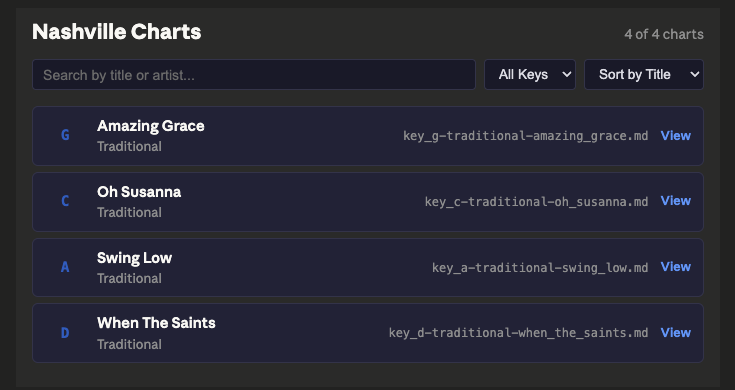
Restart Claude Desktop. The app ships with 4 public domain example charts (Amazing Grace, When the Saints, Oh Susanna, Swing Low). Set `CHARTS_ROOT` to point at your own NNS chart directory.
## Usage
In Claude Desktop, try:
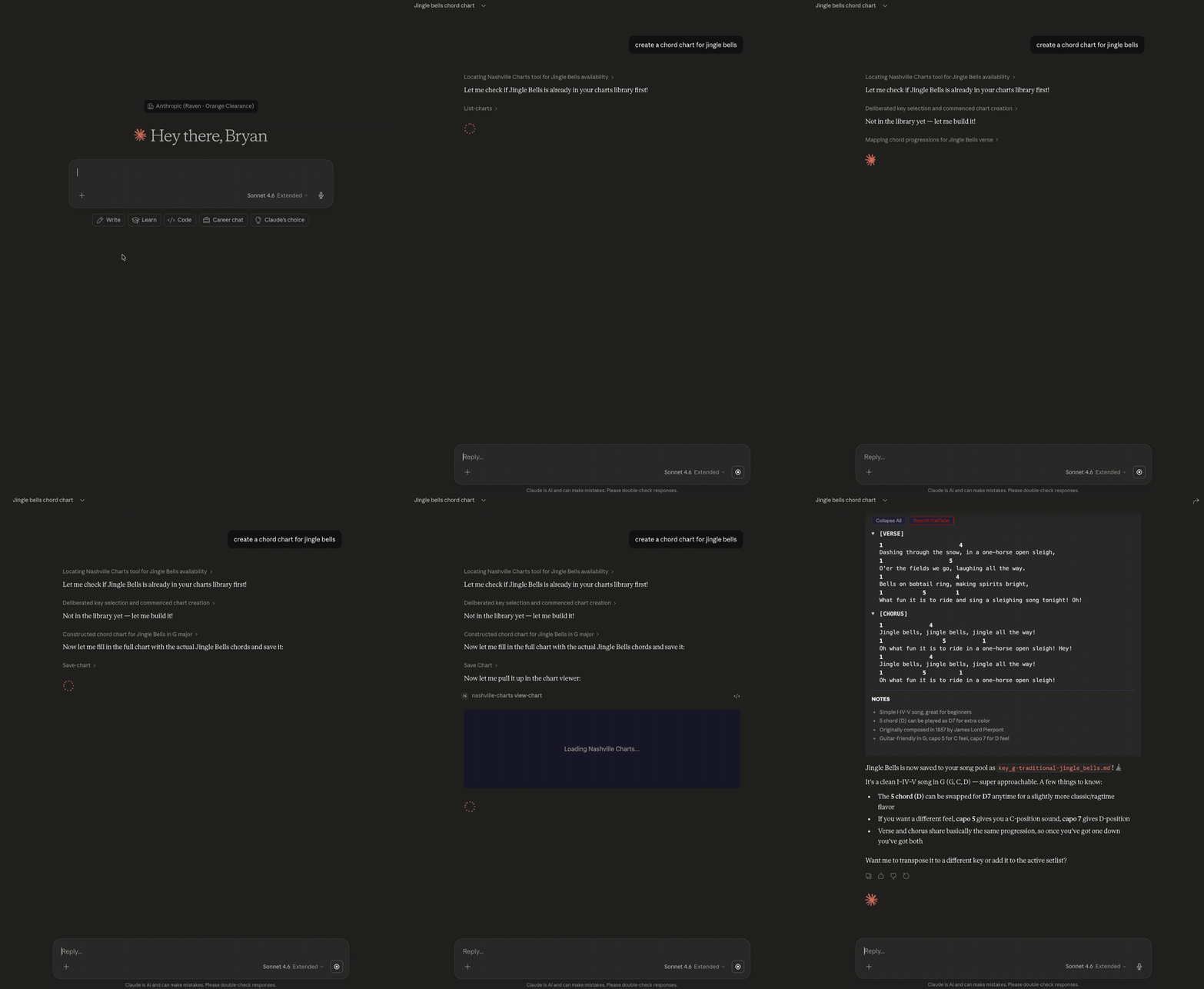
- **"Show me Amazing Grace"** — renders an interactive chart with color-coded chords
- **"Browse my charts"** — searchable chart browser with key filter and sort
- **"Transpose Amazing Grace to A"** — transposed chord map with capo recommendation
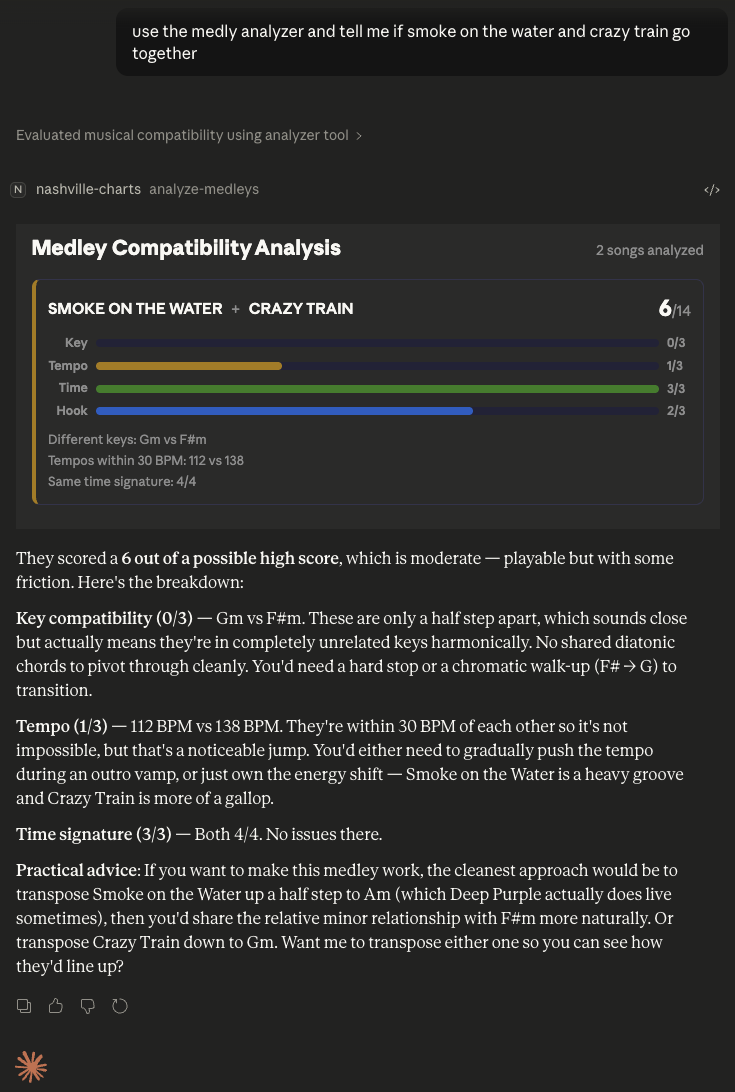
- **"Which songs would make a good medley?"** — multi-factor compatibility scoring with transition advice
- **"Create a chart for Wagon Wheel in G"** — generates and saves a new NNS chart
Or use a **prompt template** from Claude Desktop's prompt menu: Create a Chart, Transpose a Song, Find a Chart, Browse Library, Plan a Setlist.
## Features
### Chart Viewer
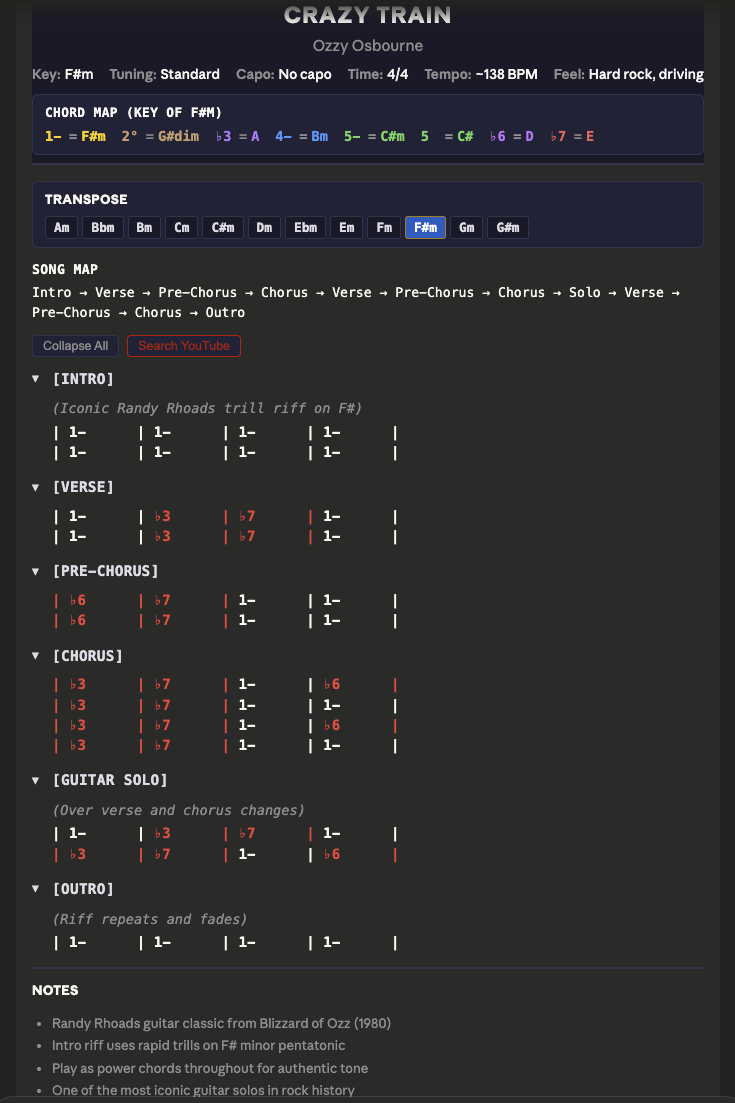
Color-coded, interactive chord charts rendered in the conversation. Each scale degree gets a distinct color (1=gold, 4=blue, 5=green, 6-=purple, non-diatonic=red) for quick visual scanning. Charts include a chord map, song map showing section flow, collapsible sections with performance annotations, and monospace chord-over-lyric alignment.
### Key Transposition
Click any of the 12 key buttons to transpose a chart instantly. The app recalculates the full chord map for the target key and recommends optimal capo position with open chord shapes (e.g., "Capo fret 2, play G shapes"). Because NNS uses numbers instead of note names, the chart structure stays the same — only the chord map changes.
### Chart Browser
Search by title or artist, filter by key, and sort by title, artist, or key. Click any chart card to open it in the viewer.
### Medley Analyzer
Scores song pairs across four dimensions — key compatibility (same, relative, parallel, or unrelated), tempo proximity (including half/double-time detection), time signature match, and hook similarity — with bonus points for natural energy builds. Results display as color-coded score bars with a total out of 14. Claude provides practical transition advice for making pairings work.
### Set List Manager
Two-column organizer for building set lists. Move songs between an active set and a song pool with one click.
### Chart Creation
Generate new NNS charts through natural language. The app builds a pre-filled template with auto-calculated chord map, capo recommendation, and section scaffolding — then validates and saves it with the correct filename convention.
## Chart Format
Charts are `.md` files with this structure:
```
━━━━━━━━━━━━━━━━━━━━━━━━━━━━━━━━━━━━━━━━━━━━━━━━
SONG TITLE
Artist Name
━━━━━━━━━━━━━━━━━━━━━━━━━━━━━━━━━━━━━━━━━━━━━━━━
Key: G major
Time: 4/4
Tempo: ~120 BPM
Feel: Country shuffle, mid-tempo
━━━━━━━━━━━━━━━━━━━━━━━━━━━━━━━━━━━━━━━━━━━━━━━━
CHORD MAP (Key of G)
1 = G 4 = C 5 = D 6- = Em
SONG MAP
Verse: 1 - 4 - 1 - 5
Chorus: 4 - 5 - 1 - 6-
[VERSE 1]
1 4
First line of lyrics
5 1
Second line of lyrics
[CHORUS]
4 5 1 6-
Chorus lyrics here
```
Filename convention: `key_g-artist_name-song_title.md`
## MCP Tools
| Tool | Type | Purpose |
|------|------|---------|
| `view-chart` | UI | Render an interactive chart |
| `browse-charts` | UI | Browse all charts with filters |
| `transpose-chart` | UI | Transpose to a new key |
| `manage-setlist` | UI | Set list management |
| `analyze-medleys` | UI | Medley compatibility analysis |
| `list-charts` | Data | List all charts as JSON |
| `get-chart` | Data | Get parsed chart data |
| `transpose` | Data | Compute transposition data |
| `score-medley` | Data | Score two songs for compatibility |
| `create-chart` | Data | Generate a new chart template |
| `save-chart` | Data | Validate and save a chart to disk |
| `move-song` | Data | Move songs between set/pool |
## Prompt Templates
| Template | Description |
|----------|-------------|
| **Create a Chart** | Generate, save, and display a new NNS chart |
| **Transpose a Song** | Transpose a chart to a specified key |
| **Find a Chart** | Search the library and display a matching chart |
| **Browse Library** | Open the chart browser with optional filter |
| **Plan a Setlist** | Set list builder with medley compatibility analysis |
## Architecture
Two-layer design: a Node.js MCP server handles chart parsing, music theory, and transposition, while a React 19 SPA (built into a single HTML file via Vite) renders interactive views inside Claude Desktop. The server supports both StreamableHTTP and stdio transports.
The music theory engine covers all 12 major and minor keys, chromatic scales, enharmonic equivalents, scale degree mappings, chord map generation, and guitar capo calculation. The chart parser is a 6-state state machine that handles title blocks, metadata, chord maps, song maps, section/chord/lyric pairs, and notes.
## Development
```bash
npm install # Install dependencies
npm run build # Production build (Vite + esbuild)
npm run dev # Dev mode (runs TypeScript directly)
npm run serve # Run built server (HTTP on port 3001)
npm run serve:stdio # Run built server (stdio for Claude Desktop)
npm test # Run 151 tests
```
If `npm run build` fails due to macOS Santa blocking esbuild:
```bash
docker run --rm -v "$(pwd)":/app -w /app node:22-slim sh -c "npm install && npm run build"
```
## License
MIT
This server cannot be deployed
Maintenance
ActivityInactive
ResponsivenessNo recent community issues