
Coding Tools MCP
by biaobiao2233
README.md
# Coding Tools MCP
**简体中文(默认)** · English version is folded below
> 让 ChatGPT、Claude Desktop 或任何支持 MCP 的 AI 客户端,真正能在你的代码仓库里读文件、改代码、跑命令、看 Git,并在可信个人开发机上调用本地 Agent。
[](LICENSE)
[](https://github.com/biaobiao2233/coding-tools-mcp-workbench)
[](https://github.com/biaobiao2233/coding-tools-mcp-workbench/releases/tag/v0.7.0-workbench.1)
> **这是 Coding Tools MCP 的 0.7 Workbench downstream 分支。**
> 项目基于 Apache-2.0 的 [`xyTom/coding-tools-mcp`](https://github.com/xyTom/coding-tools-mcp) 演进,保留 upstream Git 历史、LICENSE 和 NOTICE;在此基础上加入了大量 Windows、并发/OAuth、`personal_workstation`、Agent Transport 与项目连续性相关工作。
## 这东西是干什么的?
一句话:**给 AI 一双可以安全操作你电脑上代码仓库的“手”。**
它通过 [Model Context Protocol (MCP)](https://modelcontextprotocol.io) 提供一个模型无关的本地编程运行时,包括:
- 读取、搜索、列目录与结构化多文件补丁;
- 执行命令、持续交互式终端、读取长任务输出;
- Git status / diff / log / show / blame;
- 并发协调、资源锁、lease 与 owner-scoped 长任务;
- OAuth 2.1 / PKCE / Dynamic Client Registration;
- 可选的 Host 文件系统、Memo/ledger、Windows CUA;
- **Agent Transport**:当前已支持 Antigravity + OpenCode 的 status / send / read / continue / abort;
- 面向可信个人开发机的 **`personal_workstation`** 模式。
实际某台机器暴露哪些可选能力,以该实例的 `server_info` / `tools/list` 为准。
## 现在是什么状态?
当前公开版本:**`v0.7.0-workbench.1`**。
这条 0.7 代码线已经完成 source/local gate,并在维护者 Windows 机器上经过真实 ChatGPT Connected App staging 验证。Antigravity 与 OpenCode 的 capability discovery、首次调用、同 session/conversation continuation、exact-job abort 与 cleanup 都经过机器证据验证。
公开仓库默认分支 `main` 已完成一次独立 public-release gate;GitHub Release 同时提供固定版本的 Python wheel 与 sdist。
这不代表“所有机器、所有 MCP 客户端都已经验证”。遇到新环境问题欢迎直接开 Issue 或 Discussion。
## 最简单的使用方式
### 方式 A:Windows 直接 clone 后启动(推荐)
```powershell
git clone https://github.com/biaobiao2233/coding-tools-mcp-workbench.git
cd coding-tools-mcp-workbench
.\scripts\start-workbench.ps1 -Workspace C:\你的\代码仓库
```
这个启动器默认使用我们当前 Workbench 配置:
- `personal_workstation`;
- Agent Transport 开启;
- telemetry 默认关闭;
- 破坏性 Git / 递归删除仍需显式授权。
如果想启动本机 HTTP MCP:
```powershell
.\scripts\start-workbench.ps1 -Workspace C:\你的\代码仓库 -Transport http -Port 8765
```
### 方式 B:直接安装 GitHub Release wheel
不想 clone 整个仓库,也可以直接安装固定版本:
```powershell
python -m pip install https://github.com/biaobiao2233/coding-tools-mcp-workbench/releases/download/v0.7.0-workbench.1/coding_tools_mcp-0.7.0-py3-none-any.whl
```
然后:
```powershell
coding-tools-mcp --permission-mode personal_workstation --stdio --workspace C:\你的\代码仓库
```
> 当前 **没有** 用这个 downstream 去重新发布 upstream 的 PyPI/npm 包名。`uvx coding-tools-mcp` / `npx coding-tools-mcp` 目前仍可能解析到 upstream 包;想确保使用本项目,请从 GitHub clone 或使用上面的 Release wheel。
### MCP 客户端配置示例
Windows 上可以让客户端直接调用 checkout 里的启动器:
```json
{
"mcpServers": {
"coding-tools": {
"command": "pwsh",
"args": [
"-NoProfile",
"-File",
"C:\\path\\to\\coding-tools-mcp-workbench\\scripts\\start-workbench.ps1",
"-Workspace",
"C:\\你的\\代码仓库"
]
}
}
}
```
然后就可以直接对 AI 说:**“跑一下测试,把第一个失败修掉。”**
## 为什么我们做这个 downstream?
原始项目已经提供了很扎实的 MCP coding runtime。我们主要沿着下面几条线继续往前推:
1. **Personal Workstation**:让可信个人开发机不再因为过度保守的默认权限处处卡住,同时保留真正危险操作的门禁。
2. **Windows 可靠性**:Job Object、进程树所有权、bounded scan、managed runner/watchdog、release/rollback。
3. **真实 ChatGPT Connected App**:不仅本地自测,还要求在真实 Connector 环境里验证 OAuth、工具契约与生命周期。
4. **Agent Transport**:让 MCP 不只是“执行 shell”,还可以统一驱动 Antigravity、OpenCode,未来计划增加 Claude Code。
5. **Project Continuity / Workbench**:把 Worker Claim、独立 Review、Candidate、Accepted State 分开,避免“AI 说做完了”就自动算通过。
## 我们参考过哪些项目?
这里特意区分 **代码血缘 / API 集成 / 设计启发**,避免把“学过一个项目的思想”说成“用了它的源码”。
| 类型 | 项目 / 技术 | 主要吸收内容 |
| --- | --- | --- |
| 直接代码血缘 | `xyTom/coding-tools-mcp` | Apache-2.0 upstream;MCP runtime 基础以及部分后续 upstream 实现合并 |
| 协议基础 | MCP、OAuth/PKCE/RFC7591 | 工具协议、远程认证与 Connected App 互操作 |
| 系统机制 | Windows Job Objects | 精确拥有和清理子进程树 |
| 设计启发 | Claude Code | 权限边界、hooks、agent workflow |
| 设计启发 | Aider | repo-aware context、清晰的 edit/diff/test 循环 |
| 设计启发 | OpenHands | 把执行环境 / sandbox 当作 agent 系统一等公民 |
| 设计启发 | Cline | MCP + 用户审批 + IDE UX |
| API 集成 | OpenCode | headless server / session API、continuation |
| API 集成 | Antigravity | stream/session machine evidence 与 continuation |
| Windows 集成 | Everything | `es.exe` 高速文件索引 + filesystem fallback |
| 研究参考 | StablyAI Orca | Run/Task/Dispatch、supervised worker、worktree、`outcome_unknown` / abandon / release |
| 开发治理 | Project Continuity / EverOS | fresh-agent handoff、历史检索、证据优先、独立验收 |
完整说明见 [代码血缘、Prior Art 与设计影响](docs/LINEAGE_AND_INFLUENCES.md)。
## 安全边界
| 模式 | 适用场景 | 说明 |
| --- | --- | --- |
| `safe` | 日常保守使用 | 网络、shell 展开、内联脚本和破坏性命令需要显式授权 |
| `trusted` | 本地开发 | 放开常规开发网络/脚本能力,仍保留敏感值与破坏性操作保护 |
| `personal_workstation` | **可信个人开发机,推荐 Workbench 用户使用** | 放行日常开发流程与可选 reviewed host access;破坏性 Git / 递归删除仍受保护;**不是 Windows 文件系统沙箱** |
| `dangerous` | 仅隔离容器/VM | 关闭 `exec_command` 权限门;直接文件工具的 workspace 边界仍存在 |
真正不可信的代码仍建议放 Docker / VM。详细边界见 [SECURITY.md](SECURITY.md) 与 [docs/security-boundary.md](docs/security-boundary.md)。
## 遥测
这个 downstream 的遥测**默认关闭**。只有操作者明确设置 telemetry=`on`,并同时提供自己控制的 HTTPS endpoint + write-only key,才会发送事件。`DO_NOT_TRACK=1` 和 CI 会强制关闭。
## 中文文档导航
下面这些核心入口现在都是**中文默认、英文折叠在同一文件下方**:
- [快速开始](docs/quickstart.md)
- [路线图 / Roadmap](ROADMAP.md)
- [贡献指南](CONTRIBUTING.md)
- [代码血缘、Prior Art 与设计影响](docs/LINEAGE_AND_INFLUENCES.md)
更底层的协议契约、测试报告、Schema 文档仍以英文为主,避免和代码/API 名称发生翻译漂移:
- [工具与 Schema](docs/tools-and-schemas.md)
- [Runtime Contract](docs/runtime-contract-v0.2.md)
- [权限模式](docs/permission-modes.md)
- [远程 MCP](docs/remote-mcp.md)
- [Windows Managed Runner](docs/windows-managed-runner.md)
- [排障](docs/troubleshooting.md)
## Roadmap
接下来主要研究/实现方向:
- Claude Code Agent Transport provider;
- provider plug-in boundary;
- Orca optional orchestration backend;
- Web ChatGPT-supervised long-running workbench;
- 多机器、签名/可复现发行物、Linux/macOS parity。
详细进度见 [ROADMAP.md](ROADMAP.md)。
## 参与贡献
特别欢迎这些方向:Windows portability、Agent provider adapter、OAuth/Connected App 互操作、权限/进程生命周期 adversarial testing、Orca 集成实验、Linux/macOS 隔离,以及中文/英文文档完善。
见 [CONTRIBUTING.md](CONTRIBUTING.md)。
## 许可证与来源
本项目使用 [Apache License 2.0](LICENSE)。请保留版权声明、许可证声明与 [NOTICE](NOTICE)。
Downstream:<https://github.com/biaobiao2233/coding-tools-mcp-workbench><br>
Upstream:<https://github.com/xyTom/coding-tools-mcp>
---
<details>
<summary><strong>English README</strong></summary>
# Coding Tools MCP
**English** | [简体中文](README.zh-CN.md)
> Give any AI chat or agent a safe pair of hands on your codebase.
[](LICENSE)
[](https://github.com/biaobiao2233/coding-tools-mcp-workbench)
> **Downstream 0.7 workbench branch.** This codebase is derived from
> [`xyTom/coding-tools-mcp`](https://github.com/xyTom/coding-tools-mcp) under
> Apache-2.0 and preserves the upstream history and attribution. The downstream
> branch adds substantial Windows/runtime/agent-transport work. It is currently
> shared from source; the upstream PyPI/npm package names are intentionally not
> republished by this fork yet. See
> [Lineage and design influences](docs/LINEAGE_AND_INFLUENCES.md).
Coding Tools MCP is a **model-neutral coding runtime** served over the
[Model Context Protocol](https://modelcontextprotocol.io): file reading and
search, structured multi-file patches, command execution, interactive
sessions, git, optional reviewed host access, concurrency/resource leases and
local-agent transport — one server that an MCP client can drive. The runtime
catalog is capability-gated: `server_info` is the source of truth for which
optional host/Memo/CUA/Agent tools are exposed on one installation.
## Downstream 0.7 status
The exact source baseline `b0f44ef...` has passed local/source gates and a real
ChatGPT Connected-App staging trial on the maintainer's Windows machine. In
that environment, Antigravity and OpenCode capability discovery remained
machine-verifiable, both provider continuation paths worked, and exact-job
abort/cleanup were exercised.
That does **not** mean every machine/client is proven. The GitHub-source public
release gate has now passed, the downstream repository is public, and
`v0.7.0-workbench.1` is available as a GitHub Release with wheel + sdist
artifacts. Production promotion remains a separate gate in this project's
development process.
Highlights added by the downstream line include:
- Windows Job Object/process-lifecycle hardening and bounded scan behavior;
- server-global concurrency coordination, resource locks and leases;
- authenticated owner-scoped long-running jobs across short-lived HTTP calls;
- ChatGPT-oriented OAuth refresh/restart hardening;
- opt-in `personal_workstation` mode for trusted developer machines;
- optional host-root, Memo/ledger and Windows computer-use surfaces;
- Agent Transport for Antigravity and OpenCode with machine-backed capability
discovery, provider session correlation, continuation and cancellation.
See [ROADMAP.md](ROADMAP.md) for what is validated versus still research.
[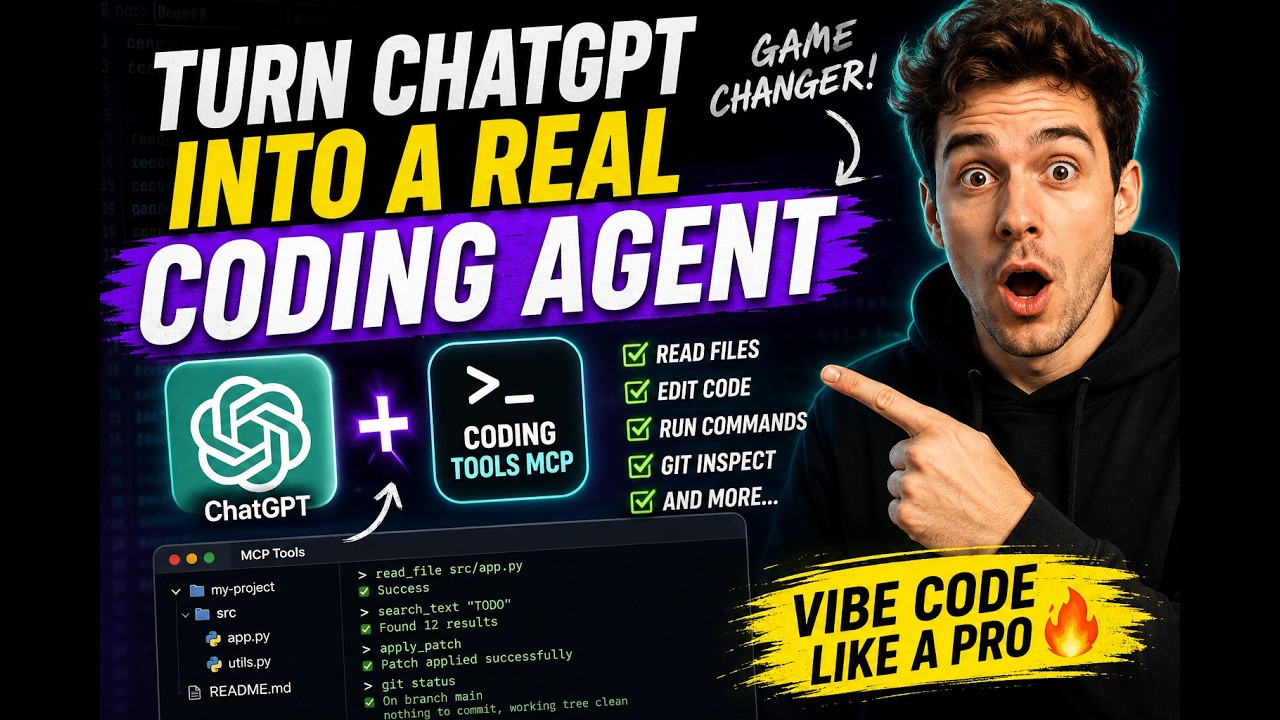](https://youtu.be/N9lQaXt1eqQ?si=LyEwvzzQF6QjUxR0)
## Why people use it
- **It turns a chat app into a coding agent.** Claude Desktop — or any MCP
chat client — gets real repo access with the subscription you already have.
No extra product required.
- **Safety is the product, not an afterthought.** One workspace root per
server. Absolute paths, `..` traversal, and symlink escapes are rejected.
Permission modes gate network access, shell expansion, inline scripts, and
destructive commands. On Linux, [Landlock](docs/security-boundary.md) adds
kernel-level filesystem confinement.
- **It is model- and vendor-neutral.** A fixed, truthfully annotated catalog —
no profile switching, no annotation games. Swap models or clients freely;
the runtime and its behavior stay put.
- **It is engineered for context windows.** Results are summarized, paginated,
and capped by design; serialized tool-result bytes dropped 37%
release-over-release on the deterministic dogfood workload with unchanged
task completion.
## Quickstart — downstream source checkout
### Windows: run the accepted Workbench profile directly
Clone this downstream repository, then run:
```powershell
.\scripts\start-workbench.ps1 -Workspace C:\path\to\your\repo
```
This launcher starts the accepted Workbench profile rather than the upstream
restricted default: `personal_workstation` permission mode, Agent Transport
enabled, and telemetry off. Destructive Git operations and recursive
filesystem deletion still require explicit permission. Antigravity and
OpenCode are optional: the MCP server starts without them, while `agent_status`
reports whichever providers are actually installed on the machine.
For a loopback HTTP endpoint instead of stdio:
```powershell
.\scripts\start-workbench.ps1 -Workspace C:\path\to\your\repo -Transport http -Port 8765
```
The script uses `uv` when available. Otherwise it creates a local
`.workbench-venv`, installs this checkout, and launches the exact code cloned
from GitHub.
Install from this checkout, or use the fixed GitHub Release wheel, rather than
the upstream PyPI/npm names:
```bash
git clone https://github.com/biaobiao2233/coding-tools-mcp-workbench.git
cd coding-tools-mcp-workbench
python -m pip install -e .
```
`uvx coding-tools-mcp` and `npx coding-tools-mcp` currently refer to the
upstream published packages, not this downstream 0.7 branch.
Fixed Release wheel:
```bash
python -m pip install https://github.com/biaobiao2233/coding-tools-mcp-workbench/releases/download/v0.7.0-workbench.1/coding_tools_mcp-0.7.0-py3-none-any.whl
```
On Windows, point MCP clients at the checkout launcher so the client receives
the downstream Workbench build rather than the upstream registry package:
```json
{
"mcpServers": {
"coding-tools": {
"command": "pwsh",
"args": [
"-NoProfile",
"-File",
"C:\\path\\to\\coding-tools-mcp-workbench\\scripts\\start-workbench.ps1",
"-Workspace",
"C:\\path\\to\\your\\repo"
]
}
}
}
```
Then ask your client: *"run the test suite and fix the first failure."*
Prefer HTTP? Drop `--stdio` and the server speaks Streamable HTTP on
`http://127.0.0.1:8765/mcp` (MCP `2025-11-25`, with `2025-06-18`
compatibility). A one-line installer, per-client walkthroughs, and
troubleshooting live in [docs/quickstart.md](docs/quickstart.md) and
[docs/mcp-client-config.md](docs/mcp-client-config.md).
## Seven things to try
**1. Make Claude Desktop your coding agent.** The config above is all it
takes — the chat window you already pay for can now read, patch, test, and
commit-review a real repository.
**2. Code on your own machine from anywhere.**
```bash
CODING_TOOLS_MCP_AUTH_MODE=bearer ./scripts/tunnel.sh cloudflared /path/to/repo
```
Loopback bind + authenticated HTTPS tunnel (`cloudflared`, `ngrok`, or
Microsoft Dev Tunnel). Point claude.ai on your phone at
`https://<tunnel-host>/mcp` and drive your home workstation from anywhere.
Bearer tokens and OAuth 2.1 + PKCE (with RFC 7591 dynamic registration) are
built in. → [docs/remote-mcp.md](docs/remote-mcp.md)
**3. Let an agent loose on untrusted code — inside a disposable sandbox.**
```bash
docker build -t coding-tools-mcp-sandbox:local .
docker run --rm --init -it -p 8765:8765 -v "$PWD:/workspace" coding-tools-mcp-sandbox:local
```
A containerized server with toolchains and caches preconfigured, safe to point
at a sketchy PR and destroy afterwards. → [docs/docker.md](docs/docker.md)
**4. Spin up a cloud sandbox with one MCP call.** The bundled
[Cloudflare Worker control plane](cloudflare/sandbox-control/README.md) exposes
`start_coding_tools_sandbox` as an MCP tool: one call dispatches a GitHub
Actions runner that boots the Docker sandbox and publishes it behind an
authenticated Cloudflare Tunnel. Ephemeral compute, no server of your own.
**5. Drive it from a GUI.**
```bash
python -m pip install "coding-tools-mcp[desktop]"
coding-tools-mcp-desktop
```
Per-workspace profiles, server and tunnel start/stop, credential setup with
clipboard helpers, live health checks. English and 简体中文.
**6. Keep an interactive session alive.** `exec_command` starts a REPL or
debugger under a real PTY; `write_stdin` feeds it across turns; `read_output`
pages long output; `kill_session` cleans up. Long-running processes are
first-class, with deadline watchdogs and bounded buffers.
**7. Give your own agent production-grade hands.** Building an agent loop with
the Anthropic SDK or anything else? Don't hand-roll file and exec tools —
speak MCP to this server and inherit the whole safety boundary. →
[docs/embedding.md](docs/embedding.md)
## The tool catalog
One truthfully annotated runtime catalog. Optional capability groups can be
hidden when their reviewed dependency/configuration is absent; the catalog is
stable for the lifetime of one server. `apply_patch` is the sole direct
workspace file-mutation primitive: staged, baseline-checked, atomic across
files, with rollback.
| Group | Tools |
| --- | --- |
| Workspace | bounded read/list/search · atomic `apply_patch` · image support when enabled |
| Execution | bounded command sessions · stdin/read/kill · explicit permission requests |
| Git | status · diff · log · show · blame |
| Runtime | server/environment/project context · concurrency/resource leases |
| Optional host | reviewed host roots · host read/list/patch · Everything/filesystem search |
| Optional continuity | Memo ledger find/recover/checkpoint |
| Optional Windows CUA | reviewed computer observation/control gateway |
| Optional Agent Transport | `agent_status` · `agent_send` · `agent_read` · `agent_abort` for verified providers |
Root `AGENTS.md`/`CLAUDE.md` files load into the initialize context
automatically. Tool `content` is concise agent-facing text;
`structuredContent` carries the complete machine result. Schemas and result
envelopes: [docs/tools-and-schemas.md](docs/tools-and-schemas.md) ·
[docs/runtime-contract-v0.2.md](docs/runtime-contract-v0.2.md).
## Safety Boundary
| Mode | Meant for | What it allows |
| --- | --- | --- |
| `safe` (default) | day-to-day agent work | file tools and vetted commands; network-looking commands, shell expansion, inline scripts, and destructive commands all require explicit permission |
| `trusted` | local development | opens network, shell expansion, and inline scripts; keeps secret filtering and destructive-command checks |
| `personal_workstation` | trusted personal developer workstation | allows routine developer workflows and optional reviewed host access; still gates destructive Git / recursive deletion and is **not** a Windows filesystem sandbox |
| `dangerous` | isolated containers/VMs only | disables `exec_command` permission gates; workspace path boundaries still apply |
Recursive listing and search exclude `.git`, `node_modules`, build outputs,
virtualenvs, and caches. Commands run with workspace-bound cwd, scrubbed
environment, timeouts, and output caps. Linux hosts with Landlock get
kernel-enforced filesystem confinement; other platforms get an explicit
warning — this is still not a complete OS sandbox, so use the Docker image or
a VM for genuinely untrusted work. Details:
[SECURITY.md](SECURITY.md) · [docs/security-boundary.md](docs/security-boundary.md) ·
[docs/permission-modes.md](docs/permission-modes.md)
## Telemetry
Telemetry is **off by default** in this downstream branch. The implementation
can be enabled only by explicitly setting telemetry to `on` **and** supplying
an operator-owned HTTPS endpoint and write-only ingest key. `DO_NOT_TRACK=1`
and CI still force it off; `CODING_TOOLS_MCP_TELEMETRY=debug` prints events to
stderr without sending. The closed event schema and guarantees are documented
in [docs/telemetry.md](docs/telemetry.md).
## Evidence, Dogfood and SWE-bench
Every release ships through a tag-triggered pipeline in which the compliance
suite, real-workload benchmark, and SWE-bench harness run from the same commit
that publishes to PyPI and npm — both via trusted publishing, npm with
provenance. Dogfood efficiency metrics are reproducible (`make dogfood-smoke`)
and checked in under `reports/`. This repository does not claim a
model-generated SWE-bench leaderboard result — see
[docs/swe-bench.md](docs/swe-bench.md) for exactly what is and is not
measured. More: [COMPLIANCE.md](COMPLIANCE.md) · [BENCHMARK.md](BENCHMARK.md) ·
[docs/dogfood.md](docs/dogfood.md)
## Documentation
| | |
| --- | --- |
| Getting started | [Quickstart](docs/quickstart.md) · [Client configuration](docs/mcp-client-config.md) · [Troubleshooting](docs/troubleshooting.md) |
| Remote & sandboxed | [Remote MCP](docs/remote-mcp.md) · [Docker sandbox](docs/docker.md) · [Cloud sandbox worker](cloudflare/sandbox-control/README.md) |
| Tools & contract | [Tools and schemas](docs/tools-and-schemas.md) · [Runtime contract](docs/runtime-contract-v0.2.md) · [Permission modes](docs/permission-modes.md) |
| Execution | [Exec recipes](docs/exec-command-recipes.md) · [Exec troubleshooting](docs/troubleshooting-exec.md) |
| Integration | [Embedding](docs/embedding.md) · [npm launcher](npm/coding-tools-mcp/README.md) |
| Security & quality | [Security policy](SECURITY.md) · [Security boundary](docs/security-boundary.md) · [CI and tests](docs/ci-and-tests.md) · [Limitations](docs/limitations.md) · [Competitive analysis](docs/competitive-analysis.md) |
| Downstream project | [Roadmap](ROADMAP.md) · [Contributing](CONTRIBUTING.md) · [Lineage & influences](docs/LINEAGE_AND_INFLUENCES.md) |
## Development
```bash
python -m pip install -e ".[dev]"
make ci # lint, typecheck, tests, protocol/integration suites, gates
```
The full gate matrix is in [docs/ci-and-tests.md](docs/ci-and-tests.md).
## License
This project is licensed under the [Apache License 2.0](LICENSE).
If you use code, documentation, substantial implementation details, or
derivative work from this project, preserve the copyright notice, license
notice, and [NOTICE](NOTICE) file, and clearly attribute the original project.
This downstream branch is based on `xyTom/coding-tools-mcp` and retains that
project's history and Apache-2.0 obligations. See
[docs/LINEAGE_AND_INFLUENCES.md](docs/LINEAGE_AND_INFLUENCES.md) for a
separation of direct code lineage, API integrations and design prior art.
Project: Coding Tools MCP
Author: Coding Tools MCP Contributors
Downstream source: https://github.com/biaobiao2233/coding-tools-mcp-workbench
Upstream source: https://github.com/xyTom/coding-tools-mcp
Citation metadata is available in [CITATION.cff](CITATION.cff).
</details>
This server cannot be deployed
Maintenance
ActivitySlowing
ResponsivenessNo issues