F
licenseNot graded
qualityC
maintenanceA remote MCP server that can be deployed on Cloudflare Workers, using OAuth authentication and SSE transport for tool invocation.
-

Enables deployment of the MCP server to Cloudflare Workers, allowing server-side event streaming via Cloudflare's infrastructure using Durable Objects.
Click on "Deploy Server".
Wait a few minutes for the server to deploy. Once ready, it will show a "Started" state.
In the chat, type @ followed by the MCP server name and your instructions, e.g., "@Tiny SSE MCP Server connect to the Cloudflare SSE endpoint"
That's it! The server will respond to your query, and you can continue using it as needed.
Here is a step-by-step guide with screenshots.
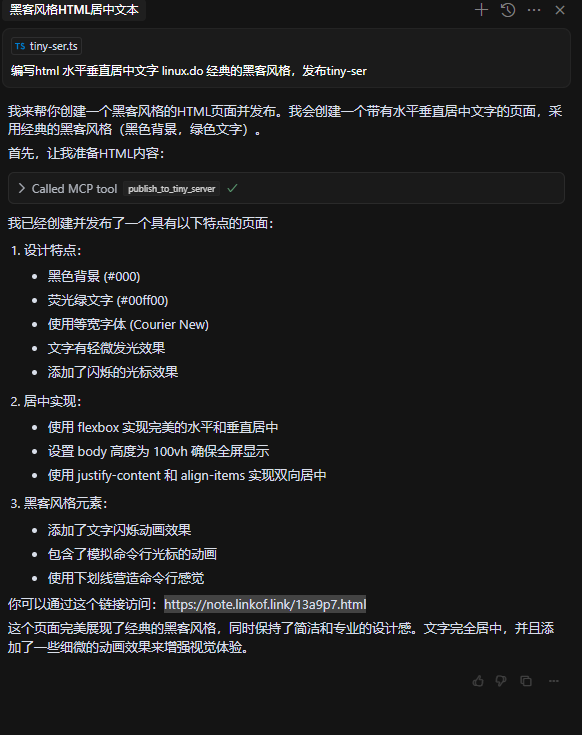
你可以通过这个链接访问:https://note.linkof.link/13a9p7.html
{
    "mcpServers": {
        "tiny-server": {
            "url": "http://localhost:8787/sse"
        }
    }
}
tiny-ser-mcp-server 🍣 master via v20.17.0 🐏 26GiB/32GiB | 16GiB/19GiB took 12s
🕙 17:50:29 ➜ npm run deploy
> tiny-ser-mcp-server@0.0.0 deploy
> wrangler deploy
⛅️ wrangler 4.6.0
------------------
🌀 Building list of assets...
🌀 Starting asset upload...
No files to upload. Proceeding with deployment...
Total Upload: 432.56 KiB / gzip: 83.32 KiB
Your worker has access to the following bindings:
- Durable Objects:
- MCP_OBJECT: MyMCP
- Assets:
- Binding: ASSETS
✘ [ERROR] A request to the Cloudflare API (/accounts/xxx/workers/scripts/tiny-ser-mcp-server) failed.
In order to use Durable Objects, you must switch to a paid plan at
https://dash.cloudflare.com/xxx/workers/plans. [code: 10084]
If you think this is a bug, please open an issue at:
https://github.com/cloudflare/workers-sdk/issues/new/choose
This server cannot be deployed
Cloudflare Workers MCP server: ai-model-router
MCP server for AI agents to plan, verify, and deploy Cloudflare-native apps.
Cloudflare Workers MCP server: llm-output-quality-monitor
Cloudflare Workers MCP server: ai-guardrails