MCP 条纹服务器

一个模型上下文协议 (MCP) 服务器实现,与 Stripe 集成,用于处理付款、客户和退款。该服务器提供结构化的 API,用于安全地管理金融交易。
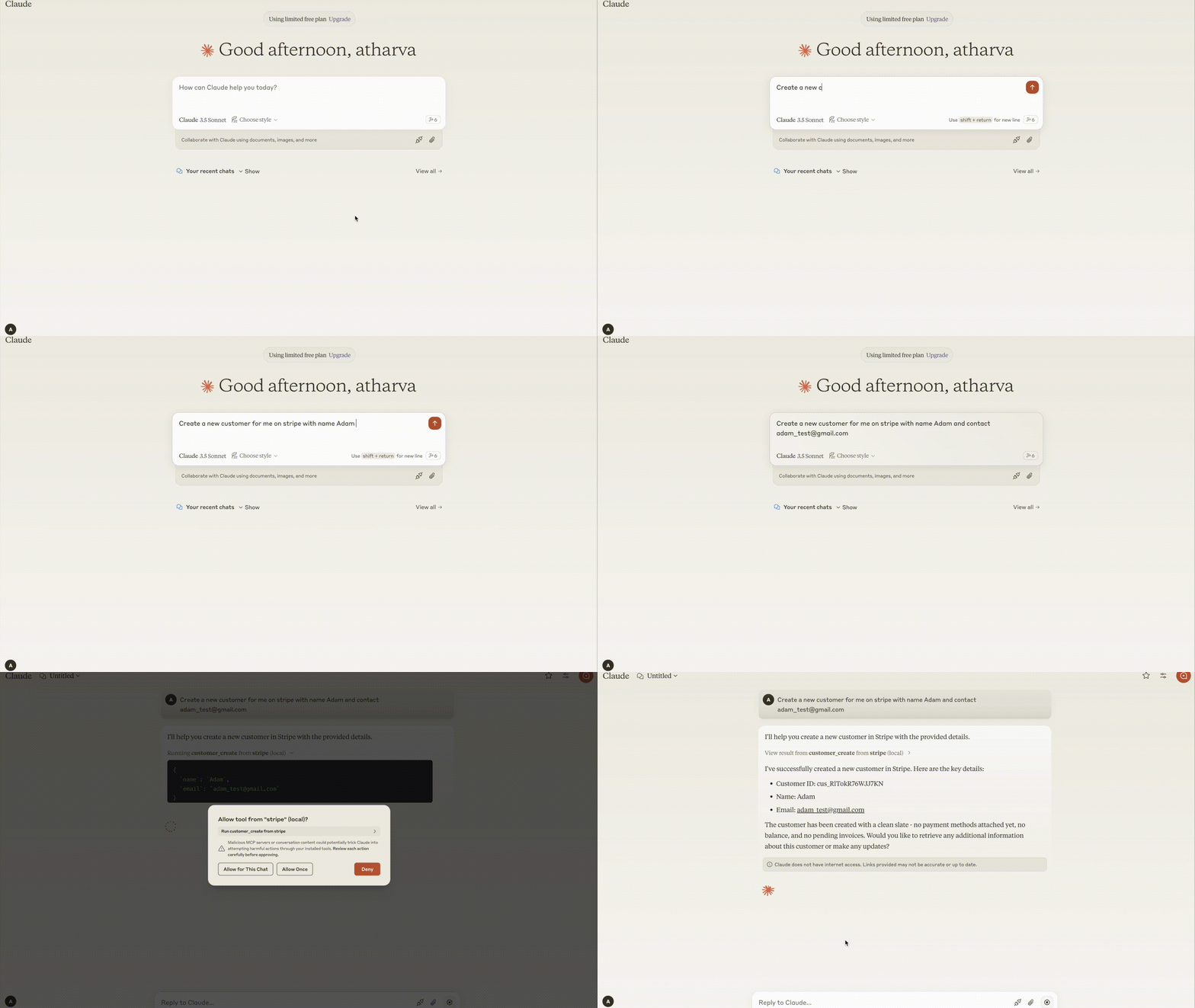
演示
要求
Python 3.8+
MCP SDK 0.1.0+
Stripe Python SDK
dotenv
Related MCP server: Stripe MCP Server
成分
资源
该服务器提供所有 Stripe 操作的审计日志:
存储客户、付款和退款操作的审计日志
支持结构化日志记录,以实现更好的可追溯性
使用 MCP 资源端点检索审计数据
工具
服务器实现 Stripe API 操作,包括:
客户管理
付款操作
退款操作
特征
安装
通过 Smithery 安装
要通过Smithery自动为 Claude Desktop 安装 Stripe Server:
npx -y @smithery/cli install @atharvagupta2003/mcp-stripe --client claude
安装依赖项
python -m venv venv
source venv/bin/activate  # On macOS/Linux
venv\Scripts\activate    # On Windows
pip install -e .
配置
在.env文件中设置环境变量:
STRIPE_API_KEY=your_stripe_secret_key
克劳德桌面
将服务器配置添加到您的 Claude Desktop 配置中:
Windows:C:\Users<用户名>\AppData\Roaming\Claude\claude_desktop_config.json
MacOS:〜/资源库/应用程序支持/Claude/claude_desktop_config.json
{
  "mcpServers": {
    "stripe": {
      "command": "uv",
      "args": [
        "--directory",
        "/ABSOLUTE/PATH/TO/PARENT/FOLDER/src",
        "run",
        "server.py"
      ]
    }
  }
}
用法
启动服务器
MCP 命令示例
创建客户
{
    "tool": "customer_create",
    "arguments": {
        "email": "customer@example.com",
        "name": "John Doe"
    }
}
检索客户
{
    "tool": "customer_retrieve",
    "arguments": {
        "customer_id": "cus_123456"
    }
}
创建付款意向
{
    "tool": "payment_intent_create",
    "arguments": {
        "amount": 5000,
        "currency": "usd",
        "customer": "cus_123456"
    }
}
创建退款
{
    "tool": "refund_create",
    "arguments": {
        "charge_id": "ch_abc123"
    }
}
错误处理
服务器针对常见场景提供了清晰的错误消息:
发展
测试
运行 MCP Inspector 进行交互式测试:
npx @modelcontextprotocol/inspector uv --directory /ABSOLUTE/PATH/TO/PARENT/FOLDER/src run server.py
建筑
更新依赖项:
uv compile pyproject.toml
构建包:
贡献
欢迎大家投稿!详情请参阅我们的投稿指南。
执照
该项目根据 MIT 许可证获得许可 - 有关详细信息,请参阅LICENSE文件。


