
Lessons Learned MCP Server
by ashwinmram
README.md
# Lessons Learned MCP Server
Central MCP server for storing and querying lessons learned and project-specific implementation details. A Laravel application that exposes two MCP endpoints for any MCP-capable AI client — [Cursor](https://cursor.com), [Claude Code](https://code.claude.com/docs/en/mcp), [Google Antigravity](https://antigravity.google/), and others.
## Explainer Video
[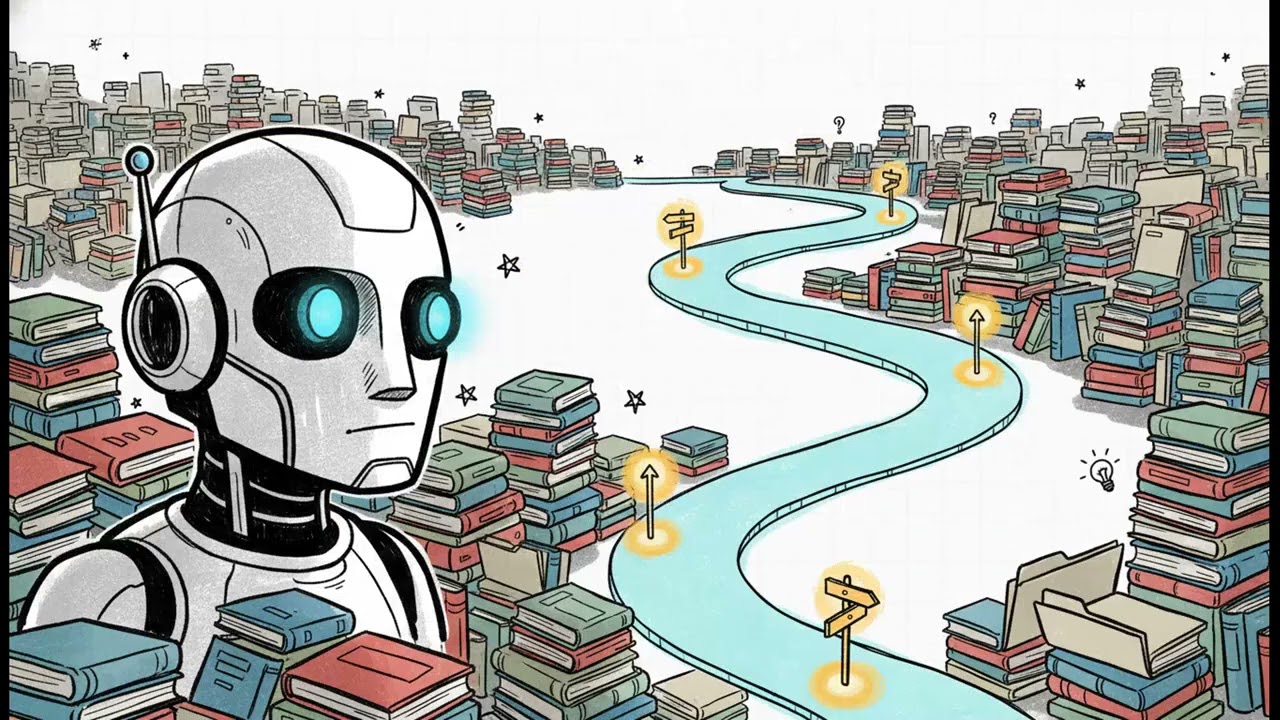](https://youtu.be/PNt151KVCO0)
Watch the explainer on [YouTube](https://youtu.be/PNt151KVCO0).
## Use with ashwinmram/mcp-pusher
**This server works with the [ashwinmram/mcp-pusher](https://github.com/ashwinmram/mcp-pusher) package** to push lessons and project details from your Laravel projects via HTTP API.
- **Install:** `composer require ashwinmram/mcp-pusher:^3.0`
- **Links:** [GitHub](https://github.com/ashwinmram/mcp-pusher) | [Packagist](https://packagist.org/packages/ashwinmram/mcp-pusher)
- **Best practice:** Copy the [knowledge capture prompt](packages/laravel-mcp-pusher/README.md#knowledge-capture-prompt) into your agent; agent gathers git context, synthesizes lessons, runs `mcp:append` → drafts. **`mcp:push`** once at session end. Optional [Cursor preCompact hook](packages/laravel-mcp-pusher/README.md#cursor-precompact-hook) surfaces the same prompt automatically.
The mcp-pusher package pushes session drafts from `docs/.mcp-session/*.jsonl` to `/api/lessons` (generic) and `/api/project-details` (project-specific) in **one** `mcp:push`. See [Pushing knowledge (mcp-pusher 3.0)](#pushing-knowledge-mcp-pusher-30) and [packages/laravel-mcp-pusher/README.md](packages/laravel-mcp-pusher/README.md).
## Key Features
- **Lessons Learned MCP** (`/mcp/lessons`) — Search, browse, and retrieve lessons with relevance scoring
- **Project Details MCP** (`/mcp/project-details?project=…`) — Project-specific implementation details (paths, env, conventions)
- **Tools:** SearchLessons, GetLessonByCategory, GetLessonTags, FindRelatedLessons, MarkLessonHelpful, SuggestSearchQueries, GetTopLessons, GetCategoryStatistics
- **Resources:** `lessons://overview`, `lessons://search-guide`
- **Prompts:** LessonsLearnedOverview, LessonsByCategory
## Dashboard
Authenticated users can view live stats at `/dashboard`. Each card shows a current value, a baseline, and a variance badge.
Two comparison patterns are used, both anchored on **30 days**:
| Metric | Current value | Baseline (gray text) | Badge change |
|--------|---------------|----------------------|--------------|
| Total Lessons, Total Project Details, Source Projects, per-source-project cards | Cumulative count now | Same count at **30 days ago** | Percent change |
| Retrievals, Details Added | Count in **last 30 days** | Count in **prior 30 days** (days 30–60 ago) | Percent change |
| Helpfulness Rate | Rate in last 30 days | Rate in prior 30 days | **Percentage-point** change (e.g. 60% vs 50% = +10.0 points) |
See in-app [Documentation](/documentation) for the same details.
## Prerequisites
- PHP 8.2+, Laravel 12
- MySQL or SQLite
- [Laravel Herd](https://herd.laravel.com) (recommended) or equivalent local dev setup
- An MCP-capable AI client (Cursor, Claude Code, Google Antigravity, or other)
## Initial Setup
### 1. Clone and Install
```bash
composer install
cp .env.example .env
php artisan key:generate
php artisan migrate
```
### 2. Configure Environment Variables
Add the following to your `.env` file:
```env
# MCP server (HTTP base URL for MCP clients and API pushes)
APP_URL=https://mcp-server.test
MCP_SERVER_NAME="Lessons Learned MCP Server"
# MCP client (for pushing from this project via mcp-pusher)
MCP_SERVER_URL=https://mcp-server.test
MCP_API_TOKEN= # Generated in step 3
```
### 3. Generate API Token
Generate a Sanctum API token for MCP authentication:
```bash
php artisan mcp:generate-token --name="mcp-client-token"
```
This command creates a user if none exists, generates a Sanctum token, and displays it. **Copy the token** (shown only once) and add it to `.env`:
```env
MCP_API_TOKEN=your-token-here
```
Use the same token in your MCP client `Authorization: Bearer …` header.
### 4. Verify Setup
Ensure your site is accessible. With Laravel Herd:
```bash
curl https://mcp-server.test
```
If needed, link the project to Herd:
```bash
herd link mcp-server
```
Test the MCP endpoint:
```bash
curl -H "Authorization: Bearer YOUR_TOKEN_HERE" \
https://mcp-server.test/mcp/lessons
```
## Configuring your AI client
All clients need:
- **Lessons URL:** `https://mcp-server.test/mcp/lessons`
- **Project details URL (optional):** `https://mcp-server.test/mcp/project-details?project=<source>` — `project` must match `php artisan mcp:push --source=…`
- **Header:** `Authorization: Bearer YOUR_SANCTUM_TOKEN`
Example config files (copy and edit): [cursor](packages/laravel-mcp-pusher/stubs/mcp-client-config/cursor-mcp.json.example), [claude](packages/laravel-mcp-pusher/stubs/mcp-client-config/claude-mcp.json.example), [antigravity](packages/laravel-mcp-pusher/stubs/mcp-client-config/antigravity-mcp_config.json.example). Root [mcp.json.example](mcp.json.example) is a minimal Cursor-oriented sample.
### Cursor
**Settings UI**
1. Open Cursor Settings: `⇧+⌘+J` (Mac) or `Ctrl+Shift+J` (Windows/Linux)
2. **Features** → **MCP** → **Add MCP Server**
3. Configure:
- **Name:** `lessons-learned-local` (or any name)
- **Transport:** `SSE`
- **URL:** `https://mcp-server.test/mcp/lessons`
- **Headers:** `{"Authorization": "Bearer YOUR_SANCTUM_TOKEN_HERE"}`
4. Save and **restart Cursor**
**Project `mcp.json`**
```json
{
"mcpServers": {
"lessons-learned-local": {
"transport": "sse",
"url": "https://mcp-server.test/mcp/lessons",
"headers": {
"Authorization": "Bearer YOUR_SANCTUM_TOKEN_HERE"
}
}
}
}
```
- **Global:** `~/.cursor/mcp.json` or Settings UI — all projects
- **Project:** `mcp.json` in project root — this project only (gitignore tokens)
**Verify:** Settings → MCP → server **Connected**. Ask: "What lessons do we have about testing Laravel packages?"
### Claude Code
Prefer **HTTP** transport (Laravel `Mcp::web` uses HTTP). Use **SSE** only if HTTP fails.
**CLI**
```bash
claude mcp add --transport http lessons-learned \
https://mcp-server.test/mcp/lessons \
--header "Authorization: Bearer YOUR_TOKEN"
claude mcp add --transport http project-details-my-app \
"https://mcp-server.test/mcp/project-details?project=my-app" \
--header "Authorization: Bearer YOUR_TOKEN"
```
**Project `.mcp.json`**
```json
{
"mcpServers": {
"lessons-learned": {
"type": "http",
"url": "https://mcp-server.test/mcp/lessons",
"headers": {
"Authorization": "Bearer YOUR_TOKEN"
}
}
}
}
```
Scopes: `local` (default, `~/.claude.json`), `project` (`.mcp.json` in repo), or `user`. See [Claude Code MCP docs](https://code.claude.com/docs/en/mcp).
**Verify:** `claude mcp list` — servers show connected; start a session and query lessons.
### Google Antigravity
Shared config: `~/.gemini/config/mcp_config.json` (Antigravity IDE and CLI share this path per [Google codelabs](https://codelabs.developers.google.com/google-workspace-mcp-antigravity)).
```json
{
"mcpServers": {
"lessons-learned": {
"serverUrl": "https://mcp-server.test/mcp/lessons",
"headers": {
"Authorization": "Bearer YOUR_TOKEN"
}
},
"project-details-my-app": {
"serverUrl": "https://mcp-server.test/mcp/project-details?project=my-app",
"headers": {
"Authorization": "Bearer YOUR_TOKEN"
}
}
}
}
```
**UI:** Agent panel → `...` → **MCP Servers** → refresh; add or verify servers.
**Verify:** MCP server shows connected; ask the agent about available lessons.
## Agent startup instructions
Install agent instructions for your AI client:
| Client | Command |
|--------|---------|
| **Cursor** | `php artisan mcp:install-cursor-rules` |
| **Claude Code** | `php artisan mcp:install-claude-instructions` |
| **Google Antigravity** | `php artisan mcp:install-antigravity-skills` |
| **All** | `php artisan mcp:install-agent-instructions` |
See [agent-instructions README](packages/laravel-mcp-pusher/stubs/agent-instructions/README.md) for flags and manual paths.
```bash
# Example: full setup for Cursor + Claude + Antigravity (workspace skills)
php artisan mcp:install-agent-instructions --with-hooks --with-claude-md --with-cursorrules
```
This monorepo uses a short `.cursorrules` index; consumer projects should use the install commands above or copy stubs from `packages/laravel-mcp-pusher/stubs/`.
## How sessions use the MCP server
1. Your AI client connects with the configured URL and Bearer token
2. The server exposes `lessons://overview` and MCP tools/prompts
3. With startup instructions configured, the agent reads the overview and queries relevant lessons
4. Lessons inform coding decisions during the session
### Example prompts (any client)
- "What lessons do we have about Laravel validation?"
- "Show me lessons tagged with 'php' and 'best-practices'"
- "Give me an overview of available lessons"
- "What do we know about testing Laravel packages?"
## Available MCP Components
### Tools
- **SearchLessons** — Search by keyword, category, or tags (MySQL FULLTEXT + relevance scoring)
- **GetLessonByCategory** — Get all lessons in a category
- **GetLessonTags** — List available tags
- **FindRelatedLessons** — Find related lessons by topic relationships
- **MarkLessonHelpful** — Provide feedback for relevance scoring
- **SuggestSearchQueries** — Expand searches with related queries
- **GetTopLessons** — Get highest relevance lessons (optionally by category)
- **GetCategoryStatistics** — Category stats (avg relevance, top lessons, usage)
### Resources
- **lessons://overview** — Overview of lessons, categories, tags, and recent lessons
- **lessons://search-guide** — Search strategies, query examples, relevance scoring
### Prompts
- **LessonsLearnedOverview** — Overview of available lessons
- **LessonsByCategory** — Summary of lessons in a specific category
## Pushing knowledge (mcp-pusher 3.0)
Consumer projects use [ashwinmram/mcp-pusher](https://github.com/ashwinmram/mcp-pusher). See [What's new in 3.0](packages/laravel-mcp-pusher/README.md#whats-new-in-30).
| Before (1.x / 2.x) | After (3.0) |
|--------------------|---------------|
| Edit markdown/JSON in `docs/`, then push | **`mcp:append`** → draft JSONL during session |
| `mcp:push-lessons` + `mcp:push-project-details` | **`mcp:push`** once (both APIs) |
### Workflow (all IDEs)
1. **Copy the [knowledge capture prompt](packages/laravel-mcp-pusher/README.md#knowledge-capture-prompt)** block from the package README into your agent (or use the optional [Cursor preCompact hook](packages/laravel-mcp-pusher/README.md#cursor-precompact-hook)).
2. Agent gathers git context, synthesizes lessons, runs `mcp:append` → `docs/.mcp-session/lessons-draft.jsonl` and/or `project-details-draft.jsonl`.
3. End of session: review drafts (see [package README](packages/laravel-mcp-pusher/README.md#end-of-session)), then `php artisan mcp:push --source=<project>`.
Draft files are cleared after a successful push unless `--no-truncate`. Use `mcp:extract-session` only if drafts are thin after compaction and you have committed work (git-only; see [mcp-pusher README](packages/laravel-mcp-pusher/README.md#mcp-extract-session-git--drafts)).
### File layout (3.0)
```
your-project/
└── docs/
└── .mcp-session/
├── lessons-draft.jsonl ← generic lessons
└── project-details-draft.jsonl ← project-specific details
```
### This server (monorepo)
```bash
php artisan mcp:push --source=mcp-server
```
### Other Laravel projects
```bash
composer require ashwinmram/mcp-pusher:^3.0
```
Configure `MCP_SERVER_URL`, `MCP_API_TOKEN`, gitignore `docs/.mcp-session/`. Full guide: [package README](packages/laravel-mcp-pusher/README.md).
### Optional: Cursor hooks (this monorepo)
```bash
mkdir -p .cursor/hooks
cp packages/laravel-mcp-pusher/stubs/cursor-hooks/hooks.json.example .cursor/hooks.json
cp packages/laravel-mcp-pusher/stubs/cursor-hooks/pre-compact-checkpoint.sh .cursor/hooks/
cp packages/laravel-mcp-pusher/stubs/knowledge-capture-prompt.txt .cursor/hooks/
chmod +x .cursor/hooks/pre-compact-checkpoint.sh
```
## Project Details MCP Server
**URL:** `https://mcp-server.test/mcp/project-details?project=<source_project>`
Use the same Bearer token. Add one MCP server entry per project (`?project=…` must match `--source` on push).
## Managing Tokens
```bash
php artisan mcp:list-tokens
php artisan mcp:list-tokens --revoke=<TOKEN_ID>
php artisan mcp:list-tokens --revoke-all
php artisan mcp:generate-token --name="mcp-client-token" --force
```
## Production Setup
1. Update `.env` with production `APP_URL` and `MCP_SERVER_URL`
2. `php artisan mcp:generate-token --name="mcp-production" --email="admin@yourdomain.com"`
3. Update **each MCP client** with production URLs and token
4. Set `SANCTUM_STATEFUL_DOMAINS` for your production domain
## Troubleshooting
### Token not working
- `php artisan mcp:list-tokens`
- `php artisan mcp:generate-token --force`
### Client cannot connect
- Confirm URL is reachable: `curl -H "Authorization: Bearer TOKEN" https://mcp-server.test/mcp/lessons`
- Check `Authorization: Bearer YOUR_TOKEN` (include `Bearer`)
- **Cursor:** restart app; verify Settings → MCP → Connected; SSE transport in config
- **Claude Code:** `claude mcp list`; try `--transport http` then `--transport sse` if needed
- **Antigravity:** refresh MCP Servers in Agent panel; verify `~/.gemini/config/mcp_config.json` uses `serverUrl` and headers
- **Herd:** site linked and running (`herd link mcp-server`)
### Lessons not loading in agent
- Restart the AI client (MCP often connects at startup)
- Ask: "Use the LessonsLearnedOverview prompt"
- `tail -f storage/logs/laravel.log`
### Authentication errors (401)
- Regenerate token; verify Bearer header in client config
### SSL / certificate issues
Herd `.test` domains use local certificates. If the client rejects HTTPS:
- Trust the certificate in the client, or use [mkcert](https://github.com/FiloSottile/mkcert)
### Database / CORS
- `php artisan migrate:status` / `php artisan migrate`
- Ensure domain is in `config/sanctum.php` stateful domains
## Security Considerations
1. **Token storage** — Never commit tokens; use `.env`
2. **Token rotation** — Rotate if compromised
3. **HTTPS** — Required in production
4. **Rate limiting** — Consider for MCP endpoints
## Project Structure
- `routes/ai.php` — MCP route registration
- `app/Mcp/` — LessonsServer, ProjectDetailsServer
- `docs/.mcp-session/` — session drafts for mcp-pusher
- `packages/laravel-mcp-pusher` — [ashwinmram/mcp-pusher](https://packagist.org/packages/ashwinmram/mcp-pusher) (local copy)
## Additional Resources
- [Laravel Sanctum](https://laravel.com/docs/sanctum)
- [Model Context Protocol](https://modelcontextprotocol.io)
- [Laravel MCP](https://laravel.com/docs/mcp)
- [Cursor MCP](https://docs.cursor.com/context/model-context-protocol)
- [Claude Code MCP](https://code.claude.com/docs/en/mcp)
- [Google Antigravity MCP codelab](https://codelabs.developers.google.com/google-workspace-mcp-antigravity)
- [Laravel Herd](https://herd.laravel.com/docs)
## License
MIT
This server cannot be deployed
Maintenance
ActivityInactive
ResponsivenessNo issues