
voila
by anzal1
README.md
# voila.
[](https://github.com/anzal1/voila/actions/workflows/ci.yml)
[](https://www.npmjs.com/package/voila-recorder)
**Demos that record themselves.** Paste a URL, get a narrated, zoom-animated
MP4. No screen-recording permission, no cloud, no API keys. Everything runs on
your machine, and the script to rebuild the video is embedded inside the video.
<https://voila.anzalabidi.dev>
## See it
A full tour of voila, recorded by voila, of its own website, using its own
recipe. Sound on: it narrates in English, and switches to Spanish and French
partway through without changing anything but one line per step.
<video src="https://voila.anzalabidi.dev/demo-tour.mp4" poster="https://voila.anzalabidi.dev/poster-tour.jpg" controls muted playsinline width="100%"></video>
[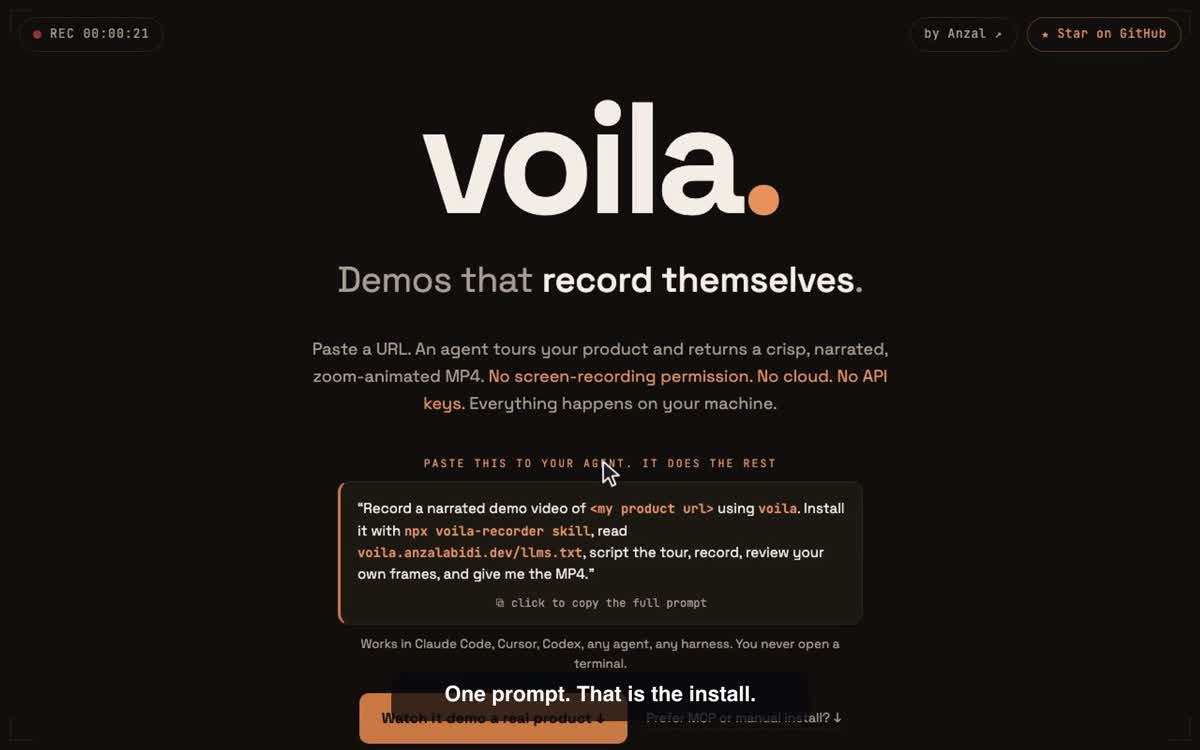](https://voila.anzalabidi.dev/demo-tour.mp4)
*(If the player above does not load, the image is a link to the MP4.)*
The script behind it is [`site-tour.yaml`](site-tour.yaml), and it is embedded
inside the video itself: `ffmpeg -i demo-tour.mp4 -f ffmetadata - | grep voila-recipe`
<details>
<summary>More demos</summary>
**A real product** ([poached.me](https://poached.me)), scripted, narrated and
self-reviewed by an agent:
[watch](https://voila.anzalabidi.dev/demo-poached.mp4) ·
[script](poached-demo.yaml)
**Six languages in one recording**, English then Spanish then French then
Hindi, all from one 80MB on-device model:
[watch](https://voila.anzalabidi.dev/demo-languages.mp4) ·
[script](languages-demo.yaml)
</details>
## Quick start
Tell your agent:
> Record a narrated demo video of `<my product url>` using voila. Install it
> with `npx -y voila-recorder skill`, read
> <https://voila.anzalabidi.dev/llms.txt>, then outline the page, script the
> tour, record it, review your own frames, fix what is off, and give me the MP4.
Or drive it yourself:
```bash
npx -y voila-recorder doctor # pre-download chromium + voice model
npx -y voila-recorder record https://yourapp.com # auto tour -> narrated MP4
```
Verified on Linux, macOS, and Windows in CI: every push records a real demo on
all three, in two languages, and checks the on-device narration track.
One-click, permission-free product demo recorder. Paste a URL → get a crisp,
auto-zoomed, cursor-animated MP4. No OS screen-recording permission, ever —
nothing captures your screen. The page is rendered inside a Chromium instance
voila owns, and frames are pulled straight from the DevTools Protocol.
## Run
```bash
npm install
npx playwright install chromium
npm start # web UI at http://localhost:4477
```
Packaged as a bin (`voila`) — after `npm install -g .` (or `npm link`):
```bash
voila record https://yourproduct.com # auto tour → narrated MP4
voila record <url> --steps demo.yaml # scripted demo
voila record <url> --device mobile # iPhone-class viewport (portrait)
voila outline <url> # page structure for planning
voila review demo.mp4 --frames 12 # frames + recipe for self-review
voila serve # web UI
voila doctor # check + pre-download chromium and the voice model
voila fork demo.mp4 --url https://other.app # rebuild any voila demo from the recipe inside it
voila rerender <dir> --voice bf_emma # new voice, no re-recording (needs --keep-frames)
voila login https://app.example.com # you sign in; session saved locally
voila voices # 28 narration voices, graded
voila mcp # stdio MCP server
```
First run downloads Chromium (~150MB) and the voice model (~90MB) into
`~/.cache/voila`, so upgrades do not re-download. Consent banners are dismissed
before recording, preferring "reject" over "accept".
Devices: `desktop` (1280×800), `mobile` (390×844, touch + mobile UA),
`tablet` (834×1112). Cross-platform: verified on macOS and Linux (arm64
container); recording is headless-safe for CI.
## How auth works (the one-click part)
Click **Open browser to sign in first** → a real Chromium window opens on the
site → you log in yourself. Credentials never pass through voila; the session
lives in a persistent local browser profile (`./profile`). Every recording
after that is genuinely one click.
## How it works
1. **Capture** — persistent Chromium context at 2x devicePixelRatio, viewport
frames streamed via CDP `Page.startScreencast`. A synthetic cursor (DOM
overlay) is animated with eased tweens; every move/zoom is logged to a
timeline ([recorder.js](recorder.js), [overlay.js](overlay.js)).
2. **Tour** — zero-config auto tour: zoom into the hero, sweep the nav, eased
scroll through sections pausing on salient elements, end on the CTA
([tour.js](tour.js)). Or pass a YAML step script for custom flows.
3. **Render** — the timeline is replayed over the captured frames: eased zoom
level + camera center following the cursor, per-frame crop with sharp,
piped into ffmpeg → H.264 MP4 ([render.js](render.js)).
## Captions & narration
Every tour segment can carry a `caption` (burned into the video as a
lower-third) and a `narration` line, spoken by **Kokoro-82M** — open-source
(Apache-2.0), ~80MB quantized, near-human quality, runs on CPU — fully
on-device, no cloud, no API keys ([audio.js](audio.js)). Falls back to macOS
`say` if Kokoro can't load. Voices: `af_heart` (default), `af_bella`,
`am_adam`, … (`voice` param). Disable with `narrate: false` / `--no-narrate`.
**Six languages, mixable in one demo.** Kokoro speaks English (US/UK),
Spanish, French, Italian, Portuguese and Hindi on every platform, on-device.
Set `voice:` per step:
```yaml
- action: hover
selector: h1
narration: "This part is English." # af_heart
- action: scroll_to
selector: "#pricing"
voice: ef_dora # Spanish, same model
narration: "Esta parte está en español."
```
`voila voices` lists all 41. Every step is paced to its own spoken clip, so
mixed-language demos stay in sync. Japanese and Mandarin voices ship with the
model but are gated: espeak mispronounces them badly. For those, and for
anything else, plug in your own engine with
`--tts-cmd 'piper -m ja.onnx -f {out} -- "{text}"'`, use a macOS system voice
(`voice: "say:Kyoko"`, `voila voices --all`), or hand a step a ready-made clip
with `audio: intro.mp3`.
## Recipes — demos as code
Every video ships with its source: `recipe.json` (URL + steps + narration +
segment timings) is written next to the MP4 **and embedded in the MP4's
comment metadata** (`voila-recipe:{...}`). Anyone you share the file with can
extract it — `ffmpeg -i demo.mp4 -f ffmetadata -` — and their agent can
recreate or fork the demo with `voila_record(url, steps_yaml)`. Video is the
compiled artifact; the recipe is the source.
## For agents (MCP + CLI)
Agents are the primary interface — point yours at voila and it does the rest.
Machine-readable instructions: [llms.txt](https://voila.anzalabidi.dev/llms.txt) · [AGENTS.md](AGENTS.md) · portable Claude Code skill: [skills/voila](skills/voila/SKILL.md)
| Harness | Install |
|---|---|
| Claude Code | `npx -y voila-recorder skill` (installs the skill) + `claude mcp add voila -- npx -y voila-recorder mcp` |
| Cursor · Windsurf · Claude Desktop | `{"voila": {"command": "npx", "args": ["-y", "voila-recorder", "mcp"]}}` |
| Codex CLI | `[mcp_servers.voila]` · `command = "npx"` · `args = ["-y", "voila-recorder", "mcp"]` |
| Any agent, no MCP | tell it: *"record a demo of \<url\> using voila — see voila.anzalabidi.dev/llms.txt"* |
From a git clone instead of npm: `claude mcp add voila -- node /path/to/voila/mcp.js`
Tools ([mcp.js](mcp.js)): `voila_outline` (page structure — nav, headings,
CTAs — so the agent can plan selectors and write the script), `voila_record`
(steps YAML in, narrated MP4 path out), and `voila_review` (extracts frames +
the embedded recipe so the agent can inspect its own video, patch the steps,
and re-record — the self-improvement loop). Failed steps raise errors that
name the step and include the live page outline; steps marked `optional: true`
are skipped instead of aborting. Concurrent tool calls are queued, and each
device preset gets its own browser profile. Headless by default; set
`VOILA_HEADFUL=1` to watch. Same pipeline via CLI:
```bash
node cli.js outline https://yourproduct.com
node cli.js record https://yourproduct.com --steps demo.yaml
```
See [poached-demo.yaml](poached-demo.yaml) for a full agent-authored script.
## Steps mode
POST `/api/record` with `stepsYaml`:
```yaml
- action: goto
url: https://app.example.com/dashboard
- action: hover
selector: "nav >> text=Reports"
- action: click
selector: "text=New report"
- action: zoom
level: 1.6
- action: type
selector: "input[name=title]"
text: "Q3 revenue"
- action: wait
ms: 1500
```
Actions: `goto`, `click`, `hover`, `type`, `scroll`, `scroll_to`, `slide`,
`zoom`, `wait` — each step optionally takes `caption` and `narration`.
`slide` renders an animated full-screen title card in the browser itself
(staggered word-rise headline, accent bar, subtitle — `title`, `subtitle`,
`accent`, `ms`), recorded like any other frame. In steps mode narration is
synthesized **before** recording, so each segment automatically stays on
screen for the length of its spoken clip and captions disappear exactly when
the voiceover moves on. Clicks show a target highlight ring, cursor press,
and a double ripple; after navigations and scrolls the cursor drifts to the
most salient element so it never sits parked.
## Env
- `PORT` — server port (default 4477)
- `VOILA_HEADLESS=1` — record headlessly (CI mode; no window pops)
## Contributing
Issues and pull requests are welcome. See [CONTRIBUTING.md](CONTRIBUTING.md)
for how to run the project locally and what CI checks on every push.
Release history is in [CHANGELOG.md](CHANGELOG.md).
## License
MIT, see [LICENSE](LICENSE). voila bundles ffmpeg (via ffmpeg-static) and uses
[Kokoro-82M](https://huggingface.co/hexgrad/Kokoro-82M) (Apache-2.0) for
narration and [espeak-ng](https://github.com/espeak-ng/espeak-ng) (GPL-3.0,
loaded as a separate WASM module) for non-English pronunciation.
This server cannot be deployed
Maintenance
ActivityMaintained
ResponsivenessNo issues