
MCP-AWS
by anirban1592
README.md
# 🚀 Multi-Agent System: A2A & MCP Integration POC
POC: Integrating A2A, MCP, and OpenAI Agents for AWS Tasks 🖥️✨
---
## 🎥 Demo Video
Watch the demo video to see MCP-AWS in action! 🚀
[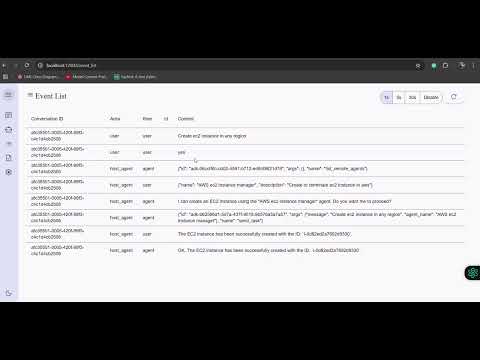](https://youtu.be/FeGmKmsYcRc)
---
## 🌟 Features
1. 🚀 **Seamless Protocol Integration**: Demonstrates the successful integration of the Agent-to-Agent (A2A) protocol with a Model Context Protocol (MCP) server for robust multi-agent communication.
2. 🧠 **Leverages OpenAI Agents SDK**: Built upon the powerful OpenAI Agents SDK to create intelligent agents capable of understanding and acting on user prompts.
3. ☁️ **Automated Cloud Management**: Enables direct provisioning and termination of AWS EC2 instances through simple user interactions, showcasing practical tool execution via the MCP.
---
## 🛠️ Tools in the MCP Server
The MCP server is a custom server with two tools:
1. **`initiate_aws_ec2_instance`**: Creates an AWS EC2 instance.
2. **`terminate_aws_ec2_instance`**: Terminates an AWS EC2 instance by its ID.
---
## 🚀 Getting Started
### Prerequisites
1. **Python 3.12+** (for local setup) or **Docker** (for containerized setup)
2. **AWS IAM Role**: Create an IAM role with the necessary permissions to manage EC2 instances.
3. **Environment Variables**: Prepare a `.env` file with the following variables:
- `AWS_ACCESS_KEY_ID`
- `AWS_SECRET_ACCESS_KEY`
- `AWS_DEFAULT_REGION`
- `OPENAI_API_KEY`
- `AMI_ID`
- `INSTANCE_TYPE`
- `KEY_NAME`
- `SECURITY_GROUP_IDS`
- `AWS_REGION`
### 🏃♂️ Running the App
1. Clone the repository at the root:
```bash
git clone https://github.com/anirban1592/google_openai_mcp.git
cd google_openai_mcp
```
2. Create `.env` file as shown in prerequisites
3. Run the remote agent example:
```bash
cd openai-agent/
uv run .
```
3. Clone the A2A client code(by google) at the root dir:
```bash
git clone https://github.com/google/A2A.git
cd demo/ui
```
4. Create an environment file with your API key or enter it directly in the UI when prompted:
```bash
echo "GOOGLE_API_KEY=your_api_key_here" >> .env
```
5. Run the front end example:
```bash
uv run main.py
```
6. Refer to the attached video to see it in action
### 💬 Using the AI Agent
1. To create an EC2 instance:
```
Enter your command: Create an EC2 instance
```
2. To terminate an EC2 instance:
```
Enter your command: Terminate EC2 instance with ID <instance-id>
```
## ⚠️ Word of Caution
- **IAM Role and Credentials**: Please create AWS IAM roles and credentials at your own risk. Ensure you follow AWS best practices for security.
- **Billing and Security**: This app is a proof of concept (POC) and is intended for learning purposes only. We are not responsible for any billing issues or security incidents.
## 📚 Learnings
This project demonstrates:
1. How to integrate MCP servers with OpenAI Agents SDK
2. How to build a simple AI-driven application for AWS resource management
Enjoy exploring the power of AI and MCP servers! 🌟
This server cannot be deployed
Maintenance
ActivityInactive
ResponsivenessNo issues