A
licenseNot graded
qualityF
maintenanceAllows the AI to read from your local Apple Notes database (macOS only)
131
MIT

Click on "Deploy Server".
Wait a few minutes for the server to deploy. Once ready, it will show a "Started" state.
In the chat, type @ followed by the MCP server name and your instructions, e.g., "@Bear MCP Server search for notes about meeting notes from last week"
That's it! The server will respond to your query, and you can continue using it as needed.
Here is a step-by-step guide with screenshots.
This project is a Model Context Protocol (MCP) server that provides access to the Bear Notes.
Bear stores notes on SQLite database. This MCP server runs some SQL commands to access this notes. https://bear.app/faq/where-are-bears-notes-located
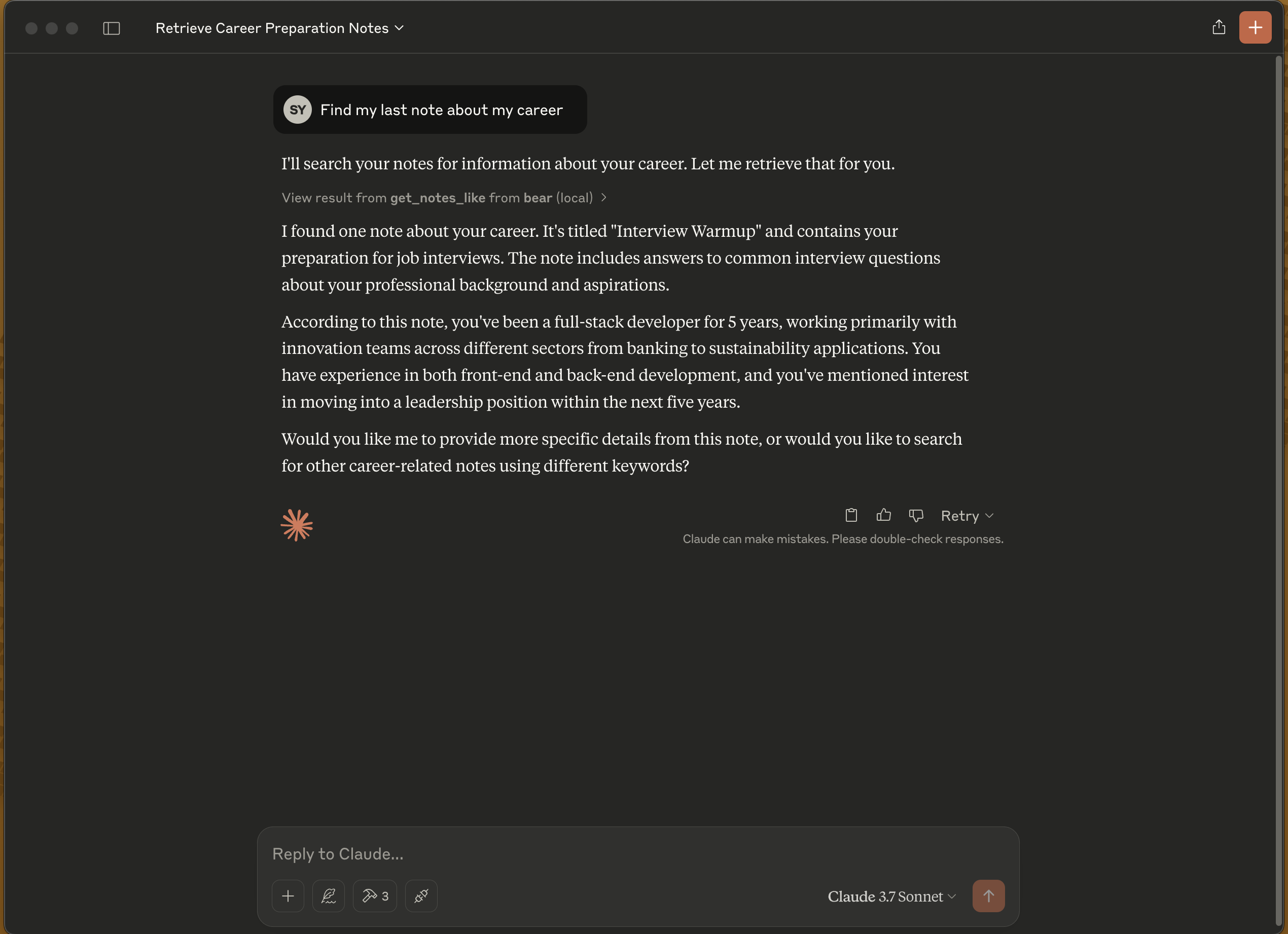
Read notes
Search notes by text
List all tags
Related MCP server: Bear Notes MCP Server with RAG
# Clone the project
git clone https://github.com/akseyh/bear-mcp-server

# Change directory
cd bear-mcp-server

# Install dependencies
npm install

# Build the project
npm run buildUpdate your claude_desktop_config.json
{
    "mcpServers": {
        "bear": {
            "command": "docker",
            "args": [
                "run",
                "-v",
                "/Users/[YOUR_USER_NAME]/Library/Group Containers/9K33E3U3T4.net.shinyfrog.bear/Application Data:/app/db",
                "-i",
                "akseyh/bear-mcp-server"
            ]
        }
    }
}{
"mcpServers": {
"bear": {
"command": "npx",
"args": [
"bear-mcp-server"
]
}
}
}When the server is started, the following MCP tools become available:
get_notes: Retrieves all notes
get_tags: Lists all tags
get_notes_like: Searches for notes containing specific text
Node.js
Bear note application (macOS)
Access to Bear database
ISC
This server cannot be deployed
Read and write the notes and folders of your Grape account, the AI note-taking app.
Search and read your own notes: insights, drafts, book and podcast notes. Read-only, OAuth.
Secure AI access to OpenOak tasks, notes, and Kanban boards.
Notes and actions in one app. Let Claude or ChatGPT read and update them.