
A
licenseNot graded
qualityC
maintenanceWraps the Hunter.io email finder and verification API, enabling email lookup and verification via MCP.
510 npm
MIT

The Hunter MCP Server enables natural language interaction with Hunter's B2B data using the MCP protocol. You can:
Search domains: Find the top 10 emails associated with a domain
Verify emails: Check email address validity
Find emails: Identify the most likely email address for a given domain and full name
Enrich emails: Gather detailed information (name, location, social handles) associated with an email
Enrich companies: Obtain comprehensive details (industry, description, headquarters) about a company based on its domain
Create leads: Add leads to your account through conversational interfaces
Click on "Deploy Server".
Wait a few minutes for the server to deploy. Once ready, it will show a "Started" state.
In the chat, type @ followed by the MCP server name and your instructions, e.g., "@Hunter MCP Server find email addresses for marketing managers at Salesforce"
That's it! The server will respond to your query, and you can continue using it as needed.
Here is a step-by-step guide with screenshots.
This repository is no longer maintained. All functionality has moved to Hunter’s Remote MCP Server, which provides a more convenient setup.
👉 Start here: https://hunter.io/api-documentation#mcp
This MCP (Model Context Protocol) server provides integration between the Hunter API and any LLM provider supporting the MCP protocol (e.g., Claude for Desktop), allowing you to interact with the Hunter B2B data using natural language.
Related MCP server: Apollo MCP
Use Hunter API endpoints using natural language
Get B2B data about People and Companies
Save them to your Leads through conversational interfaces
Here is an example config file which you can use to set up Hunter MCP.
{
  "mcpServers": {
    "hunter-mcp": {
      "command": "uv",
      "args": [
        "run",
        "--with",
        "mcp[cli]",
        "mcp",
        "run",
        "PATH_TO_hunter-mcp/main.py"
      ],
      "env": {
        "HUNTER_API_KEY": "YOUR_HUNTER_API_KEY"
      }
    }
  }
}
For Claude Desktop, you can install and interact with it right away by running:
mcp install main.py -v HUNTER_API_KEY=YOUR_HUNTER_API_KEY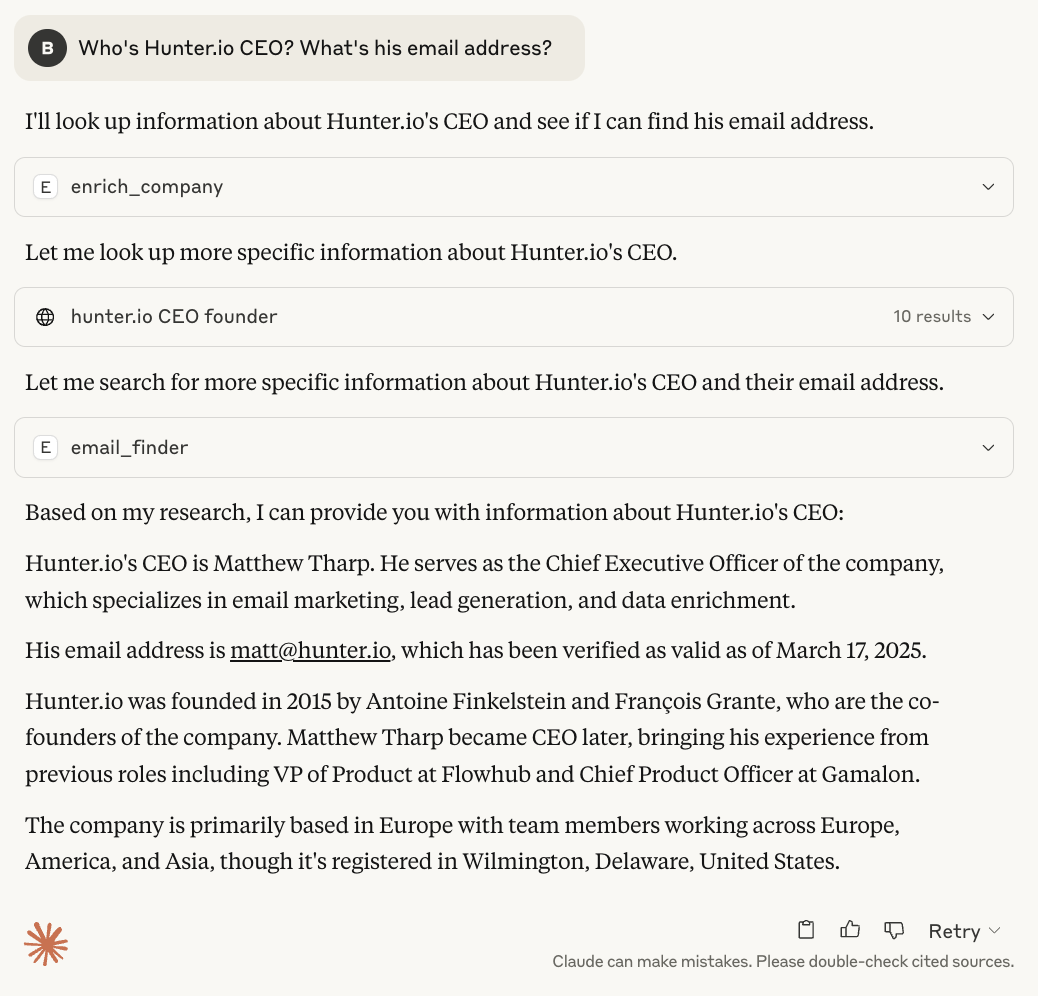
The Hunter MCP server provides access to various Hunter API endpoints as tools.
The current version offers the following tools:
Domain Search
Email Finder
Email Verifier
Email Enrichment
Company Enrichment
Lead Creation
Note: All the Hunter API endpoints are not supported, yet. This will be addressed in a future release.
This project is licensed under the MIT License; see the LICENSE.md file for details.
Create a lead in user's account.
Inputs: email (required).
Return the top 10 emails on a given domain.
Inputs: domain (required).
Return the most likely email address for a given domain and full name.
Inputs: domain (required), full_name (required).
Return the validity of a given email address.
Inputs: email (required).
Return all the information associated with a domain, such as the industry, the description, or headquarters' location.
Inputs: domain (required).
Return all the information associated with an email address, such as a person's name, location and social handles.
Inputs: email (required).
Recent tool additions, removals, and schema changes observed during successful MCP inspections.
Loading tool schema changelog…
Scored across 6 tools
Each tool has a clearly distinct purpose with no ambiguity: creating leads, domain-based email searches, email finding for specific names, email verification, company enrichment, and email enrichment. The descriptions clearly differentiate their functions, making misselection unlikely.
All tool names follow a consistent snake_case pattern with clear verb_noun combinations (e.g., create_lead, domain_search, email_finder). The naming is predictable and readable throughout the set.
With 6 tools, this server is well-scoped for its purpose in lead generation and contact enrichment. Each tool earns its place by covering distinct aspects of the workflow, from lead creation to data verification and enrichment.
The tool set provides strong coverage for lead and contact management, including creation, search, verification, and enrichment. A minor gap might be the lack of update or delete operations for leads, but agents can likely work around this for core workflows.
Hunter.io MCP — wraps the Hunter.io email finder & verification API (hunter.io)
Search people and companies, enrich profiles, and find email and phone over MCP.
Model Context Protocol server for the Apideck Unified API. Connect any MCP-compatible agent framework to 100+ accounting systems, HRIS platforms, file storage providers, and more through one integration. More information https://www.apideck.com/mcp-server
Managed LinkedIn MCP server for AI agents: search, connect, message and enrich on accounts you own.